Tips
How to Stop Spam on Framer Forms: What Actually Worked for Me
Tired of Framer form spam? Learn how to block bot submissions using a custom component and a simple verification workflow.
By

Widya Bayu W
Share
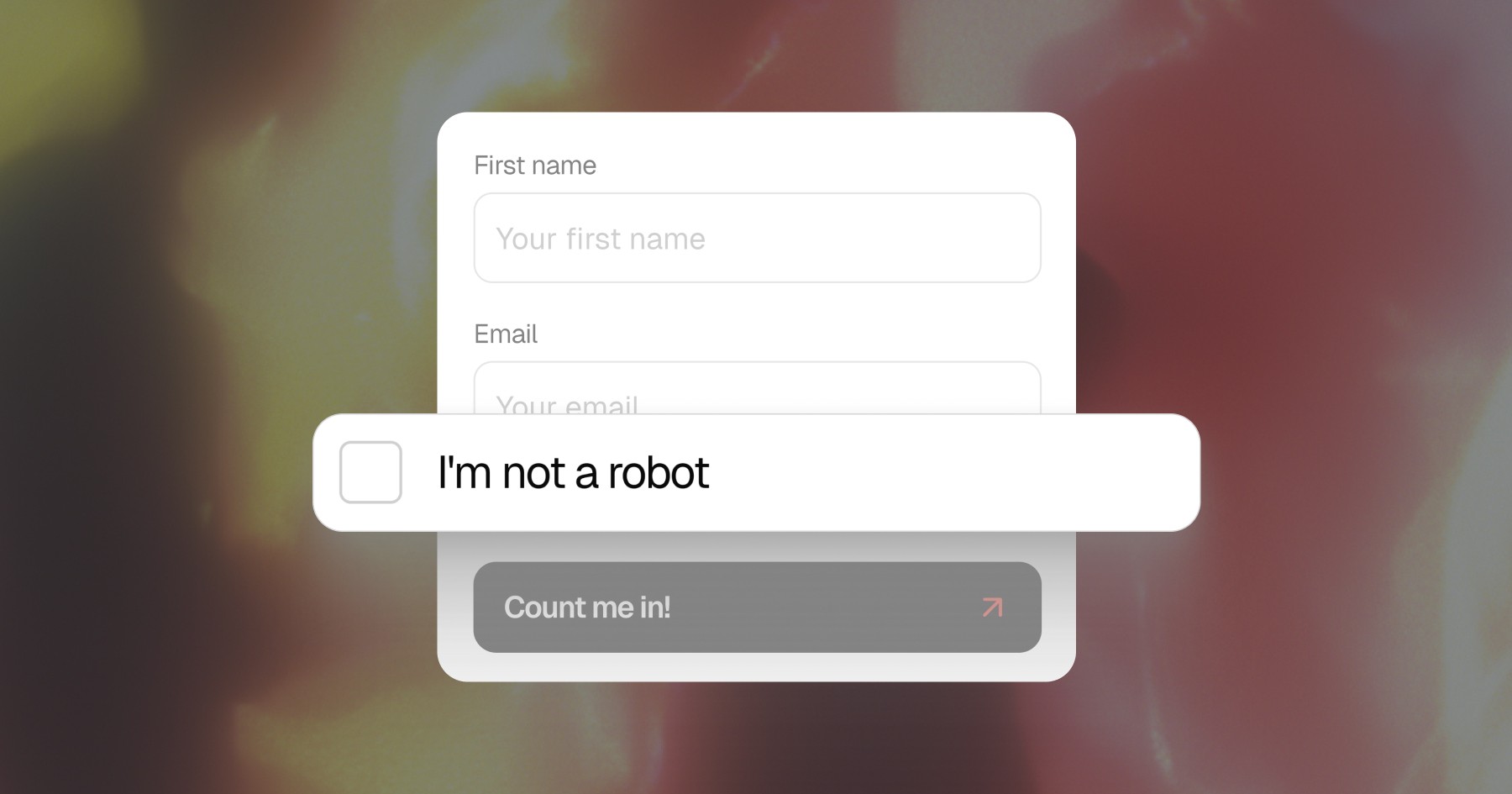
Is this your problem?
If you’ve ever built a Framer form and thought everything was working fine, just wait until the bots show up. That’s exactly what happened to me. At first, I was getting normal submissions, then slowly my form started filling up with random names, fake emails, and complete garbage.
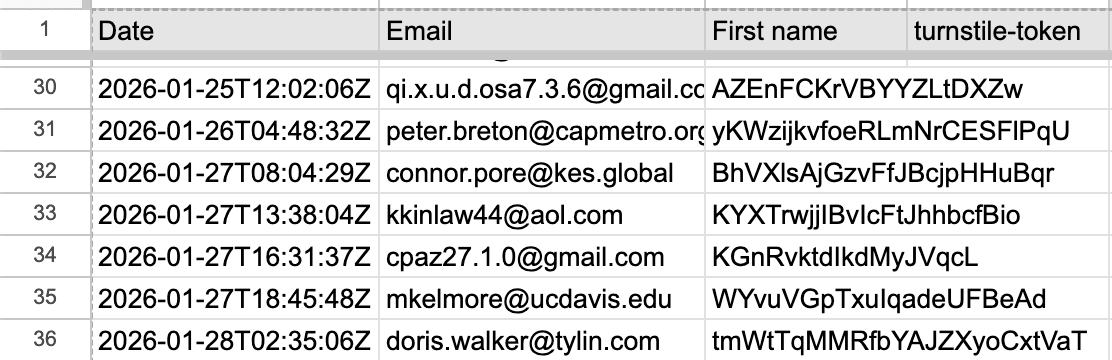
It wasn’t just annoying. It broke my workflow. My spreadsheet got messy, my automation started sending junk to my email list, and I had no real way to tell what was legit anymore.
So I went down the rabbit hole trying to fix it. I tested a few different approaches, some more technical than others, and along the way I learned what actually works and what just looks like it should work.
Why Framer Forms Still Get Spam
Before jumping into solutions, it’s worth understanding why this happens in the first place. A Framer form component is super easy to use, which is great, but that also means it doesn’t enforce strict validation by default.
Framer does have some built-in protection. But in practice, once your form is public, bots will find it. And if there’s no strong verification layer tied to your backend, they can still submit data without much resistance.
That’s exactly where I ran into problems.
If you are also thinking about how much your whole Framer setup costs, including forms and automations, check out our Framer website cost guide for a full breakdown.
Method 1: Cloudflare Turnstile (What I Tried First)
My first instinct was to block bots at the source. So I built a custom solution using Cloudflare Turnstile inside my Framer form component.
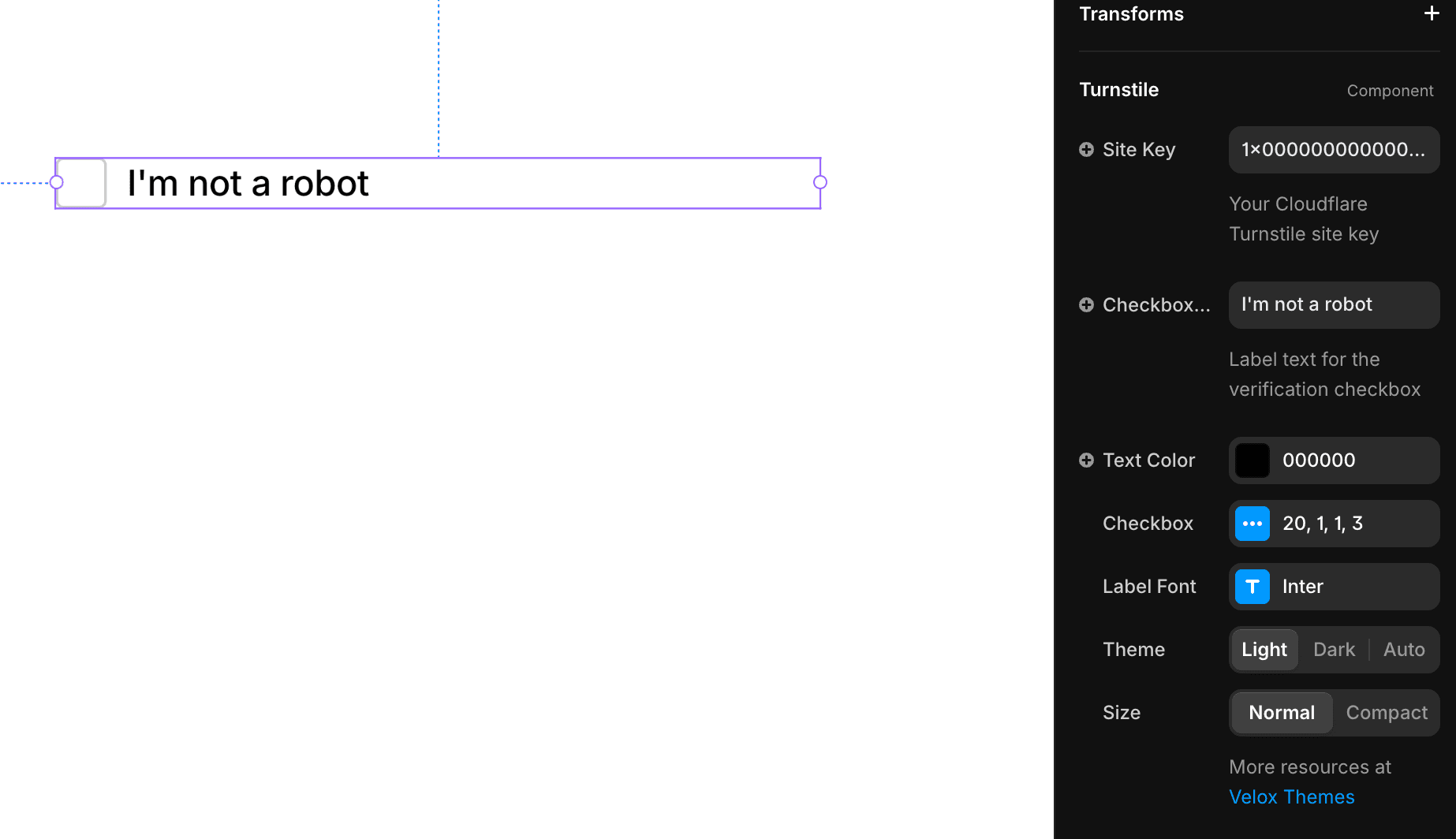
At that point, I already had my automation set up. My form submissions were going into a Google Sheet, and from there, Zapier would automatically send them to my email marketing tool.
And that’s where things started to go wrong.
What Happened
Since my system was already live, every Framer form submission was being processed immediately. That included bot submissions.
So what I ended up with was:
Bots submitting my form
Zapier picking them up
And my email tool sending emails… to bots
Yeah, not ideal.
What I Built
To fix this, I added a field called turnstile token.
If the user passed the Turnstile check, the token would be filled
If not, it stayed empty
This gave me a way to identify which submissions were actually verified.
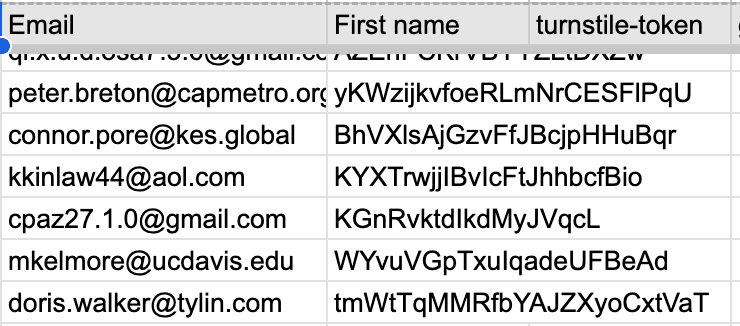
The Problem
Even with that setup, spam didn’t stop. The verification only happened on the frontend, which meant bots could still bypass it by sending requests directly to the Framer form submission endpoint.
So while I had a way to label submissions, I wasn’t actually blocking anything yet.
One thing worth understanding here is why frontend-only verification consistently fails. When you add Turnstile or any similar tool purely on the frontend, the bot never actually needs to interact with your page at all. It just sends a POST request directly to the form submission endpoint, skipping your verification widget entirely. The widget only runs in the browser, and bots don't use browsers.
This is a common mistake and not obvious until you dig into it. A lot of people assume that if the form looks protected, it is protected. But looking protected and being protected at the submission level are 2 very different things.
The only way to truly stop a bot is to validate the token on the server side before accepting the submission, or use a component that handles that verification before the submission ever reaches Framer.
Method 2: Adding Zapier Filtering
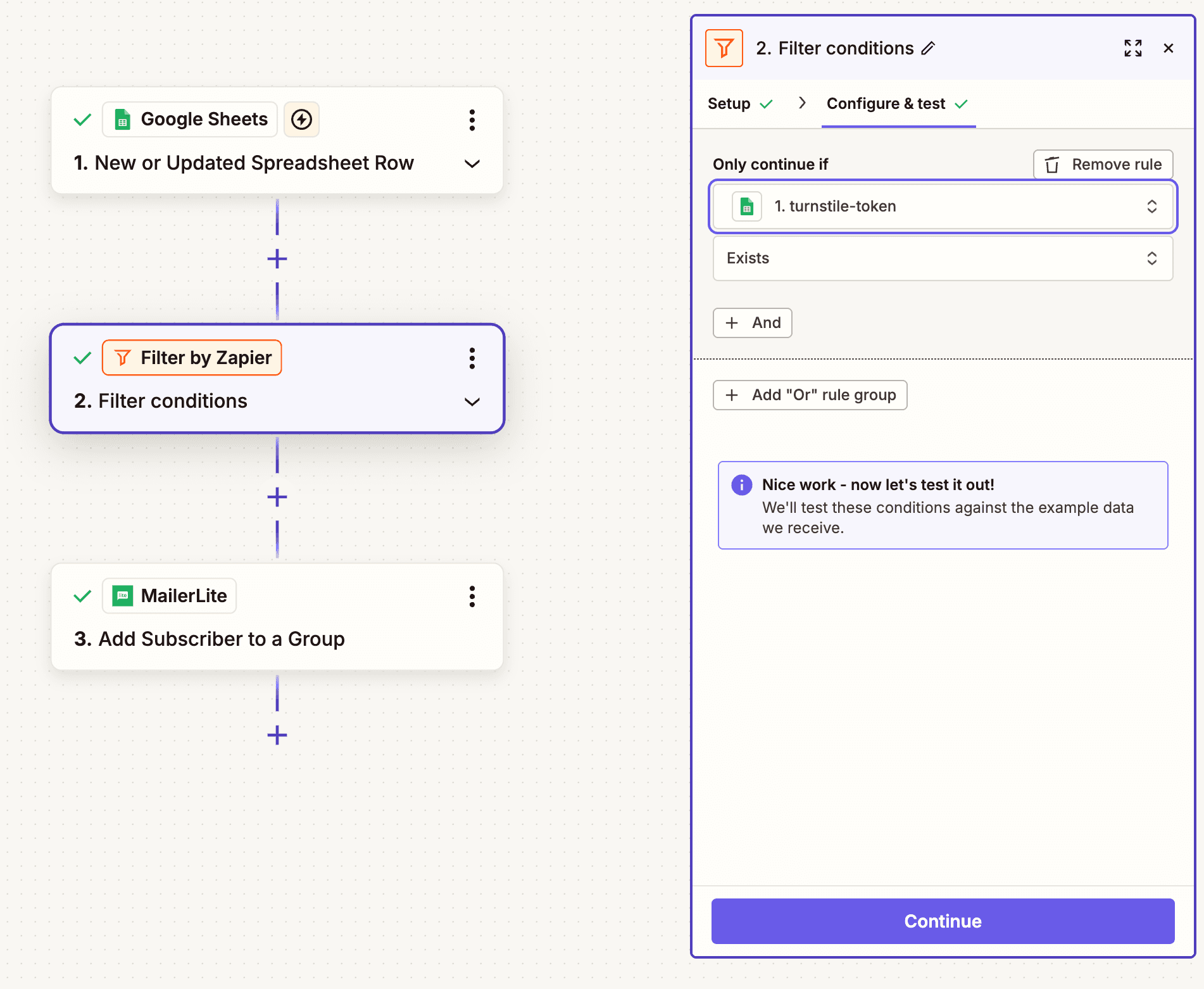
Since I already had the turnstile token, the next step was obvious. I used it inside Zapier as a filter.
The workflow became:
New row in Google Sheet
Check if turnstile token exists
If yes → send to MailerLite
If not → ignore
This made a noticeable difference. My email list became cleaner, and I stopped sending emails to obvious bot entries.
Even though it worked, there were still a few problems.
First, bots were still hitting my form. So my sheet was still getting messy, even if I filtered later.
Second, every submission still triggered Zapier. So if bots sent 100 requests, that’s 100 tasks used.
And third, my original Turnstile component was still leaking. It wasn’t actually stopping bots, just slowing them down at best.
So while this setup improved things, it didn’t solve the root problem.
Method 3: The Fix That Actually Worked
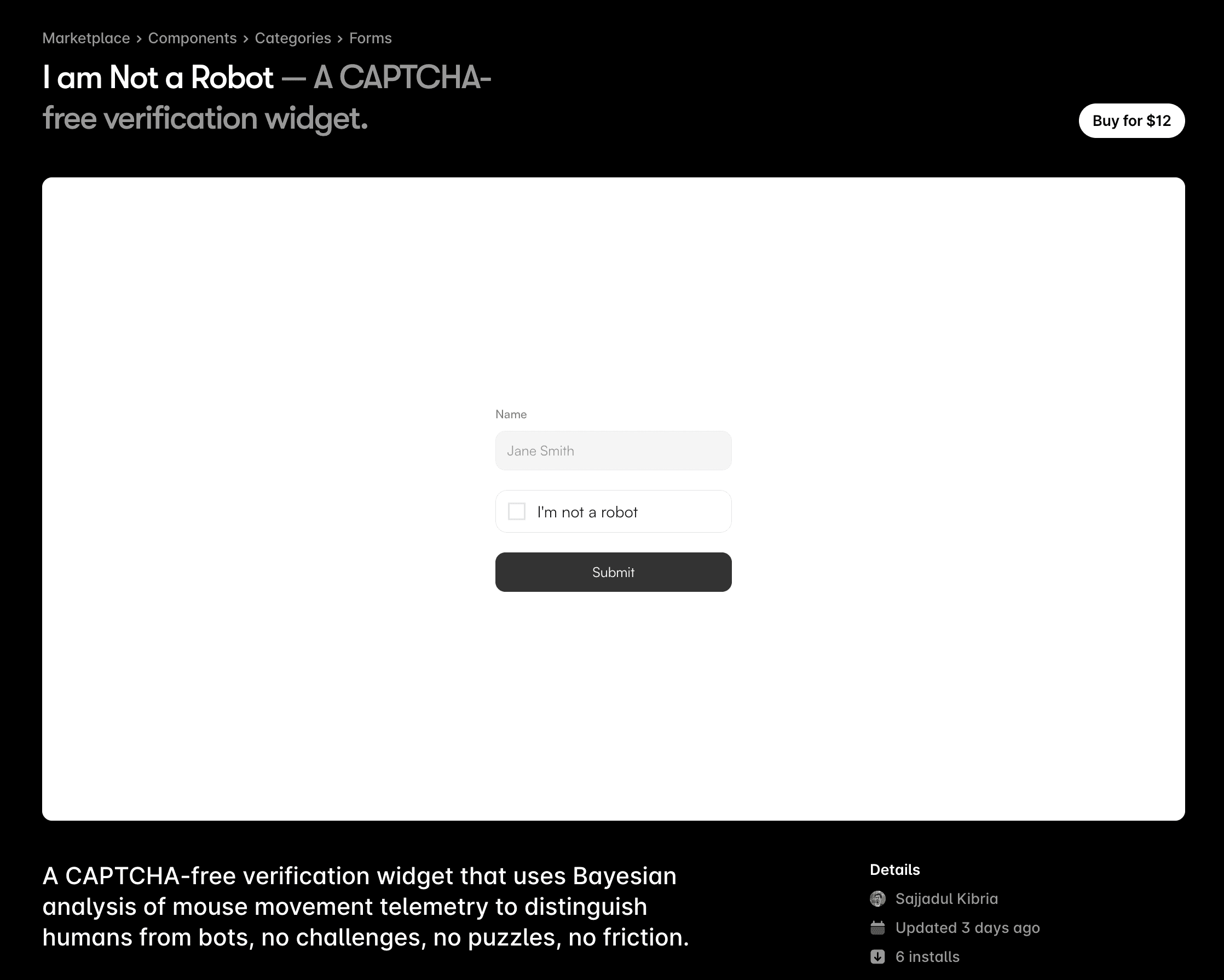
This is where things finally clicked.
My friend Sajadul built a component specifically for this problem, and I decided to test it:
https://www.framer.com/marketplace/components/i-am-not-a-robot/
At first, I didn’t expect much. But after running it for about 2 weeks, from my testing, this component removed 95%+ of bot spam on my Framer form.
And then I got curious. On April 1st, I decided to turn it off. I thought maybe the bots were just gone for good.
Bad idea.
Within one day, I got 2 spam submissions again.

That was enough proof for me. I turned the component back on the same day, and since then… nothing. No spam at all.
Honestly, at that point I just sat there thinking, what kind of magic is this?
If you’re curious, I’m actually using this component directly on our newsletter form, so it’s not just something I tested once and forgot. It’s part of my live setup now.
Why This Worked
This component adds a proper verification step before allowing a Framer form submission. It’s not just a frontend trick. It’s designed in a way that bots consistently fail to pass.
Unlike my previous setup, this one actually blocks submissions instead of just tagging them.
What Changed
My form stopped receiving spam
My spreadsheet stayed clean
My automation only handled real users
What made this solution click for me is that it moves the protection to the right place. Instead of trying to clean up bad data after it gets in, it stops bad data from entering in the first place. That distinction sounds simple but it changes everything about how your downstream tools behave.
Zapier stops wasting tasks. Your spreadsheet stays readable. Your email list only has real people. And you are not constantly second-guessing whether a submission is legitimate.
If you are using Framer forms for a newsletter, a contact form, or any kind of lead capture, this is the setup I would recommend from the start. Not after you get hit with spam. Setting it up takes maybe 10 minutes and the peace of mind is worth it.
My Current Setup
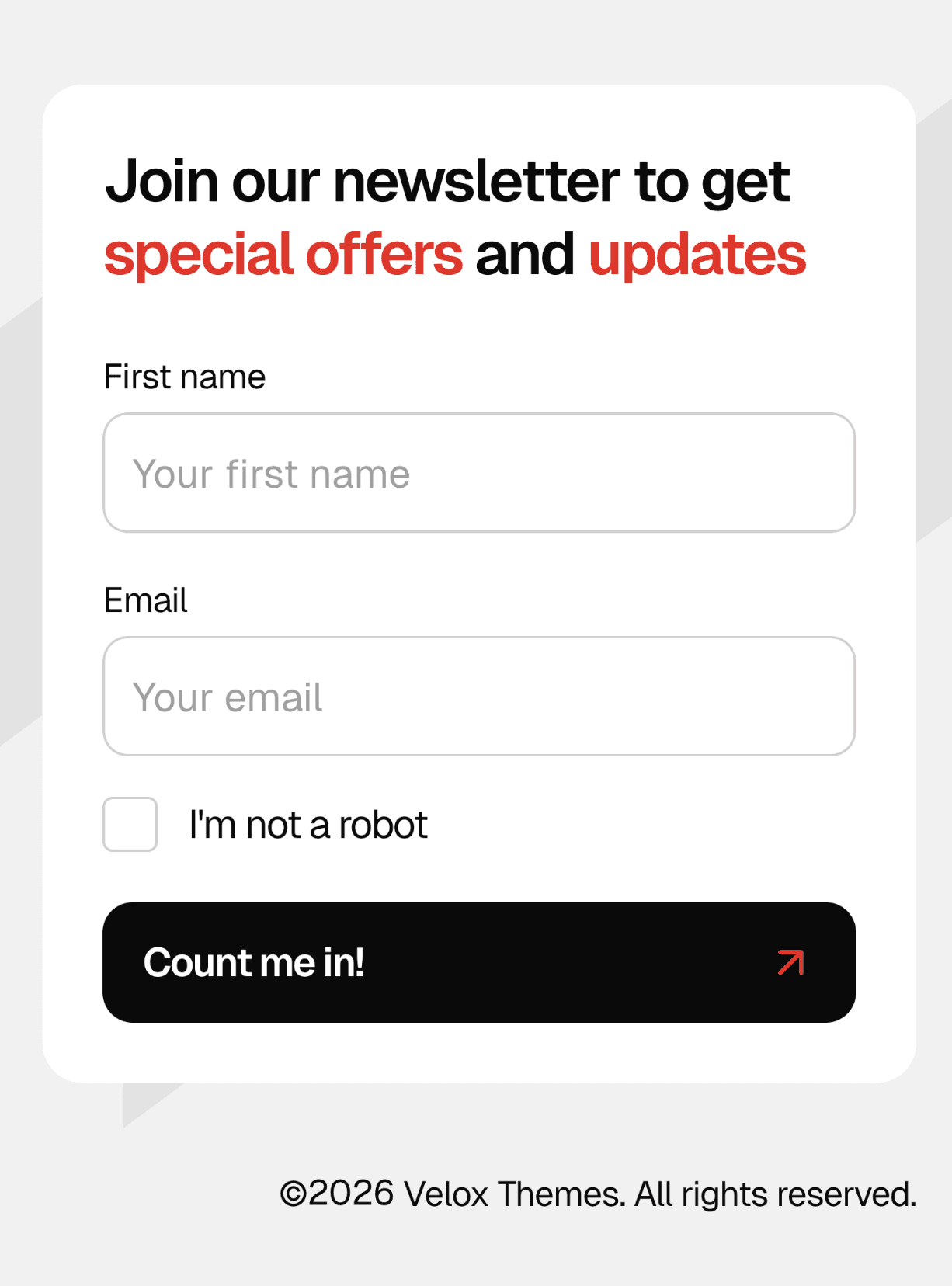
Right now, my setup is simple but a lot more reliable than before.
A user fills out the form, and the Framer form component verifies them first. That already blocks most bot submissions before they even enter my system.
But I didn’t stop there.
I still keep my Zapier filter in place using the same logic with the verification field. So even if something somehow slips through, it won’t make it to my email marketing tool.
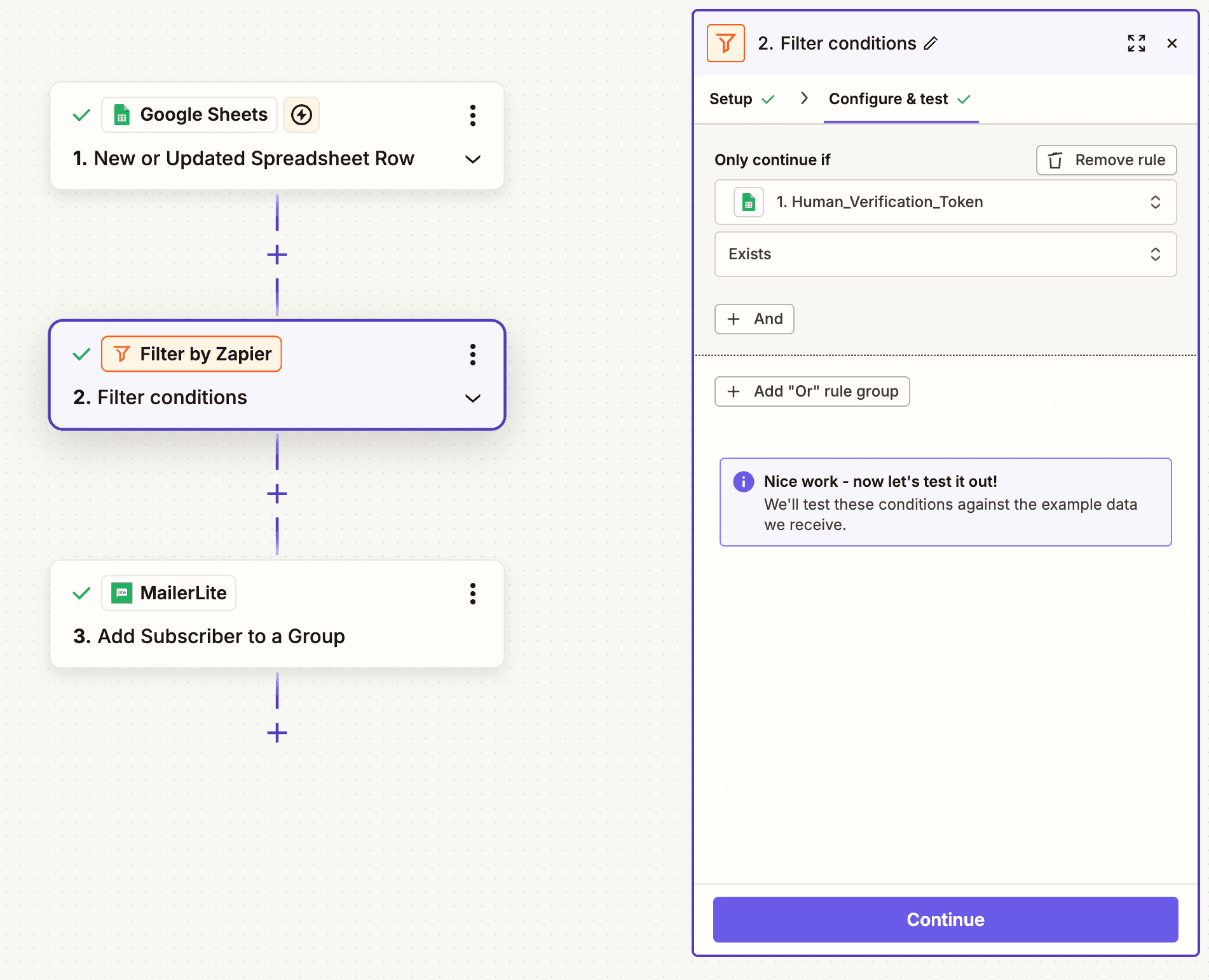
So now I basically have 2 layers of protection:
The component blocks bots at the form level
Zapier filters anything that might slip through
This setup gives me peace of mind. I’m not relying on just 1 solution anymore.
And the best part is, Zapier is no longer doing heavy lifting. It’s just acting as a safety net instead of cleaning up a mess.
Common Questions
How can I stop form spam in Framer?
From my experience, the only reliable way is to stop it before it enters your system. Frontend only solutions won’t work on their own. You need a proper verification layer that bots can’t bypass.
What is the best Framer bot prevention setup?
The best setup I’ve found is simple. Use a strong Framer form component for verification, then use tools like Zapier only after the data is clean.
Why didn’t Cloudflare Turnstile work?
It wasn’t that Turnstile itself failed. The issue was how I implemented it. Without server side validation, bots could bypass it completely.
Final Thoughts
Looking back, I wasted a lot of time trying to patch the problem instead of fixing it properly. My biggest mistake was trusting a frontend only solution and assuming it was enough.
Once I switched to a proper verification approach using a custom component, everything changed. No spam, no cleanup, no wasted Zapier tasks.
If you’re dealing with Framer bot prevention on forms, don’t overthink it. Focus on blocking bots before submission, not after. It’ll save you time, money, and a lot of frustration.
And if you are setting up your Framer site from scratch and want to make sure everything is optimized before launch, our Framer prelaunch checklist covers all the things worth checking before you go live.
Meet the author
Widya Bayu W
Widya Bayu W is a Framer expert and Co-founder of Velox Themes, he has 7+ years experience in design industry and now helping designers and agencies build website faster.
Ship Fast With Quality Framer Templates
No code required
Fast support
Ship faster