Comparison19 min read
GPT-6.2 Astra vs Opus 5.5: Which Builds Better Websites?
Astra costs twice as much as Claude Opus 5.5 per token. I gave both, plus GPT-6.2 Sol, the same website prompts to see if it's worth it.
OpenAI released GPT-6.2 Astra and GPT-6.2 Sol on 17 November 2026. Astra is the big one. Per token, it costs twice as much as Claude Opus 5.5, Anthropic's everyday model.
So is Astra worth twice the price for building websites? And what about Sol, OpenAI's cheaper model?
The next morning, I gave Astra and Sol the same website prompts I gave Opus 5.5 in my Fable vs Opus test. I make website templates at Velox Themes, so I look at websites all day. In this post, you'll see every prompt, every result, how long each one took and what it cost.
Summary
- Astra cost less per website than Opus in rounds 1 and 2, even though its price per token is twice as high. It wrote far fewer tokens.
- In the redesign round, Opus was cheaper and faster. Astra changed more, and swapped some of Opus's drawings for its own photos.
- All three models have the same habit. With a short prompt, all 9 pages had a cream or off-white background.
- With a Design.md guide, all three picked the same templates for every website.
- Sol cost 40 to 50% less than Opus per website, but took longer.
- The setup wasn't identical. Astra and Sol ran in Codex at high effort in fast mode. Opus ran in Claude Code at medium effort. So compare the cost, not the speed.
Average time and cost per website:
| Round | Opus 5.5 | Astra 6.2 | Sol 6.2 |
|---|---|---|---|
| 1: short prompt | 2.6 min, $0.92 | 3.2 min, $0.73 | 5.5 min, $0.56 |
| 2: with a Design.md guide | 7.1 min, $2.36 | 5.5 min, $1.25 | 10.2 min, $1.14 |
| 3: redesign | 6.1 min, $2.33 | 10.4 min, $2.83 | Not tested |
Astra's and Sol's costs are at OpenAI's normal prices. I ran them in fast mode, which costs twice as much.
How the test worked
I used the same three made-up businesses as in my other tests, in three rounds:
- Round 1: a short prompt with no design help.
- Round 2: the same prompt, plus a Design.md guide to follow.
- Round 3: both Opus and Astra redesigned the same page: Opus's round 1 website.
That's 24 websites: 9 from Opus, 9 from Astra and 6 from Sol. Each one got a single prompt. I didn't help, fix anything or ask for changes. The Opus 5.5 pages are the same ones from my Fable vs Opus test.
Codex vs Claude Code: what was different
Astra and Sol run in OpenAI's Codex, and Opus runs in Anthropic's Claude Code. So the models didn't work in the same tool. Some settings were different too:
| Setting | Opus 5.5 | Astra 6.2 and Sol 6.2 |
|---|---|---|
| Tool | Claude Code desktop app | Codex command line |
| Effort | Medium | High |
| Speed | Normal | Fast mode (2× the price) |
| Could check its own page in a browser | Yes | Not in my setup (some used Chrome on their own) |
Higher effort means the model thinks more, and fast mode makes it run faster. So the times aren't a fair speed test. The costs and the pages are the useful part. (All the setup details are at the end.)
Round 1: a short prompt, no design help
This is how most people start. You type a short prompt and see what you get. Every prompt in this round also told the AI to work alone, make its own choices and build the page in one go.
Website 1: Tally Desk, an invoice app
The prompt:
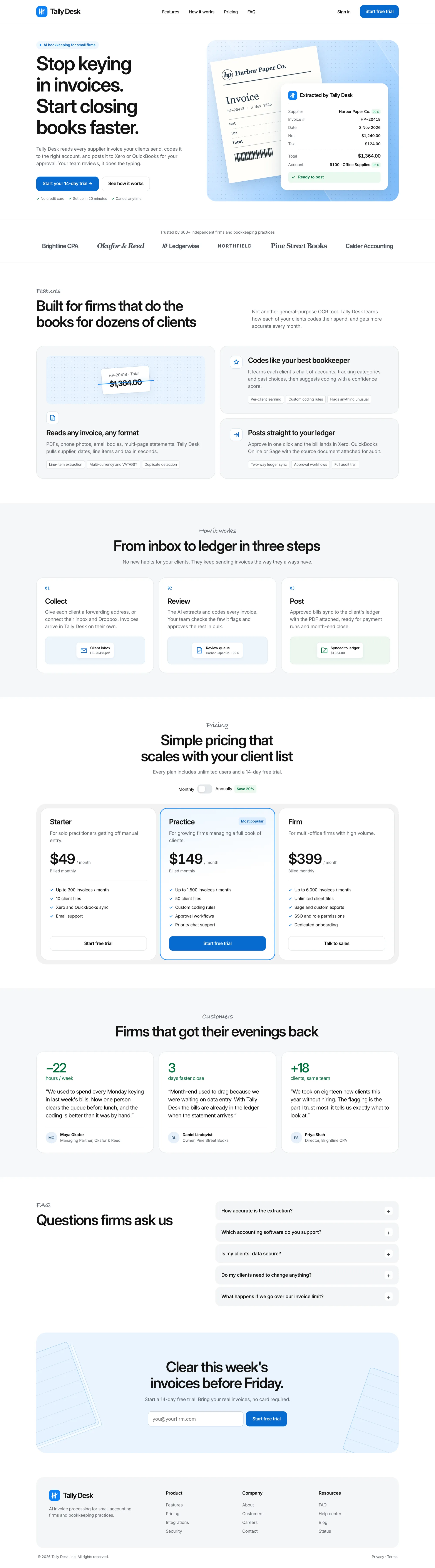
Build a landing page for "Tally Desk", an AI tool that helps small accounting firms automate invoice processing.

Sections: navigation, hero with headline and call to action, logo strip, 3 key features, how it works (3 steps), pricing with 3 plans, testimonials, FAQ, footer.

Write all the copy yourself. Build it as a single responsive page with HTML, CSS and vanilla JavaScript. Use placeholder images where needed.
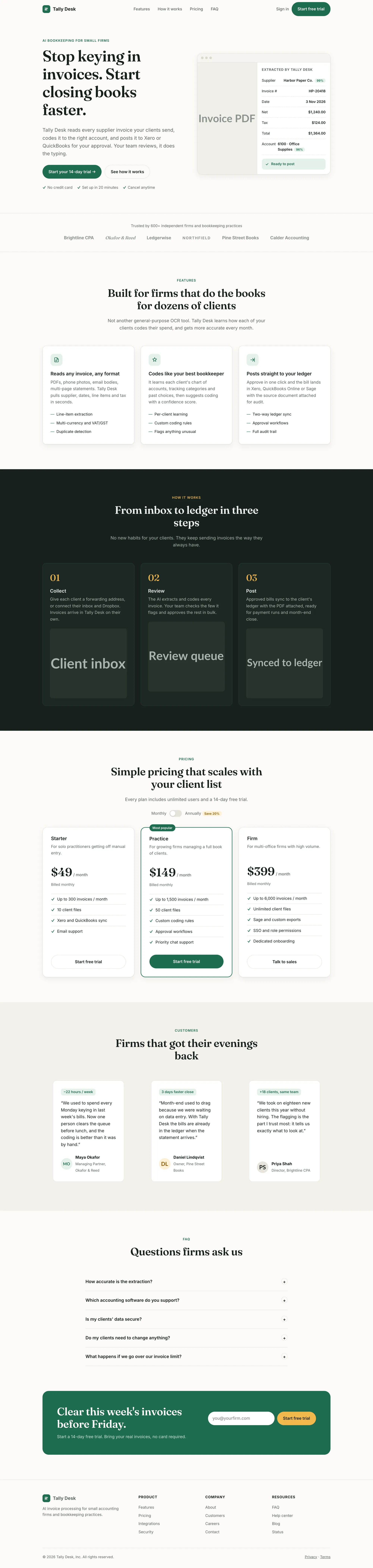
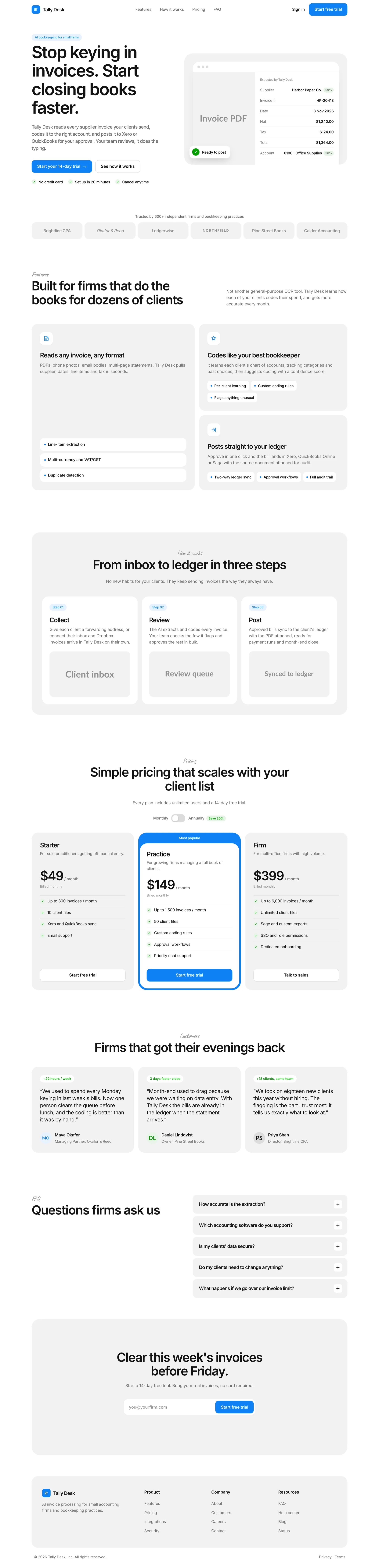
Opus 5.5's result took 2.5 minutes and cost $1.01.
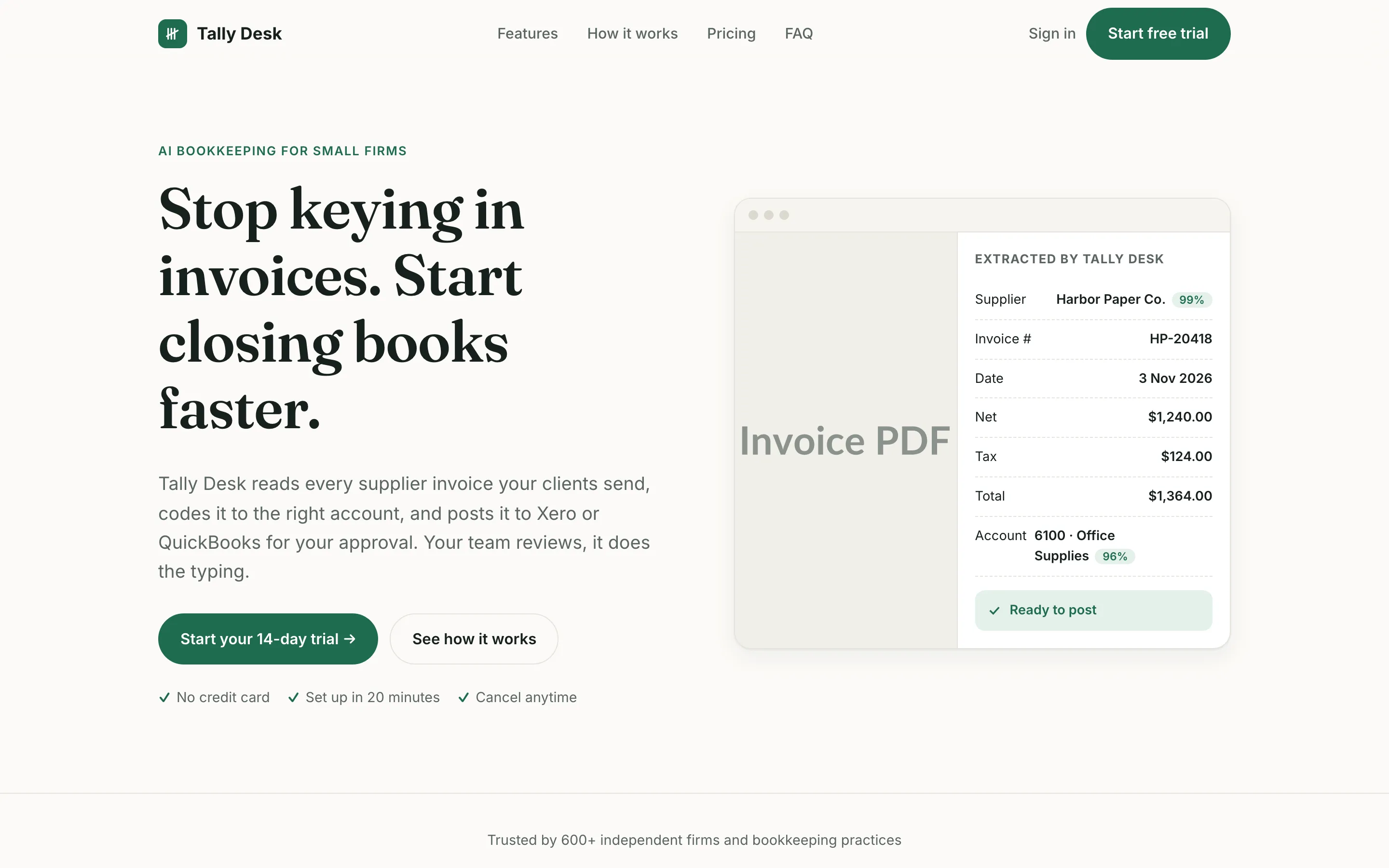
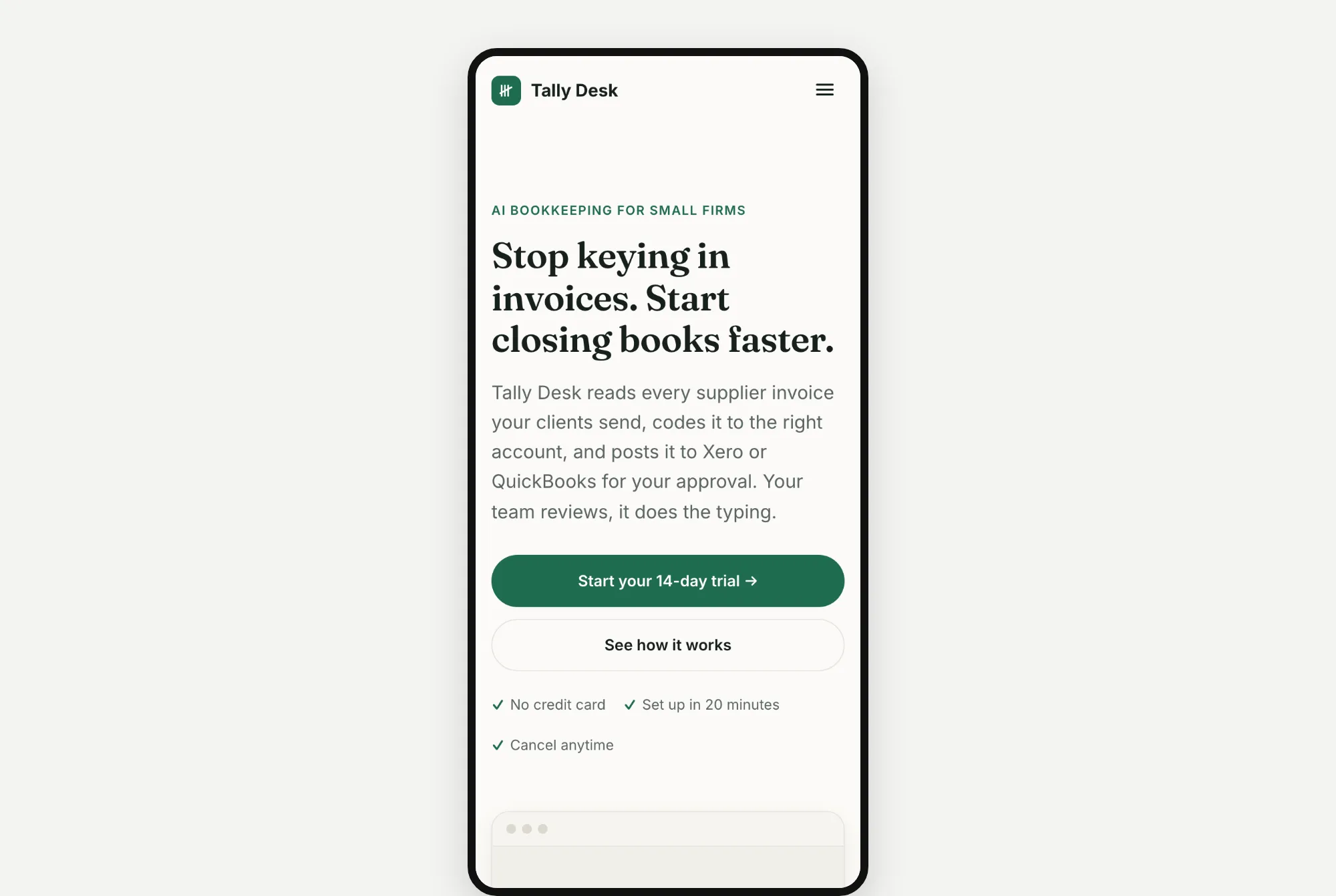
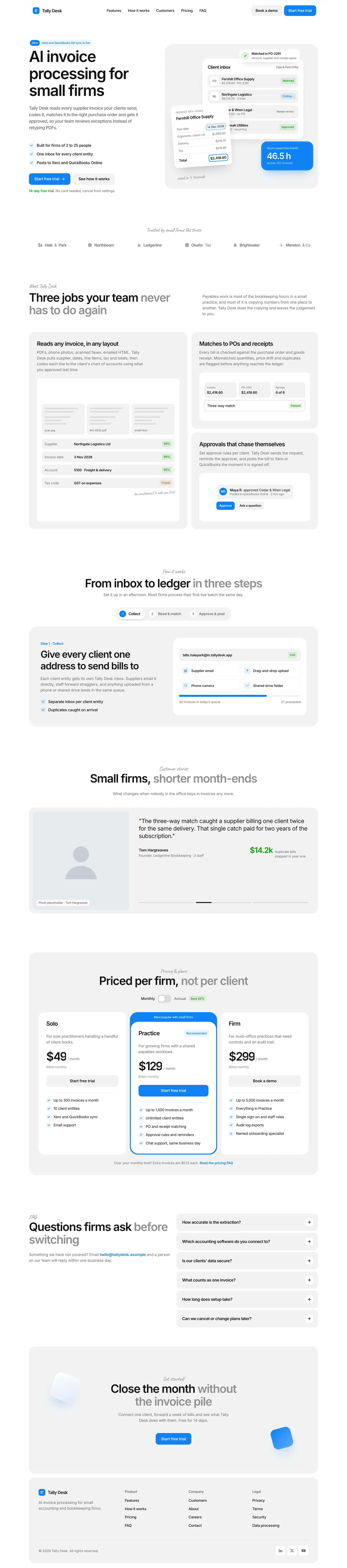
Simple and clean. There's a grey "Invoice PDF" box next to the details the app pulled out of the invoice. The big "Invoice PDF" label pokes into the edge of its box.
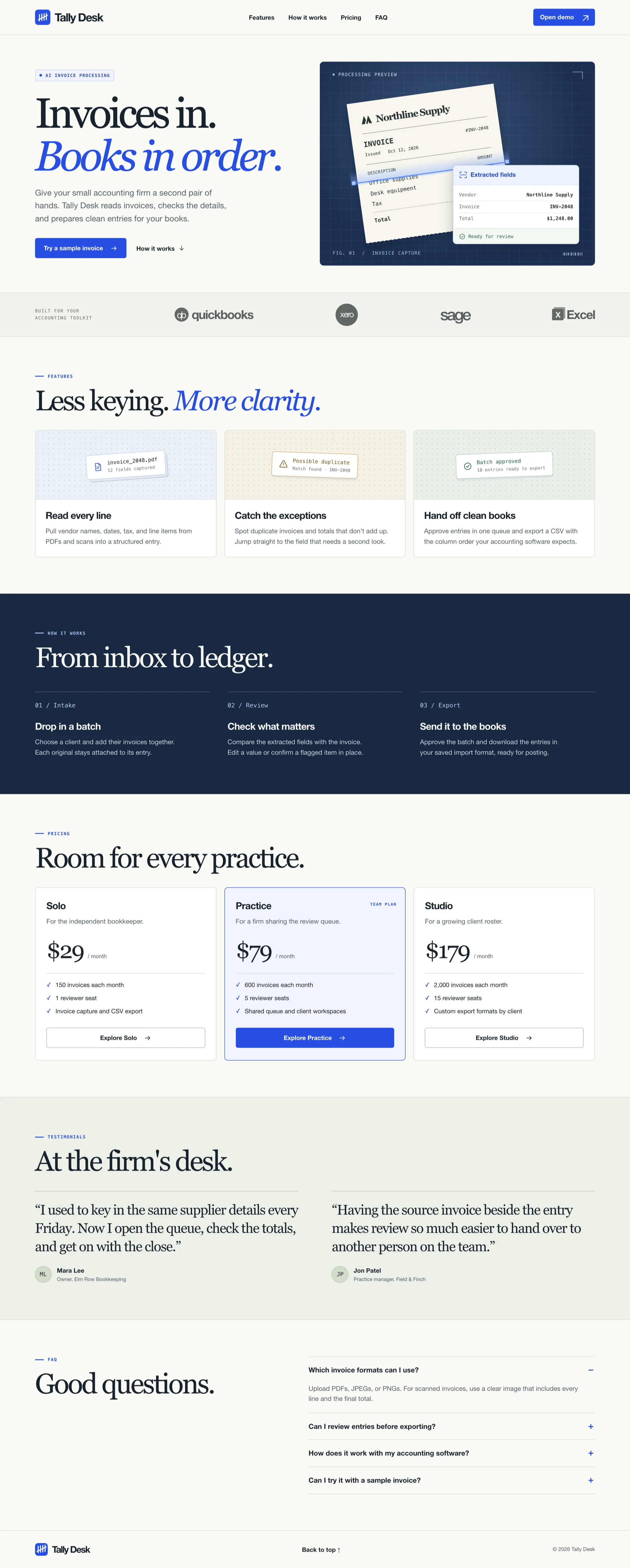
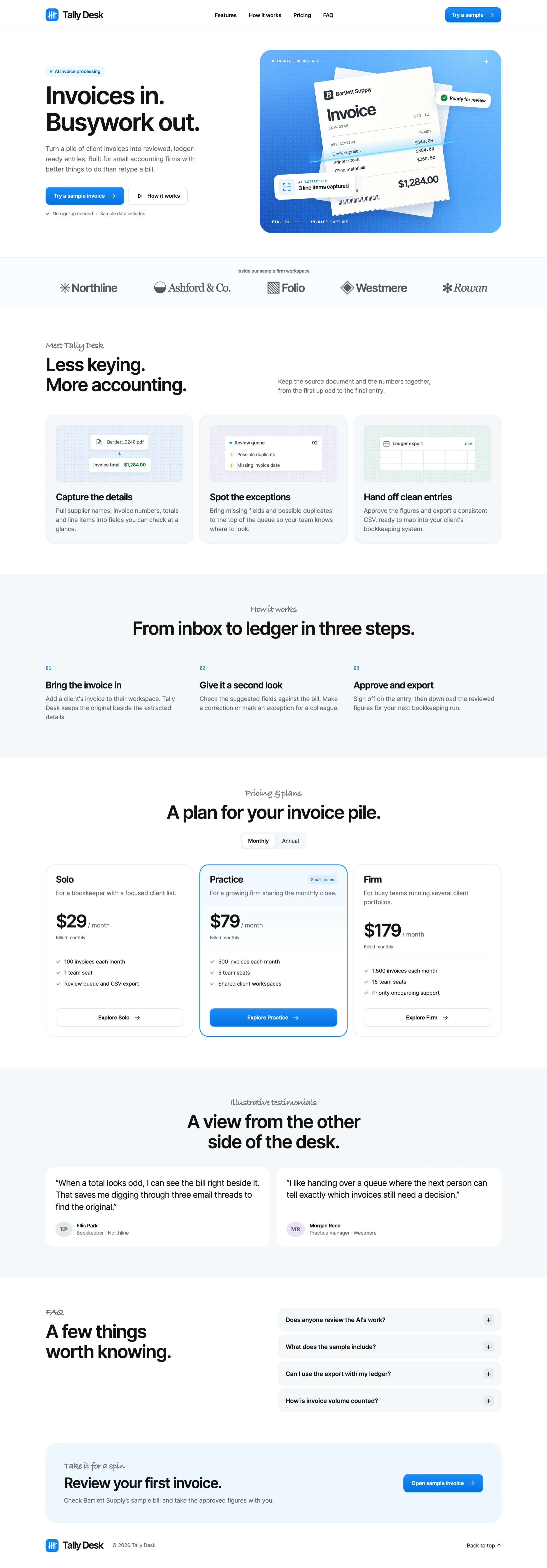
Astra 6.2's result took 2.7 minutes and cost $0.74.
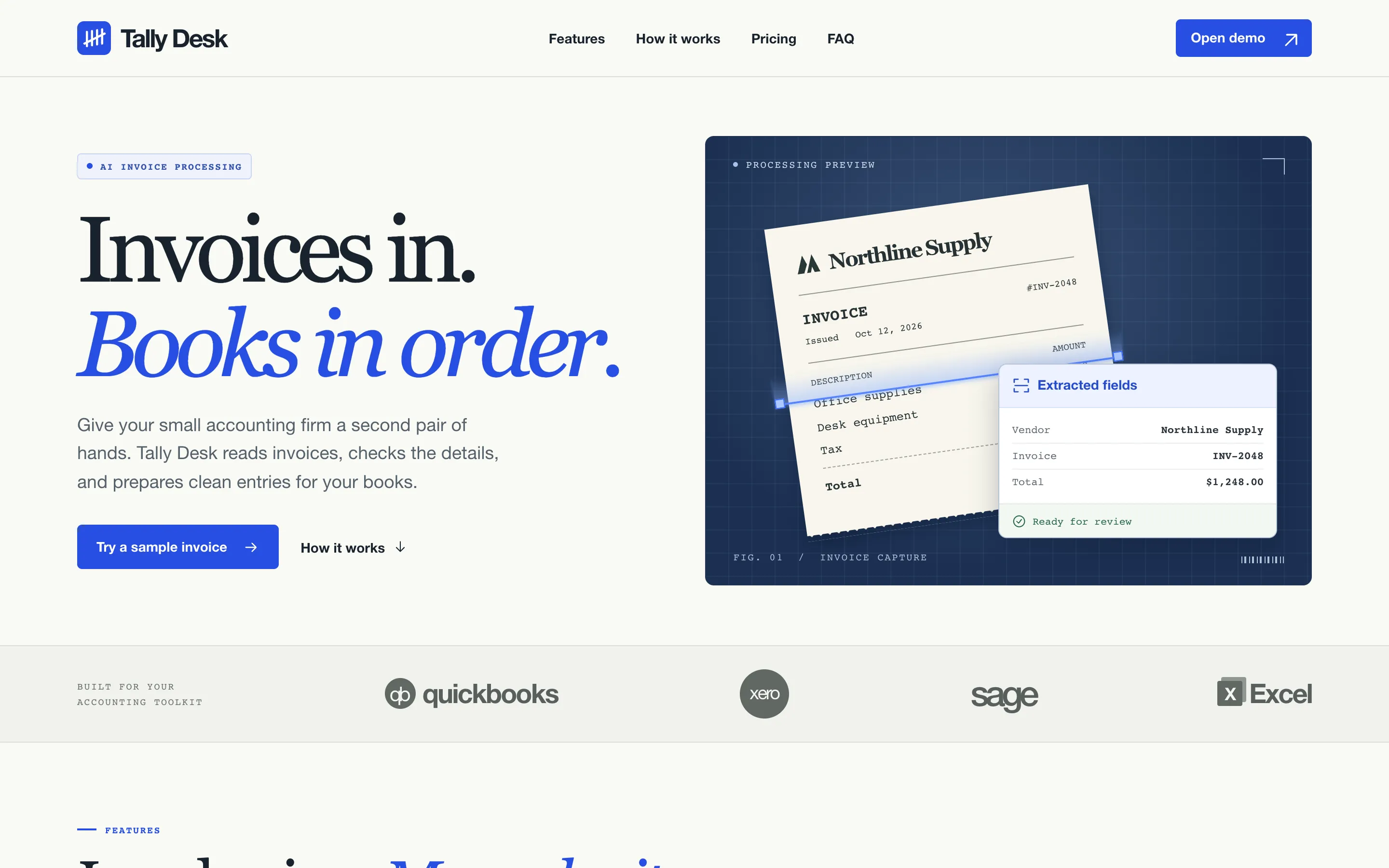
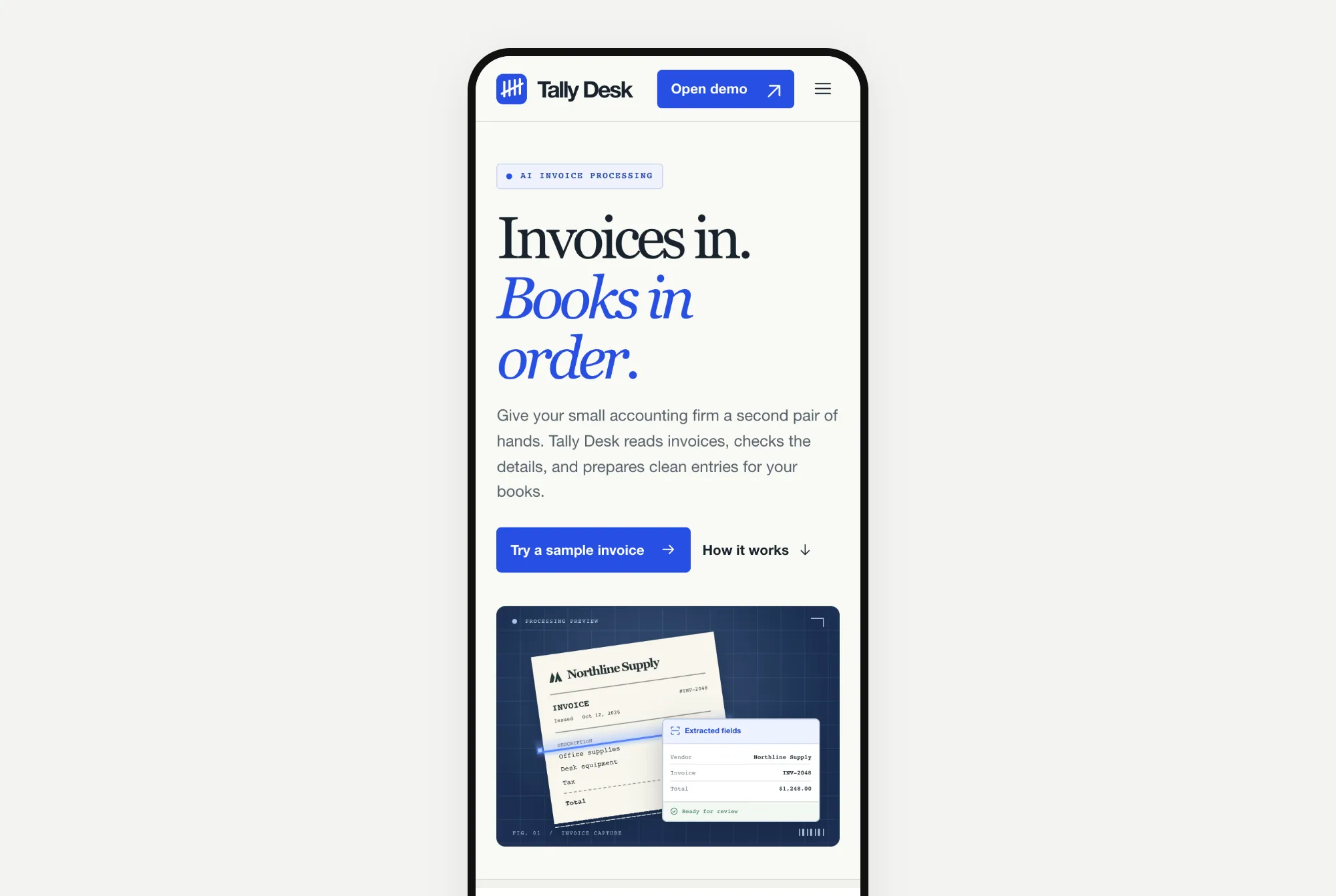
More detailed, with a dark blue drawing of an invoice being read. One thing to fix: the logo strip uses real company logos (QuickBooks, Xero, Sage and Excel). On a real website, you'd need permission for those.
Website 2: North Form, a design studio
The prompt:
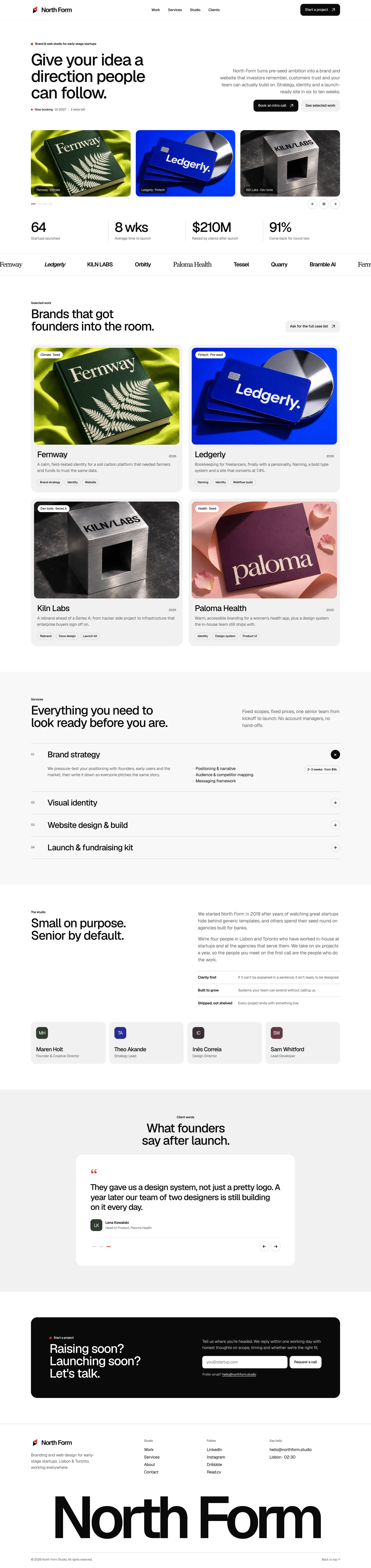
Build a homepage for "North Form", a branding and web design studio that works with early-stage startups.

Sections: navigation, hero, selected work (4 projects), services, short about section with team, client testimonials, contact call to action, footer.

Write all the copy yourself. Build it as a single responsive page with HTML, CSS and vanilla JavaScript. Use placeholder images where needed.
Opus 5.5's result took 2.7 minutes and cost $0.85.
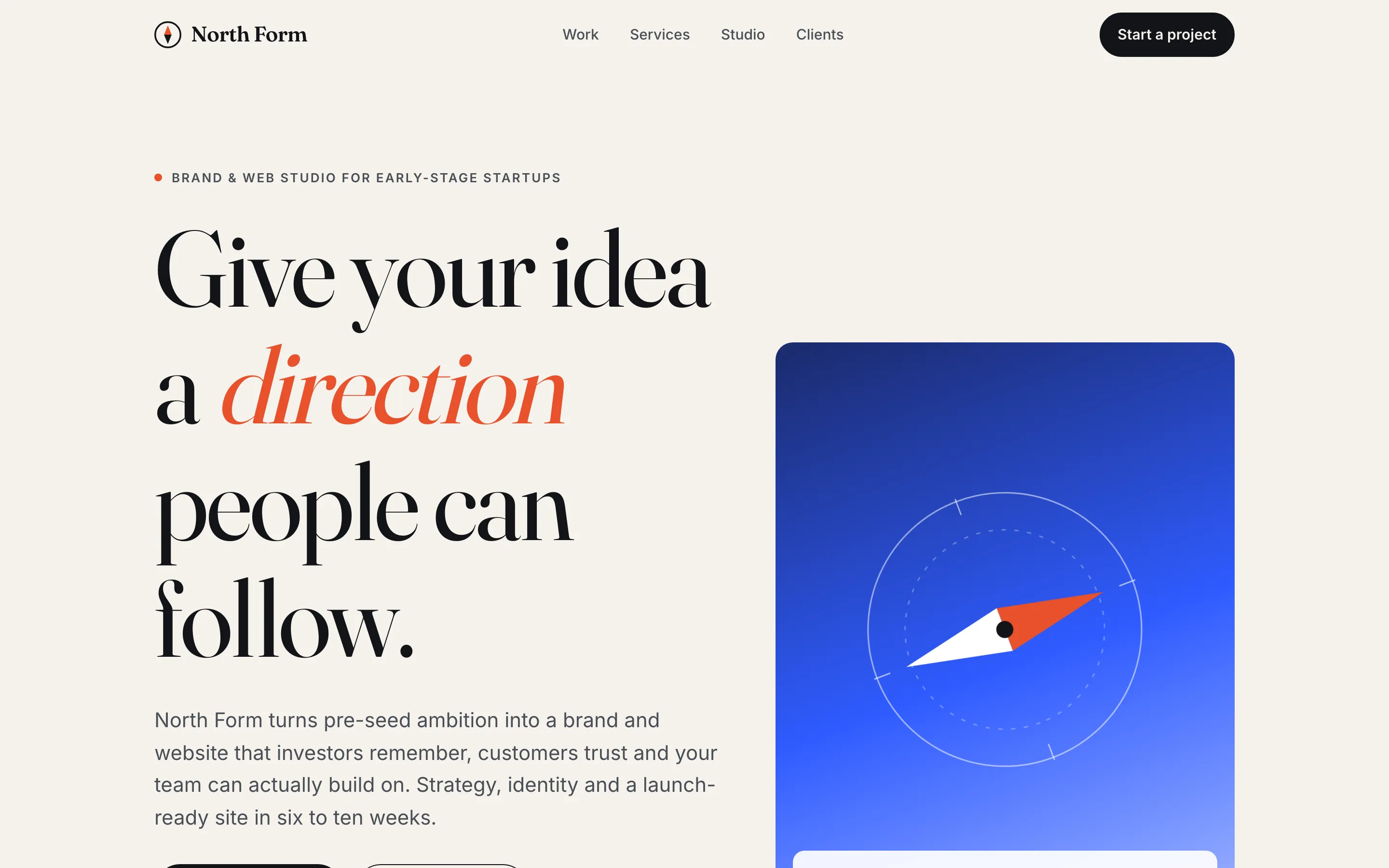
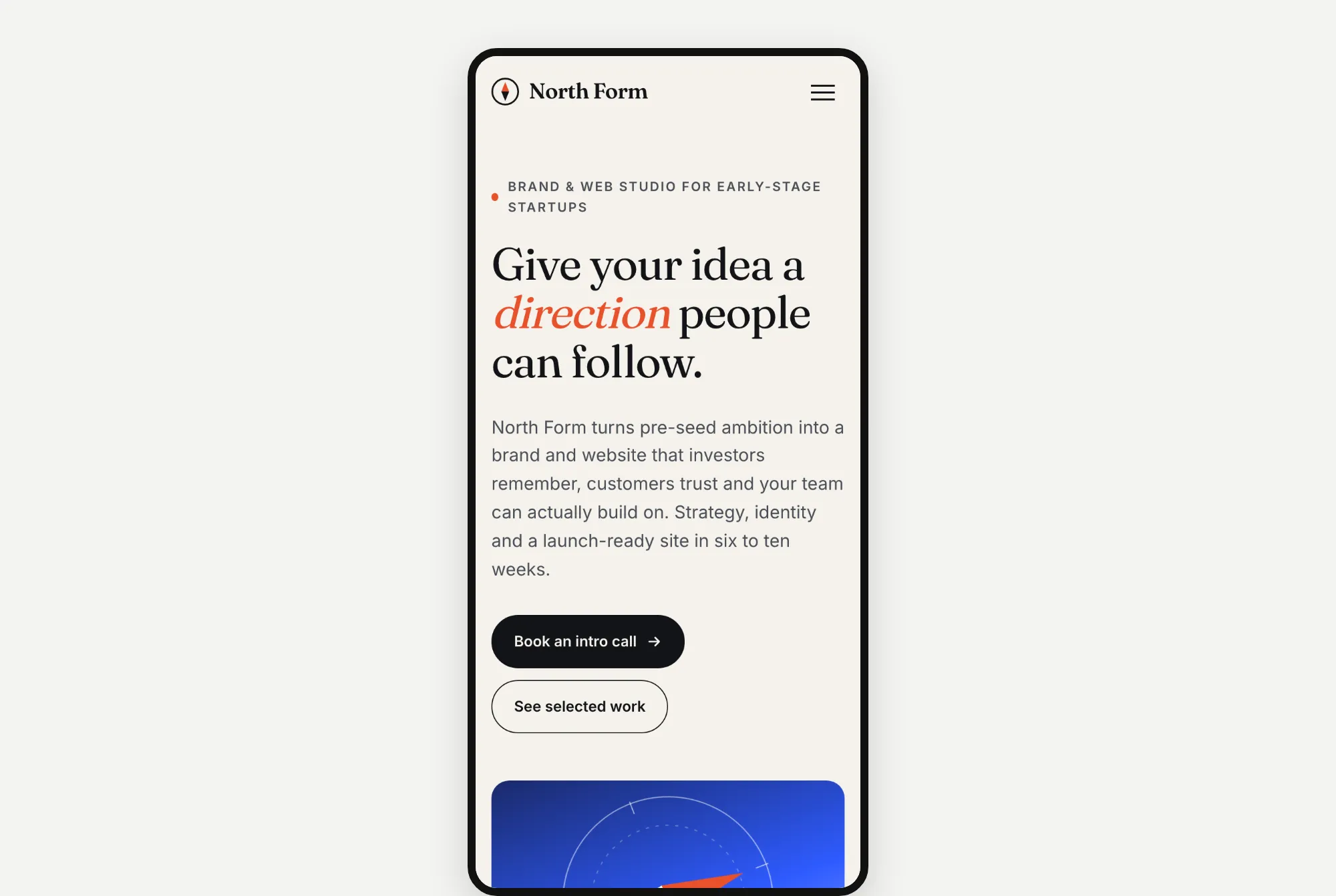
A cream page with one word in orange slanted letters, "direction", and a blue card with a compass. This was the only Opus build that didn't check its own page in a browser before finishing.
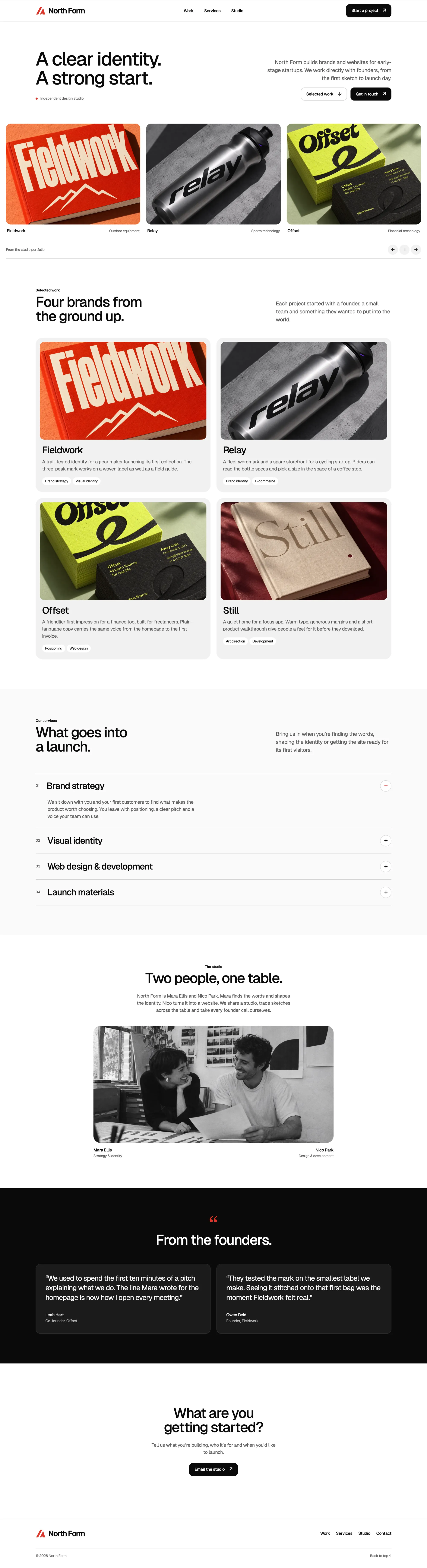
Astra 6.2's result took 3.5 minutes and cost $0.67.
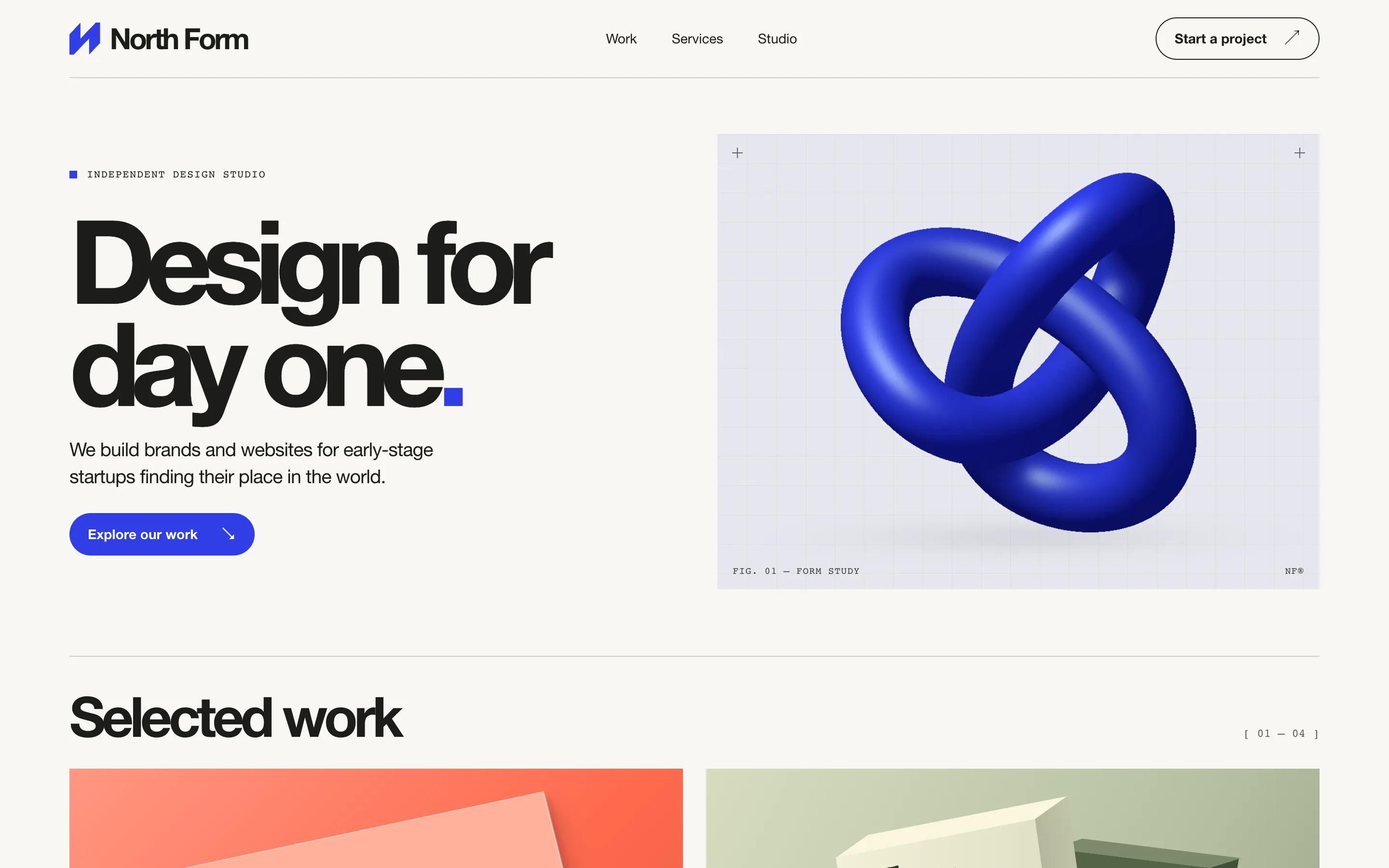
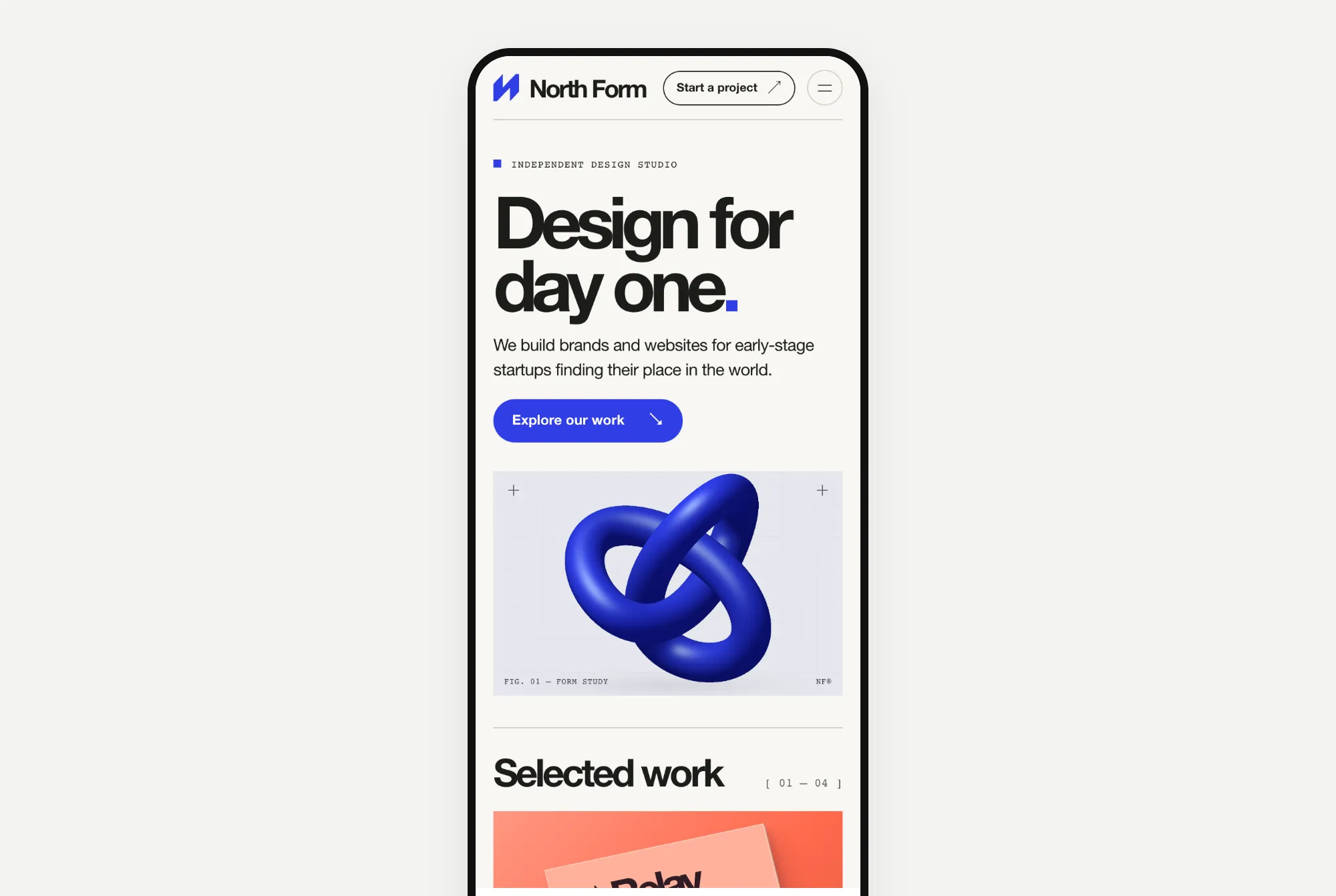
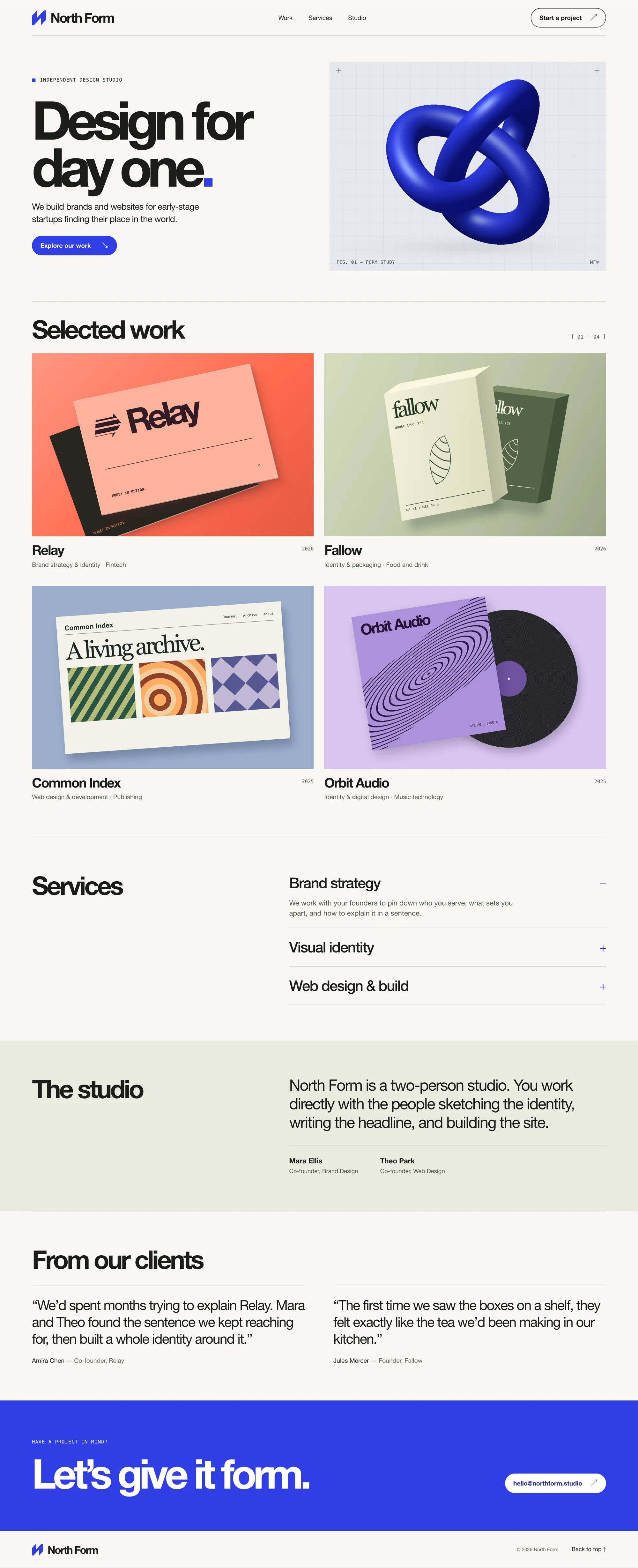
A heavy black headline with a blue square for the full stop, and a 3D picture of a blue knot that Astra made itself.
Website 3: Kopi Sore, a coffee shop in Jakarta
The prompt:
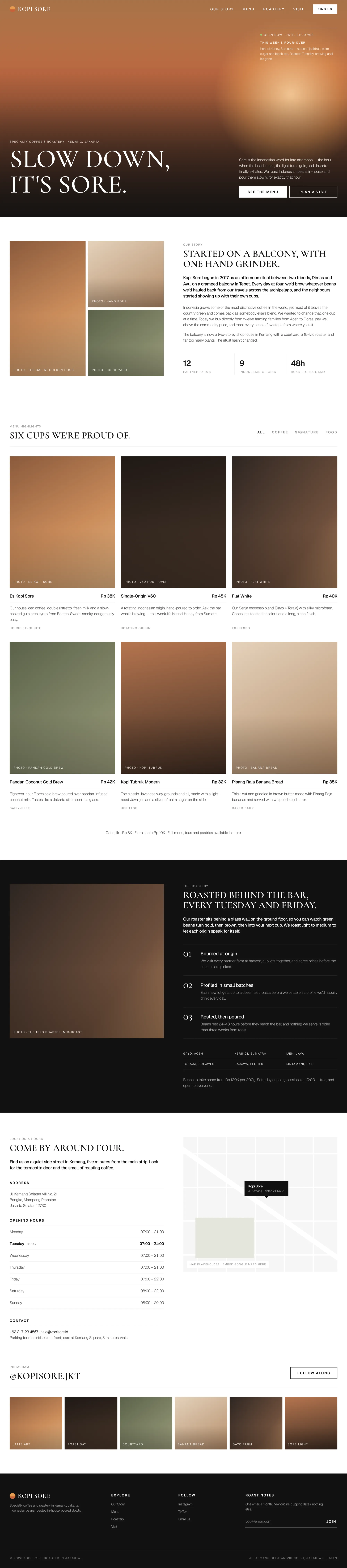
Build a website for "Kopi Sore", a specialty coffee shop and roastery in Jakarta.

Sections: navigation, hero, our story, menu highlights (6 items with prices), the roastery, location and opening hours, Instagram gallery, footer.

Write all the copy yourself. Build it as a single responsive page with HTML, CSS and vanilla JavaScript. Use placeholder images where needed.
Opus 5.5's result took 2.6 minutes and cost $0.90.
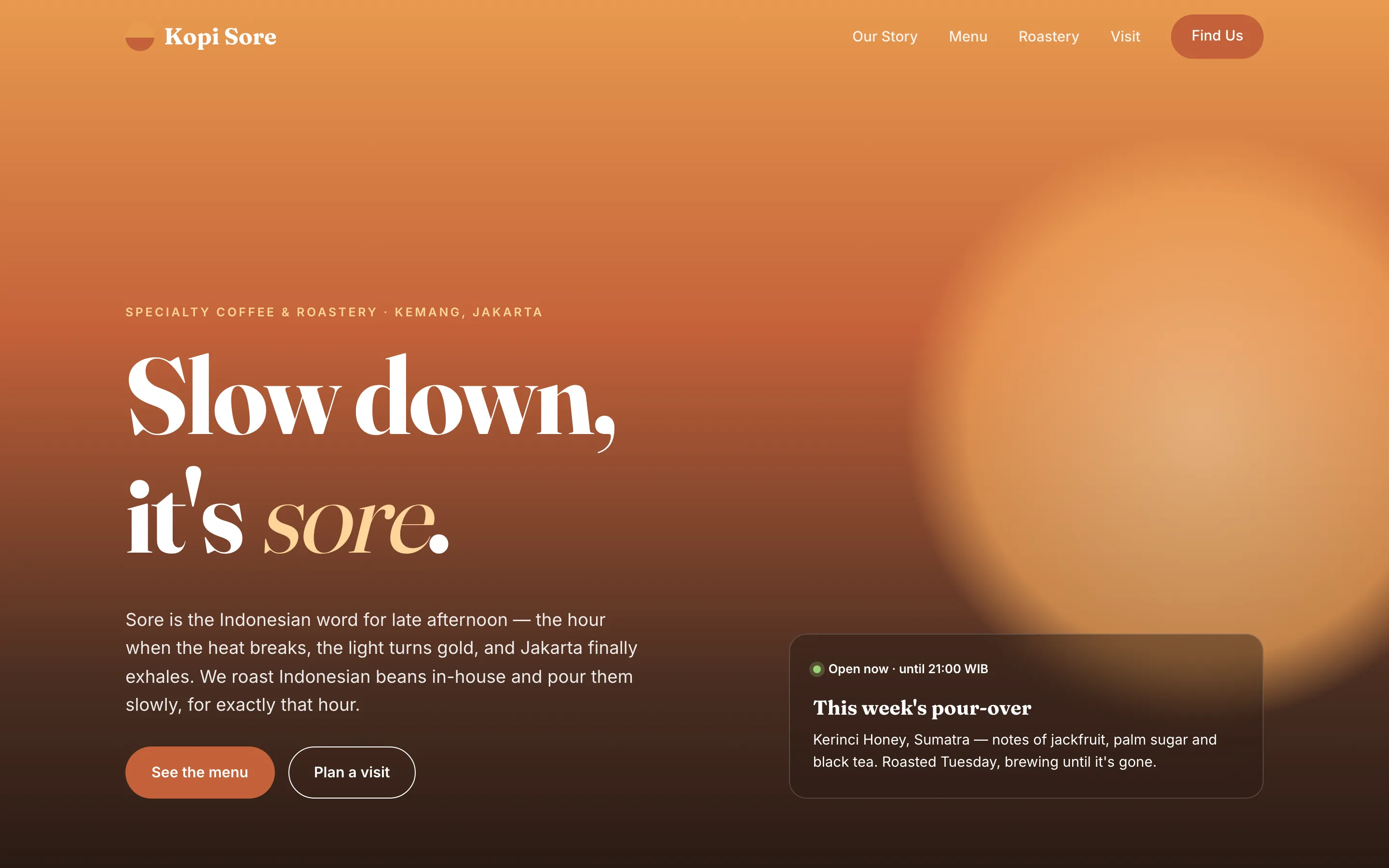
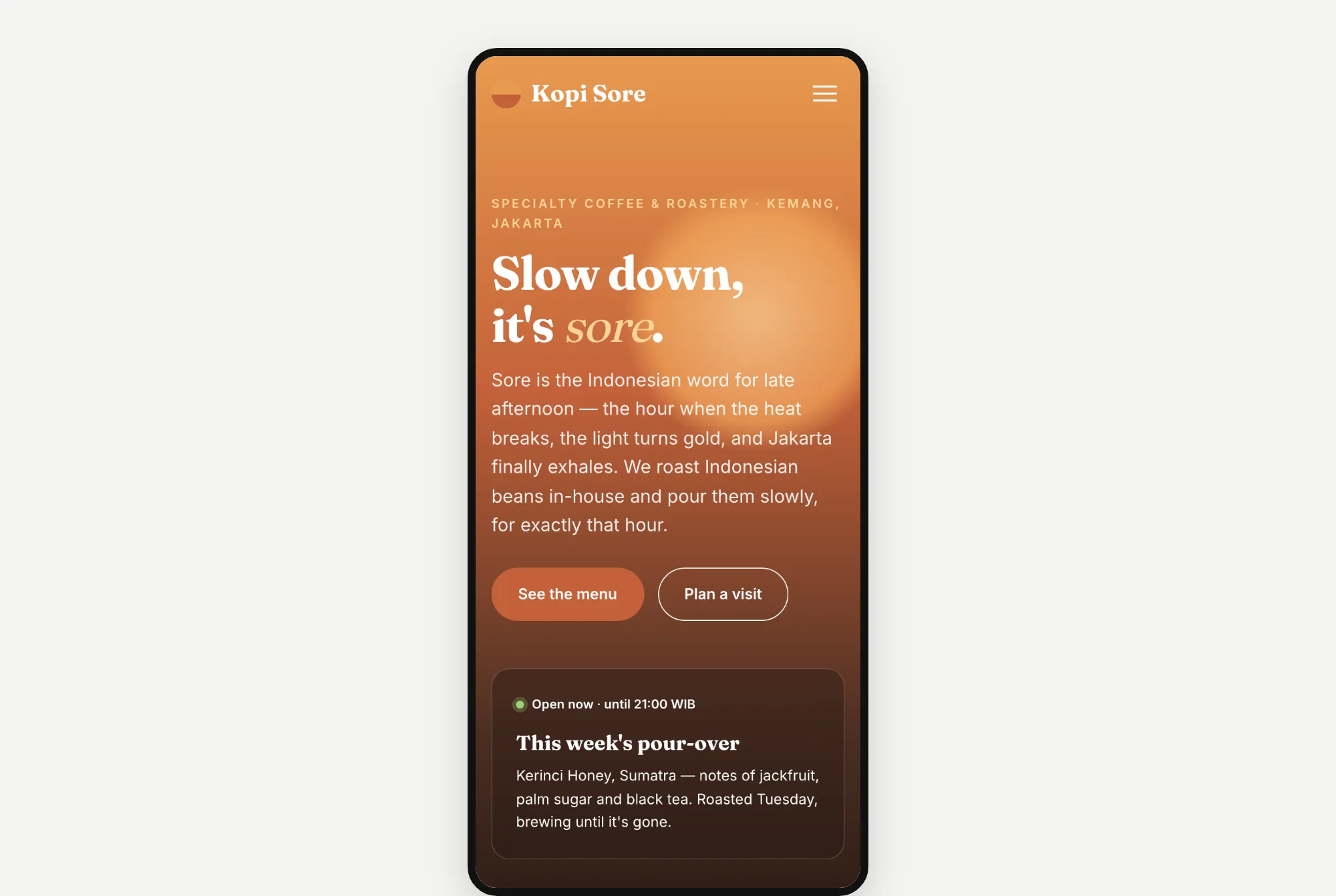
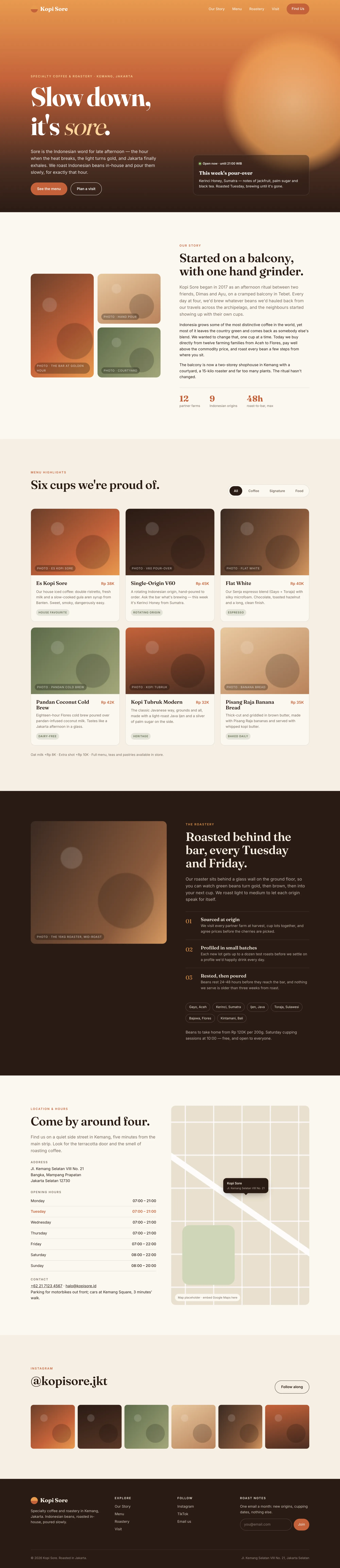
"Sore" means late afternoon in Indonesian. Opus went with a sunset feel, using a big orange glow, and put "sore" in slanted letters.
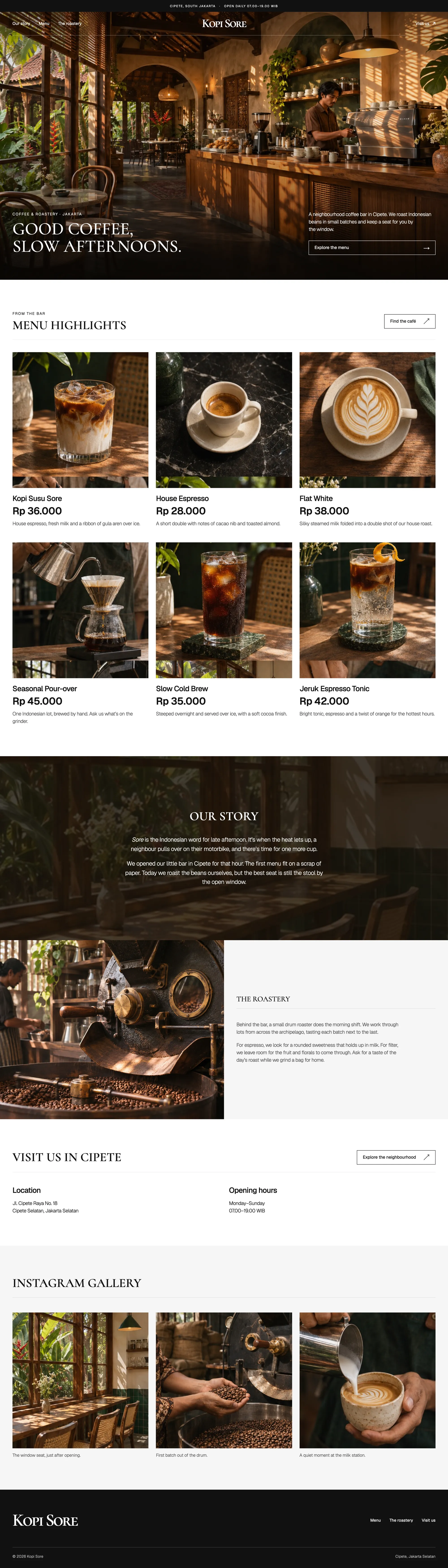
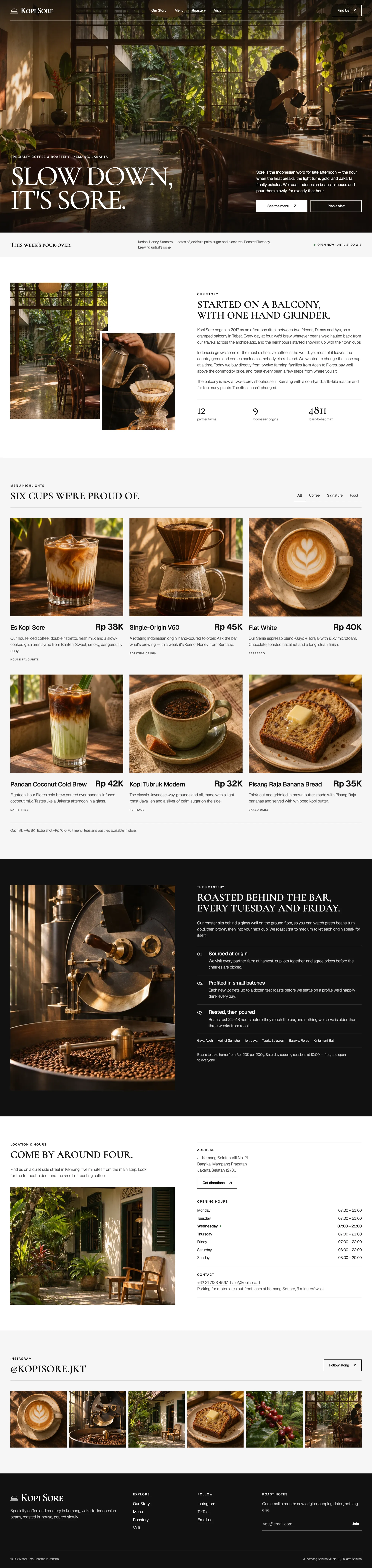
Astra 6.2's result took 3.4 minutes and cost $0.79.
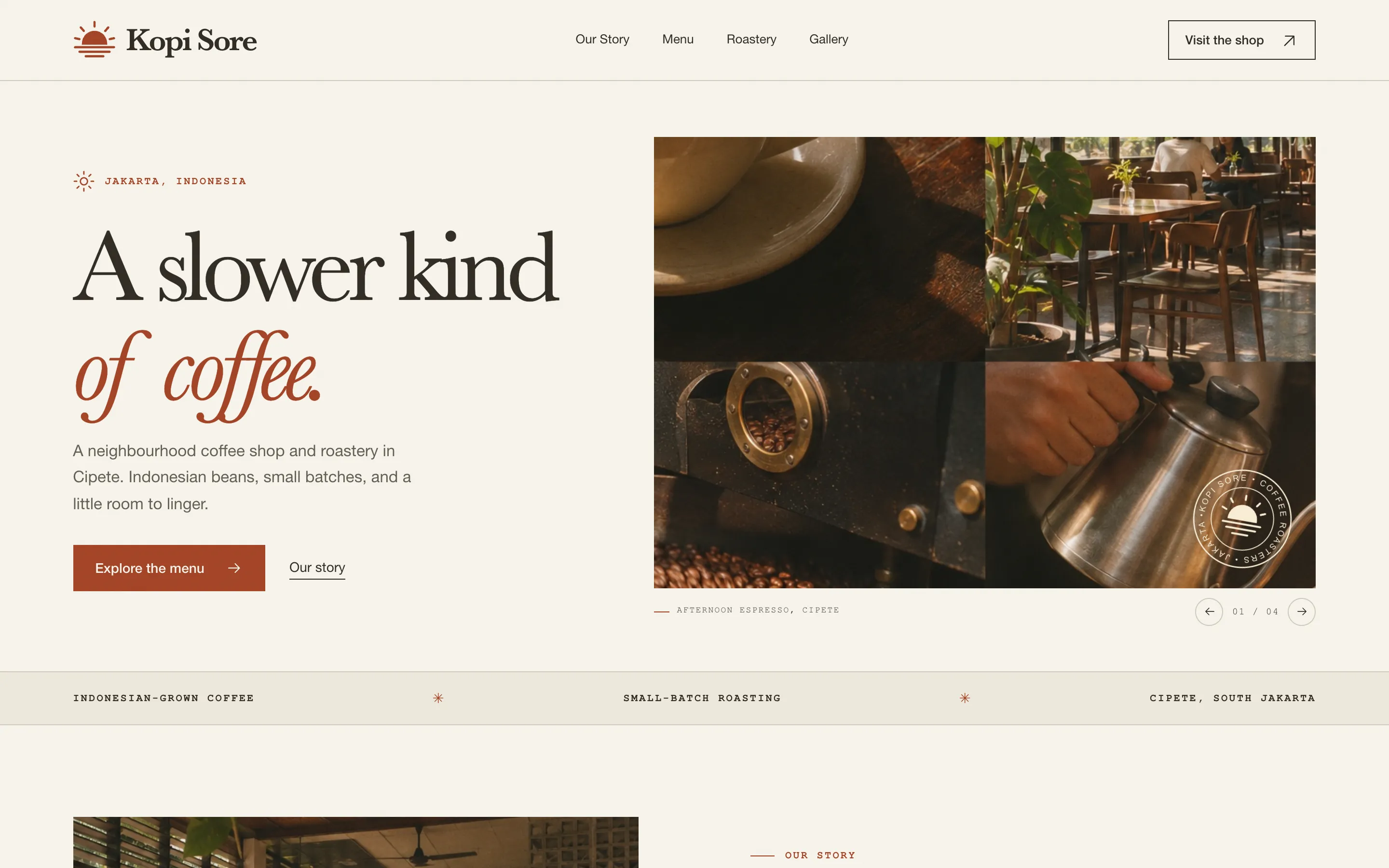
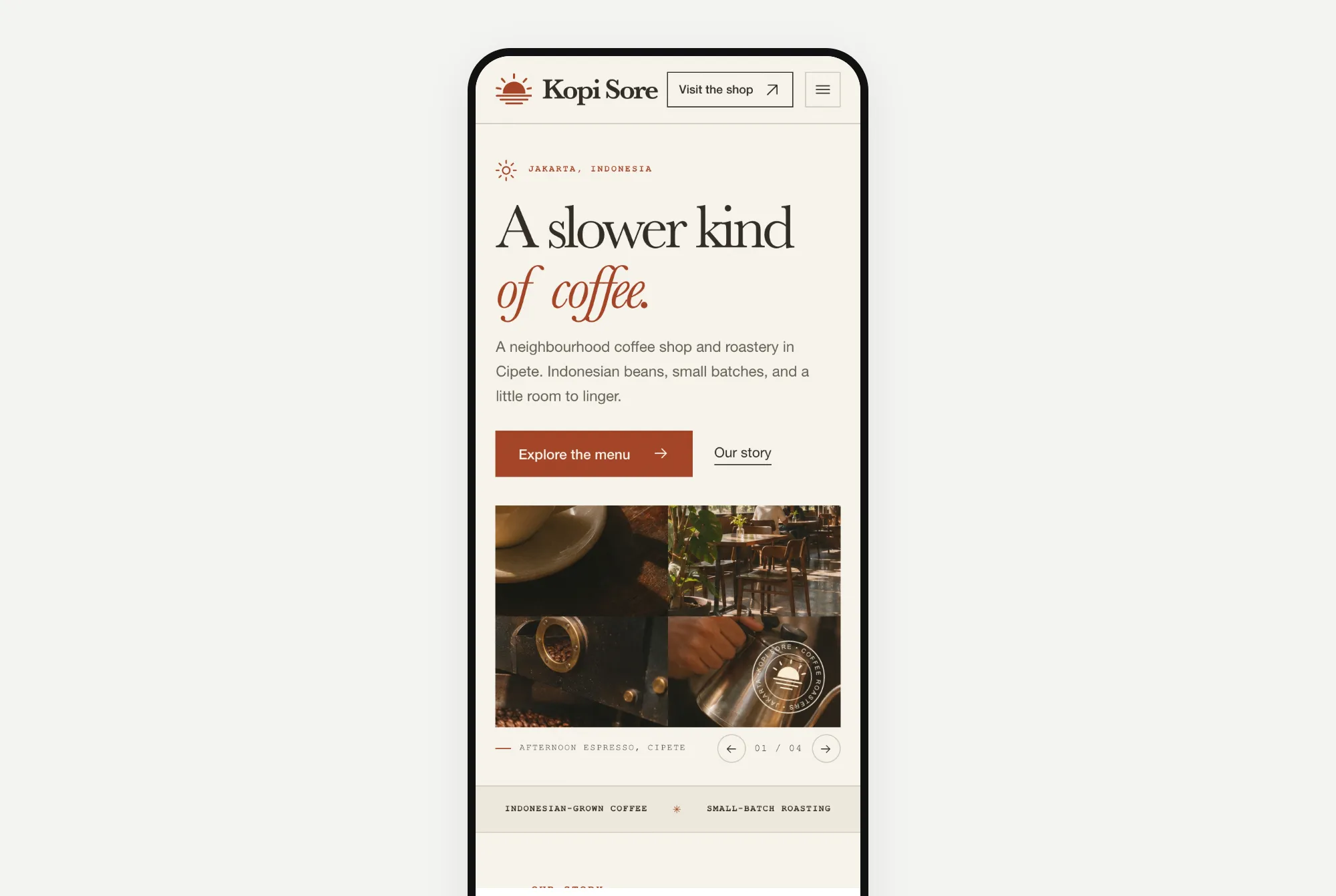
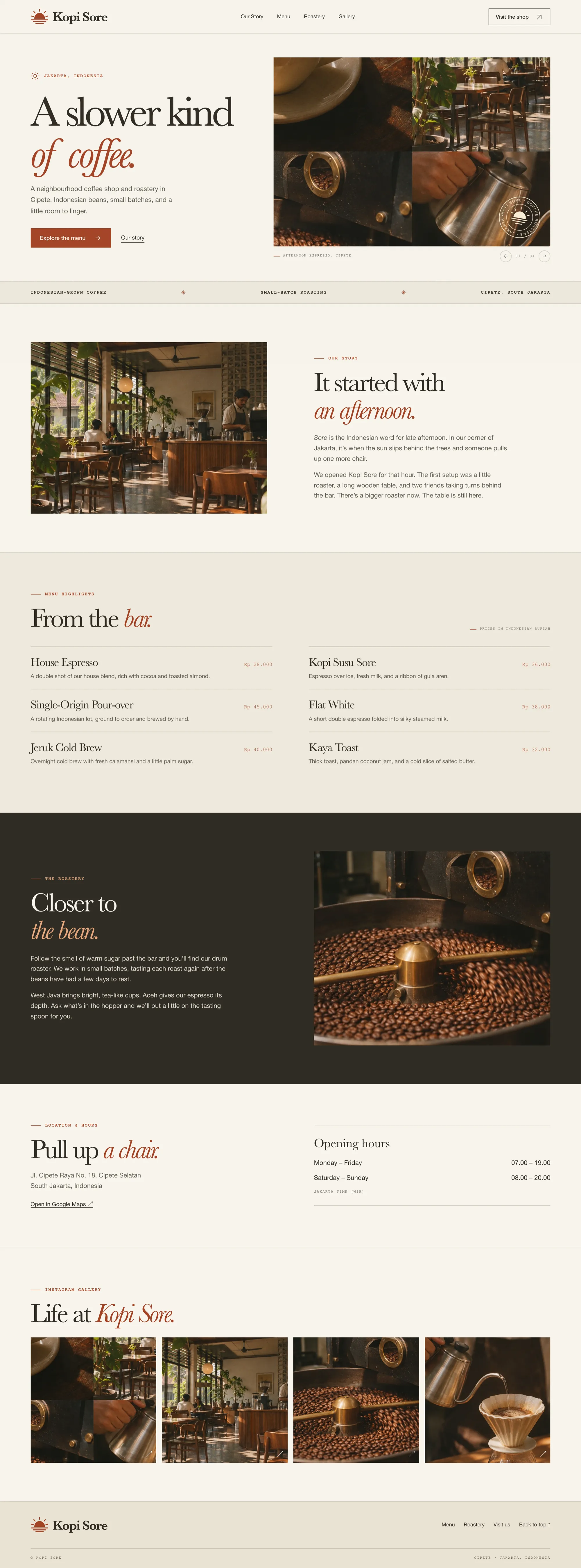
Astra got the slow afternoon feel too, and made its own photos of a coffee bar, a roaster and a pour-over kettle.
What I noticed: different details, the same look
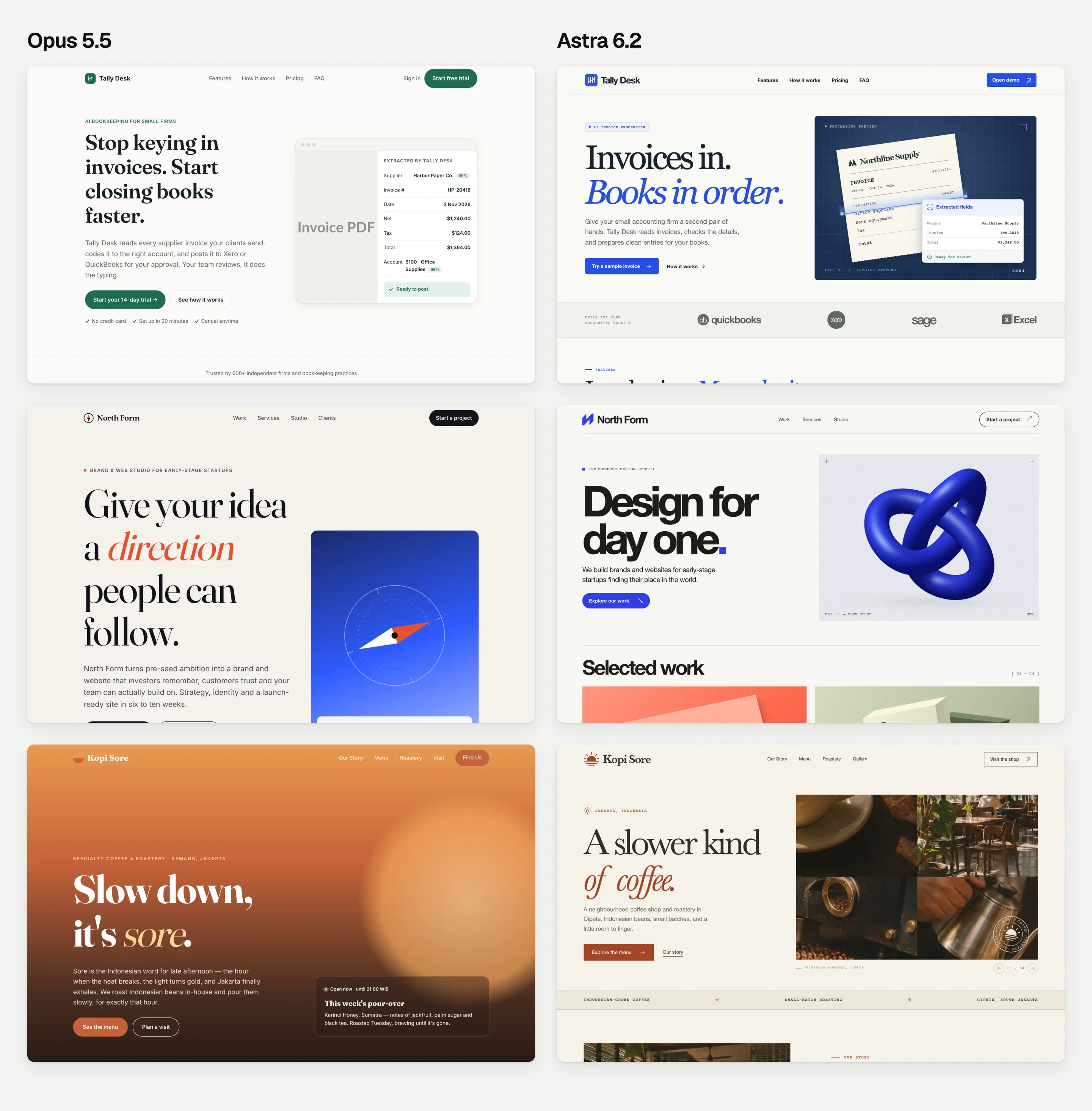
- All 6 have a cream or off-white background.
- 4 of 6 put one or more words of the headline in coloured slanted letters.
- Astra's pages also share small typewriter-style labels, like "FIG. 01 / INVOICE CAPTURE".
Two different AI companies, the same safe look. It's not a bad look. But if you build sites for clients, every client gets the same "AI website". I wrote more about this in how to vibe code a website that doesn't look like AI slop.
Round 2: the same prompt, plus a Design.md guide
For round 2, I connected each model to the Velox Themes MCP. It lets the AI look through our templates, pick one that fits and read its Design.md guide. That's a written file of design rules, like which fonts, colours and spacing to use, and how things should move. To be clear, Velox Themes is my company. So I'll show you the weak spots too.
Each website got the same prompt as in round 1, plus this paragraph:
Before writing any code, use the Velox Themes MCP to get design direction for this site. Pick the reference that best fits this brand, then follow its layout structure, typography, spacing, colour palette and motion closely. Tell me which reference you chose and why, then build the page.Website 1: Tally Desk
Opus 5.5's result took 9.2 minutes and cost $3.19. It picked our Kresna template, because Kresna is made for software companies.
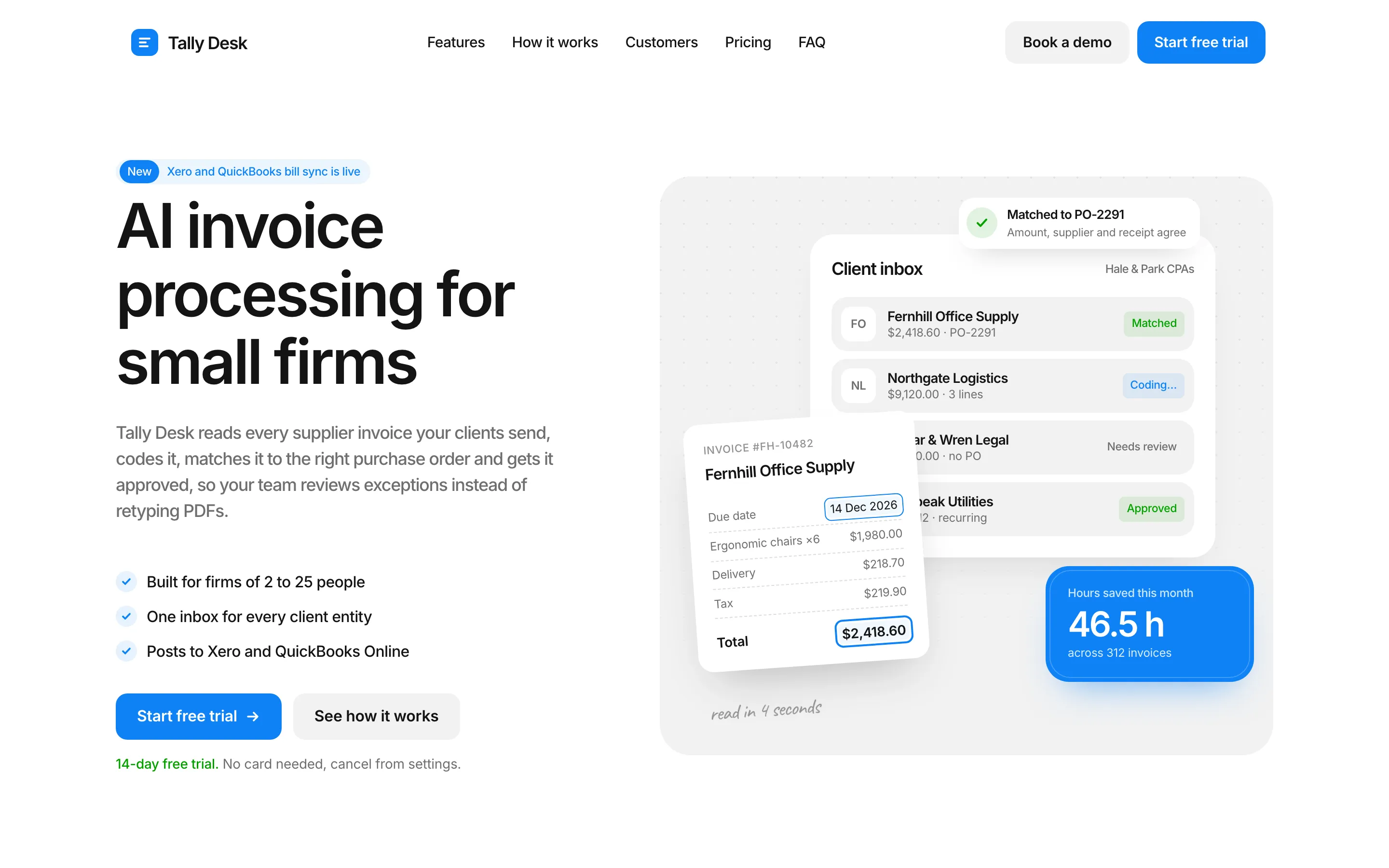
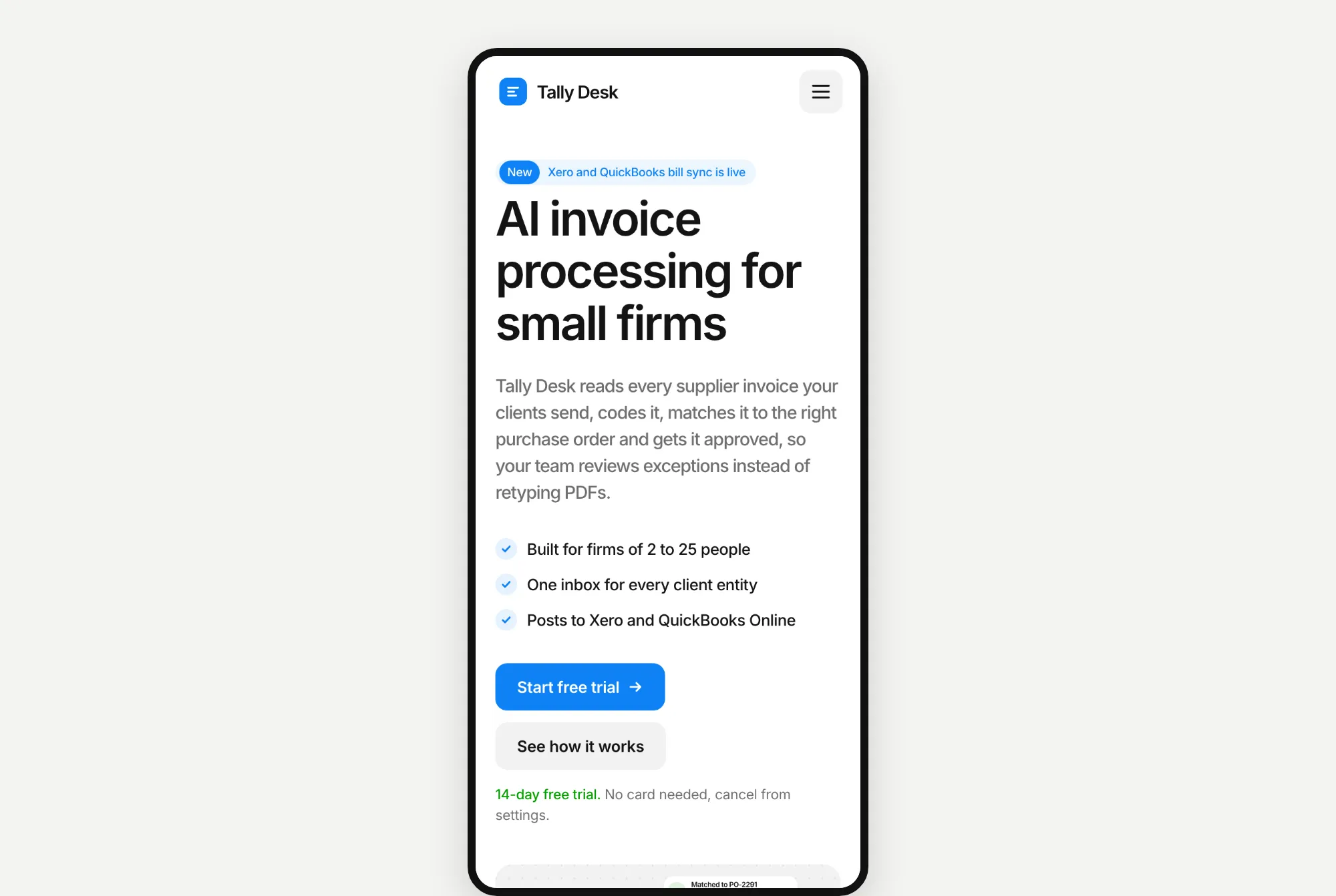
A detailed page with stacked invoice cards and a bright blue number card. It was Opus's slowest build, because it checked its own page in a browser dozens of times before it finished.
Astra 6.2's result took 4.1 minutes and cost $1.25. It also picked Kresna.
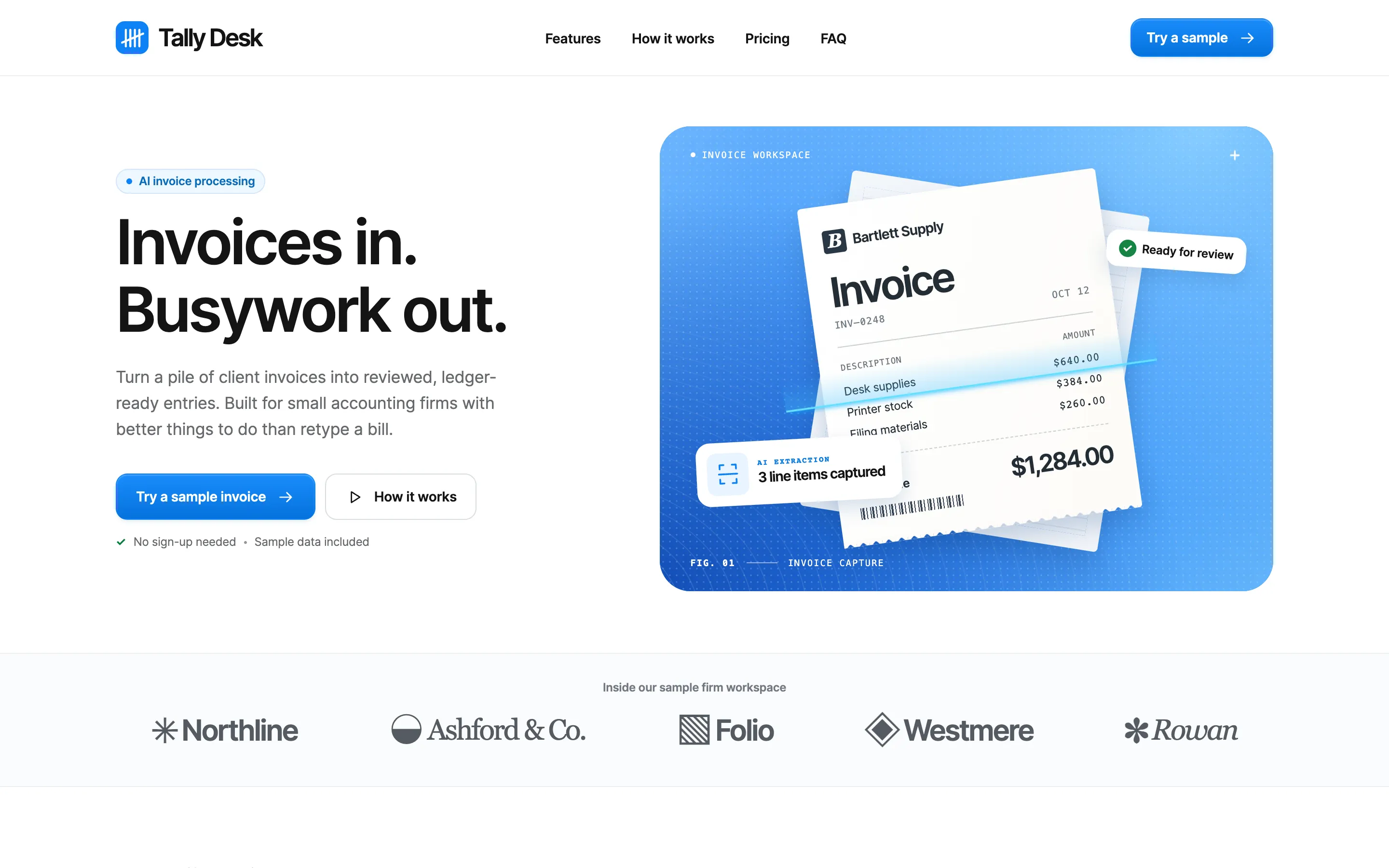
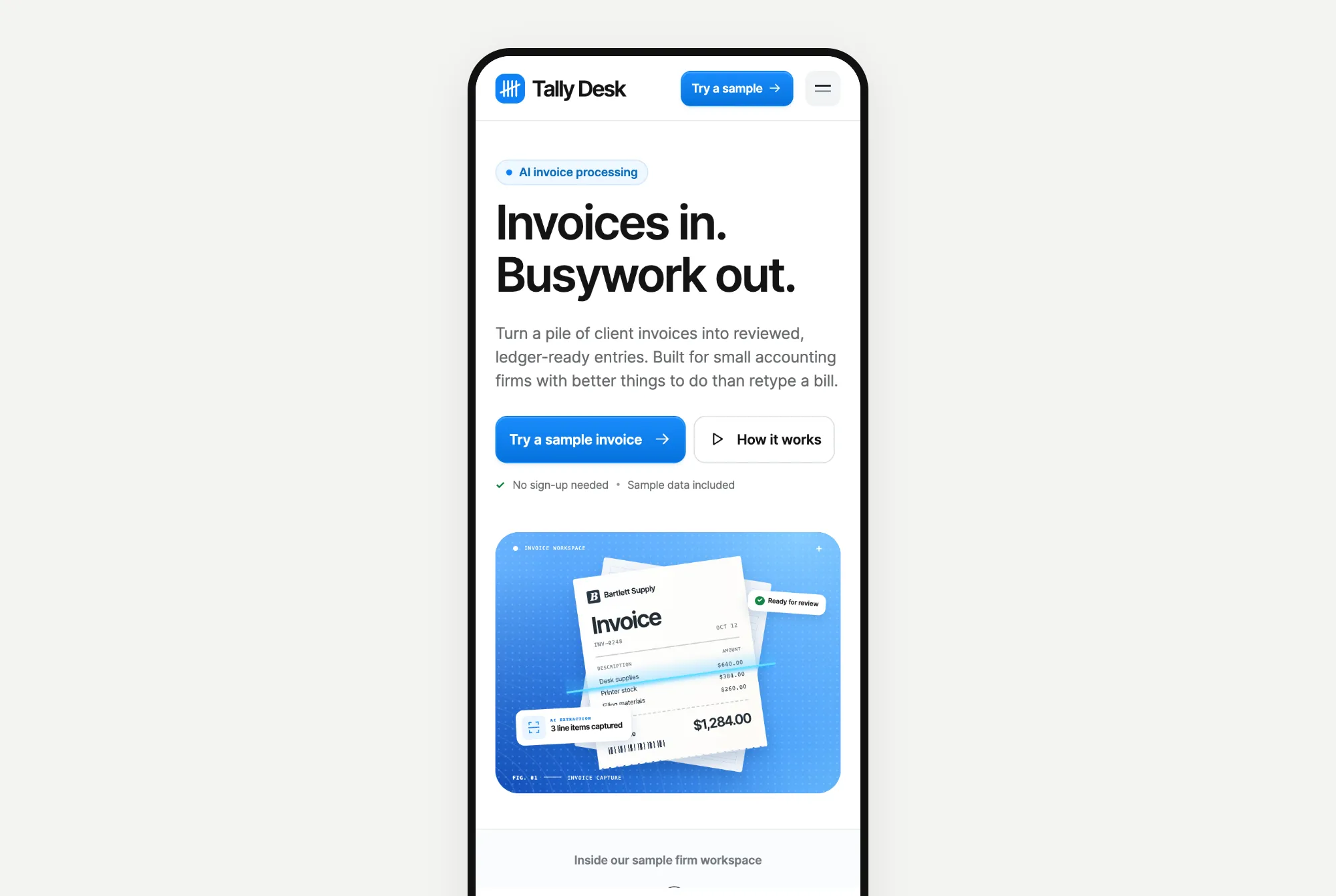
The same clean white and blue, with a bright blue panel showing an invoice being scanned. It also added a small demo where you can approve a sample invoice.
Website 2: North Form
Opus 5.5's result took 7.1 minutes and cost $2.28. It picked our Kurawa template, which is made for design studios.
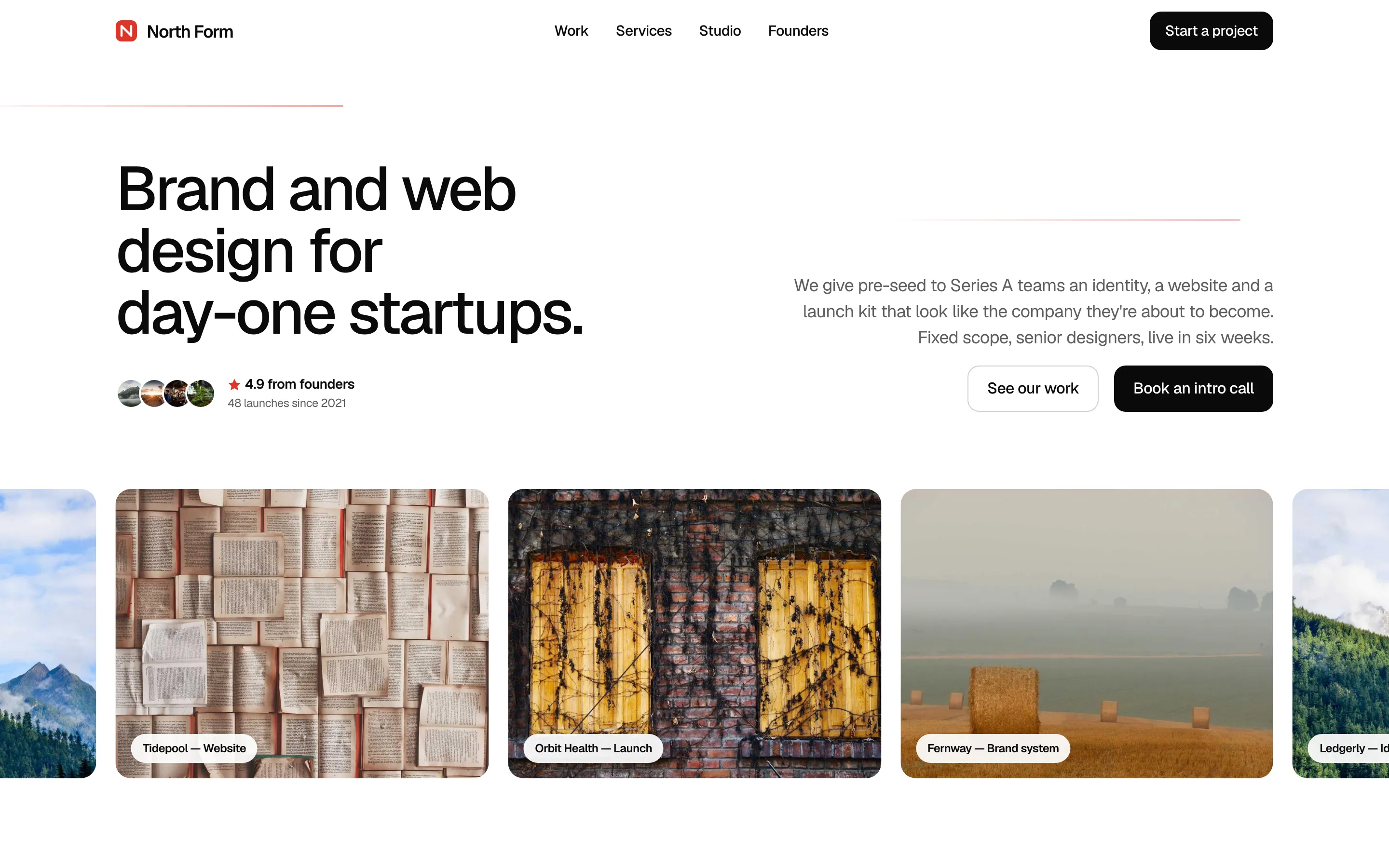
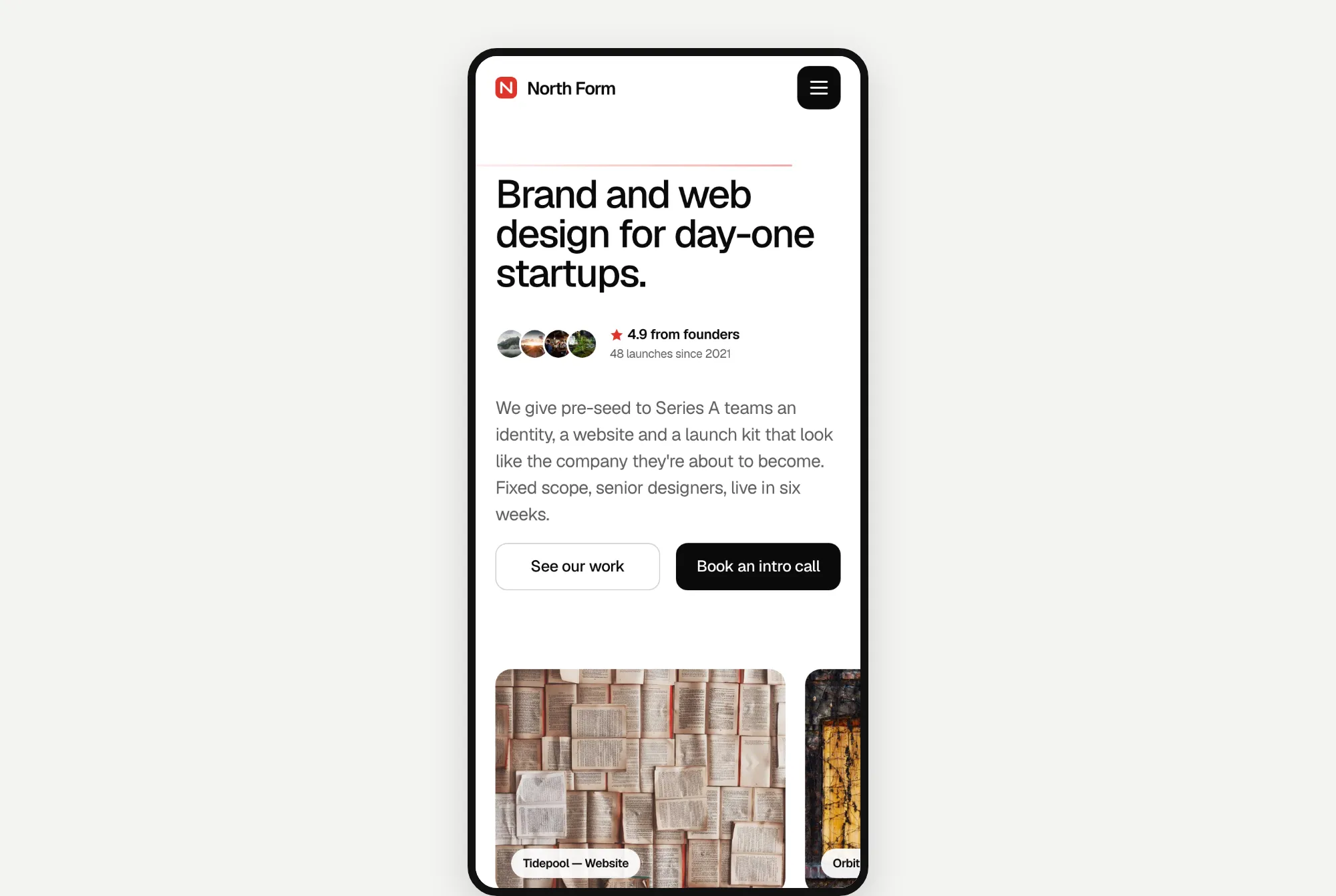
A clean, white page with tight black text. Opus filled its project cards with random stock photos from picsum.photos, which the prompt allowed.
Astra 6.2's result took 7.0 minutes and cost $1.35. It also picked Kurawa.
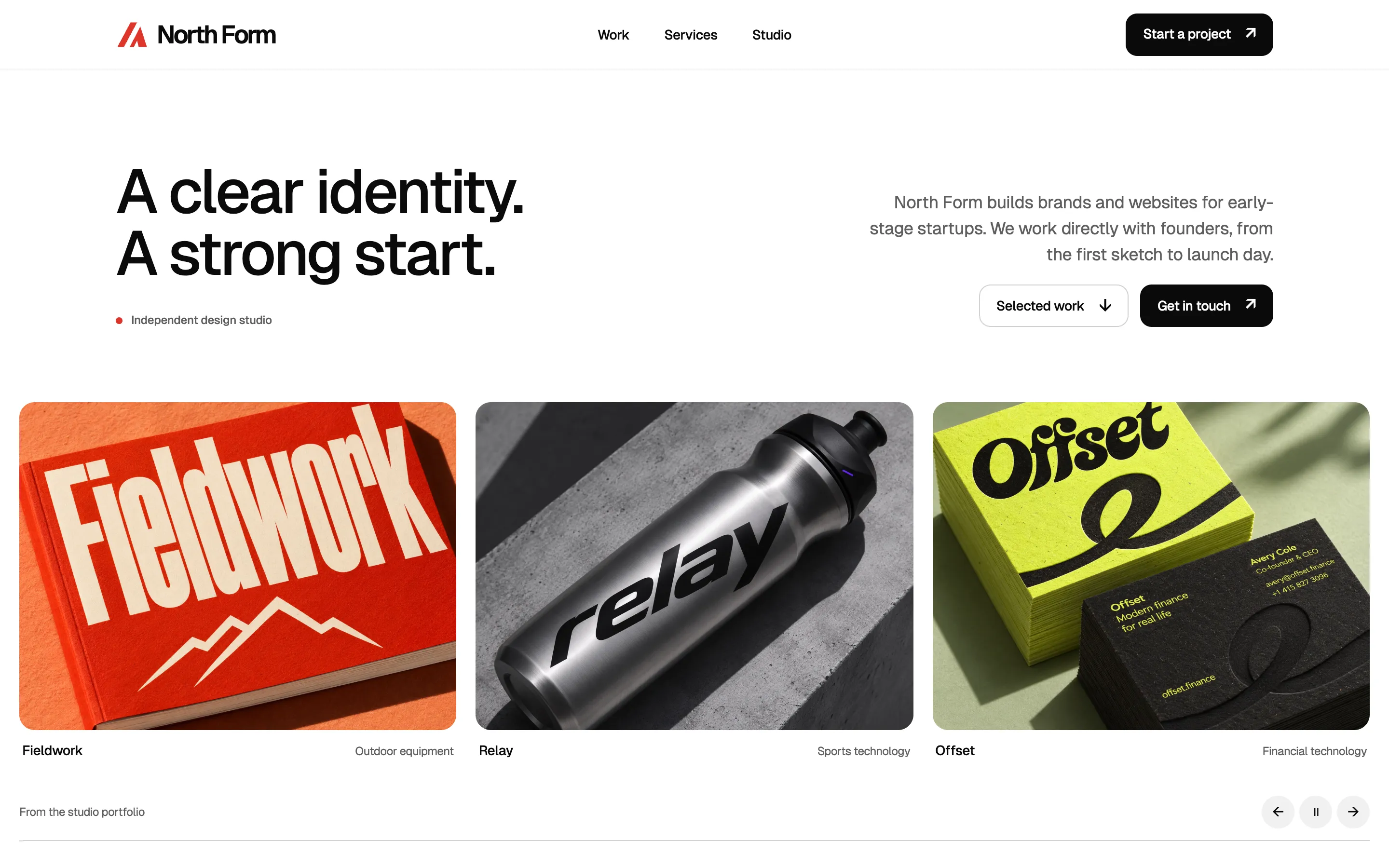
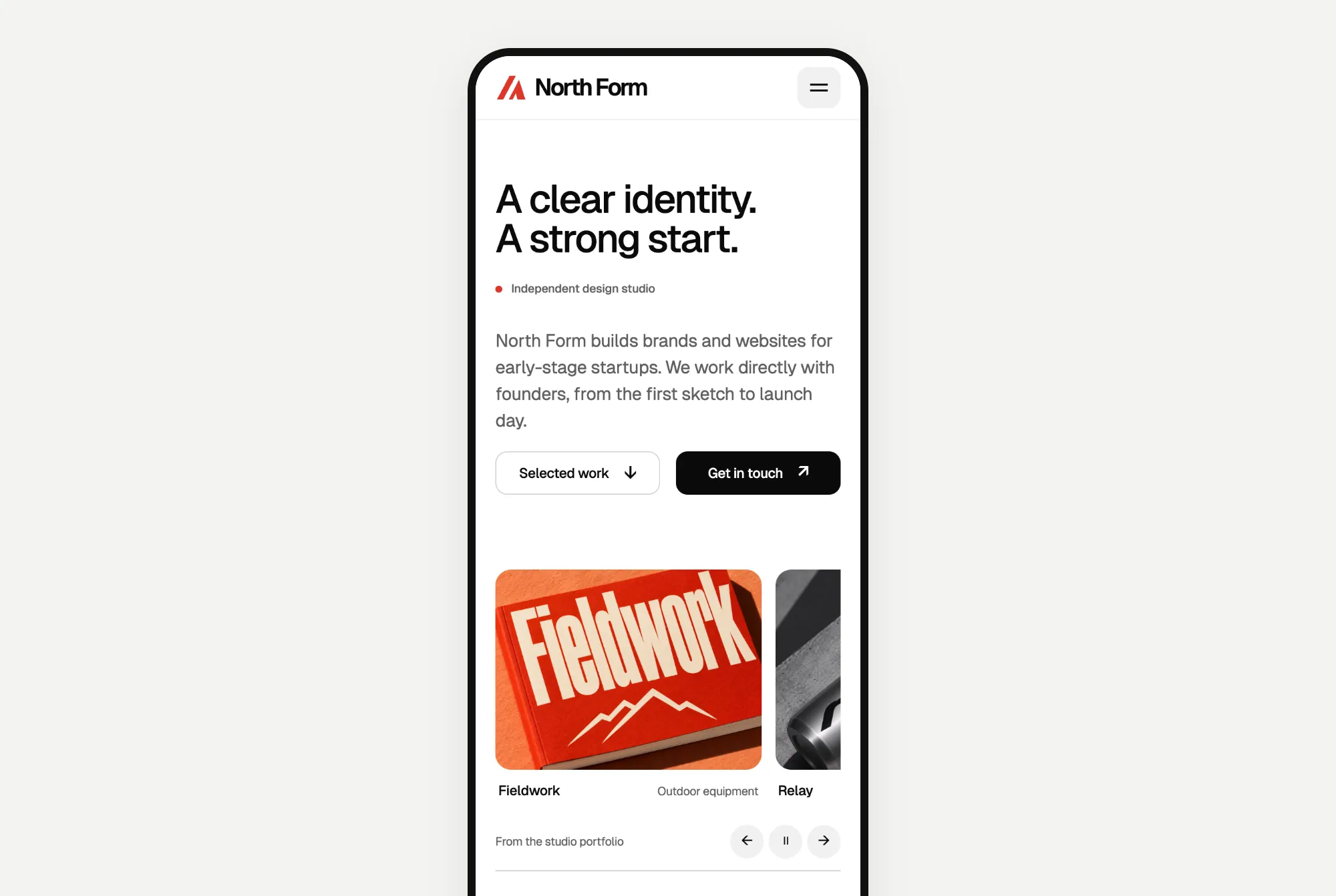
Astra made its own project photos instead: a red book, a metal bottle and a stack of business cards, each with a made-up brand on it. Unlike random stock photos, they match the studio's story.
Website 3: Kopi Sore
Opus 5.5's result took 5.0 minutes and cost $1.60. We don't have a coffee shop template, so Opus picked Batavia, a fashion shop template built around photos and a product list with prices. It even pointed out that Batavia is the old name for Jakarta.
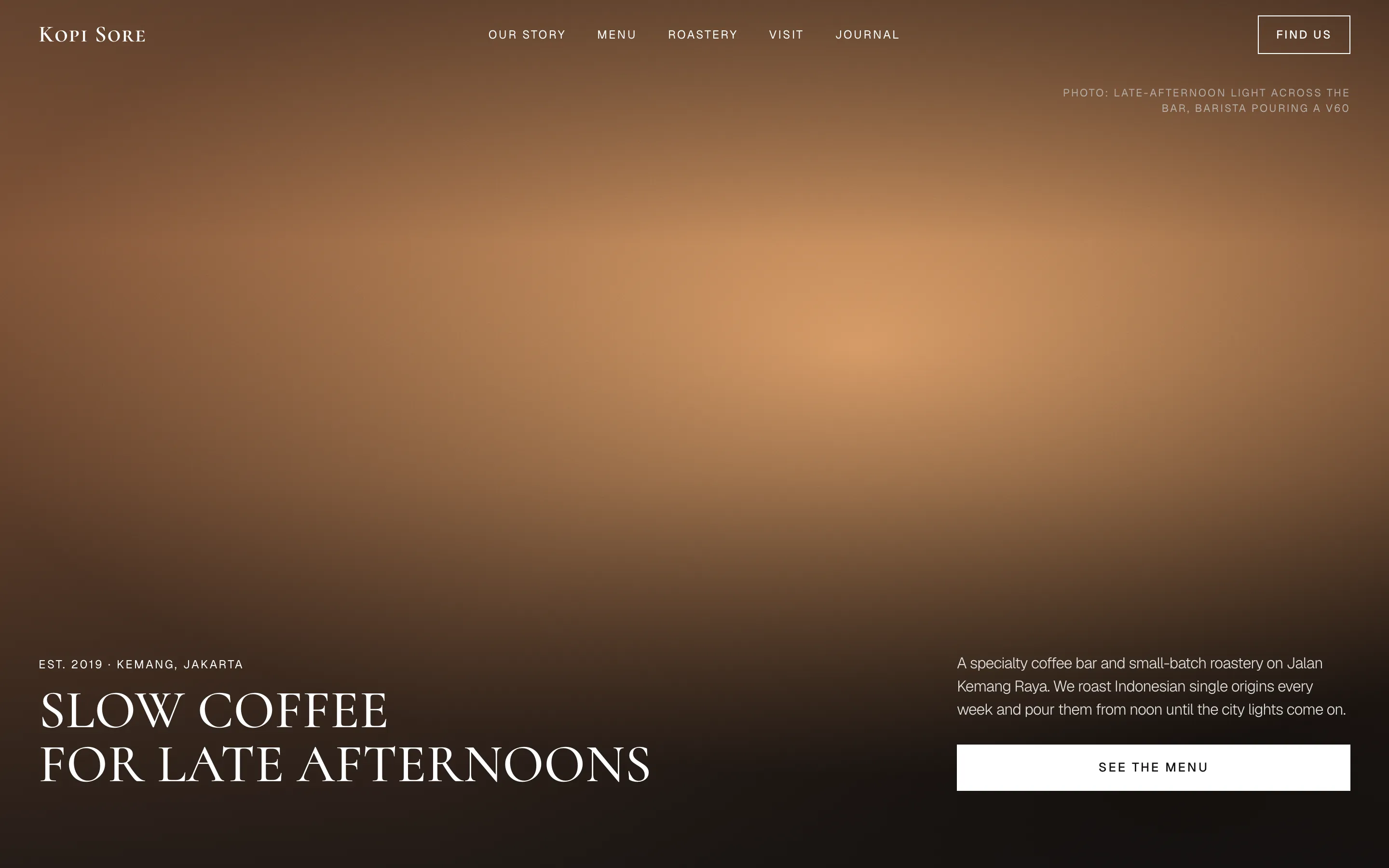
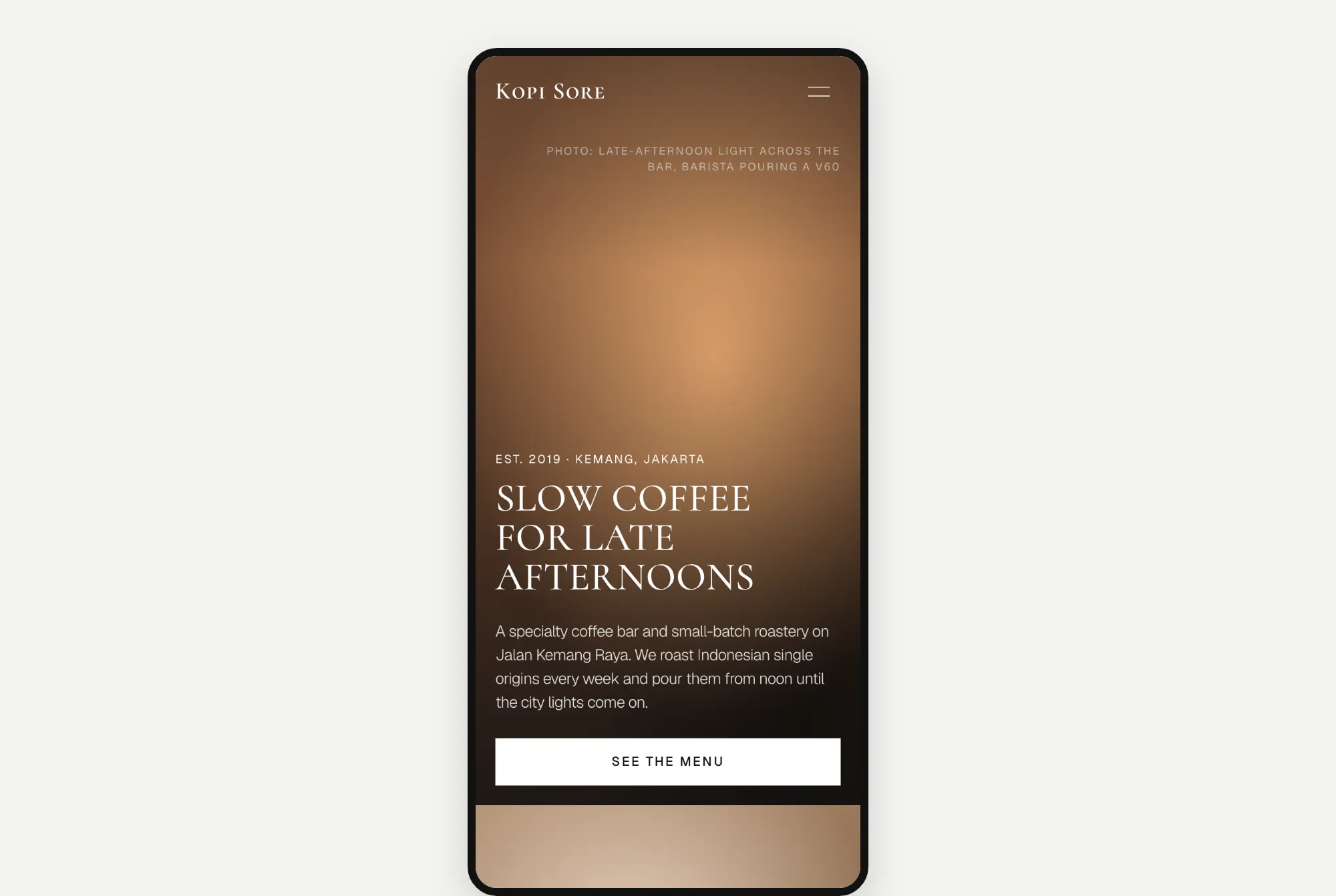
A dark, calm page with tall capital letters.
Astra 6.2's result took 5.3 minutes and cost $1.14. It also picked Batavia.
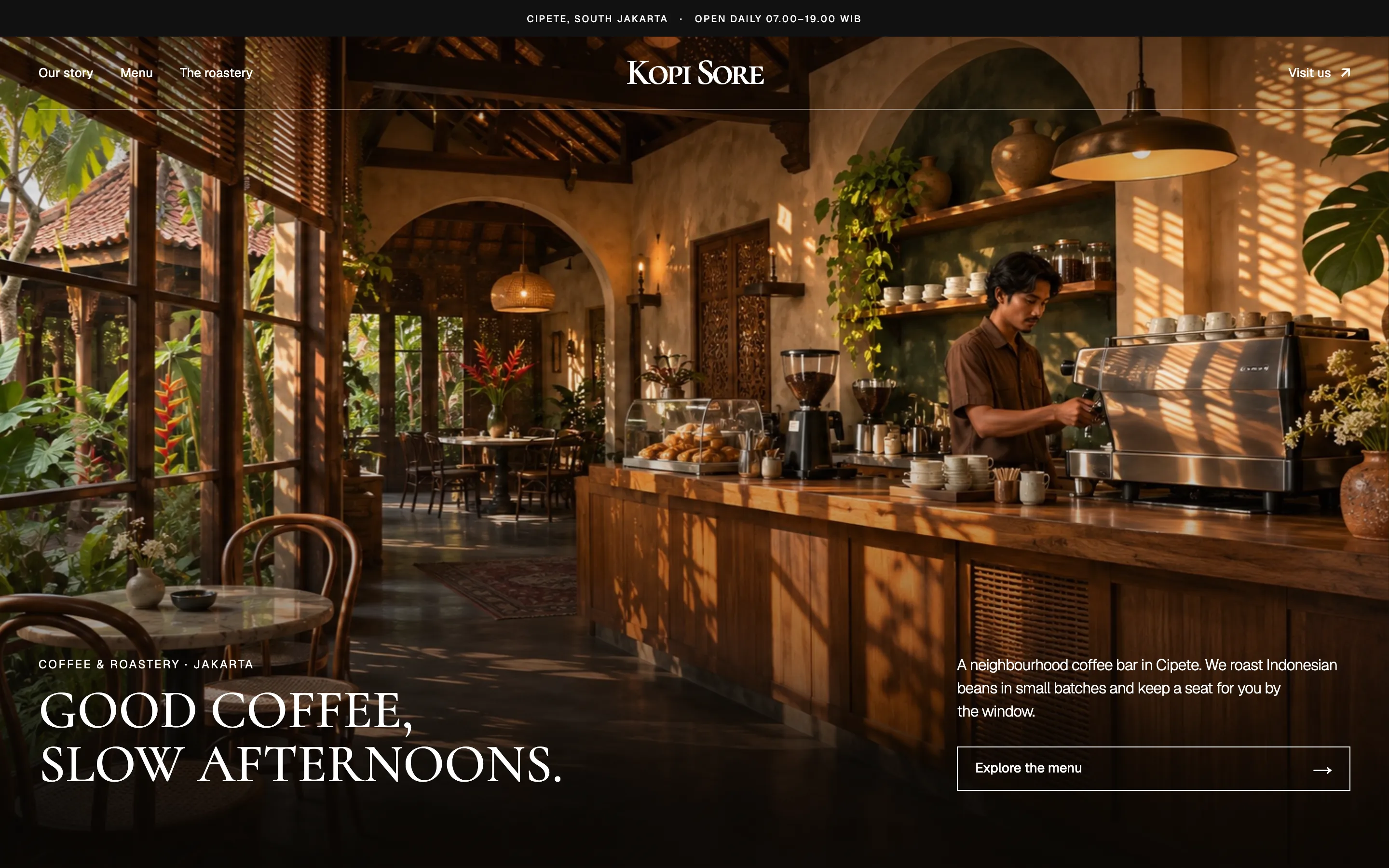
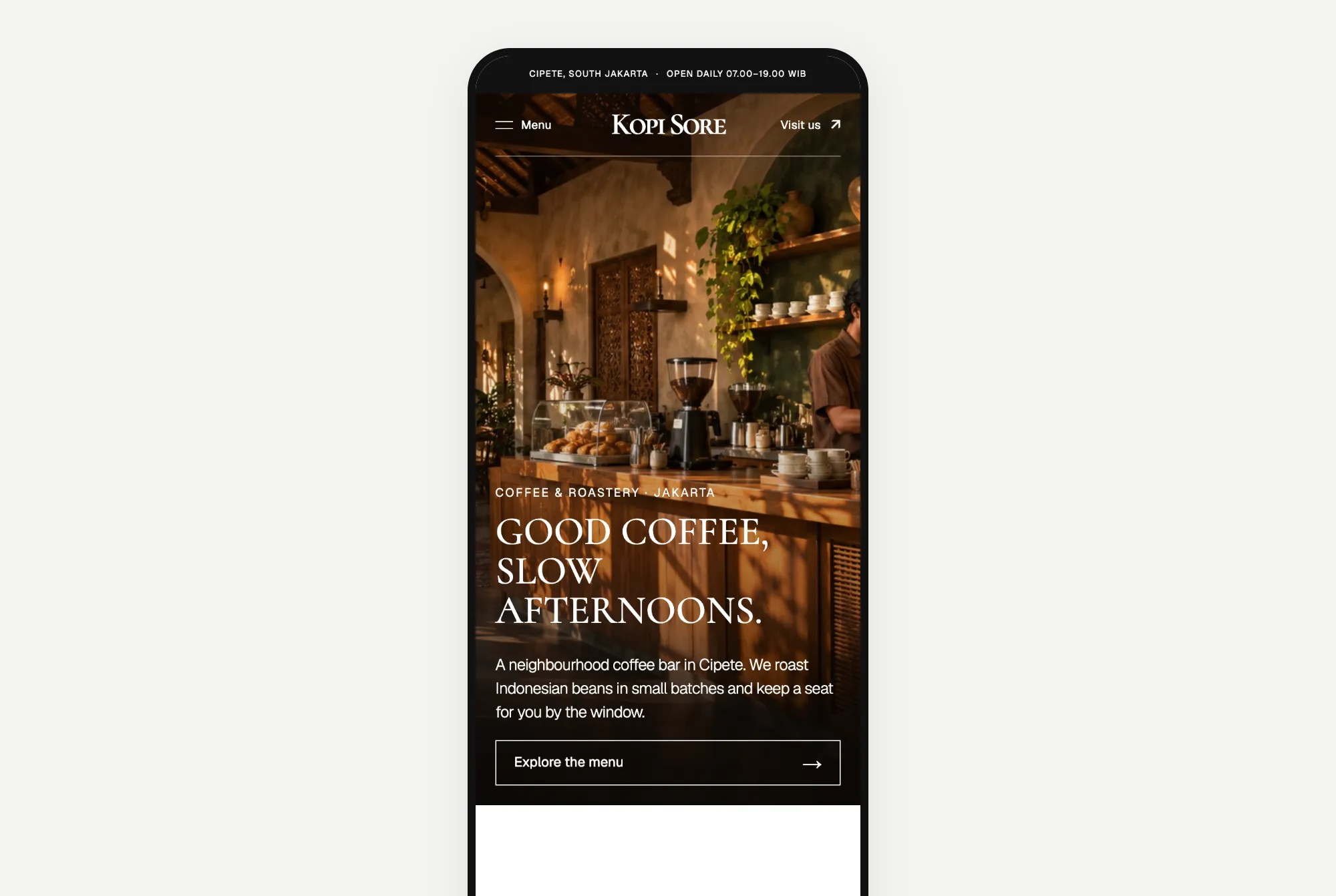
The same tall capital letters, over a full-screen photo of a coffee bar. Astra made 11 photos for this page, including one for every drink on the menu.
What I noticed: they picked the same designs
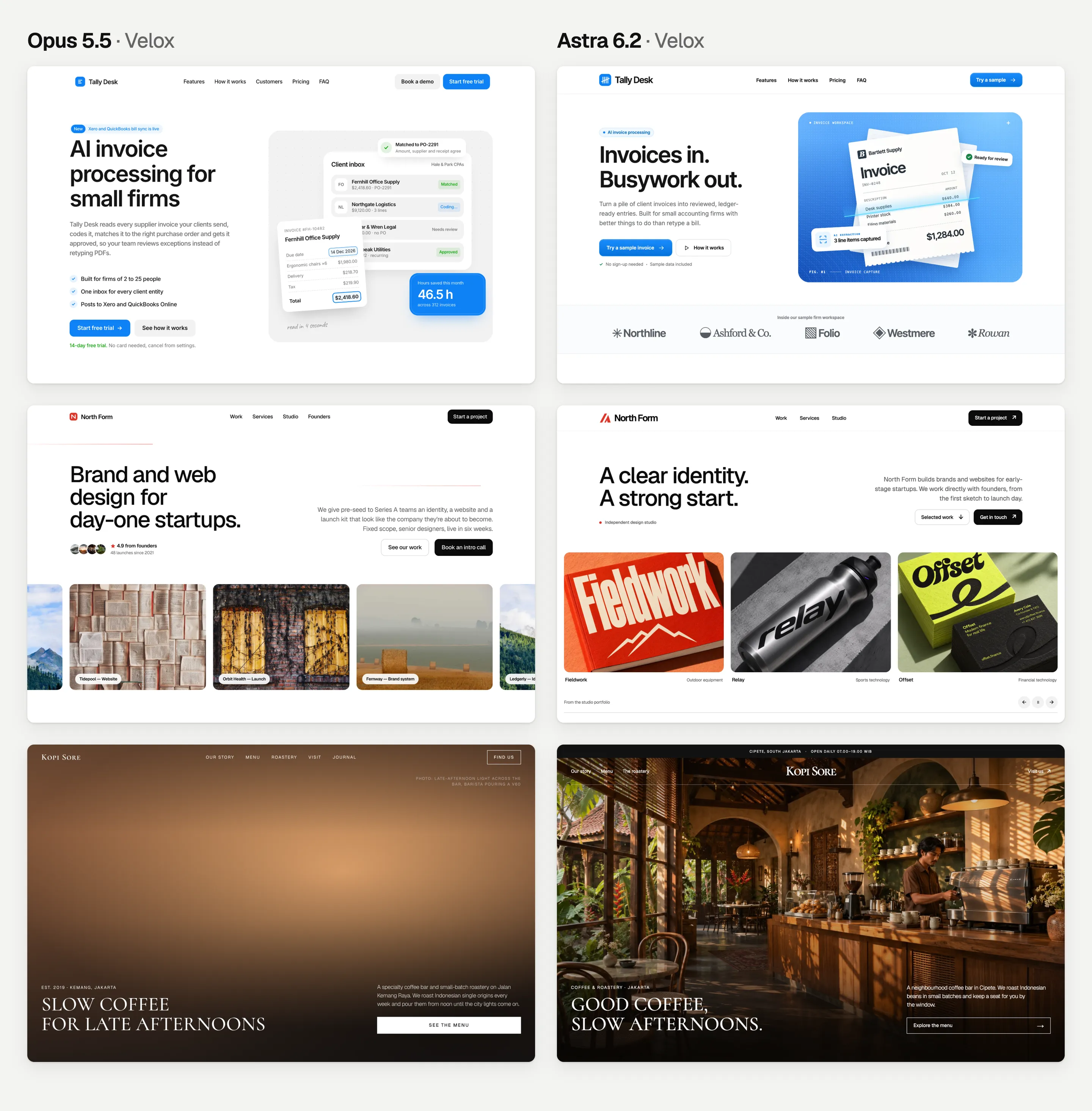
Both models picked the same template for every website, on their own. Once they followed the same Design.md guide, the cream look was gone from all six pages.
Here, Astra was cheaper than Opus on all three websites, and faster on two. Part of the speed is fast mode. But Astra also wrote far fewer tokens: about 11,000 per page, against 31,000 to 57,000 for Opus.
Round 3: redesigning the same page
For round 3, Opus and Astra each got a copy of Opus's round 1 page. I asked them to redesign it with a Design.md guide, but keep the words and sections the same. So this time, they started from exactly the same page. Here's Opus's prompt for Tally Desk. Astra's was the same apart from the folder name, and the other two websites only changed the name and description.
`model-comparison/tally-desk/opus-velox-redesign/index.html` is an existing landing page for "Tally Desk", an AI tool that helps small accounting firms automate invoice processing. Redesign its UI from top to bottom using the Velox Themes MCP.

First use the Velox Themes MCP to find the reference that best fits this brand, and tell me which one you chose and why. Then go through the page section by section, from navigation to footer, and bring its layout, typography, spacing, colour palette and motion in line with that reference. Change only what you judge needs changing: keep the existing copy, section order and working interactions unless the design genuinely requires otherwise, and keep it a single responsive page in HTML, CSS and vanilla JavaScript.

Edit that file in place. Done means the redesigned `index.html` renders cleanly at desktop and phone widths, plus a short list of what you changed and what you deliberately kept.
Website 1: Tally Desk
Opus 5.5's redesign took 4.8 minutes and cost $1.73. It picked Kresna.
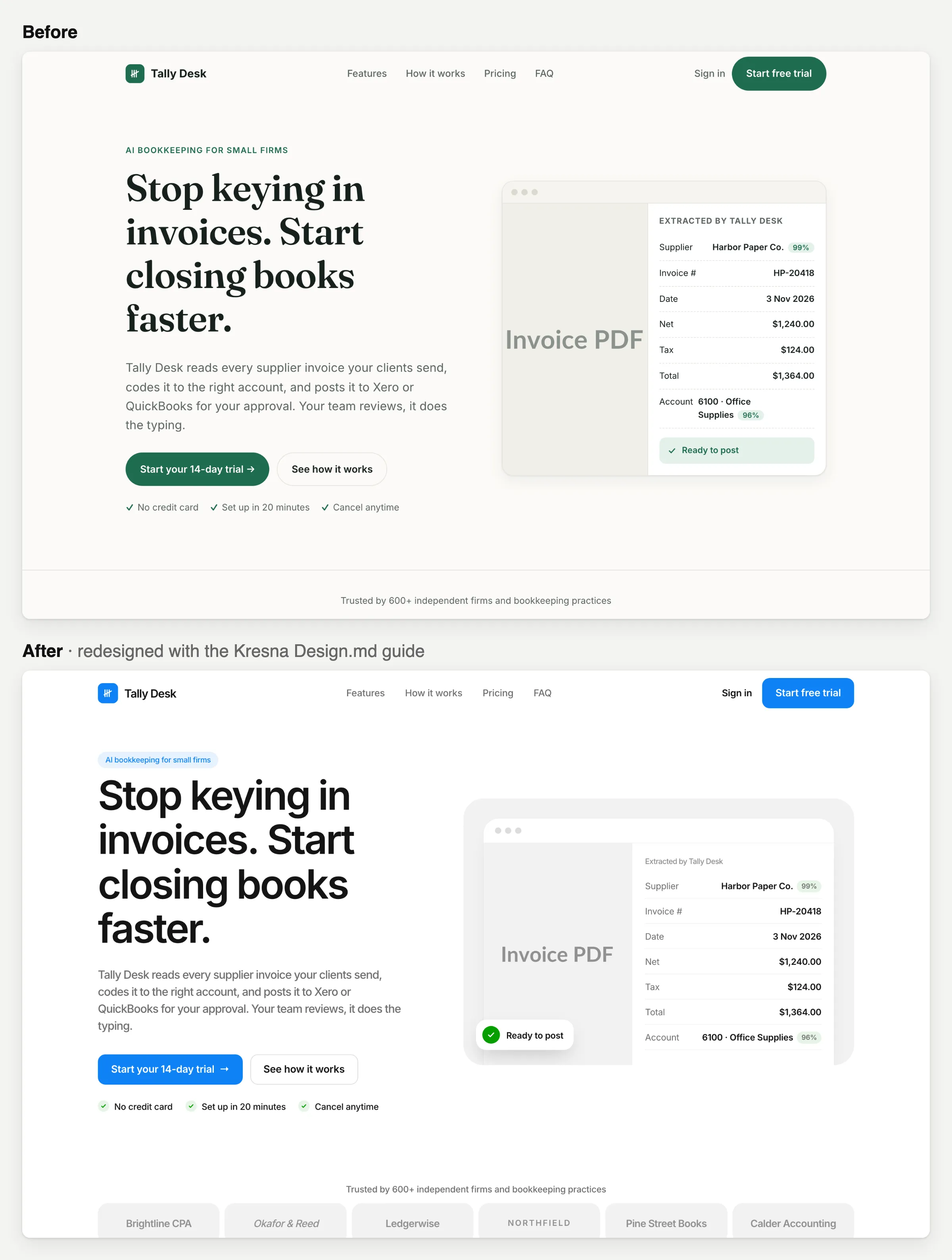
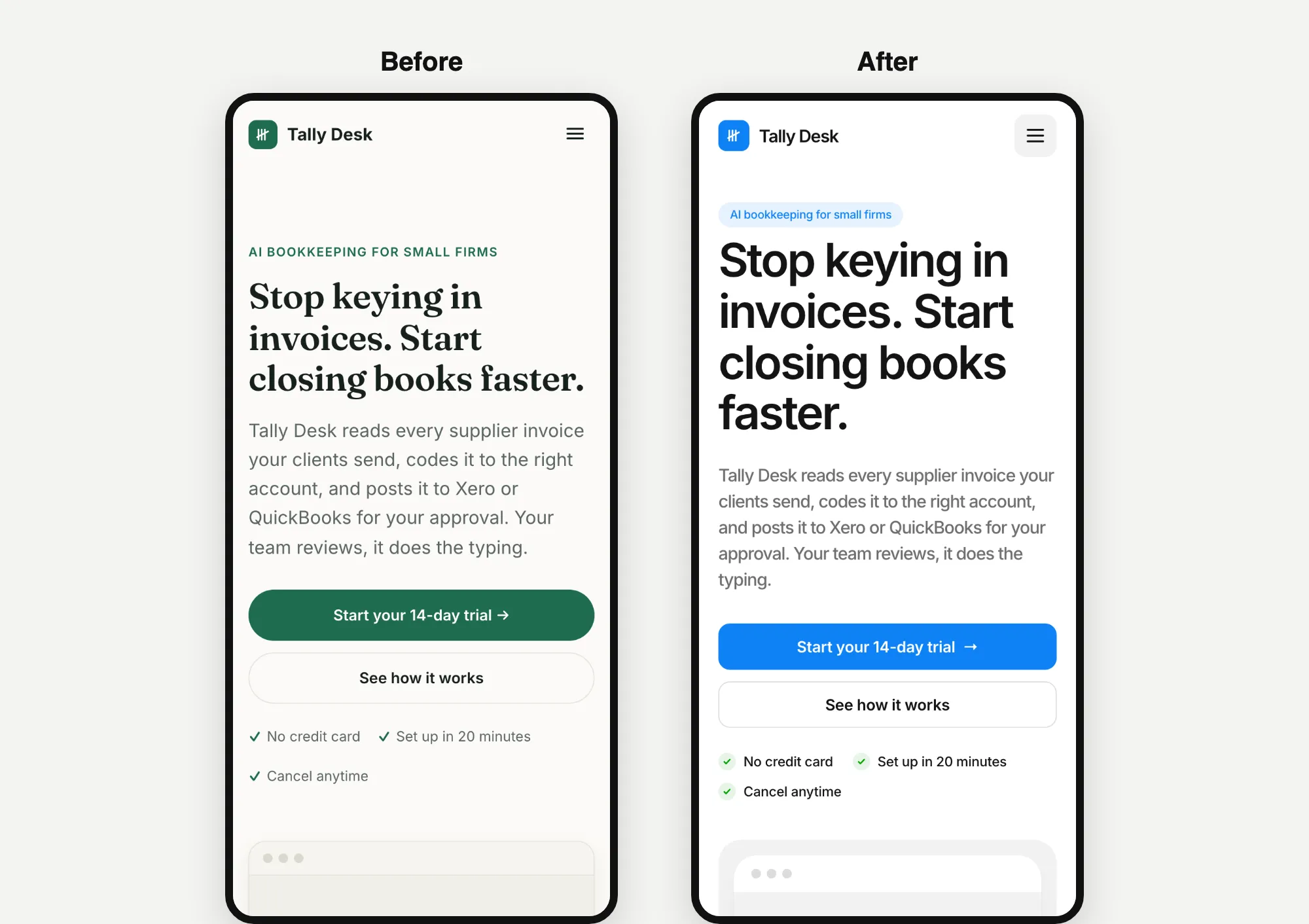
Astra 6.2's redesign took 7.1 minutes and cost $2.88. It also picked Kresna.
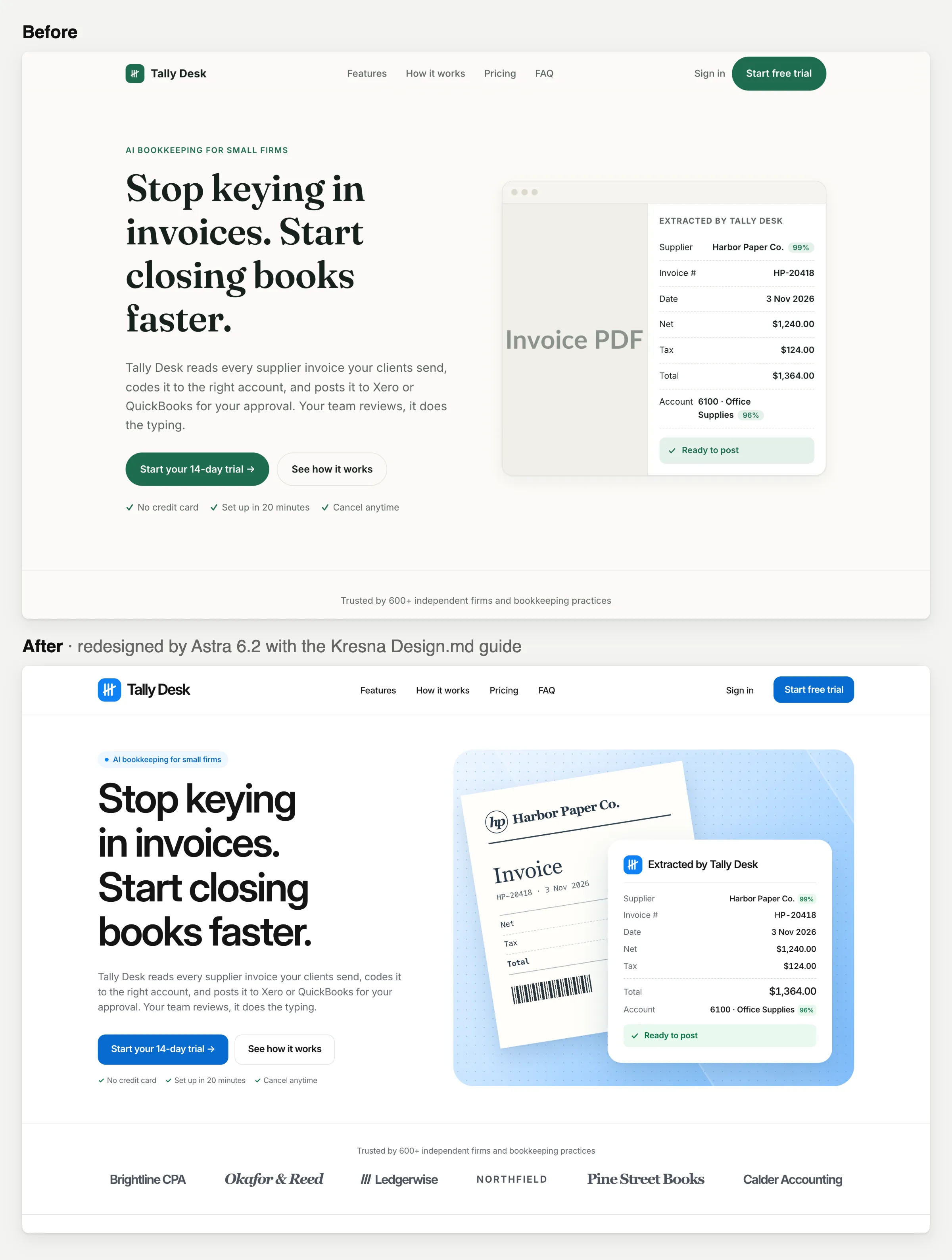
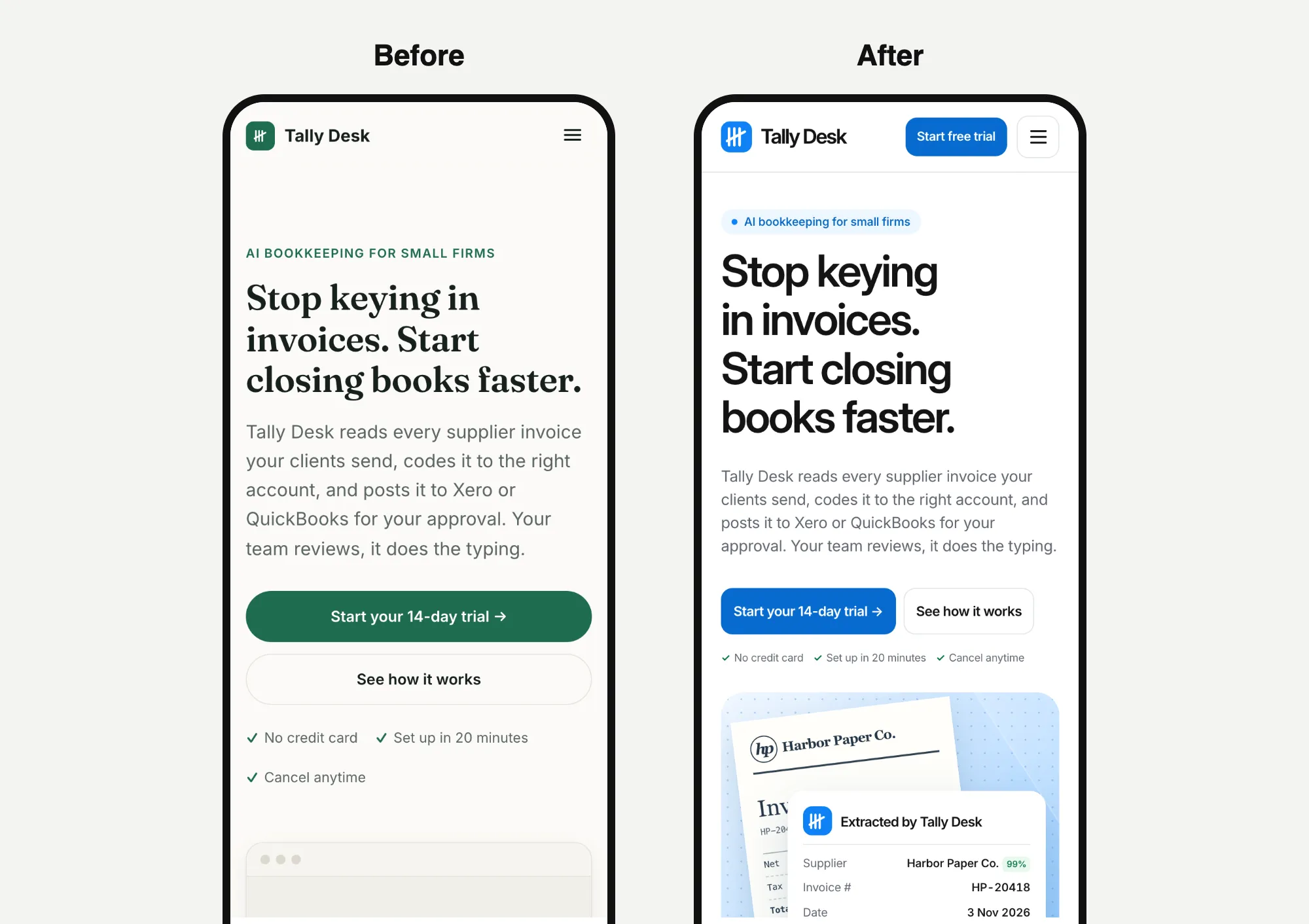
Both kept the same words. Opus kept the grey "Invoice PDF" box. Astra replaced it with a drawing of a paper invoice next to the details pulled out of it.
Website 2: North Form
Opus 5.5's redesign took 8.1 minutes and cost $3.20. It picked Kurawa, and turned down another of our templates, Shinta, as too playful.
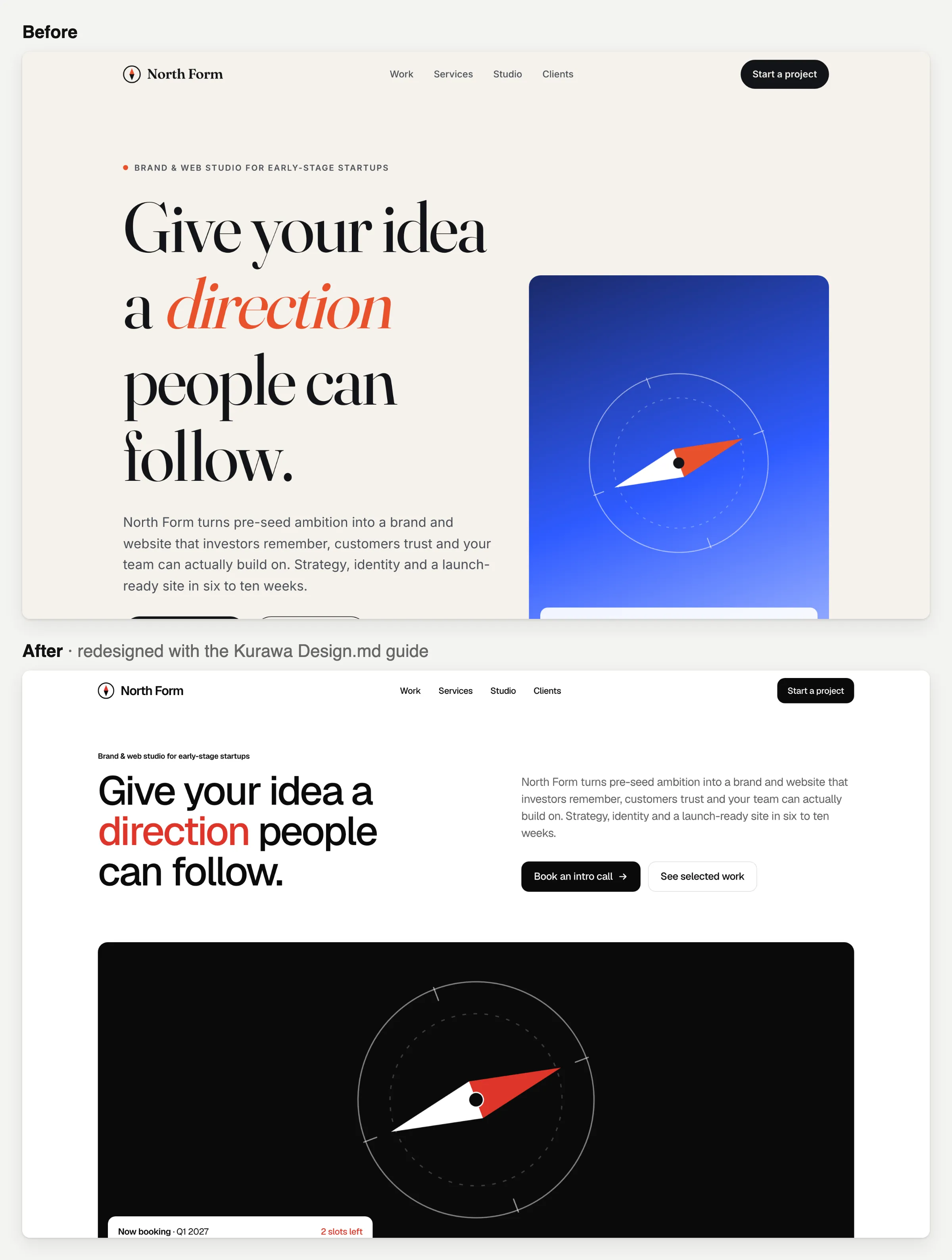
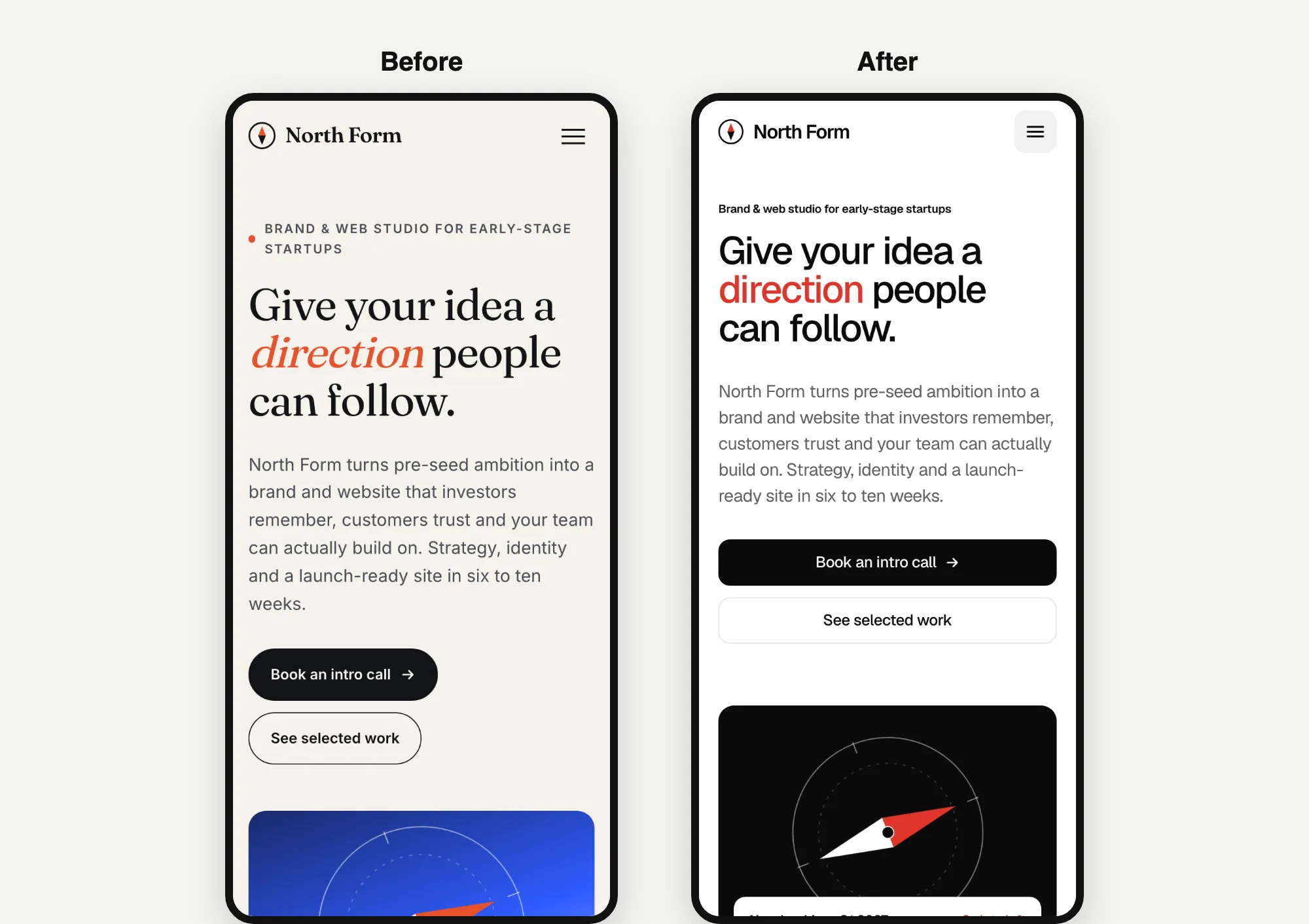
Astra 6.2's redesign took 9.0 minutes and cost $3.21. It also picked Kurawa.
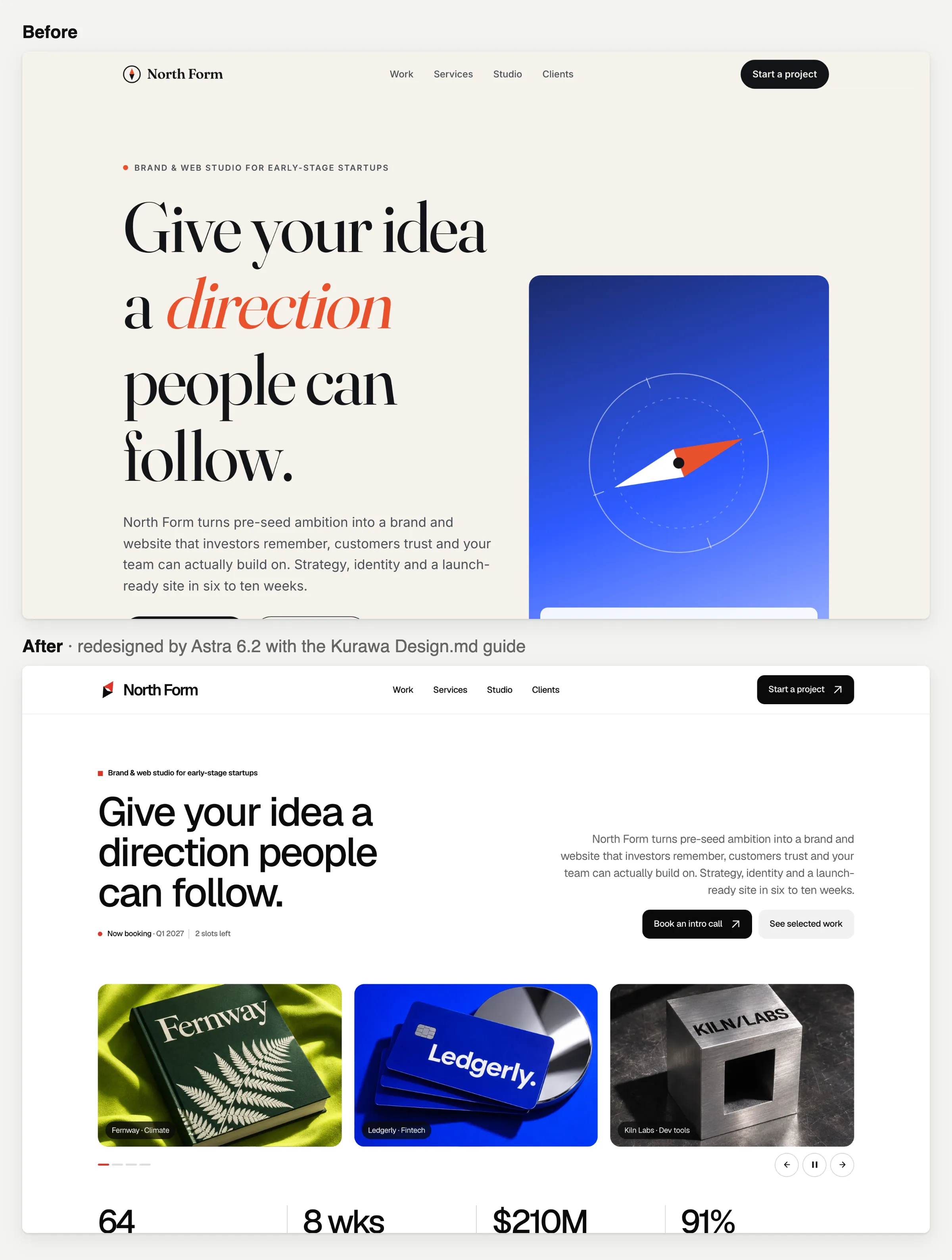
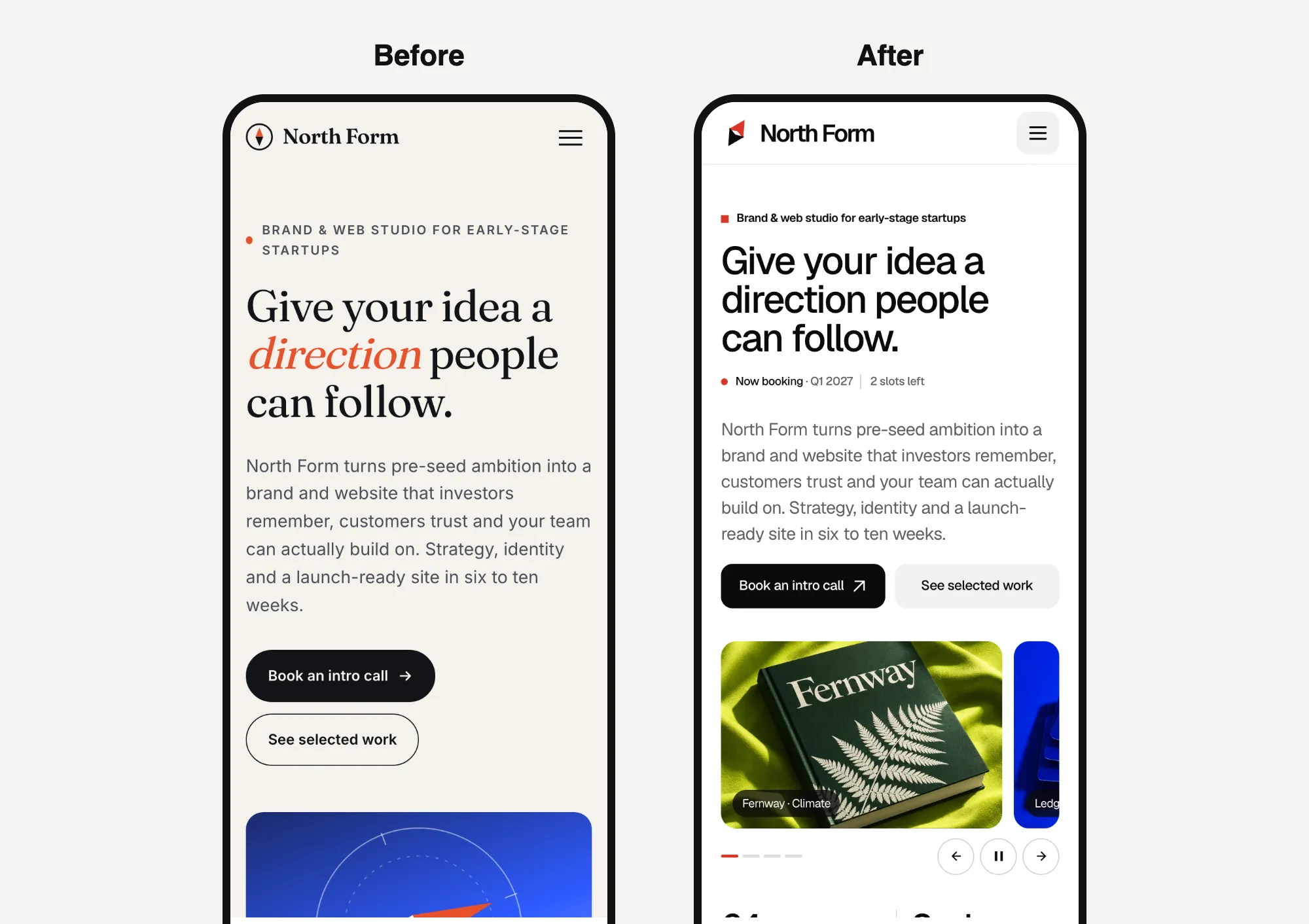
Opus kept the compass and moved it onto a black panel. Astra dropped the compass and put in a slideshow of project photos it made itself, plus a row of numbers.
Website 3: Kopi Sore
Opus 5.5's redesign took 5.3 minutes and cost $2.07. It picked Batavia.
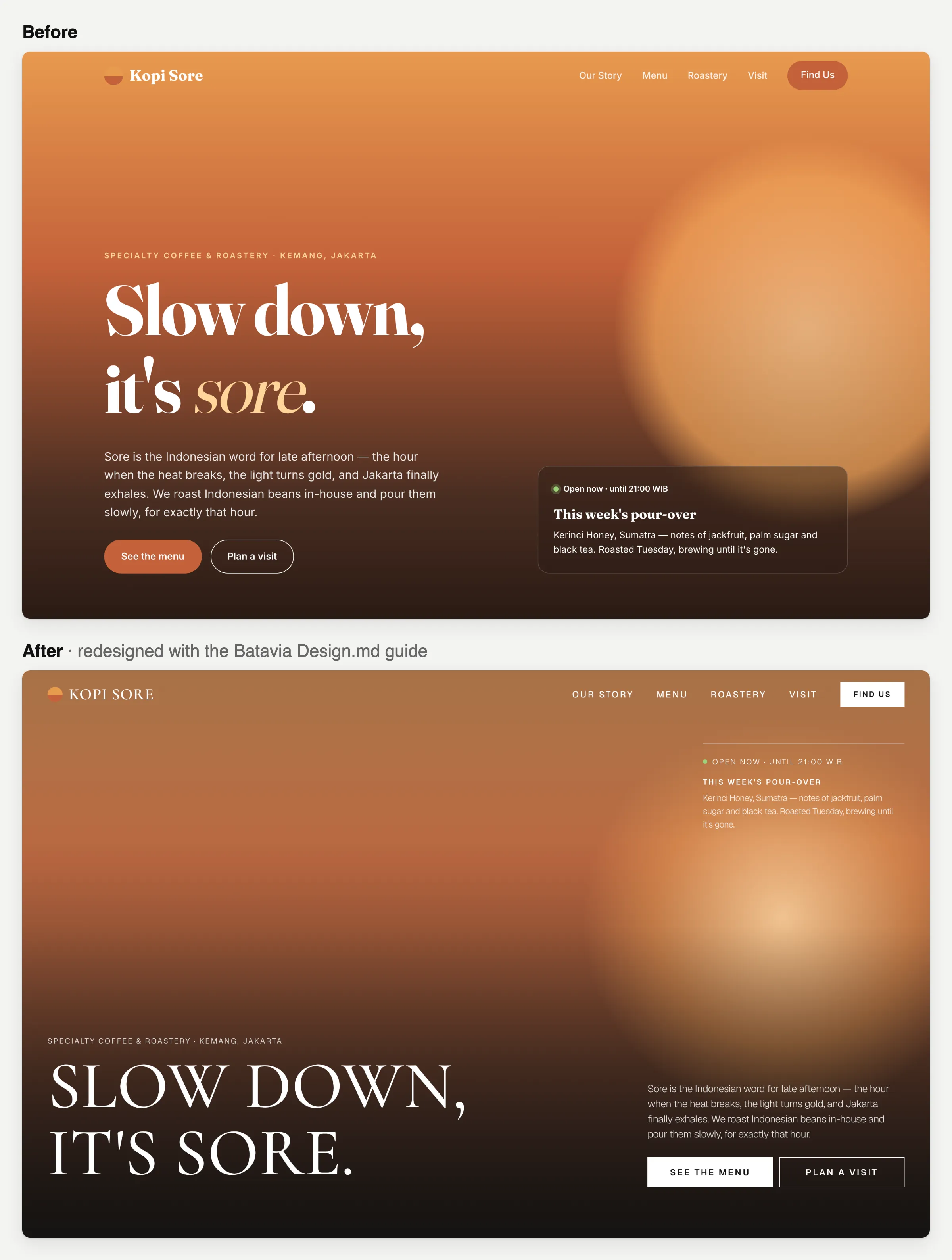
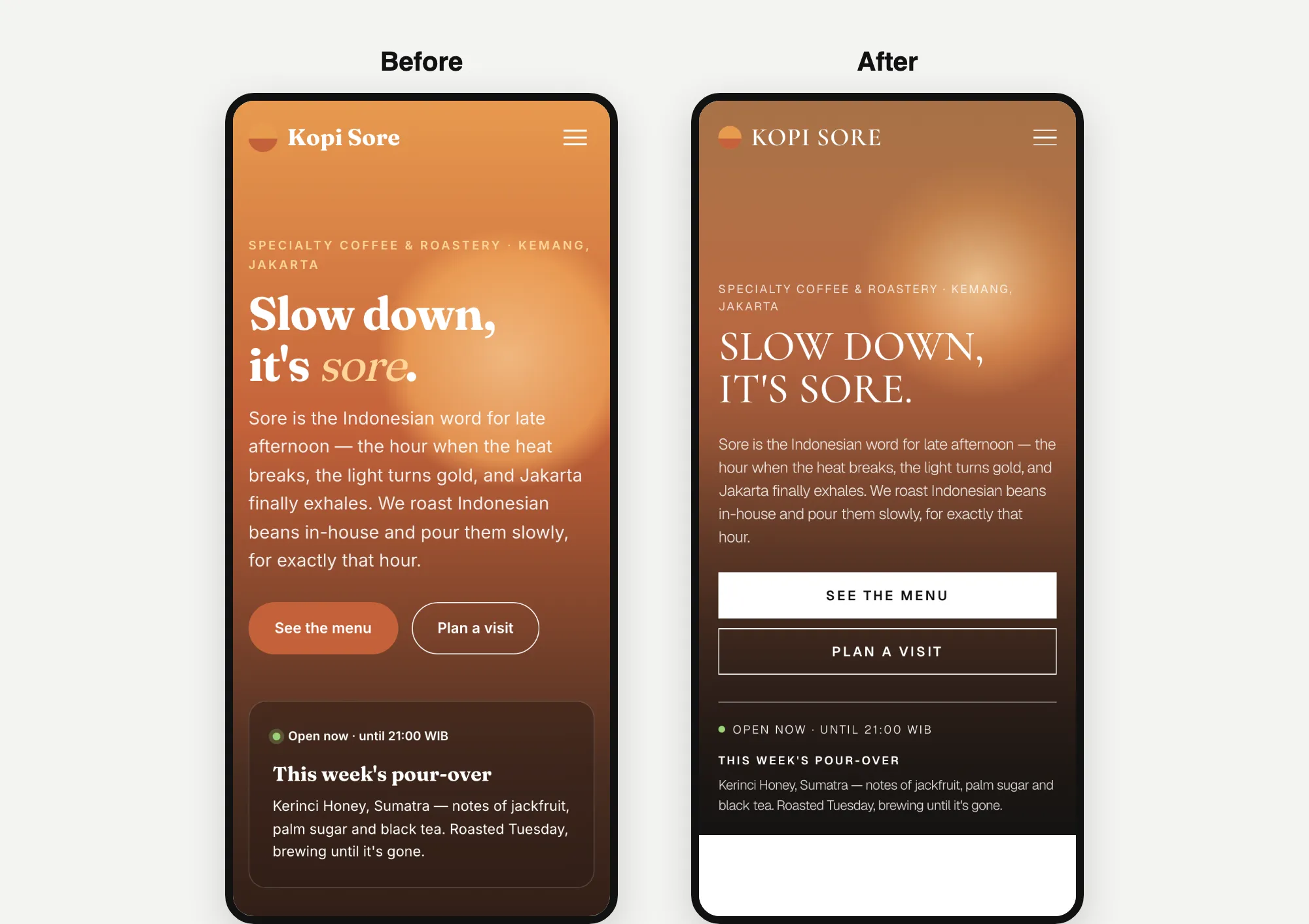
Astra 6.2's redesign took 15.1 minutes and cost $2.40, the slowest build in this test. It also picked Batavia.
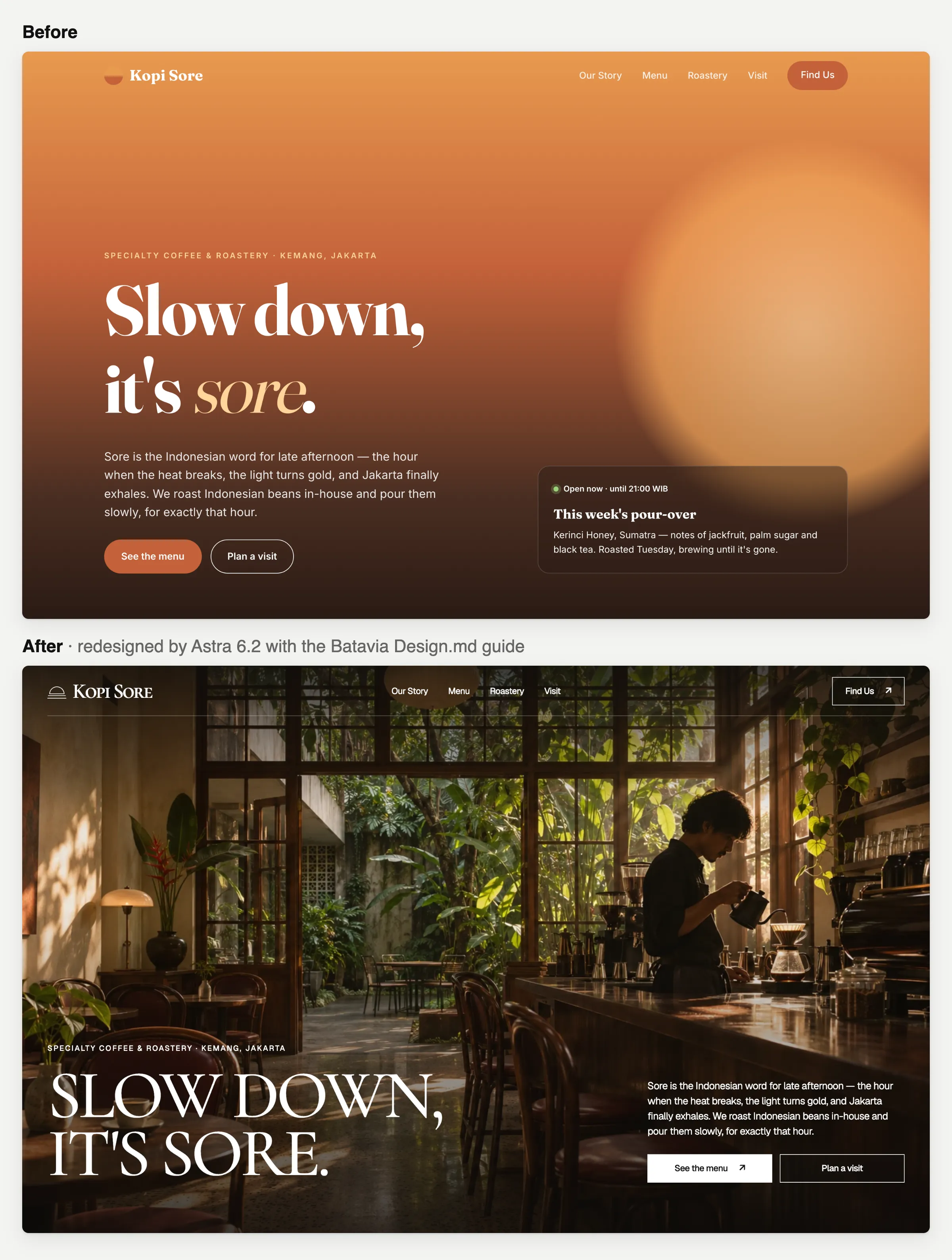
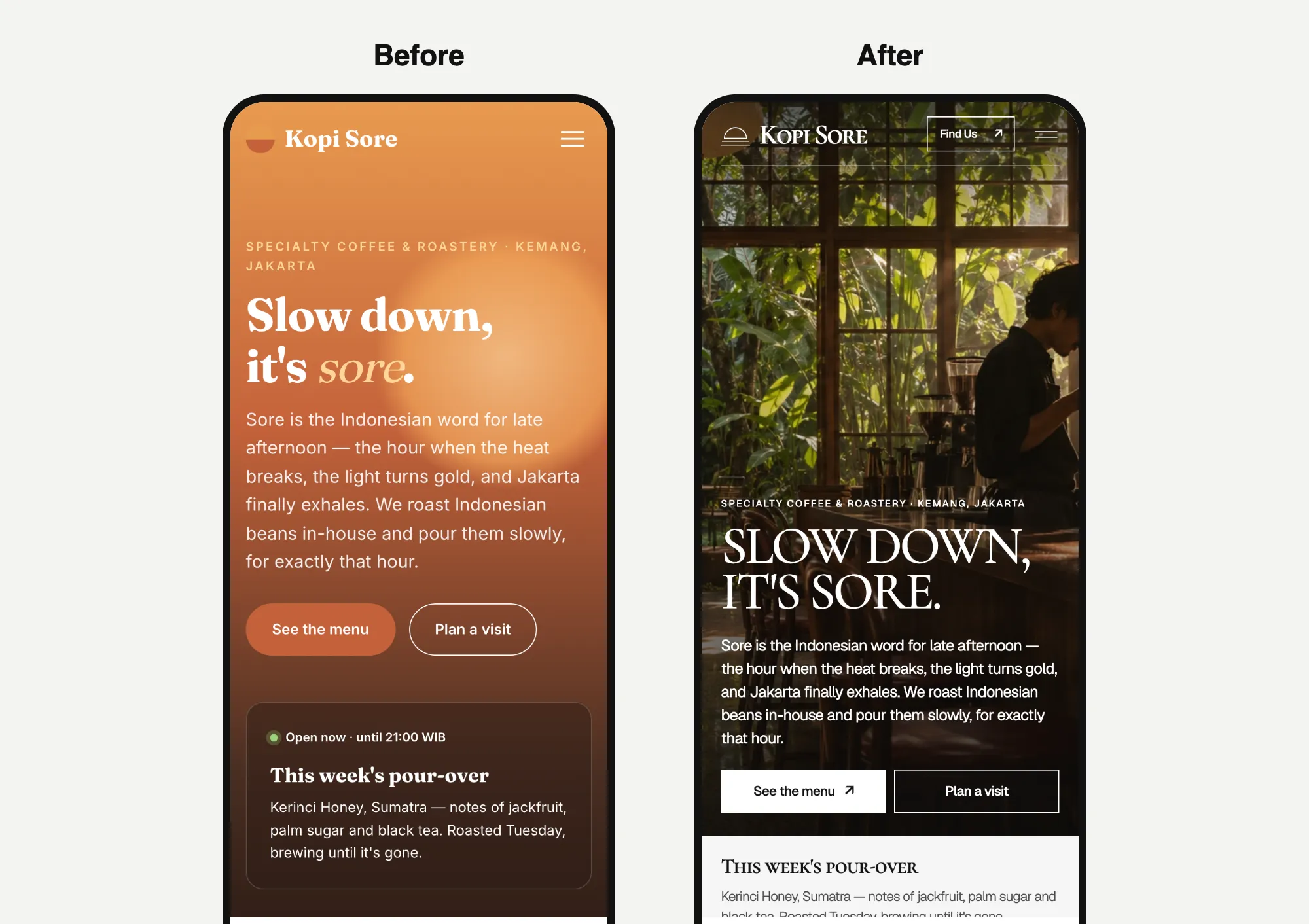
Same headline, same template. Opus kept the sunset glow. Astra swapped it for a photo of a coffee bar it made, and ran more than 200 commands while it worked.
What I noticed
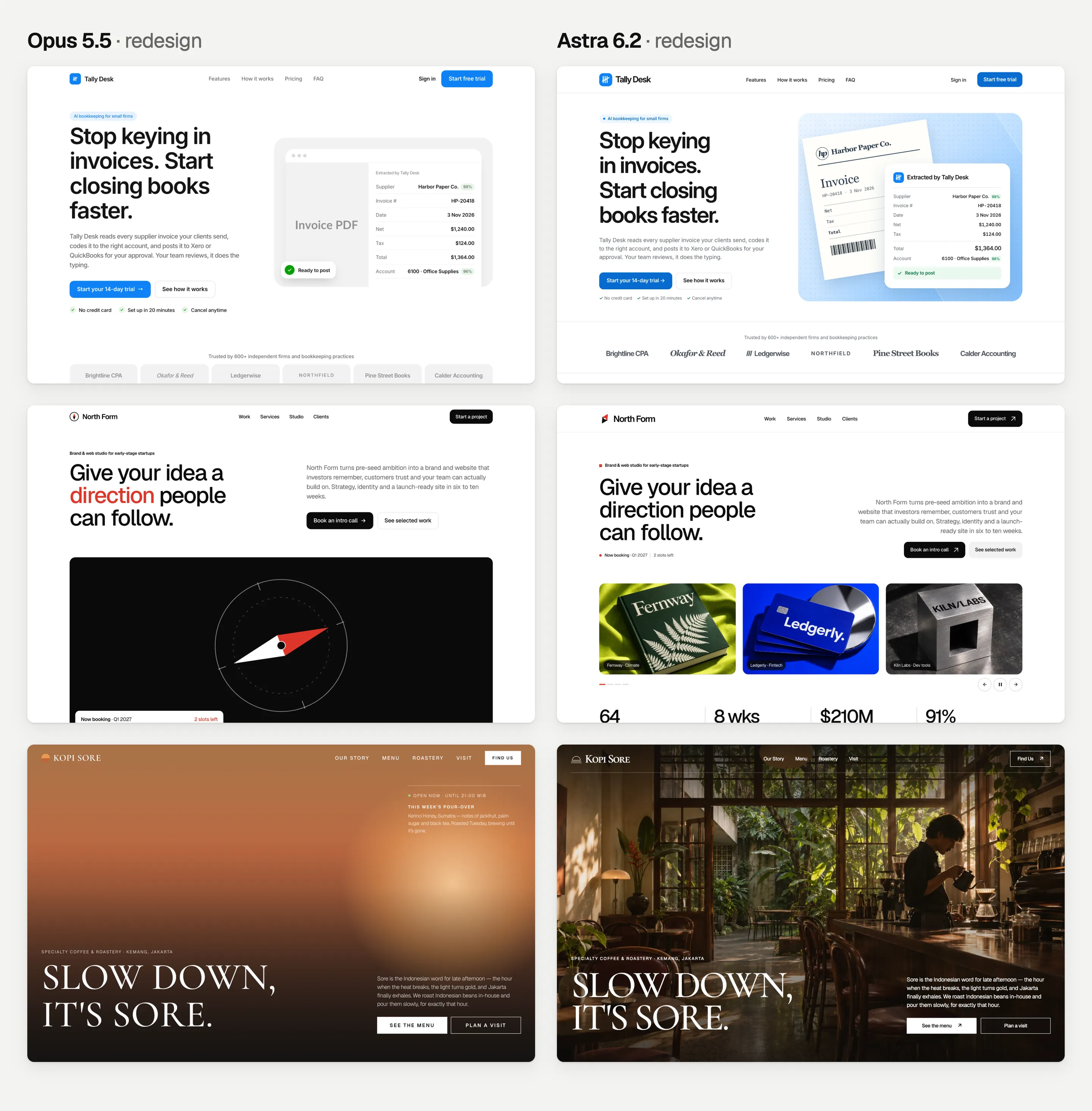
From the same starting page, both models picked the same three templates and kept the words. The difference was how much they changed. Opus restyled what was there. Astra rebuilt more of it and added its own photos. That took longer and cost more: $8.49 for Astra's three redesigns, against $7.00 for Opus's.
Which one is better depends on the job. If the client's content is set, Opus's lighter touch is closer to what you asked for. If you want the page to look finished, Astra's photos get you further. Just remember you'd swap them for the client's real photos.
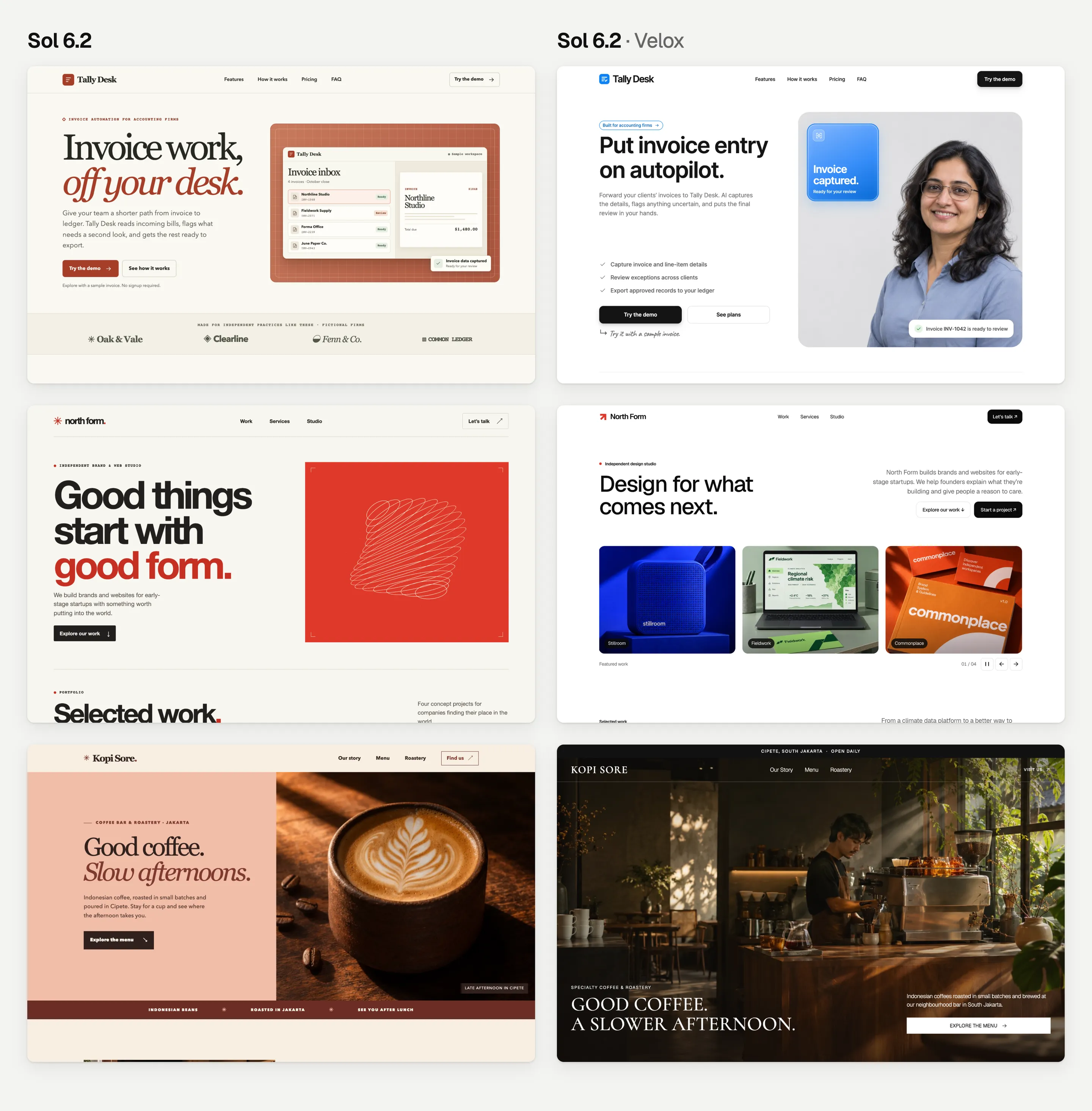
GPT-6.2 Sol vs Opus 5.5: the cheaper models
Sol is OpenAI's cheaper model, at $2 and $10 per million tokens. That's half the price of Opus 5.5. I gave Sol the round 1 and round 2 prompts too.
| Round | Opus 5.5 | Sol 6.2 |
|---|---|---|
| 1: short prompt | 2.6 min, $0.92 | 5.5 min, $0.56 |
| 2: with a Design.md guide | 7.1 min, $2.36 | 10.2 min, $1.14 |
- The same habit in round 1. All three Sol pages are cream or off-white, and two have slanted, coloured words in the headline.
- The same templates in round 2. Sol picked Kresna, Kurawa and Batavia, just like Opus and Astra.
- Its own photos. Like Astra, Sol made photos for most pages. For Tally Desk, that included a photo of a person who doesn't exist. On a real website, use real people.
- Less cost, more time. Sol cost 40% less than Opus per website in round 1 and half as much in round 2, but took longer, even in fast mode.
A fun detail: Astra and Sol both landed on almost the same Kopi Sore headline, "Good coffee, slow afternoons." Different OpenAI models, the same idea.
AI gets you to 80% fast. The last 20% is yours.
All 24 pages were good first drafts, and only one took more than 12 minutes. That's what AI is great at now: getting you from nothing to about 80%.
The last 20% is the motion and the small details. How does a button react when you hover over it? How do sections slide in? Does the spacing feel even? How does it all feel on a phone? My test found some of that on every side:
- An Opus label that pokes into the side of its box.
- Real company logos on an Astra page, which you can't use without permission.
- Made-up photos, including a made-up person, on the Astra and Sol pages.
- Astra and Sol couldn't always look at their own pages in my setup. I checked every page afterwards at desktop and phone sizes: nothing ran off the screen.
So plan for a few rounds. Look at the page, ask for fixes and look again.
Where a Design.md guide helps
A Design.md guide gives the AI real design rules: fonts, sizes, spacing, colours and motion. So your first draft starts from a real design, not the same off-white page every model gives you. Then you can spend your time on the last 20%.
To be fair, this test measured looks, time and cost. It didn't measure how many rounds of fixes each page needs to be finished.
What the benchmarks say
OpenAI shared scores for Astra and Sol against their older versions. These tests aren't about websites. Higher is better.
| Test (what it checks) | GPT-6.2 Astra | GPT-6 Astra (older) | GPT-6.2 Sol | GPT-6.1 Sol (older) |
|---|---|---|---|---|
| Agents' Last Exam (long tasks with tools) | 78.3% | 73.1% | 73.0% | 72.5% |
| FrontierCode 2.0 (coding on its own) | 44.2% | 42.8% | 43.8% | 39.0% |
| Harvey LAB-AA (legal work) | 15.0% | 8.6% | 11.1% | 6.9% |
Source: OpenAI's launch charts, as reported by VentureBeat, 17 November 2026. Anthropic reports Opus 5.5 at 45.5% on FrontierCode 2.0, but it ran its own tests, so the numbers don't line up exactly.
What each model costs
| Price per million tokens | Opus 5.5 | GPT-6.2 Astra | GPT-6.2 Sol |
|---|---|---|---|
| Text the AI reads | $4 | $8 | $2 |
| Text the AI re-reads from memory (cache) | $0.20 | $0.40 | $0.10 |
| Text the AI writes | $20 | $40 | $10 |
Sources: Claude API pricing and launch-day reports of OpenAI's prices by The Decoder. Fast mode costs twice as much. Tokens are small pieces of words, and AI companies charge for every token the AI reads and writes.
What public scoreboards say
- Artificial Analysis Intelligence Index: Astra scored 62, Opus 5.5 59 and Sol 57.
- Vals Index: Astra ranked 7th and Sol 9th. Sol cost $3.18 per task there, against $10.68 for Astra.
- Coding: Artificial Analysis says coding has barely moved. Sol dropped 3 points on its coding agent index.
- Early reviews: mixed. Some testers praised Astra's design sense and visuals. Others found it hard to steer and said it stopped early on long builds (VentureBeat).
Scores as reported by The Decoder on launch day. They change often. For Astra against Anthropic's top model, read my Astra vs Fable 5.2 test.
Which one should you use for websites?
Pick Opus 5.5 when
- You're redesigning a page and want to keep what's there. It changed less and cost less in round 3.
- You want the AI to check its own work in a browser while it builds.
- You already work in Claude Code.
Pick Astra 6.2 when
- You want cheap first drafts that look finished, with images included.
- You're building from scratch with a design to follow. It was the cheapest and fastest in round 2.
- You already work in Codex.
Pick Sol 6.2 when
- Cost matters most. It was the cheapest per website in both rounds.
- You don't mind waiting a few extra minutes.
The price per token didn't predict the cost per website. Astra costs twice as much per token as Opus, yet it was cheaper in two of three rounds. Test on your own kind of work before you choose. And whichever you pick, give it a design to follow.
How to give any AI a design to follow
Use your client's own brand
If the client already has a brand, give the AI the real thing: their current pages, colours, fonts and photos, plus a few websites they like. Even a short list beats "make it look nice".
Start from a finished design
If you're starting from scratch, start from a design someone has already finished. That's what we make at Velox Themes. The Velox Themes MCP connects Codex, Claude Code and other AI tools to our library. A free account can connect it and add free sections. The Design.md guides used in this test come with a paid plan.
You can also start for free with templates like Kurawa (Free) and Arjuna (Free). Then tweak them with your AI tool.
How I set up the test
For anyone who wants to check my work or run it again:
- Opus 5.5: the Claude Code desktop app, version 2.1.317, medium effort, on 10 November 2026 from 08:02 WIB. These are the same builds as in my Fable vs Opus test.
- Astra 6.2 and Sol 6.2: the Codex command line, version 0.169 (the copy that comes with the ChatGPT desktop app), high effort and fast mode, on 18 November 2026 between 08:09 and 08:48 WIB. I checked the effort and speed in every session's log.
- Velox Themes MCP: Codex used our test server, which lists the same templates as the live one.
- Fresh start: each website was built in a new session, with no memory of the others.
- One go: one prompt per website, with no follow-ups and no edits by me. In my Codex setup, the in-app browser wasn't available; some Astra and Sol builds checked their pages in Chrome on their own, and the rest only checked their files.
- Time: minutes from each session's log. Up to six Codex builds ran at once.
- Cost: the tokens each AI read and wrote (from the logs), times each company's normal prices. I ran these on subscriptions, so this is what the same work would cost on each company's API.
- Checks: I opened every page at desktop (1440 pixels wide) and phone (390 or 375 pixels wide) sizes.
- The full prompt: each build prompt above also had these rules. I've left out the line that told the AI where to save the file.
Standalone one-off page build. The working directory holds an unrelated Astro project: do not read, reuse or edit anything from it or from other folders under `model-comparison/`, and write only inside the output folder named in the task. Commit nothing and do not switch branches. Do not ask questions; make your own decisions, build the page in one pass, and stop once `index.html` is complete.Every build, one by one. Astra's and Sol's costs are at normal prices; fast mode doubles them.
Tally Desk
| Round | Model | Template | Minutes | Tokens written by the AI | Cost |
|---|---|---|---|---|---|
| 1 | Opus 5.5 | None | 2.5 | 16.6K | $1.01 |
| Astra 6.2 | None | 2.7 | 9.6K | $0.74 | |
| Sol 6.2 | None | 4.5 | 15.5K | $0.36 | |
| 2 | Opus 5.5 | Kresna | 9.2 | 56.8K | $3.19 |
| Astra 6.2 | Kresna | 4.1 | 12.4K | $1.25 | |
| Sol 6.2 | Kresna | 11.2 | 32.5K | $1.45 | |
| 3 | Opus 5.5 | Kresna | 4.8 | 32.3K | $1.73 |
| Astra 6.2 | Kresna | 7.1 | 19.4K | $2.88 |
North Form
| Round | Model | Template | Minutes | Tokens written by the AI | Cost |
|---|---|---|---|---|---|
| 1 | Opus 5.5 | None | 2.7 | 18.3K | $0.85 |
| Astra 6.2 | None | 3.5 | 9.7K | $0.67 | |
| Sol 6.2 | None | 6.7 | 18.7K | $0.58 | |
| 2 | Opus 5.5 | Kurawa | 7.1 | 44.3K | $2.28 |
| Astra 6.2 | Kurawa | 7.0 | 11.0K | $1.35 | |
| Sol 6.2 | Kurawa | 7.5 | 25.7K | $0.72 | |
| 3 | Opus 5.5 | Kurawa | 8.1 | 48.1K | $3.20 |
| Astra 6.2 | Kurawa | 9.0 | 22.6K | $3.21 |
Kopi Sore
| Round | Model | Template | Minutes | Tokens written by the AI | Cost |
|---|---|---|---|---|---|
| 1 | Opus 5.5 | None | 2.6 | 16.8K | $0.90 |
| Astra 6.2 | None | 3.4 | 9.3K | $0.79 | |
| Sol 6.2 | None | 5.4 | 16.5K | $0.74 | |
| 2 | Opus 5.5 | Batavia | 5.0 | 31.0K | $1.60 |
| Astra 6.2 | Batavia | 5.3 | 9.3K | $1.14 | |
| Sol 6.2 | Batavia | 12.0 | 26.2K | $1.24 | |
| 3 | Opus 5.5 | Batavia | 5.3 | 31.1K | $2.07 |
| Astra 6.2 | Batavia | 15.1 | 15.4K | $2.40 |
FAQ
Is GPT-6.2 Astra better than Opus 5.5 for web design?
For new pages built from a design, Astra was faster and cheaper in my test, and its own photos made the pages look more finished. For redesigning an existing page, Opus was cheaper, faster and changed less. Both picked the same templates every time.
Is Astra worth twice the price of Opus 5.5?
Not twice the price per website. Astra costs twice as much per token, but it wrote far fewer tokens. So it cost less per website than Opus in rounds 1 and 2, and about 20% more in the redesign round.
GPT-6.2 Sol vs Opus 5.5: which is better for websites?
Sol cost 40 to 50% less than Opus per website and picked the same templates. Opus was faster and checked its own pages in a browser. For cheap drafts, Sol is a good pick. For a page you need to trust on the first go, Opus is safer.
How much does GPT-6.2 Sol cost?
$2 per million tokens it reads, $0.10 per million for re-read (cached) text and $10 per million it writes. Fast mode costs twice as much. In my test, one website cost $0.36 to $1.45 at normal prices.
Why do AI-made websites all look the same?
Without a design to follow, an AI picks the most common choices it has seen. In my test, all 9 round 1 pages from Opus, Astra and Sol had a cream or off-white background. Giving the AI a real design to follow fixed that every time.
Sources
All read on 18 November 2026.
- OpenAI Developer Community: GPT-6.2 Astra and Sol are now available
- The Decoder: OpenAI launches GPT-6.2 Astra and Sol with lower API prices and some benchmark gains
- VentureBeat: OpenAI launches GPT-6.2 Astra and Sol
- Claude API pricing
- Anthropic: Introducing Claude Opus 5.5
- Velox Themes: Fable 5.2 vs Opus 5.5 for web design
- Velox Themes: GPT-6.2 Astra vs Fable 5.2