Comparison15 min read
Best MCP Servers for Web Design (2026): Claude Code, Codex and Cursor
The MCP servers worth adding for web design in Claude Code, Codex or Cursor, from Figma and Playwright to design libraries, hosting and images.

AI coding agents can build a whole website from one prompt. But on their own, they guess. They guess the design, they guess how your Figma file looks, and they never open the page to see if it works.
MCP servers fix that. They plug outside tools into your agent, like a design library, your Figma file or a real browser. In this post, I list the 13 MCP servers I'd use for web design in 2026, grouped by the job each one does. Every one works in Claude Code, Codex and Cursor, and I show you how to add them.
I make website templates at Velox Themes. I also tested three of these servers on the same landing page in Claude Code and Codex, so you can see what each one actually changed.
The short answer
Whether it's a client's website or your own, start with these:
- A design source so the page doesn't look AI-made: Velox Themes MCP, or the Figma MCP if you already have a design.
- Playwright MCP so the agent opens the page and finds its own bugs. In my test, it found 8 bugs in a page that looked finished.
- Where you ship: Webflow or Framer if your sites live there, or Cloudflare, the cheapest place to host a business site.
| Server | Job | Made by |
|---|---|---|
| Velox Themes MCP | Design direction: sections, templates, Design.md | Velox Themes |
| Mobbin MCP | Real screens for research | Mobbin |
| Figma MCP | Turn a Figma design into code | Figma |
| Higgsfield MCP | Generate images and video | Higgsfield |
| shadcn MCP | Install shadcn/ui components | shadcn/ui |
| Magic UI MCP | Animated React components | Magic UI |
| Playwright MCP | Open and click through the page | Microsoft |
| Chrome DevTools MCP | Console errors and page speed | Chrome DevTools team |
| GitHub MCP | Save the code, issues, pull requests | GitHub |
| Cloudflare MCP | Host the site, DNS and settings | Cloudflare |
| Vercel MCP | Deploy and check deployments | Vercel |
| Framer MCP | Edit Framer sites | Framer |
| Webflow MCP | Edit Webflow sites | Webflow |
All 13 are made by the company behind the tool. They're standard MCP servers, so all 13 work in Claude Code, Codex and Cursor.
What is an MCP server, in plain words?
MCP stands for Model Context Protocol. An MCP server is a small plug that lets your AI agent use another tool. Without one, the agent only knows what's in your prompt and your files. With one, it can search a design library, read a Figma frame or open a browser.
The same server works in Claude Code, Codex and Cursor. Only the setup line is different.
How to add an MCP server in Claude Code, Codex and Cursor
Most servers are one of two kinds. A remote server lives at a web address, and you sign in to it. A local server runs on your computer with npx.
In Claude Code, run this in your project folder. Then type /mcp to sign in.
# remote server
claude mcp add --transport http NAME https://example.com/mcp
# local server
claude mcp add NAME -- npx -y PACKAGE@latest
In Codex, run this in your terminal. If it doesn't ask you to sign in, run codex mcp login NAME.
# remote server
codex mcp add NAME --url https://example.com/mcp
# local server
codex mcp add NAME -- npx -y PACKAGE@latest
In Cursor, add the server to .cursor/mcp.json in your project. Then turn it on under Customize, MCP.
{
  "mcpServers": {
    "NAME": { "url": "https://example.com/mcp" }
  }
}
Each server's own page, linked in its section, has the exact steps. Many also have a one-click install or a plugin.
One tip for Codex
Codex asks before it runs an MCP tool that might change something. That's good when you're watching. But when you run Codex with no one watching, like codex exec, nobody can say yes, so the call fails. My first shadcn test stopped with "MCP tool call requires approval". If you trust a server, add this to ~/.codex/config.toml:
[mcp_servers.shadcn]
default_tools_approval_mode = "approve"
Keep the set small
Every server adds tools to the agent's memory, and that costs tokens on every message. Four to six servers is plenty. Turn off the ones a project doesn't need.
How I picked and tested them
I kept a server only if it gives the agent something it can't guess: a design, real components, current docs, or a look at the page. It also had to come from the company behind the tool and work in all three agents.
Then I tested three of them on one brief: a landing page for Tally Desk, a made-up invoice tool for small accounting firms. I used the same prompt in Claude Code with Claude Opus 5.5, and in Codex with GPT-6.2 Astra. Each build got one prompt, with no help from me.
- Velox Themes MCP: the builds from my Astra vs Opus test, same models and prompt.
- shadcn MCP: a new build in each agent, as a React app.
- Playwright MCP: each agent checked its own no-help page and fixed what it found.
I didn't build-test the other ten. For those, I read each company's own docs on 19 November 2026 and say what they say.
| Test | Claude Code (Opus 5.5) | Codex (Astra 6.2) |
|---|---|---|
| shadcn MCP build | 5.3 min, $1.94 | 5.4 min, $1.64 |
| Playwright MCP check | 4.1 min, $1.31, 8 bugs fixed | 4.7 min, $1.32, 6 bugs fixed |
Astra's costs are at OpenAI's normal prices. I ran it in fast mode, which costs twice as much.
1. Velox Themes MCP: designed sections
AI can now build a whole website from one prompt. But it still looks like AI slop: a cream background, a big serif headline and a grey box where the product should be. Here's what Claude Opus 5.5 made for Tally Desk with no help:
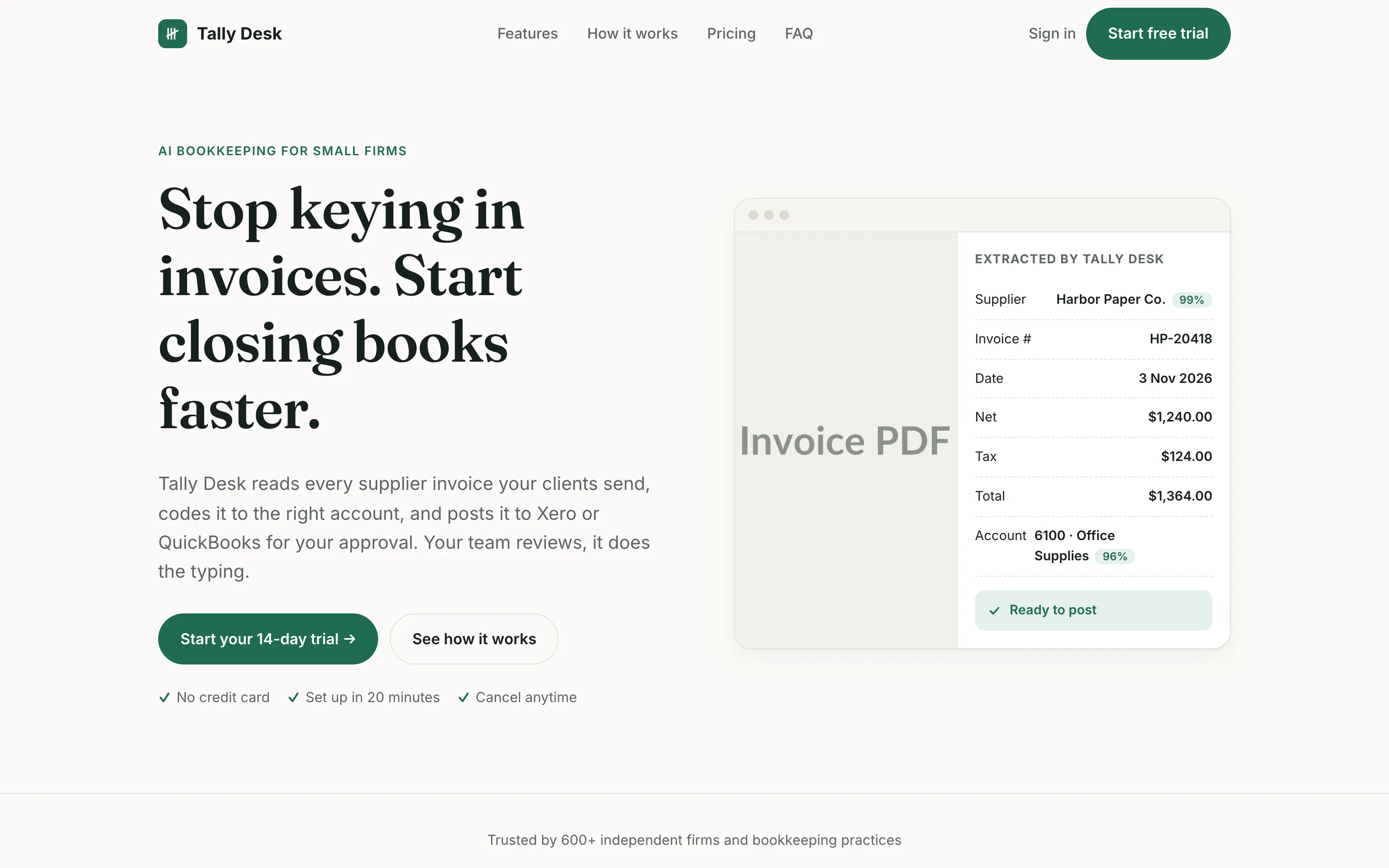
The Velox Themes MCP fixes that. Your agent builds the website from sections and templates made by designers, so it doesn't look like AI slop. It can search Velox Themes templates, sections, components and Design.md files. A Design.md file is a written guide to a design: its colours, fonts, spacing, layout and motion. The agent picks one that fits your brand and builds from it, instead of guessing.
With the same prompt and the MCP, Opus picked the Velox Themes Kresna template, which is made for software companies. It built a cleaner page with a real product preview.
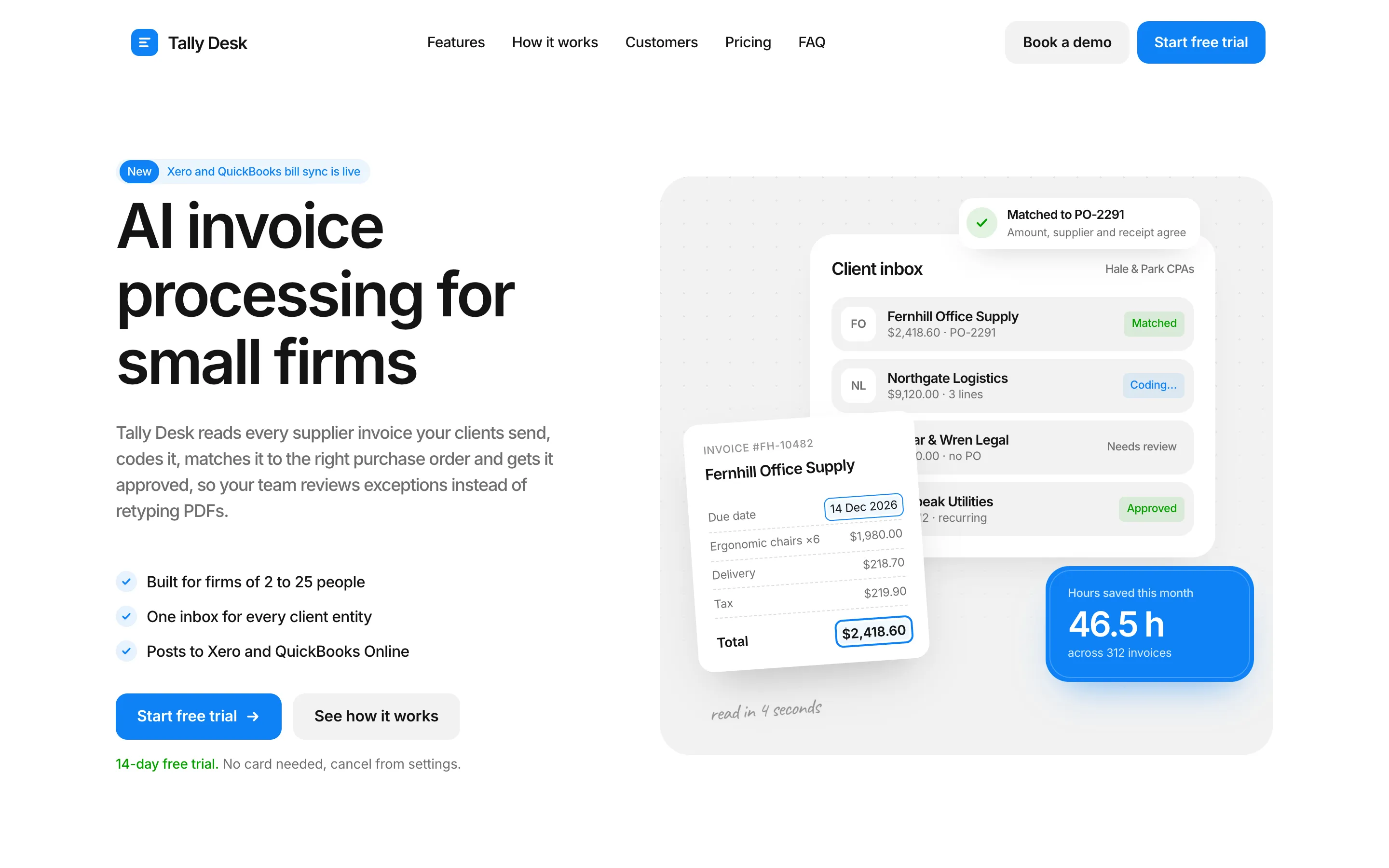
It worked the same way in Codex. Astra picked Kresna too. You can see all of those builds in the Astra vs Opus post.
Price: on the Free plan, your agent can add free sections and components. Pro, Max and Lifetime include the whole library.
Skip it if you already have a finished design in Figma or a client's brand guide to follow. Use the Figma MCP or your own files instead.
2. Mobbin MCP: real app screens
Mobbin's MCP lets your agent search Mobbin's library of real screens, flows and sections from live apps and websites. It's useful before you design, when you want to see how other products handle pricing or onboarding. It can also save finds to your Mobbin collections.
Mobbin is the best place to start if you're building a mobile app or a web app. Your AI can study real onboarding flows and UX patterns from apps and web apps that are already out there, instead of making them up.
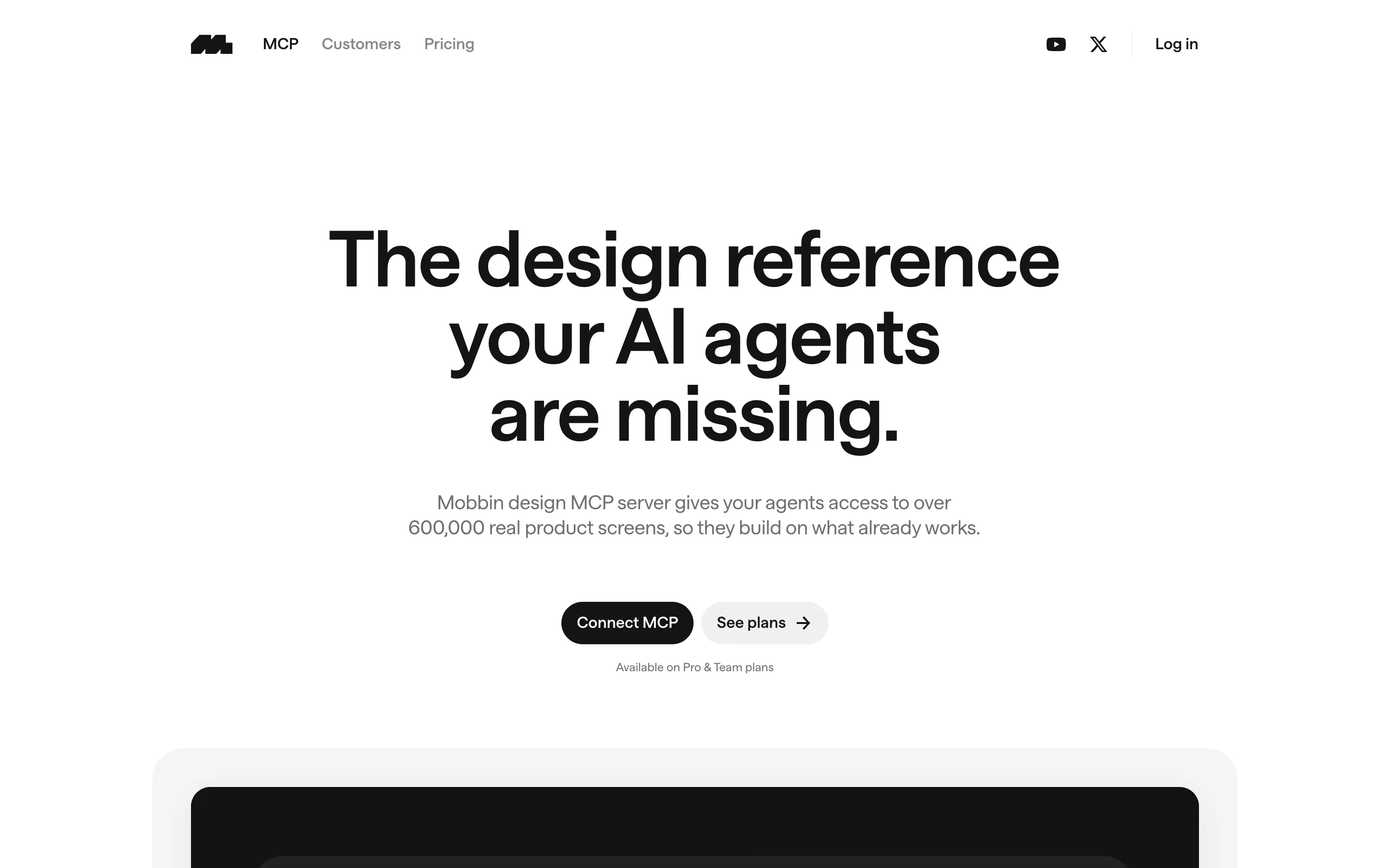
Price: Pro, Team or Enterprise only. It's not on the free plan. Mobbin also warns you not to copy protected designs, so use it for ideas, not to clone.
Skip it if you don't pay for Mobbin, or you already know what you want to build.
3. Figma MCP: design to code
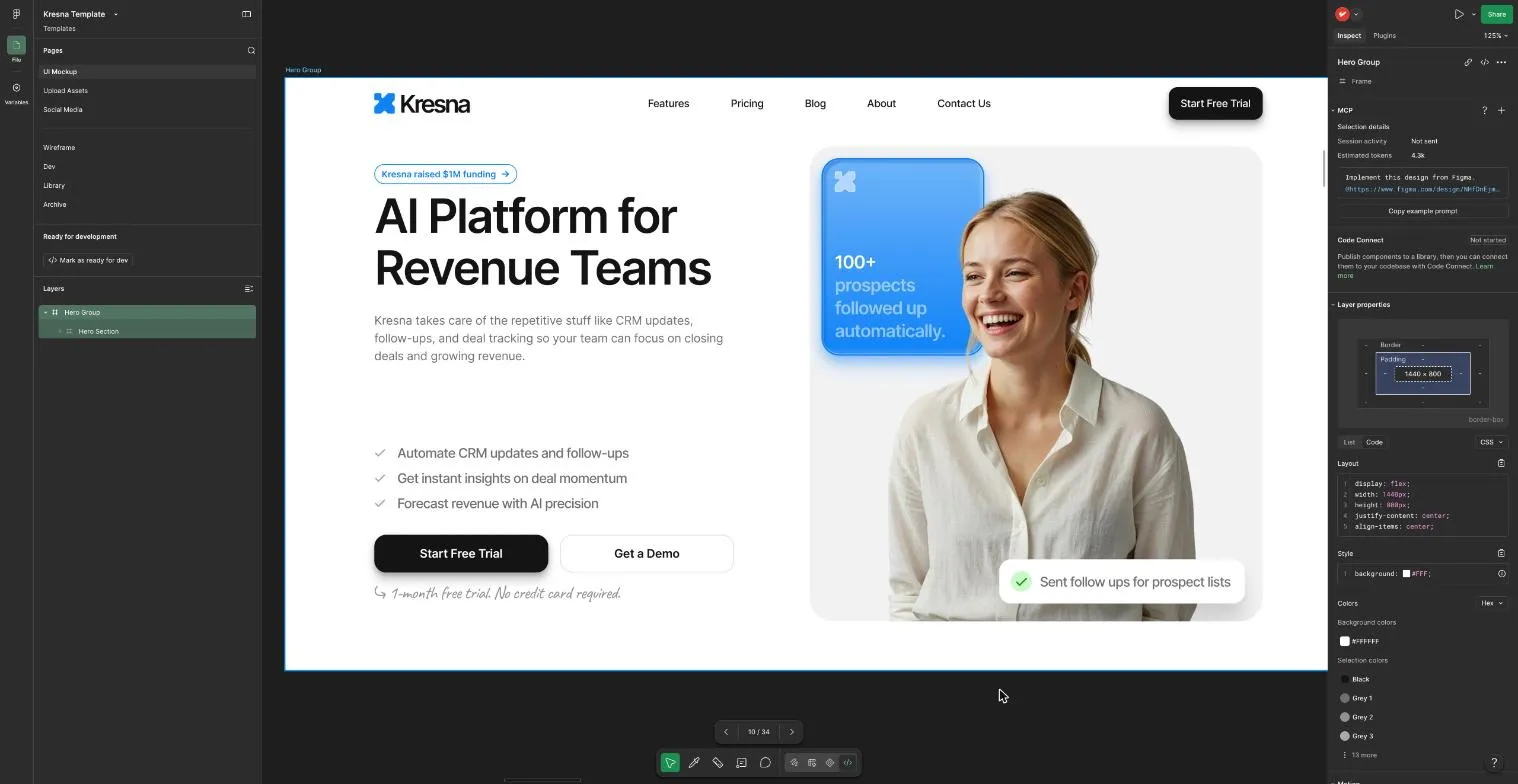
If your design lives in Figma, this is the one to add. The Figma MCP server gives your agent the real details of a frame: layout, spacing, colours, variables and a screenshot. So it builds what you designed, not its own guess.
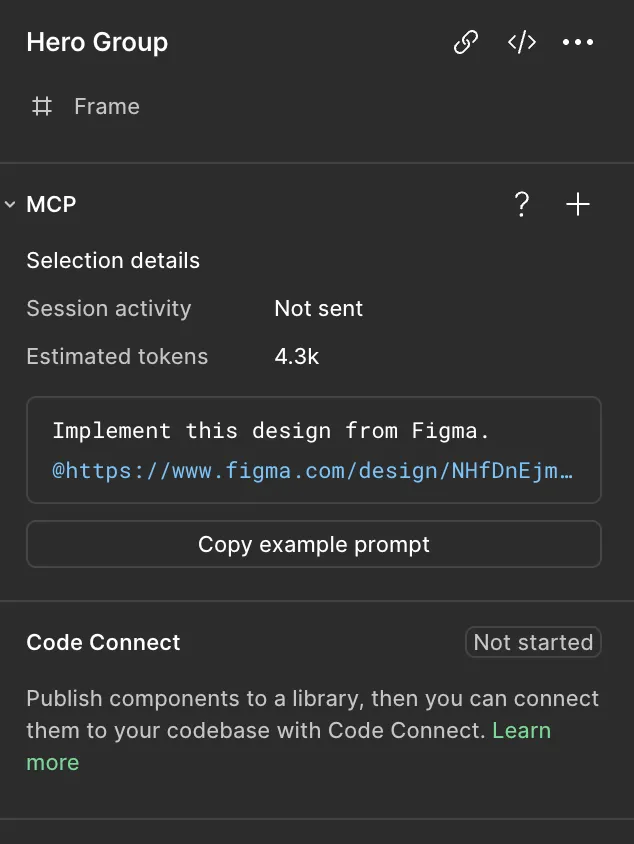
I use it in Dev Mode. Select a frame, and the MCP panel shows how many tokens it will cost your agent and gives you a ready-made prompt with a link to that frame. Paste it into Claude Code, Codex or Cursor.
Price: the remote server works on all Figma plans. But View and Collab seats only get 20 calls a month. Dev and Full seats on paid plans get far more (200 a day on Professional). The desktop server needs a Dev or Full seat on a paid plan.
Skip it if you don't design in Figma. I didn't build-test it for this post; this section comes from Figma's docs and my own use.
4. Higgsfield MCP: images and video
AI-built pages often end up with grey boxes or stock photos where the pictures should be. The Higgsfield MCP lets your agent make the images itself: hero photos, product shots, backgrounds and short videos. It uses Higgsfield's models, such as GPT Image, Nano Banana, Flux and Higgsfield Soul. It can also upscale, remove backgrounds and extend an image to a new shape.
I use Higgsfield to make YouTube thumbnails, website template assets and short videos. For images, GPT Image 2.5 and Nano Banana give me the best results. For video, Seedance and Kling are the best models.

Price: you need a paid plan: Basic is $9, Plus $49 and Ultra $129 a month, with 120, 1,000 and 3,000 credits. Every image your agent makes costs credits, even on plans with "unlimited" models, because those only work on higgsfield.ai. There's no hard spending cap for agents, so keep an eye on your balance.
Can you use the images on a business site? Yes. Higgsfield says it doesn't own your outputs and doesn't limit commercial use. Paid plans remove the watermark. You can't use the images to train other AI models.
Skip it if you have real photos of the business, or you use a stock library you already pay for.
5. shadcn MCP: React components
The shadcn MCP lets your agent search the shadcn/ui registry and install components with the shadcn CLI. You get buttons, menus, tabs and dialogs that work with a keyboard and look consistent.
shadcn/ui is one of the most popular UI libraries among developers. It's built by shadcn at Vercel. The account is very active on X, but most people still don't know the face or real name behind it.
I tested it on Tally Desk in both agents. Here's the surprise: shadcn's official registry has no landing-page blocks. Opus searched for "hero", "pricing" and "testimonial" and found nothing. Its 97 blocks are dashboards, sidebars, login pages and charts. So both agents built every section from small parts like cards, tabs and accordions.
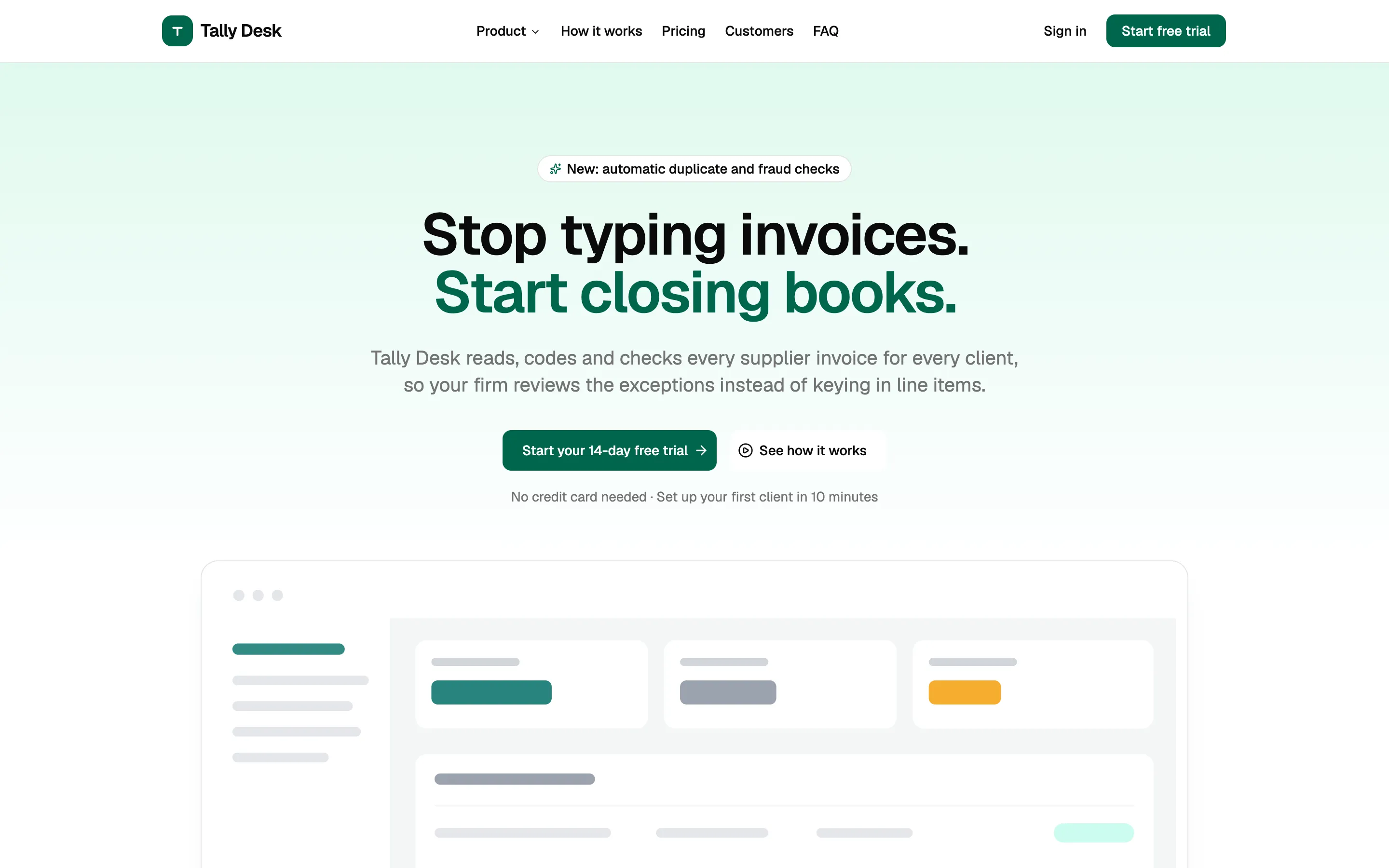
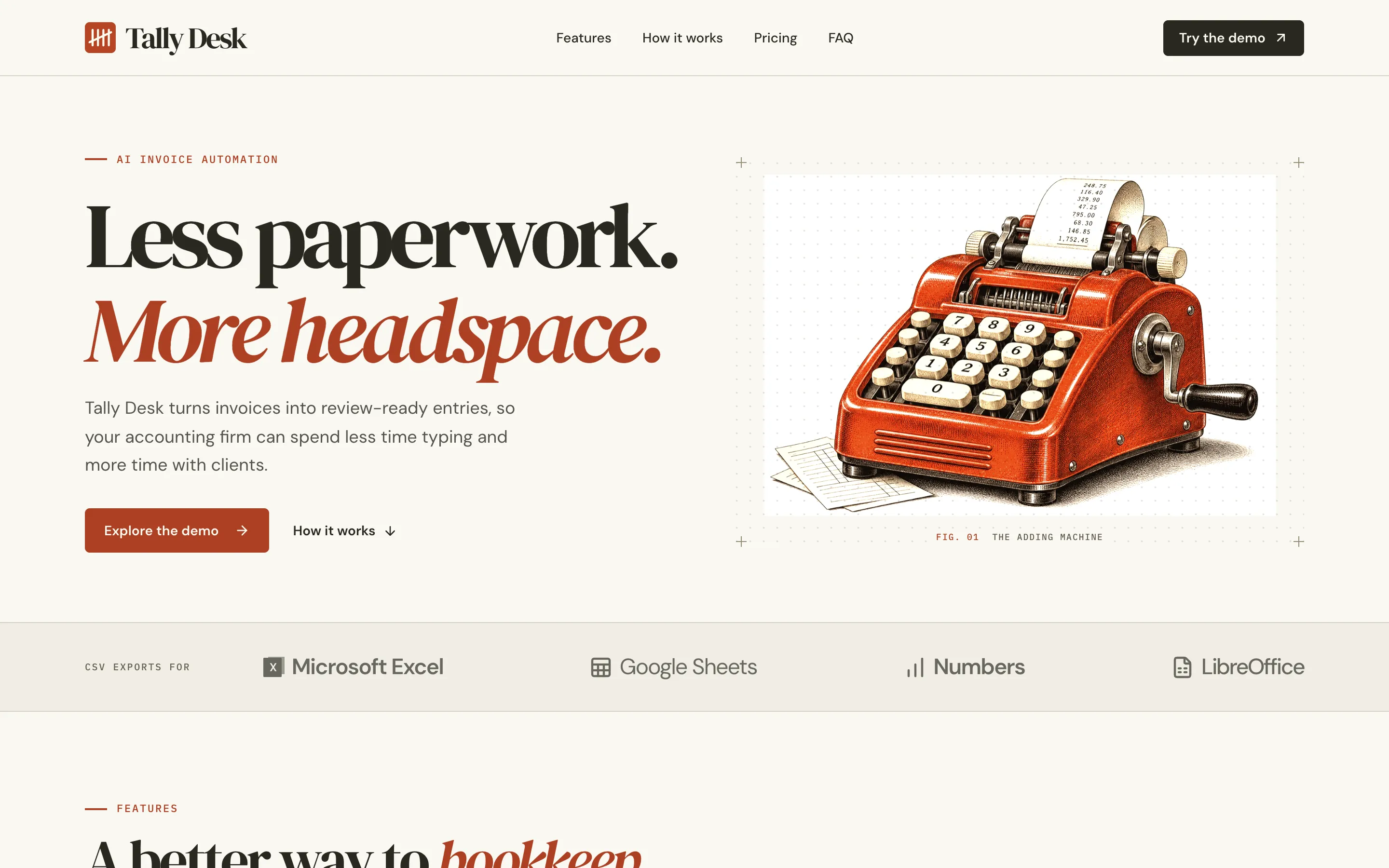
Both builds worked. Both passed npm run build, and the menus, tabs and FAQ all worked with a keyboard. But the two pages look nothing alike, because shadcn gives the agent parts, not a design. Pair it with a design source.
Price: free and open source. Your project needs a components.json file, which the shadcn CLI makes for you.
Skip it if your site isn't React. shadcn/ui is for React and Tailwind.
6. Magic UI MCP: animated components
The Magic UI MCP lets your agent find and add Magic UI's animated components, like marquees, number tickers and shiny buttons. They're built on shadcn/ui, so the two work well together.

Price: the MCP covers Magic UI's free components. Magic UI Pro is a separate purchase, and its docs don't say if Pro works through the MCP.
Another option: 21st.dev's MCP, which used to be called Magic MCP and is now "21st MCP". Old Magic API keys no longer work. The free plan lets your agent fetch 2 components a day, and paid plans start at $6 a month (billed yearly).
7. Playwright MCP: test in a real browser
This was the most useful server in my test. Playwright MCP, from Microsoft, lets your agent open a real browser. It can resize the window to a phone, click the menu, fill in forms and read the console for errors.
I gave each agent its own Tally Desk page from my earlier test. Both pages looked done. I asked each agent to check its page at desktop and phone size, fix the real problems, and check again.
Claude Code found and fixed 8 bugs in about 4 minutes, for $1.31:
- A missing favicon caused an error in the console.
- Images in "How it works" were cut off, because an HTML height beat the CSS shape.
- Testimonial cards were 80 pixels narrower than every other card on phones.
- The closed phone menu still caught the Tab key, so keyboard users got lost in links they couldn't see.
- Four smaller ones, like a heading hidden under the sticky menu and FAQ answers cut off after rotating the phone.
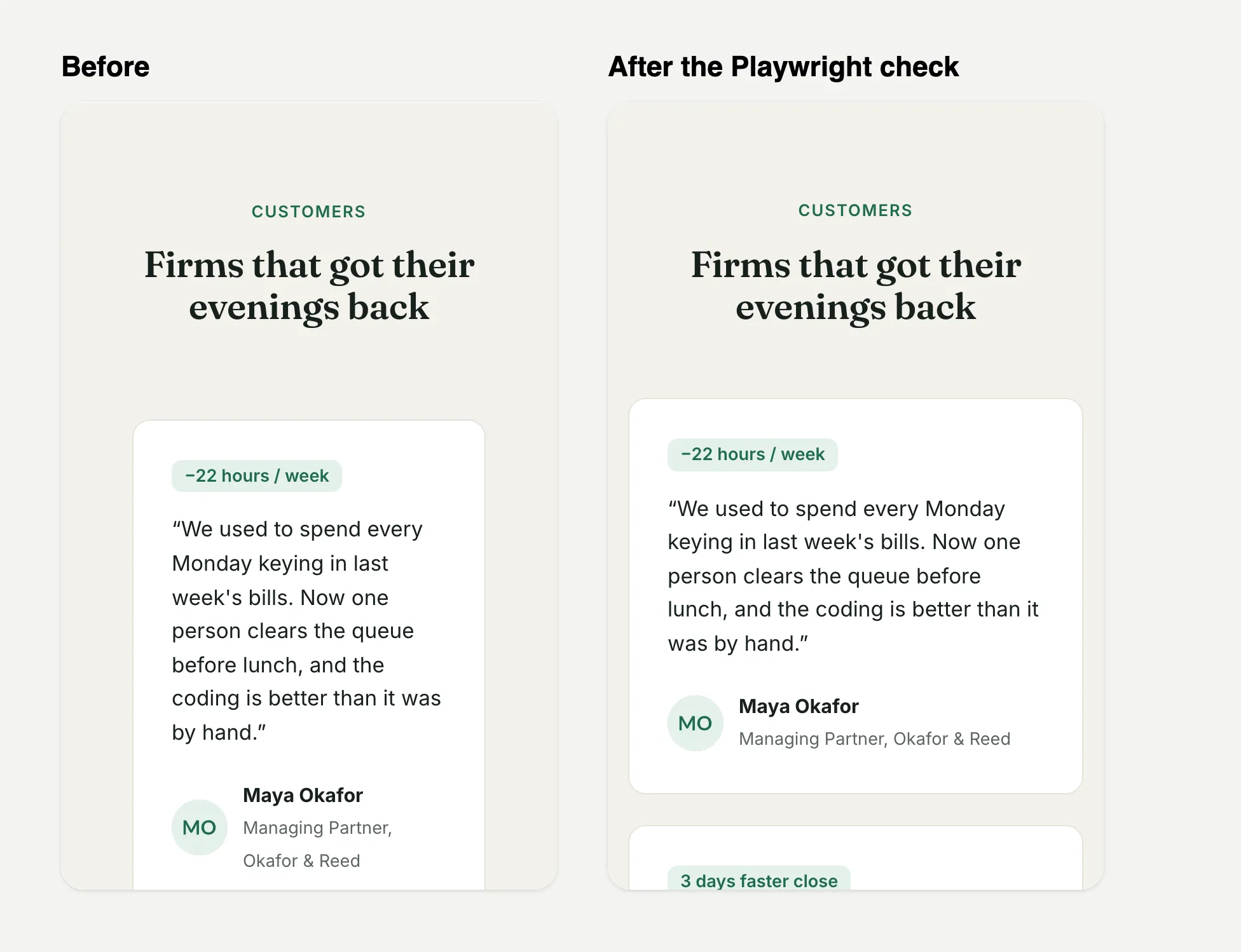
Codex found and fixed 6 on Astra's page, including tiny 5-pixel labels on phones and a page that kept scrolling behind an open pop-up. Both agents checked every fix again before they finished. Neither changed the design.
Claude Code also flagged what it couldn't fix: 13 links that go nowhere. Those need real addresses before launch.
Price: free and open source. Playwright's own docs say coding agents can also use the Playwright CLI with skills, which uses fewer tokens.
8. Chrome DevTools MCP: page speed
The Chrome DevTools MCP gives your agent the DevTools panel you already know. It can record a speed trace, check network requests and read the console. Use it when a page feels slow, or when you want a speed check before launch.
Playwright is better for clicking through a page. DevTools is better for speed. For most sites, one of the two is enough.
Price: free. It sends usage stats to Google unless you add --no-usage-statistics.
9. GitHub MCP: save your code
The GitHub MCP server lets your agent work with your GitHub repositories. It can search code, open issues and pull requests, and check why a build failed in GitHub Actions. Whether it's your site or a client's, every change is saved and you can undo it.
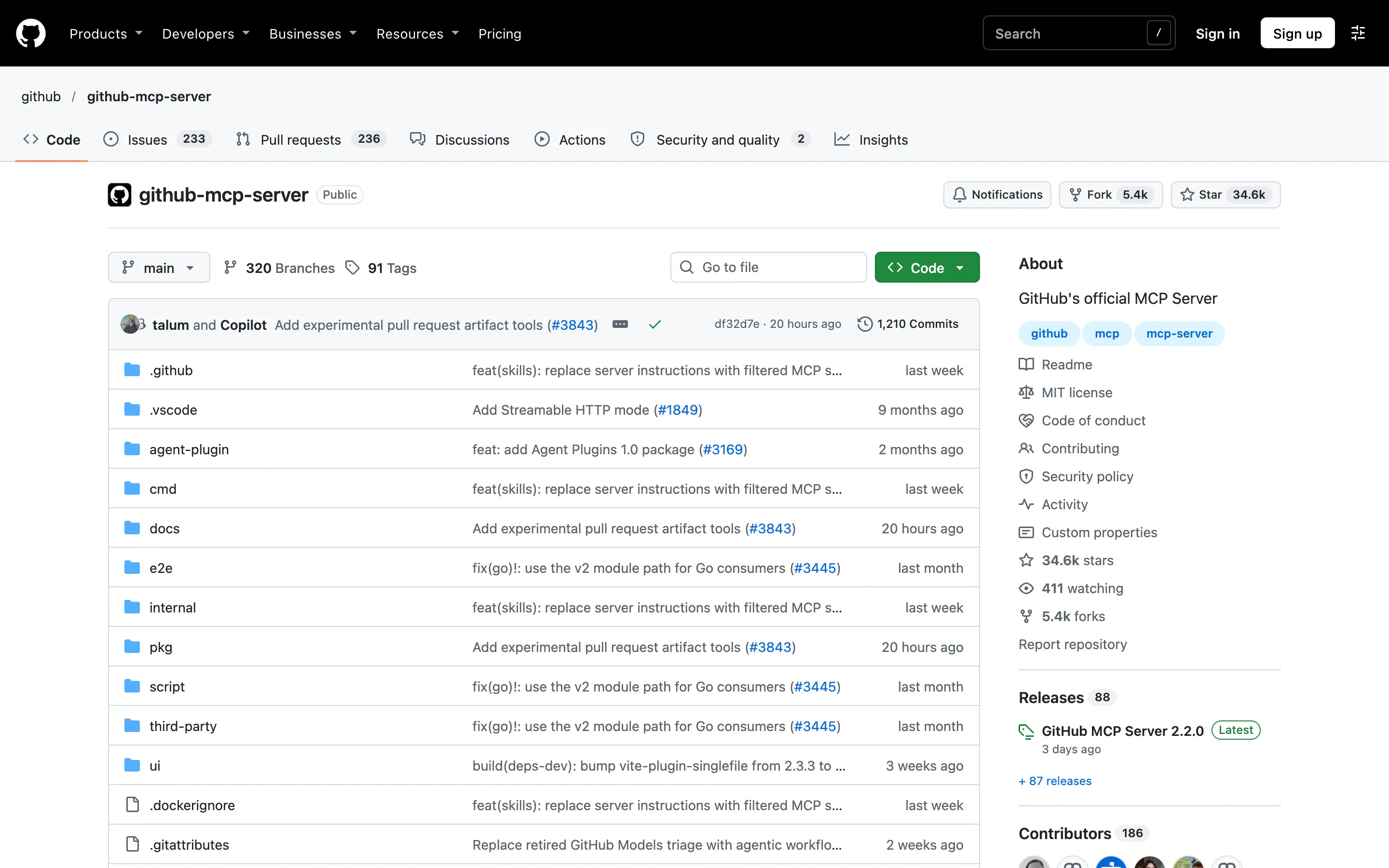
Price: free for every GitHub account. You don't need Copilot, even though the address says "githubcopilot". Tools for paid GitHub features need that paid plan.
Be careful: in Claude Code, Codex and Cursor you sign in with a personal access token, and the agent can do anything that token can. Give it only the access it needs. If the agent only needs to read, add /readonly to the end of the address.
10. Cloudflare MCP: cheaper hosting
If you host on Vercel, a business site costs you money from day one, whether it's yours or a client's. Vercel's free Hobby plan only allows personal, non-commercial sites, so a business site needs Pro at $20 a month. On Cloudflare, the same static site can cost $0. Static files are free and unlimited, there's no bandwidth bill, and the Workers Paid plan is $5 a month if you ever need it.
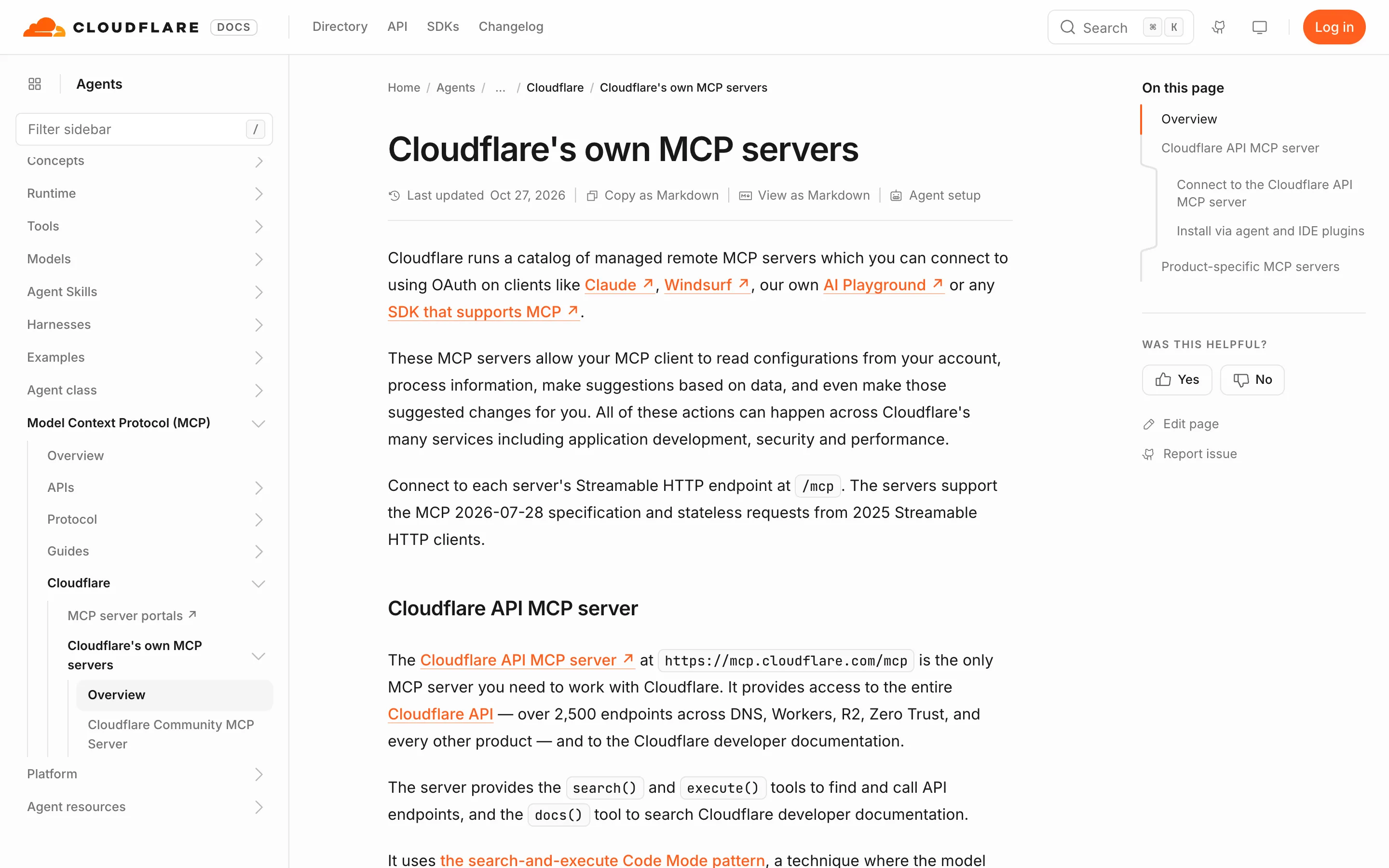
The Cloudflare MCP is one server for your whole Cloudflare account. Your agent can set up DNS, storage and settings, and search Cloudflare's docs. It writes a little code to call Cloudflare's API instead of loading hundreds of tools, which keeps it cheap on tokens.
Good to know: the MCP server doesn't upload the site itself. Cloudflare's setup has the agent run npx wrangler deploy in the terminal for that. The Cloudflare plugin for Claude Code and Cursor installs both the MCP server and the Wrangler know-how.
Cloudflare's older Workers Bindings, Builds and Observability servers are now deprecated, so use this one.
11. Vercel MCP: deploy your site
For HTML, Next.js or Astro sites on Vercel, the Vercel MCP lets your agent read your projects, deployments and logs. Since July 2026, it can also deploy code.
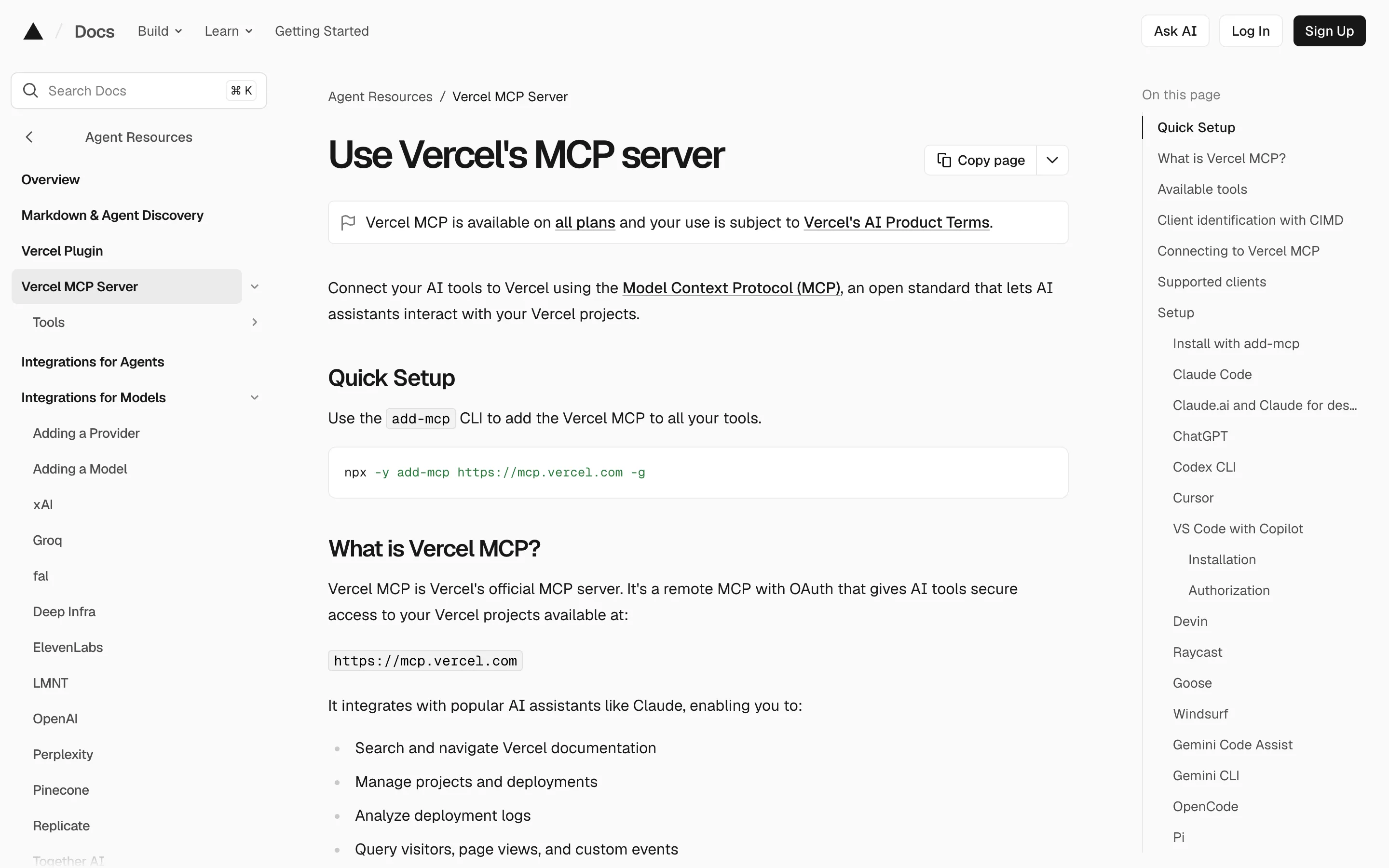
Be careful: Vercel says connecting gives the AI the same access as your Vercel account. Turn on a yes-or-no check for each step.
12. Framer MCP: edit Framer sites
Framer now has its own Framer MCP. Framer calls it the recommended way to connect AI tools. Your agent can work on the canvas, components, CMS and some project settings. Changes stay in the project or on a branch until you publish, so nothing goes live by surprise. The Framer editor doesn't even need to be open.
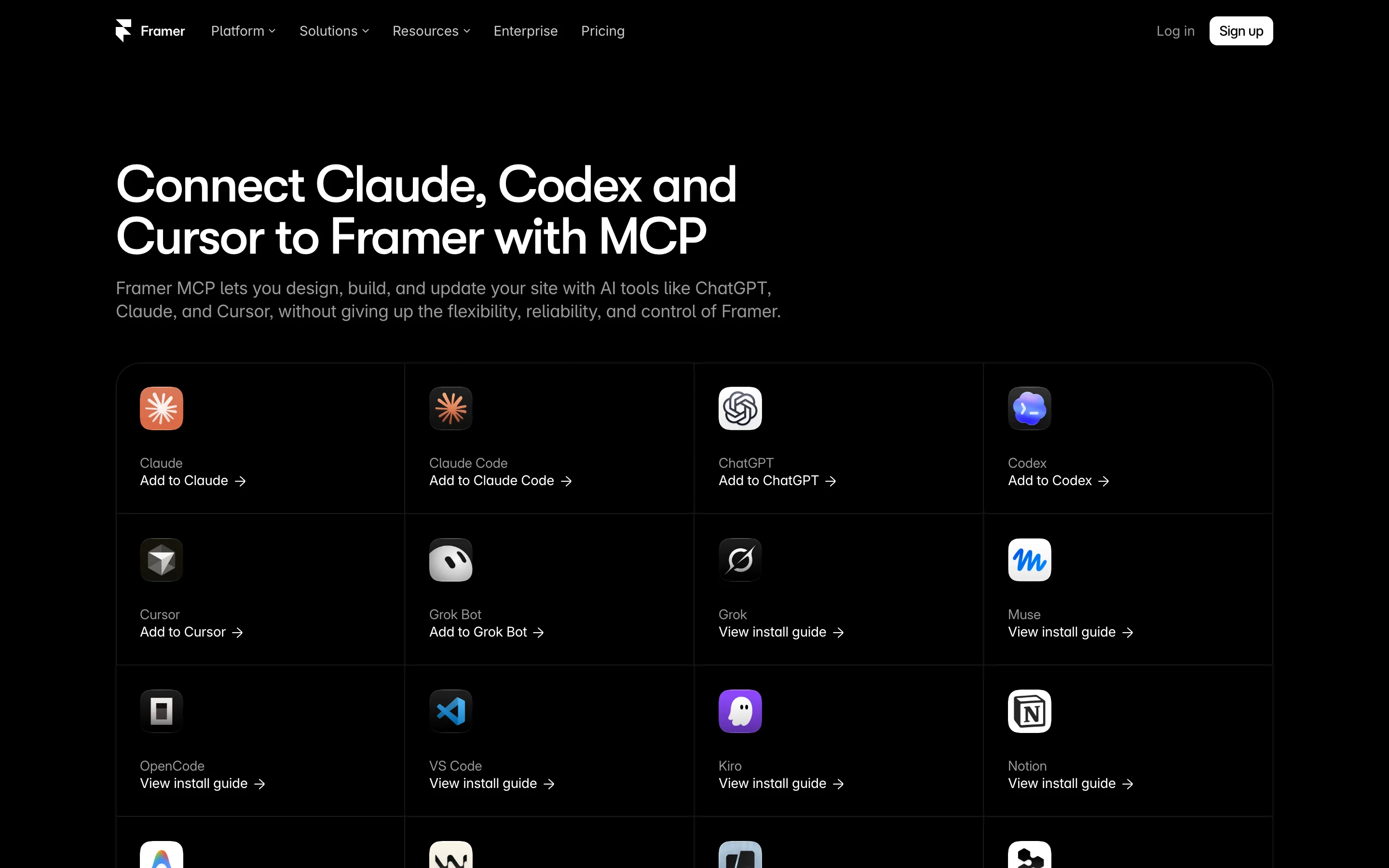
Good to know: it can't translate your site yet; for that, Framer still points to its older @framer/agent tool. Give your agent the full project link, because two projects can share a name.
13. Webflow MCP: edit Webflow sites
If you build sites in Webflow, for clients or for yourself, the Webflow MCP lets your agent edit them. It can change elements, styles, components and CMS items, and update SEO settings for each page.
Good to know: it can't create a new site. For some tools, like visual snapshots, the Webflow Designer must be open. Some features need paid Webflow plans.
Worth a look, not in the main list
- Storybook MCP: lets the agent find and test your components' stories. It's still a preview, and it only runs inside a running Storybook. Great for design systems, too much for a marketing site.
- Canva and Adobe: both connect to AI tools for graphics, photos and PDFs. Useful for social posts, not for building a website.
FAQ
What is the best MCP server for web design?
It depends on the job. For the look of the page, use a design source like the Velox Themes MCP or the Figma MCP. For checking the page, use Playwright MCP. In my test, Playwright found 8 real bugs in a page that looked finished.
How do I add an MCP server to Codex?
Run codex mcp add NAME --url https://example.com/mcp for a remote server, or codex mcp add NAME -- npx -y PACKAGE for a local one. You can also add it to ~/.codex/config.toml under [mcp_servers.NAME]. Run codex mcp login NAME if it needs a sign-in.
How do I add an MCP server to Cursor?
Add it to .cursor/mcp.json in your project, then turn it on under Customize, MCP. Many servers also have a one-click install in the Cursor Marketplace.
How do I add an MCP server to Claude Code?
Run claude mcp add --transport http NAME https://example.com/mcp in your project folder. Then type /mcp in Claude Code to sign in.
Are MCP servers free?
Many are. shadcn, Magic UI, Playwright and Chrome DevTools are free and open source. GitHub's is free for every account. Mobbin and Higgsfield need a paid plan, and Higgsfield charges credits for every image. Velox Themes works on the Free plan for free sections and components, and paid plans include everything. Your AI agent's own usage costs extra either way.
Is the Figma MCP server free?
It works on all Figma plans, but View and Collab seats only get 20 calls a month. For real use, you need a Dev or Full seat on a paid plan.
How many MCP servers should I use at once?
Four to six. Each server adds tools that the agent reads on every message, which costs tokens. Turn off the ones a project doesn't need.
Are MCP servers safe to install?
Stick to servers from the company behind the tool, like the 11 in this list. Check what each one can change: Vercel's can deploy, Webflow's and Framer's can edit your site, and GitHub's can do anything your access token allows. Keep API keys in settings, not in your code. Playwright's own docs say it is not a security boundary.
Sources
All prices and features were checked on each company's own docs on 19 November 2026: