Tips19 min read
The Website Launch Checklist for Vibe-Coded Sites (2026)
A website launch checklist for sites built with AI or a template: SEO, speed, mobile, accessibility, security, and an agent prompt for each check.
Your AI agent says the site is done. It looks done, too. Then a client asks where the "Trusted by 2,000 teams" badge came from, the share preview on LinkedIn is blank, and the contact form sends messages nowhere.
AI tools build fast, but they don't check their own work unless you ask. This website launch checklist covers what every site needs before it goes live, plus the things AI-built sites get wrong most often. Each step comes with one prompt you can copy into Claude Code, Codex, Cursor or Lovable, so your agent does the checking for you.
What AI-built sites get wrong before launch
The usual checks still apply: links, forms, speed, SEO. But sites built with AI tend to fail in five extra ways:
- Made-up claims. Badges, numbers, client logos and reviews that nobody gave the AI (check 1).
- The generic AI look. The same fonts, glows and icon cards as every other AI site (check 2).
- Missing alt text and labels. Images with no description and icon buttons with no name (check 4).
- Leaked keys. Secret API keys pasted into front-end code (check 7).
- Missing meta and share tags. No page titles, no descriptions and no preview image (check 5).
How to use this checklist with your agent
Paste a prompt, let the agent check, and ask for proof: a screenshot, the page address or the line of code. Don't let it fix things in the same step. Read the list first, then decide what to fix.
To check everything at once, start with this prompt:
You are checking this website before it launches. Don't change any files yet. Your job is to find problems and prove them.

Before you start:
- Run the production build and open the site in a real browser, not only the code. List every page you will check.
- Read the brief, the content I gave you and our design tokens or style file, so you know what is real.

Check each group below. For every item, write pass or fail, the page, and proof: a screenshot, the exact text, or the file and line. Never print, copy or commit the value of any key, token or password: refer to it by its name only.

1. Content
- Every number, badge, rating, client logo and testimonial has a source in the brief or my content. List anything that doesn't.
- No placeholder text (lorem ipsum, "Your Company", example.com), no links set to "#" and no buttons without an action.
- Make a table of every name, phone number, email, address, price and date, so I can confirm them.

2. Design
- Generic AI patterns: highlighted or gradient words in headings, dash labels above headings, rows of identical icon cards, glowing dark cards, fake browser frames.
- Every font family and color used, flagged if it isn't in our design tokens.

3. Mobile and browsers
- Screenshot every page at 375, 768 and 1440 px wide. Report sideways scroll and overlapping or cut-off text.
- Click every button, open and close the mobile menu, open every dropdown and fill in every form.
- CSS or JavaScript that may not work the same in Safari or Firefox.

4. Accessibility
- Images without alt text, and buttons, links or form fields without an accessible name.
- Text contrast below WCAG AA (4.5 to 1 for normal text).
- Tab through each page with the keyboard. Report where the focus ring disappears or jumps.
- Animations that don't stop when prefers-reduced-motion is on.

5. SEO, share previews and AI search
- A title (60 characters or less) and meta description (155 or less) on every page, with no duplicates or defaults.
- One H1 per page, with headings in order.
- og:title, og:description, og:image (1200 x 630 px) and twitter:card on every page.
- sitemap.xml, robots.txt and a canonical URL on every page, all on the live domain.
- Any "noindex" or "Disallow" that will reach the live site.
- /llms.txt and /llms-full.txt exist and match the site.
- JSON-LD schema markup that fits each page, with no errors in Google's Rich Results Test.

6. Speed
- Images that aren't compressed or served as WebP or AVIF, images over 200 KB and images without a width and height.
- Large images or videos that ship inside the site build instead of a CDN or storage like Cloudflare R2.
- Scripts, libraries and font files that are unused or loaded on pages that don't need them.
- Cache-Control headers: build files with hashed names cached for a year and immutable, HTML checked again on each visit.

7. Security
- API keys, tokens or passwords in the source or built files. Say which are meant to be public and which must move to the server.
- HTTPS on every page, and these headers: Content-Security-Policy, Strict-Transport-Security, X-Content-Type-Options, Referrer-Policy.
- Spam protection on every form, with checks on the server.
- Environment keys can't leak: .env files are in .gitignore and were never committed (check the git history), no secret is in a browser-readable variable (PUBLIC_, NEXT_PUBLIC_, VITE_), and no key appears in source maps, console logs or error pages.

8. Forms, links and analytics
- Submit a test entry to every form and show where it arrives.
- Every link returns 200, and a missing page shows a friendly 404 page.
- Analytics records visits and doesn't load before cookie consent where the law requires it.
- A privacy policy and other legal pages exist, are linked and have no template text.

9. Launch day (run these on the live domain once it's up)
- http://, https://, www and the bare domain all end up at the same https address in one redirect.
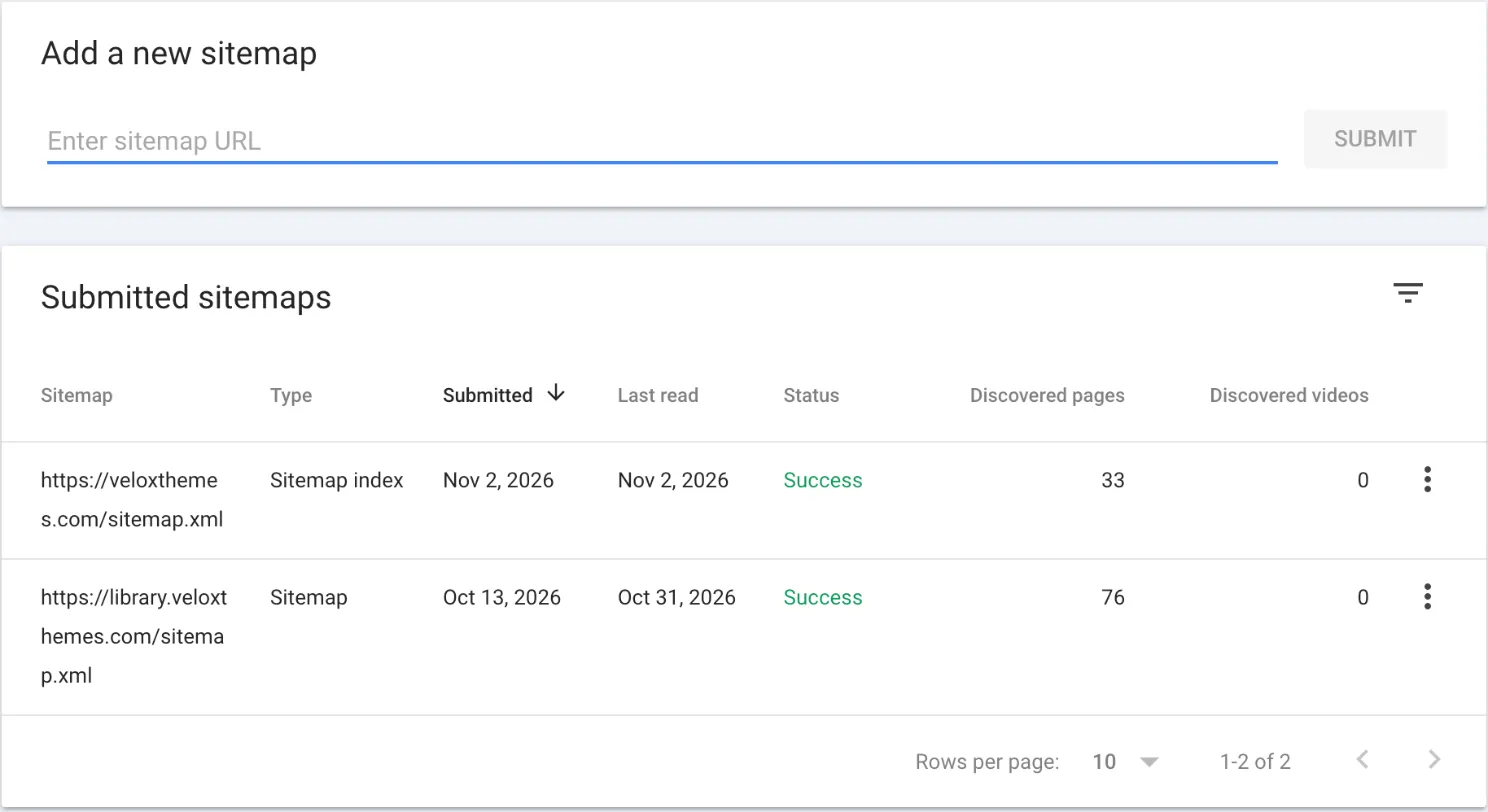
- The sitemap and robots.txt load on the live domain, ready to submit in Google Search Console and Bing Webmaster Tools.
- IndexNow is set up: a key file on the site, and new or changed pages sent to https://api.indexnow.org/indexnow after each deploy.

When you're done, give me:
1. A summary table with each group and how many items passed and failed.
2. Every failure, sorted by priority (must fix before launch, should fix, nice to have), with the page, the proof and a one-line suggested fix.

Then stop and wait for me to choose what to fix.
Each step below has its own prompt, so you can also run one part at a time. Under each prompt, you'll find what it checks and why.
1. Content: no made-up claims
Copy this prompt to run every check in this step:
Check this site's content before launch. For each item, mark it pass or fail and show proof (the page and the exact text). Don't fix anything yet.

1. List every number, badge, rating, client logo and testimonial, and where each one came from. Flag anything that isn't in the brief or the content I gave you.
2. Find all placeholder text, example.com addresses, links set to "#" and buttons with no action.
3. List every name, phone number, email, address, price and date in one table, so I can confirm them with the client.
Here's what the prompt checks, and why:
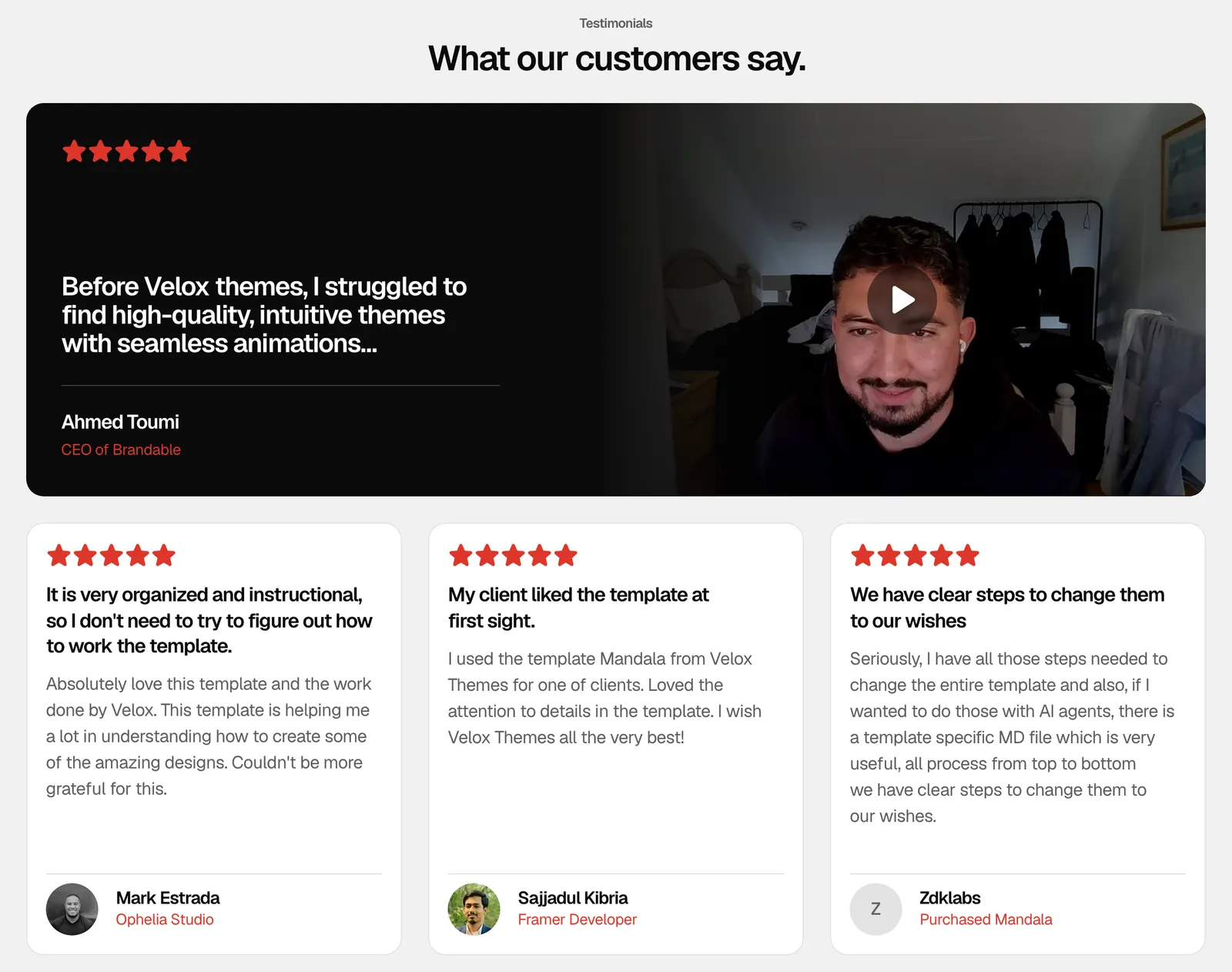
- AI fills empty space with "500+ happy clients", five-star ratings and logos of companies you never worked with. On a client site, every claim needs a real source.
- Placeholder text like lorem ipsum, "Your Company" or example.com, and buttons that go nowhere, often survive until launch.
- One wrong digit in a phone number costs real leads, so a person should confirm every name, price and contact detail.
In my experience, filler sneaks in even before AI does. When we rebuilt veloxthemes.com, our design file showed the same customer review twice, just to fill the row. We swapped the copy for a real review from a real customer before launch.
2. Design: make it look like the brand, not like AI
Copy this prompt to run every check in this step:
Check this site's design before launch. Show a screenshot for each problem you find. Don't fix anything yet.

1. List design choices that feel generic: gradient or highlighted words in headings, dash labels above headings, rows of identical icon cards, glowing dark cards, fake browser frames.
2. Count every font family and every color used. Flag any that aren't in our design tokens or style file.
Here's what the prompt checks, and why:
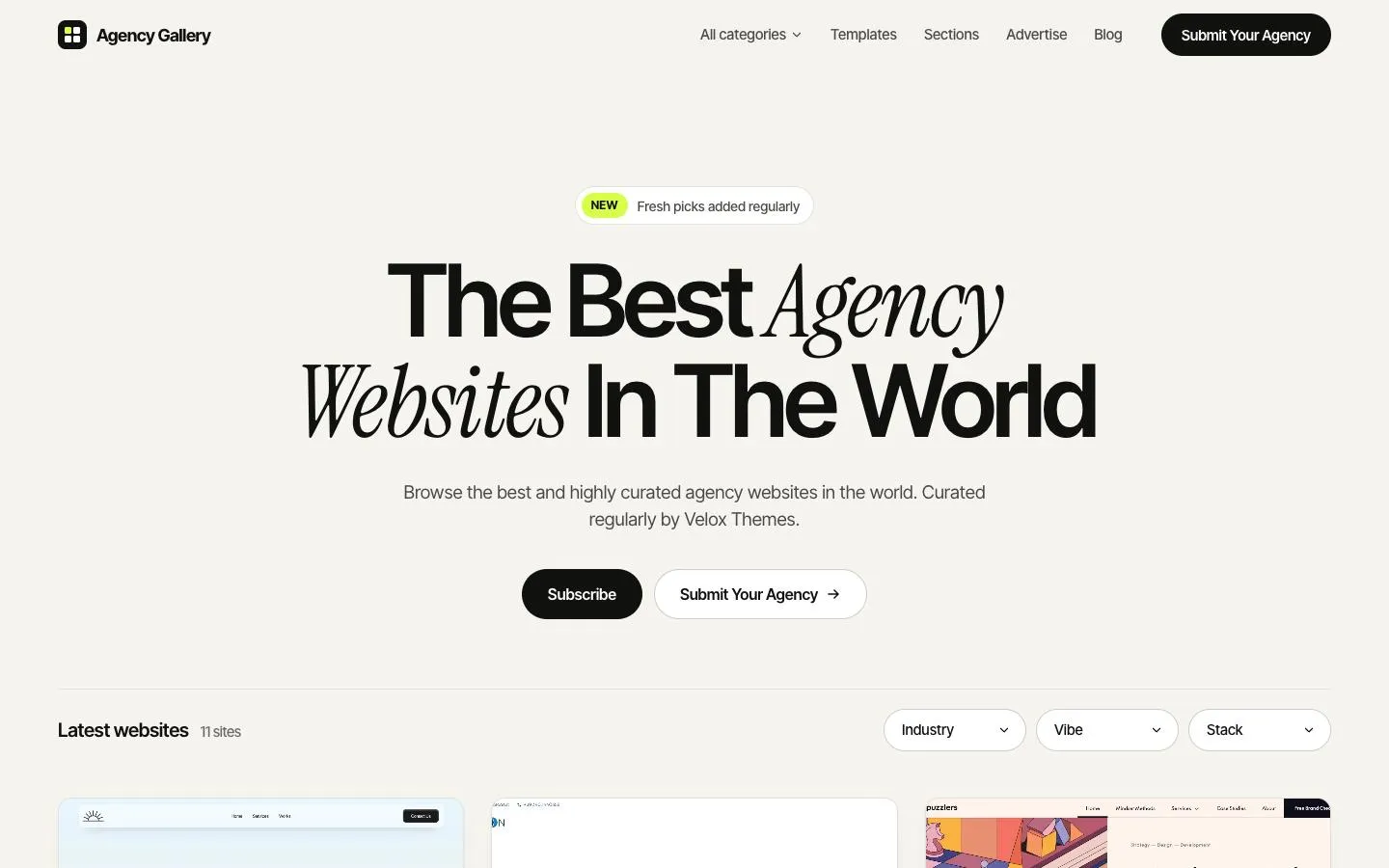
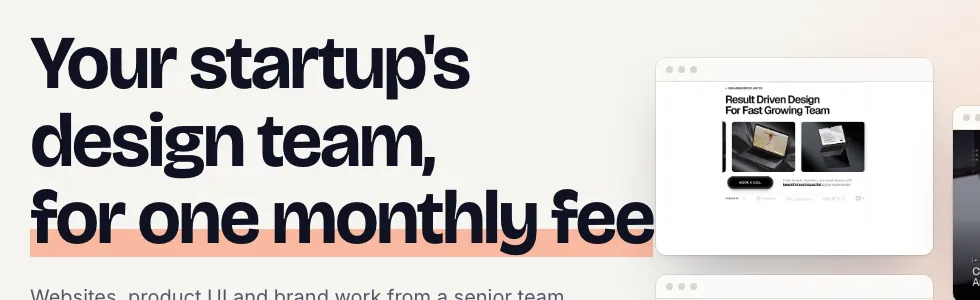
- A highlighter in the headline, "— FEATURES" labels, four identical icon cards and dark cards with a glow tell visitors an AI made the page. My guide on how to vibe code a website that doesn't look like AI slop has a full checklist for this.
- AI often adds "just one more" font or color, and after a few rounds of edits the page drifts away from the brand. Starting from a real design reference stops most of this before it starts.
3. Mobile and browsers
Copy this prompt to run every check in this step:
Check this site on different screens before launch. Use a real browser, not only the code. Don't fix anything yet.

1. Open every page at 375, 768 and 1440 px wide and take a screenshot of each. Report any sideways scroll, overlapping text or cut-off content.
2. Use the site like a visitor: open and close the mobile menu, click every button, open every dropdown and fill in every form. Report anything that doesn't respond.
3. List any CSS or JavaScript that doesn't work the same in Safari and Firefox, and where it's used.
Here's what the prompt checks, and why:
- Most AI tools build at one screen size, so things break at the others: text runs off the edge, images overlap and the page scrolls sideways.
- Reading the code is not testing. The agent should click through the site the way a visitor would.
- Your agent most likely tested in Chrome, but many of your visitors use Safari on an iPhone.
4. Accessibility
Copy this prompt to run every check in this step:
Check this site's accessibility before launch. Mark each item pass or fail and list the problems by page. Don't fix anything yet.

1. List every image without alt text. Suggest a short, plain description for each one, or mark it as decorative.
2. Find every button, link and form field that has no accessible name or label.
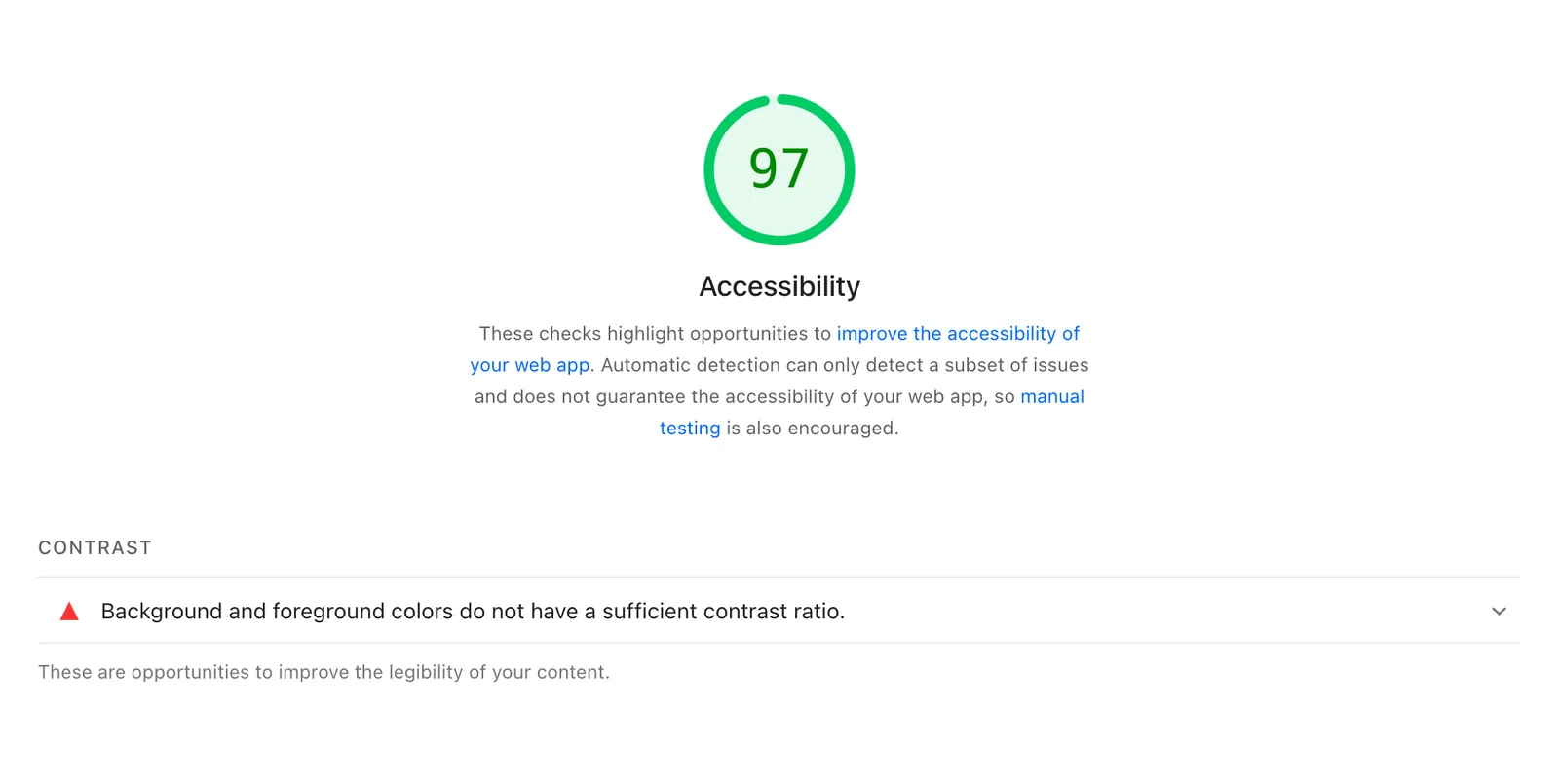
3. Check the text contrast on every page against WCAG AA.
4. Tab through each page with the keyboard. Tell me where the focus ring disappears or jumps somewhere unexpected.
5. Check that every animation stops or calms down when prefers-reduced-motion is on.
Here's what the prompt checks, and why:
- Alt text describes an image for screen readers and search engines. Purely decorative images get an empty alt instead.
- A button with only an icon, like a menu or close button, needs a name that screen readers can say out loud. So does every form field.
- Light grey text on white is hard to read. Normal text needs a contrast ratio of at least 4.5 to 1.
- Anyone using a keyboard needs to see where they are on the page.
- Some people turn motion off on their device because animation makes them feel sick. Your site should listen.
5. SEO and share previews
Copy this prompt to run every check in this step:
Check this site's SEO and share previews before launch. Mark each item pass or fail with proof. Don't fix anything yet.

1. Make a table of every page with its title, meta description and their lengths. Flag duplicates, defaults, titles over 60 characters and descriptions over 155.
2. Print the heading outline (H1 to H4) of every page. Flag pages with no H1, more than one H1 or skipped levels.
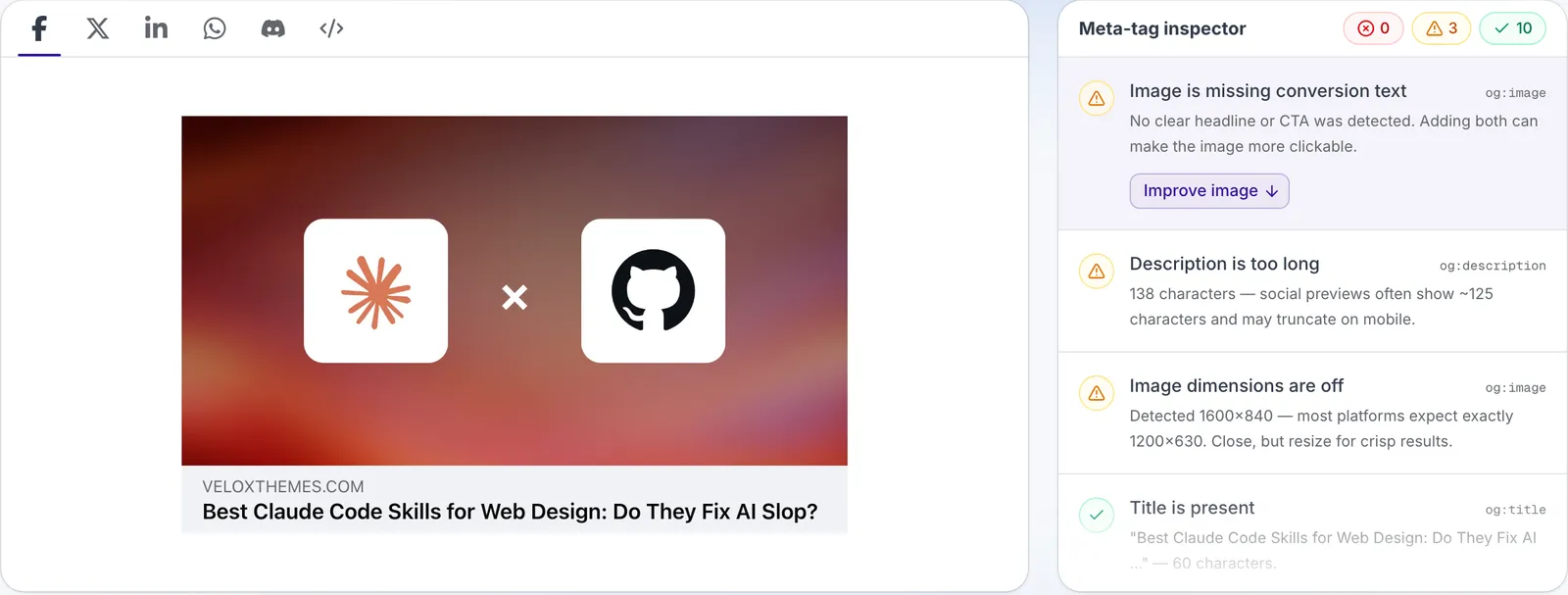
3. Check every page for og:title, og:description, og:image and twitter:card. The image should be 1200 x 630 px and load from the live domain.
4. Confirm there is a sitemap.xml, a robots.txt and a canonical URL on every page, all using the live domain, not localhost or a preview address.
5. Search the code, settings and response headers for "noindex" and "Disallow". Tell me which ones will reach the live site.
6. If this site replaces an old one, map each old URL to its closest new page as a 301 redirect, and flag any with no match. Old URLs: [paste them here, or delete this line]
7. Check that /llms.txt and /llms-full.txt load on the live domain. llms.txt should list the main pages with a one-line summary each, and llms-full.txt should hold their full text. Flag missing pages or text that doesn't match the site.
8. Check every page for JSON-LD schema markup that fits it (for example Organization, WebSite, Article, Product or BreadcrumbList). Test each page type in Google's Rich Results Test and list any errors.
Here's what the prompt checks, and why:
- The title and meta description are what people see in Google. AI often leaves every page with the same title, or the framework's default.
- Each page needs one main heading, with the rest in order below it. Search engines and screen readers both use this outline.
- Open Graph and X tags decide what shows up when someone shares your link: the title, a short description and an image. Without them, the preview is blank or random.
- A sitemap tells Google which pages exist, and the canonical tag tells it which address is the real one.
- Preview sites often tell Google not to index them. If that "noindex" reaches the live site, the site stays out of search, and nothing looks wrong.
- If the new site replaces an old one, old links and Google results should still land somewhere useful.
- llms.txt is a short, plain-text map of your site for AI tools like ChatGPT and Claude, and llms-full.txt holds the full text of your main pages. It's a newer, proposed standard, so treat it as a bonus that helps AI tools read your site correctly.
- Schema markup is a small block of JSON-LD code that tells search engines what a page is: a business, an article or a product. It helps them understand the page and can earn richer results in Google. Check it in the Rich Results Test.
When we moved veloxthemes.com from Framer to our own code, every old page that had Google traffic or links got one 301 redirect to the closest new page. Our preview site is public but tells Google not to index it, so we always check that setting doesn't reach the live site. And the share-preview check above caught our own blog images at 1600 x 840 instead of 1200 x 630.
6. Speed
Copy this prompt to run every check in this step:
Check this site's speed before launch. Don't fix anything yet.

1. Check that every image is compressed and served as WebP (or AVIF) at the size it's shown. List any PNG or JPG files, any image over 200 KB and any image without a width and height.
2. List every script, library and font file the site loads, its size, and what uses it. Flag anything unused or loaded on pages that don't need it.
3. Here is my PageSpeed Insights report for mobile: [paste it here]. List the top three issues and how you would fix each one.
4. Tell me where every image and video is stored and served from. Flag any large files, above all videos, that ship inside the site build instead of coming from a CDN or object storage like Cloudflare R2.
5. Check the Cache-Control headers. Files whose names change on every build (CSS, JavaScript, fonts and hashed images) should be cached for a year and marked immutable. HTML pages should be checked again on each visit, so changes show up right away.
Here's what the prompt checks, and why:
- Big images are the most common reason a site feels slow. WebP files are usually a quarter to a third smaller than JPG or PNG at the same quality, and a width and height on each image stop the page from jumping while it loads.
- AI often installs a library for one small effect, or loads five font weights to use two.
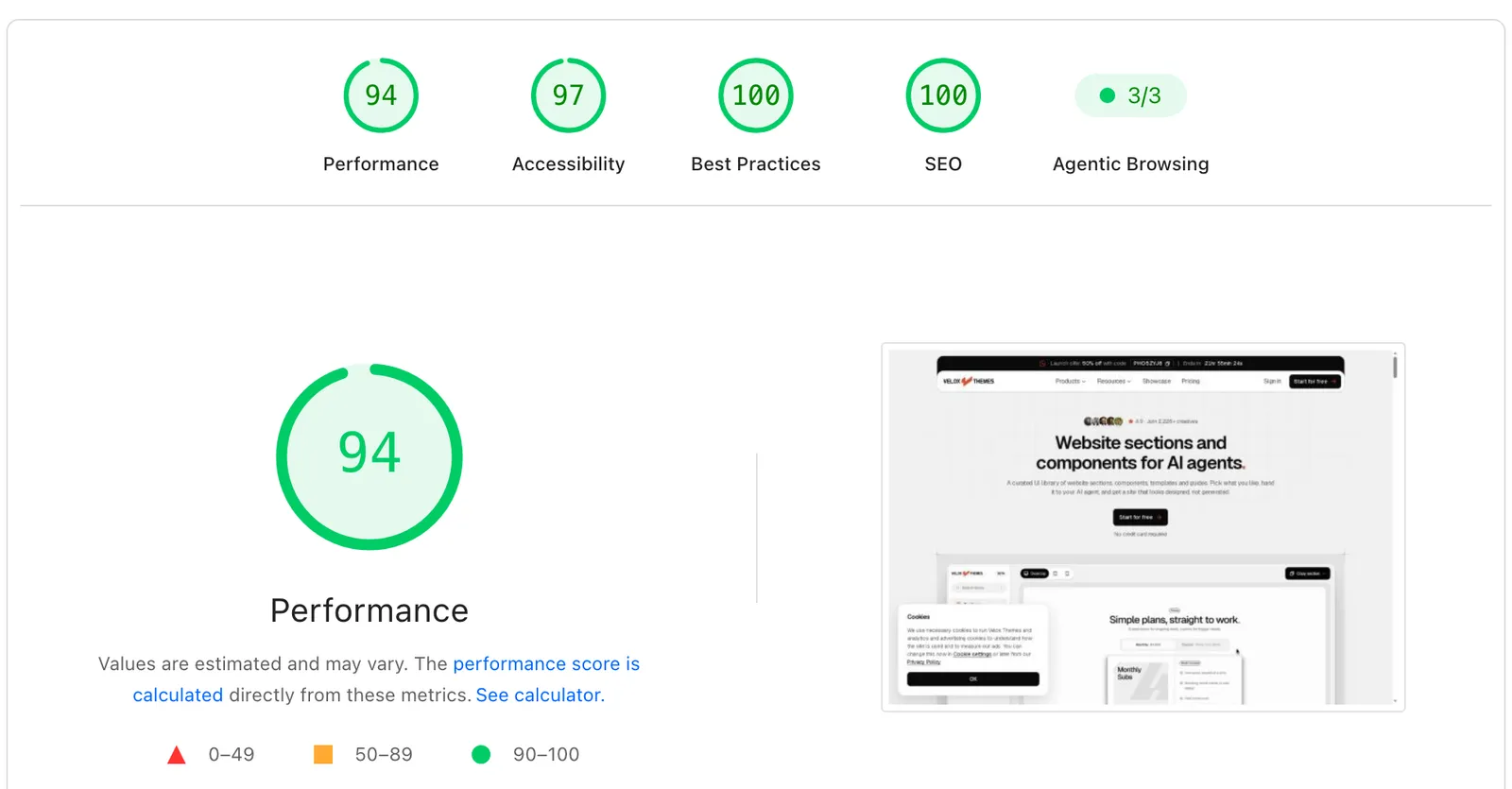
- Test the live or preview address in PageSpeed Insights, choose the mobile result, and paste the report into the prompt. Fix the biggest issues first.
- Images and videos are best kept out of your site build and served from a CDN. On Cloudflare, each site file can be at most 25 MiB, and site files don't support the partial loading Safari needs to play video. Cloudflare R2 has no such limit and charges for storage and requests, not for the data visitors download. The free tier covers 10 GB of storage, 1 million writes and 10 million reads a month, so a typical marketing site pays nothing. After that, it's $0.015 per GB a month.
- Caching lets a visitor's browser keep the files it already downloaded, so the second visit loads much faster. Files whose names change on every build can safely be kept for a year, while pages are checked again each time so updates appear. PageSpeed flagged short cache times on our own homepage too.
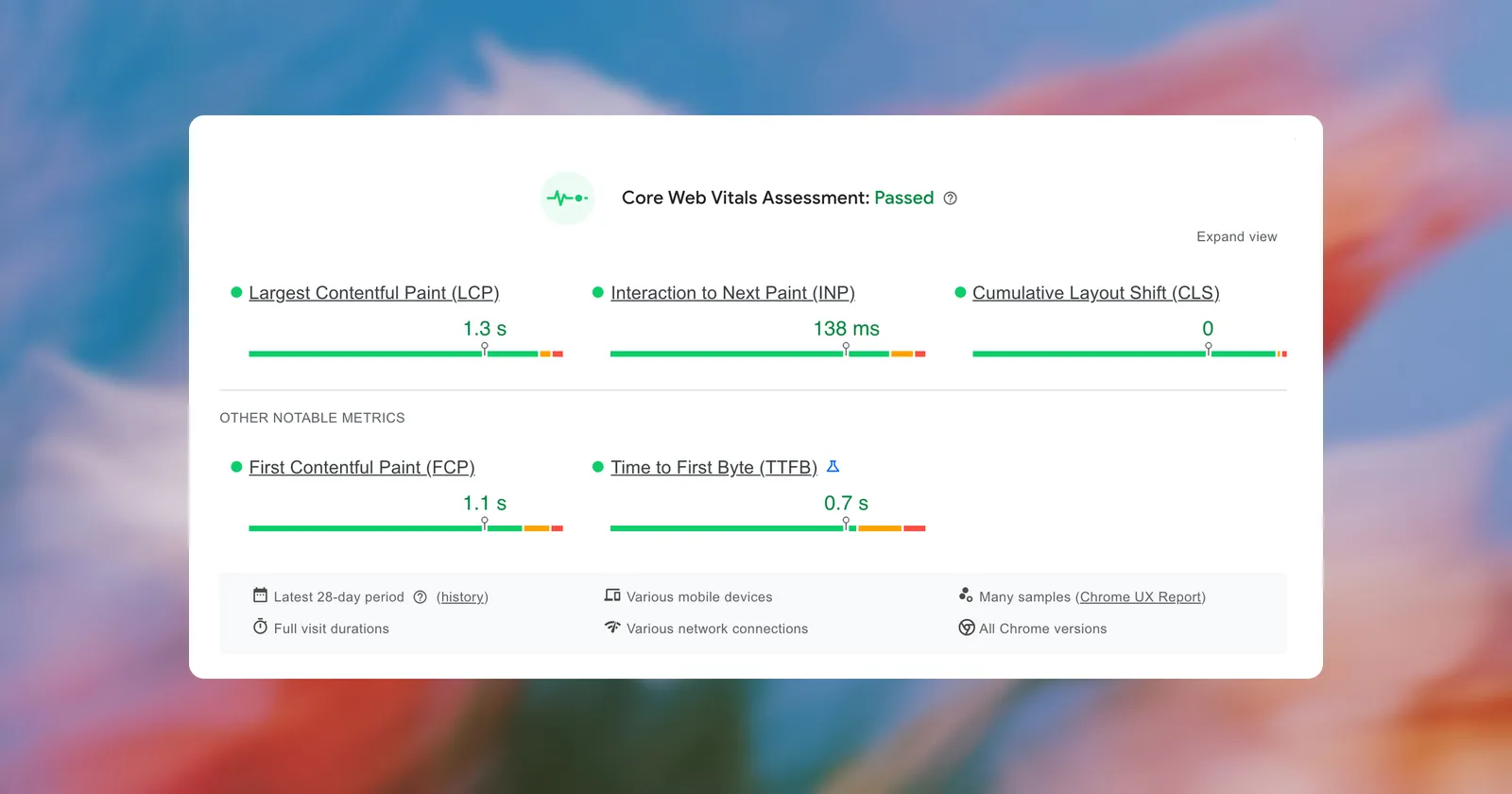
PageSpeed Insights gave our homepage 54 for mobile speed in its lab test, while real visitors over the past 28 days passed Core Web Vitals in the same report. On desktop, the same page scores 94. Look at both numbers before you panic. On our blog, every image is turned into a compressed WebP file when we upload it and stored in Cloudflare R2, so nobody has to remember.
7. Security basics
Copy this prompt to run every check in this step:
Check this site's security before launch. Don't fix anything yet. Never print, copy or commit the value of any key, token or password: refer to it by its name only.

1. Search the source code and the built files for API keys, tokens and passwords. For each one, tell me whether it is meant to be public or secret. Secret ones must move to server-side environment variables.
2. Check the live response headers of the home page. Report whether these are set: Content-Security-Policy, Strict-Transport-Security, X-Content-Type-Options and Referrer-Policy.
3. For every form, tell me how it is protected from spam (honeypot, captcha or rate limit) and whether the server checks the input again.
4. Check that environment keys can't leak: every .env file is listed in .gitignore and was never committed (search the git history too), no secret sits in a variable the browser can read (names starting with PUBLIC_, NEXT_PUBLIC_ or VITE_), and no key shows up in source maps, console logs or error pages.
Here's what the prompt checks, and why:
- Secret keys in front-end code are the most serious AI mistake on this list, because anyone who visits the site can read that code. Some keys are made to be public, but secret keys must stay on the server.
- Every page should load over HTTPS. Security headers tell the browser what the page may load and do.
- Bots find new forms within days, so forms need checks on the server, not just in the browser.
- AI agents can leak keys without meaning to: by committing a .env file to GitHub, by putting a secret in a variable the browser can read, or by pasting a key into their reply. Keep keys in .env files that git ignores, or in your host's secret settings, and tell the agent to name keys, never show them.
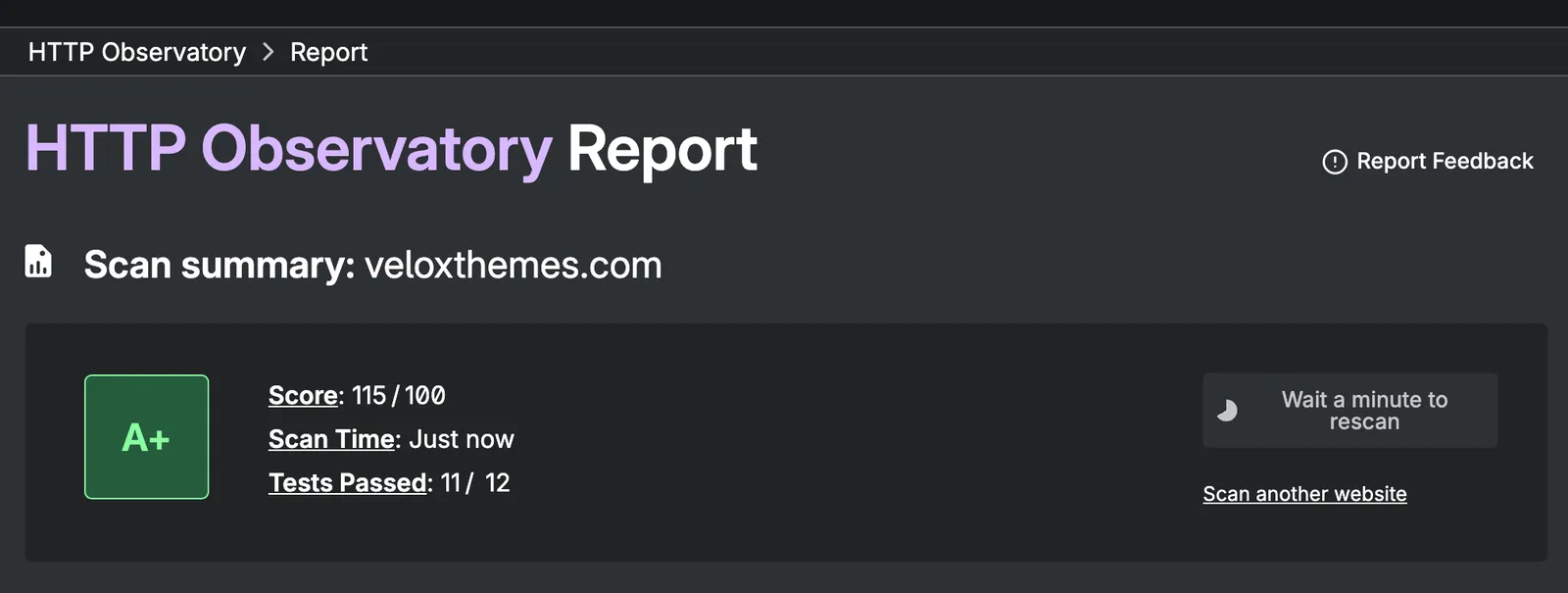
On veloxthemes.com, the security headers come from one file and apply to every page, and the live site runs no inline scripts or styles. That setup is what earned the A+ above. Our keys live only in Cloudflare's secret settings and the Mac's Keychain, never in a file inside the project.
For a deeper scan, Cloudflare's free security audit skill turns your agent into a security auditor. It maps your project, hunts for problems and double-checks every finding before it reports it. Install it:
npx skills add https://github.com/cloudflare/security-audit-skill --skill security-auditThen ask your agent to "security audit this codebase".
8. Forms, links and analytics
Copy this prompt to run every check in this step:
Check this site's forms, links and analytics before launch. Show proof for each item. Don't fix anything yet.

1. List every form, where it sends its data and who receives it. Submit a test entry to each and show me the result.
2. Crawl every link on the site, inside and outside. List any that don't return 200. Check that a missing page shows a friendly 404 page with a way back.
3. Tell me which analytics and tracking scripts load and when. Do any load before the visitor accepts cookies?
4. List the legal pages (privacy policy, terms, cookie policy) and where they're linked from. Flag any that are missing or still have template text.
Here's what the prompt checks, and why:
- Fill in each form yourself and make sure the message arrives in the right inbox, not only the "Thank you" screen.
- Broken links lose visitors and look careless. A missing page should still show a friendly 404 page with a way back.
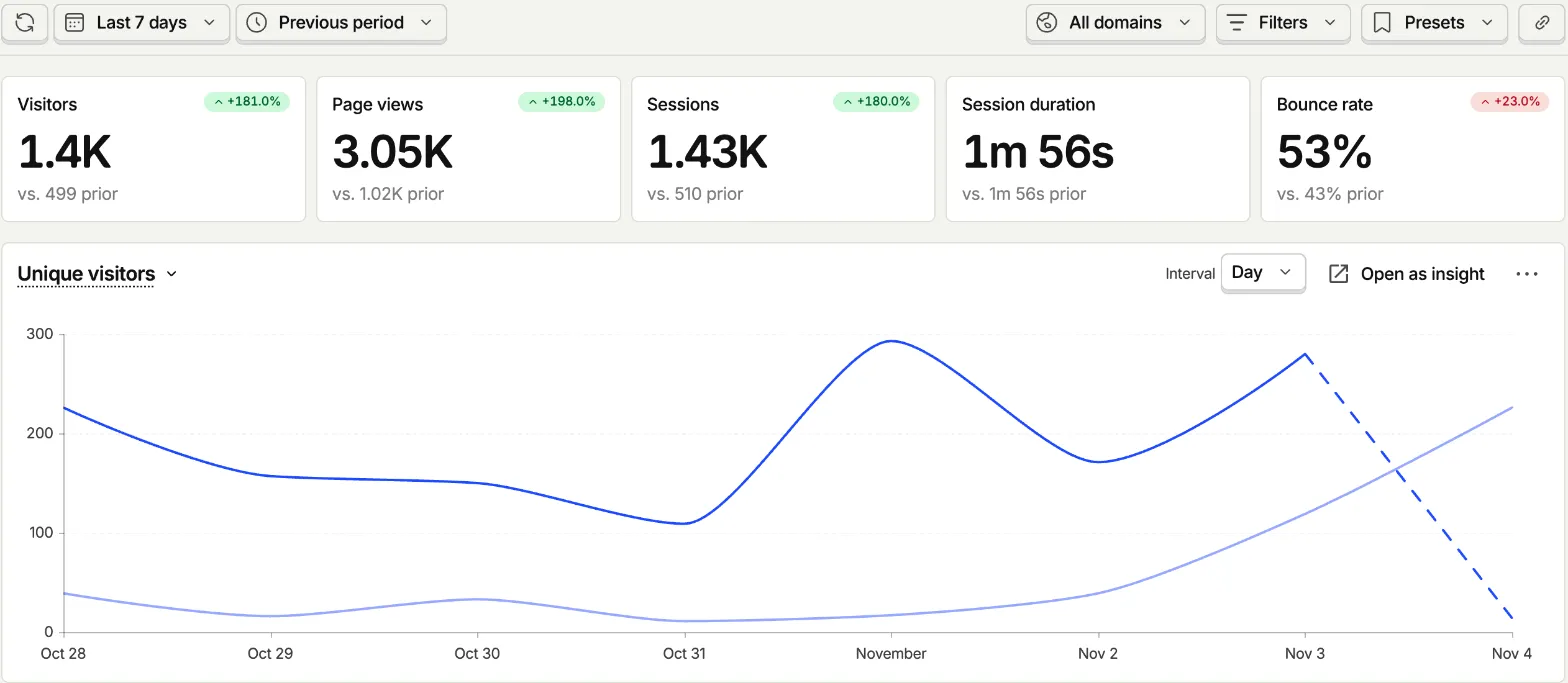
- Make sure analytics actually records visits. Where the law requires it, for example for visitors in the EU and UK, tracking should only start after consent.
- Most sites need at least a privacy policy. AI often adds one from a template and leaves the template text in.
9. Launch day and the week after
Copy this prompt to run every check in this step:
Check the live site at [your domain] on launch day. Show proof for each item.

1. Check that http://, https://, www and the bare domain all end up at the same https address in one redirect.
2. Confirm the sitemap and robots.txt load on the live domain, so I can submit the sitemap in Google Search Console and Bing Webmaster Tools.
3. Set up IndexNow: add a key file to the site, then send the addresses of new and changed pages to https://api.indexnow.org/indexnow after each deploy. Show me the response.
4. Write a short report of everything you checked today, so we can compare it with a new check in one week.
Here's what the prompt checks, and why:
- Visitors should reach one version of your site, however they type the address.
- Once the sitemap loads, add the site to Google Search Console and Bing Webmaster Tools, and submit the sitemap in both. Bing can import a site you already verified in Search Console, so it only takes a minute.
- IndexNow tells Bing and the other search engines that use it (Yandex, Naver, Seznam, Yep and Amazon) about a new or changed page right away, instead of waiting for them to crawl it. One ping is shared with all of them. Google doesn't use IndexNow, so keep the sitemap in Search Console too. On veloxthemes.com, a script pings IndexNow after every deploy and whenever a new post goes live.
- Real visitors find what tests miss. After a week, run the prompts in this list again on the live site, compare them with the launch-day report, and look at Search Console for errors.
FAQ
What should be on a website launch checklist?
Content, design, mobile, accessibility, SEO, speed, security, forms and launch-day steps like the domain and the sitemap. For sites built with AI, add a check for made-up claims and leaked keys.
Can an AI agent check my website before launch?
Yes, and it's good at it, as long as it tests in a real browser and shows you proof. Ask it to report first and fix later, so you stay in control of what changes.
What do AI-built websites get wrong most often?
Made-up badges and numbers, a generic look, missing alt text and labels, secret keys in front-end code, and missing titles, descriptions and share tags.
Is there a free website launch checklist template or PDF?
You can use this page as your template. Copy the prompt from the "How to use" section into your agent and it becomes a checklist it runs for you.
How long before launch should I start checking?
Start a few days before. Content and design fixes can take a while, and you want time to test the site again after you fix things.
What should I do after my website goes live?
Submit the sitemap to Google and Bing, ping IndexNow when pages change, watch Search Console and your analytics, and run the full check again after a week.
Build your next site with the Velox Themes library
Most launch problems start at the first prompt. When an agent builds from nothing, it guesses, and you get made-up content and the generic AI look.
The Velox Themes library gives your agent real designed sections, components and templates to start from. Each one has a Copy prompt you paste into Claude Code, Codex or Cursor, with the full code inside. You can copy free sections with a free account (3 copies a day), and use them in client work.
The full launch prompt pack, with a fix prompt for every check, is coming soon as a guide for members.