Comparison13 min read
Best Claude Code Skills for Web Design: Do They Fix AI Slop?
I tested 7 popular Claude Code skills on a real website with Opus 5.5 on high effort, to see which ones fix AI slop. Here are the results.

The short answer
Mostly no. Claude Code design skills change how your websites look, but on their own they did not stop the "AI-made" look in my test. Some kept the same AI layout and only changed the colors. Others made a bold page that did not fit the brand at all.
What fixed it was a reference: a real design for Claude to follow. With a reference, the same skills made pages I would actually ship.
I tested 7 popular Claude Code skills on one real website in October 2026. Here is the quick result.
| Skill | Job | Result | Time | Cost |
|---|---|---|---|---|
| tastemaker | Design | Best page of the test, with a reference | 8 min | $2.26 |
| Taste Skill | Design | Off-brand alone, great with a reference | 16 min | $3.95 |
| Impeccable | Design | Clever, but not the brand | 11 min | $3.26 |
| UI/UX Pro Max | Design | New colors, same AI layout | 3.5 min | $1.00 |
| transitions.dev | Motion | Small animations that work | 4.5 min | $1.45 |
| Ponytail | Code | 72% fewer lines of code | 1.5 min | $0.40 |
| pstack | Testing | Found and fixed 4 real bugs | 27 min | $4.49 |
What is a Claude Code skill?
A skill is a folder with a file called SKILL.md. The file holds instructions for one kind of job, like "design a page" or "check for bugs". Some skills also bring small scripts or reference files.
Claude Code reads the short description of each skill. When your task matches it, Claude loads the full instructions. You can also ask for a skill by name. The Claude Code docs on skills explain this in more detail.
How to install a skill
Most skills install in one of two ways:
- As a plugin, inside Claude Code:
/plugin marketplace add owner/repo, then/plugin install. - With the skills tool, in your terminal:
npx skills add owner/repo.
Skills you install for one project live in that project's .claude/skills folder. Skills for every project live in ~/.claude/skills.
Check a skill before you install it
A skill can include scripts that run on your computer. So read it first. Here is what I found in this test:
- Taste Skill has a script that downloads photos from the web.
- Impeccable's helper downloads a program from GitHub the first time it runs. I did not let it run in my test.
- Two other skills needed npm packages before they could do anything.
None of this is bad. But you should know what you are installing. Open the SKILL.md and any scripts folder before you say yes.
How I tested the Claude Code skills
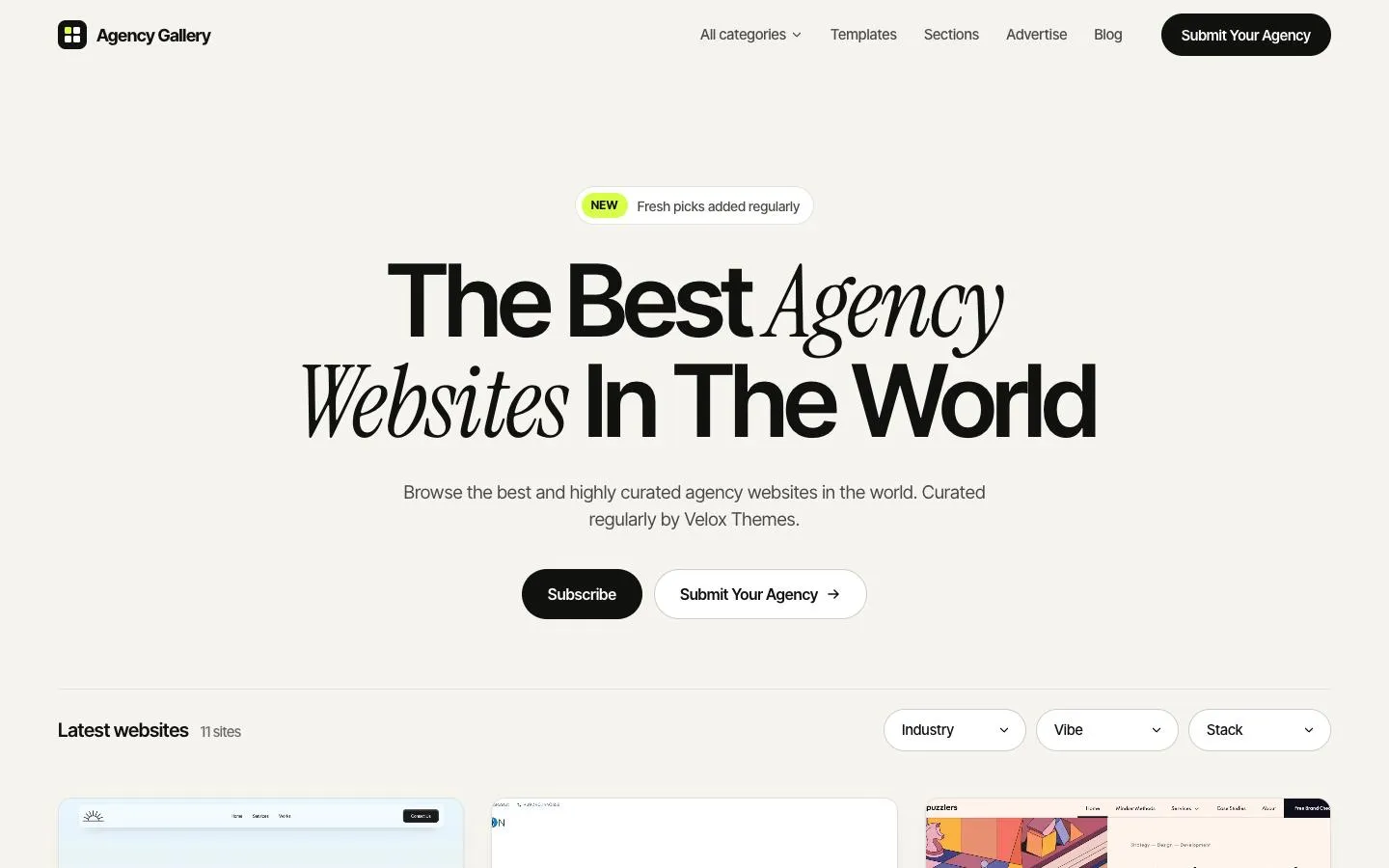
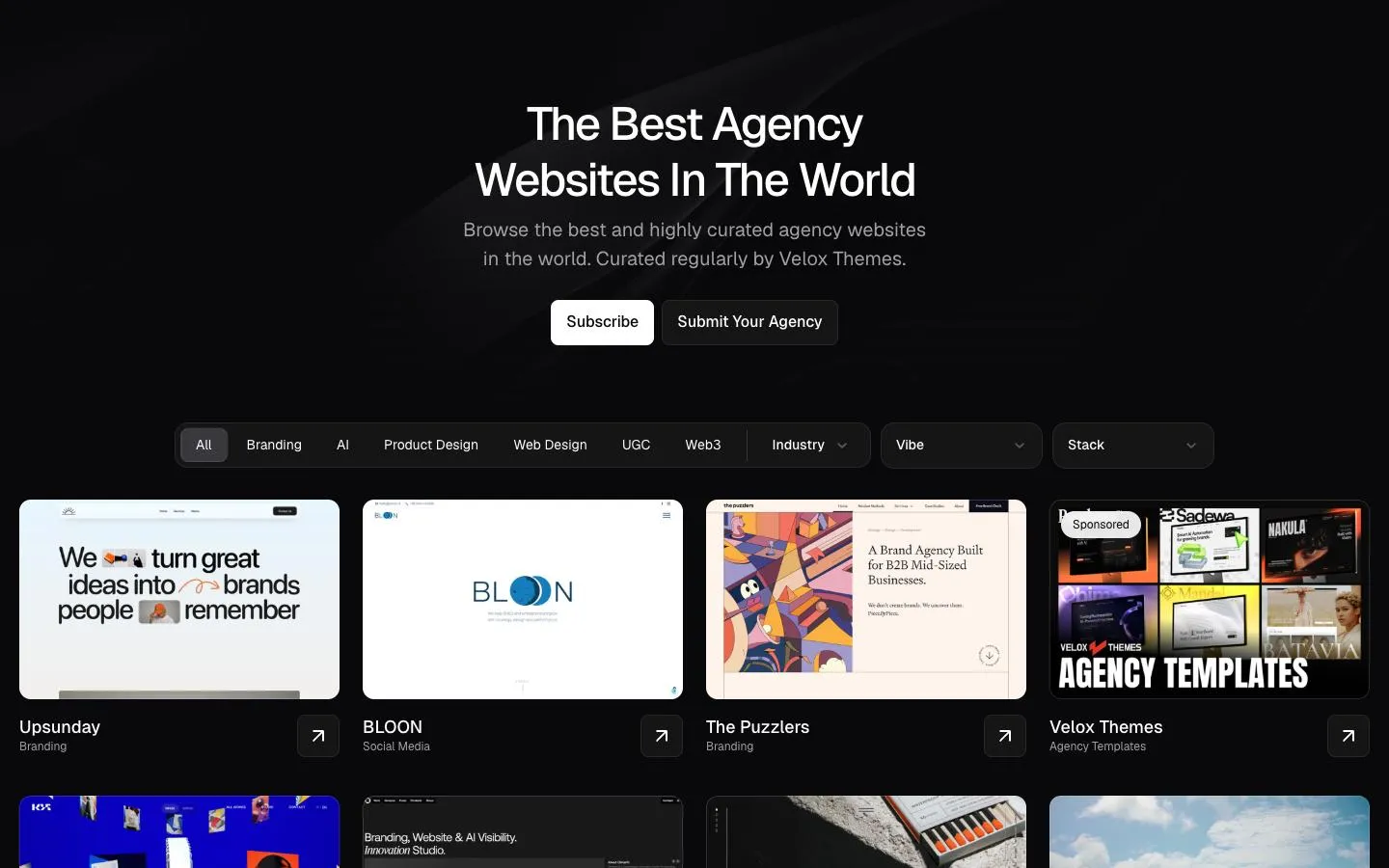
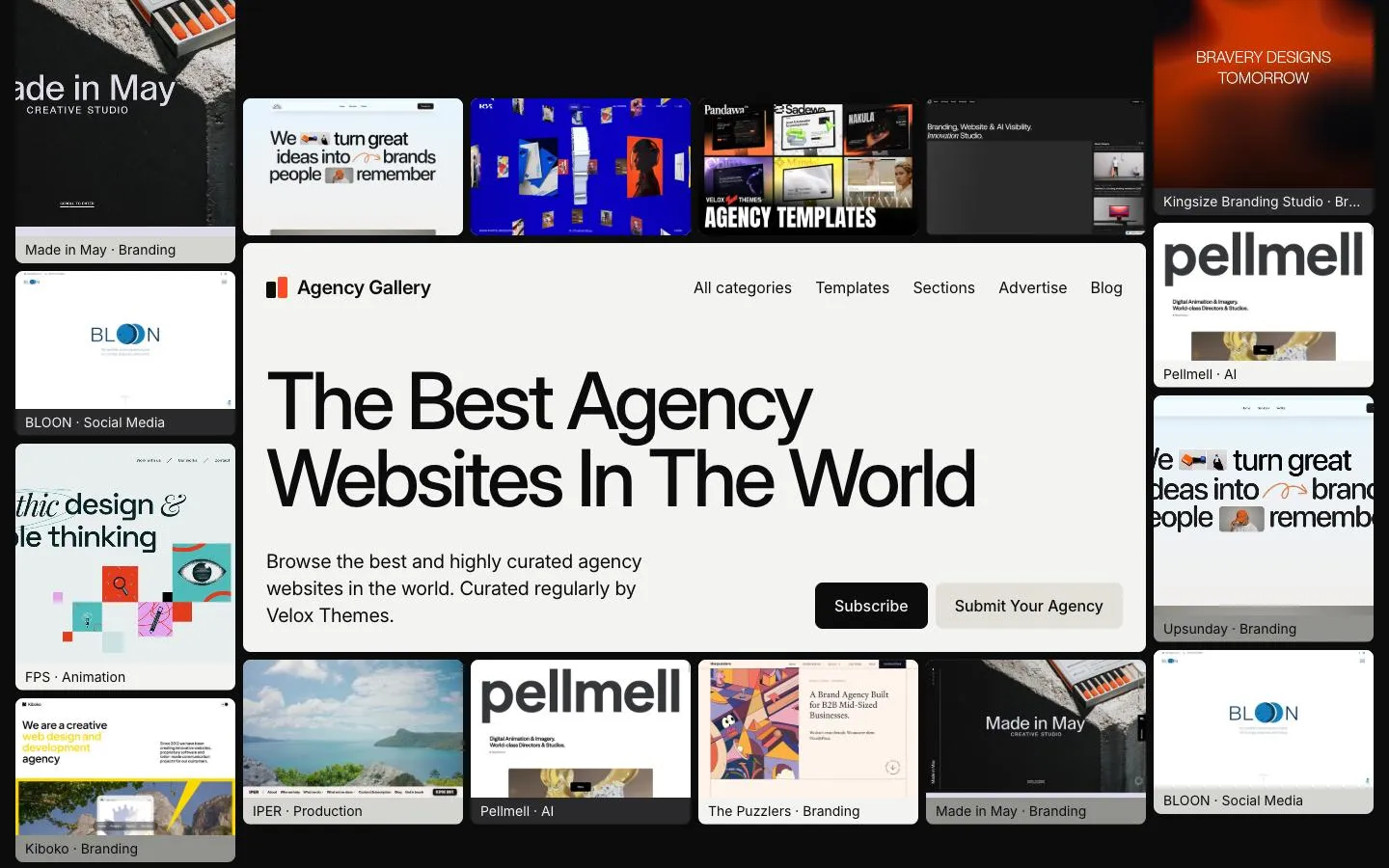
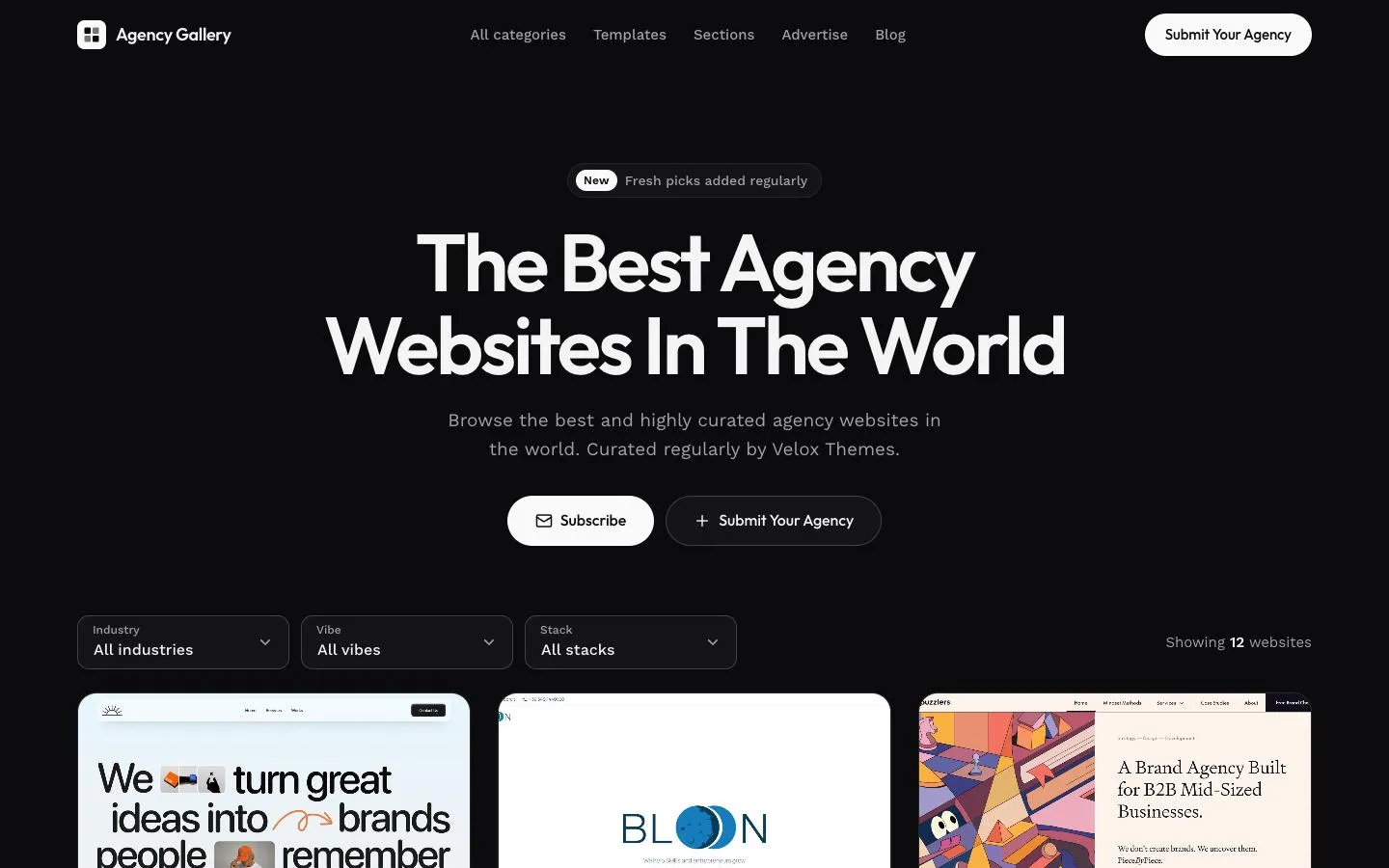
I used a real website: Agency Gallery, our gallery of agency websites. Every test got the same brief:
- Build the Agency Gallery homepage as one HTML file.
- Use the real headline, buttons, filters and the real screenshots of 12 agency websites.
- Make it work on phones (390 px wide) and desktops (1440 px wide).
To keep it fair:
- Each test ran in a fresh Claude Code session with the same model and effort level: Opus 5.5 on high effort.
- Each session had only one skill installed, and no internet, so it could not copy the live site.
- After each run, I opened the page in Chrome on desktop and on a phone size. I took screenshots and checked for errors, broken layouts and unlabelled buttons.
- I wrote down the time and cost of every run.
Each skill ran once, on one brief. So treat this as one honest real-world test, not a lab study.
The starting point: no skill at all
First, I asked Claude Code to build the homepage with no skill. It did a tidy job. The page worked, the links worked, and there were no errors.
But it looked like every other AI website from 2026:
- A thin serif word in italics mixed into a bold headline.
- A small "NEW" badge above the title. Nobody asked for it.
- A bright lime accent color.
- A dark, rounded newsletter box with a soft glow.
None of this is wrong. It is just what a model picks when nobody tells it what to pick. That is why so many AI sites look the same. Every result below is compared with this page.
Claude Code design skills I tested
These four skills promise better-looking pages. Here is what each one really did.
1. tastemaker
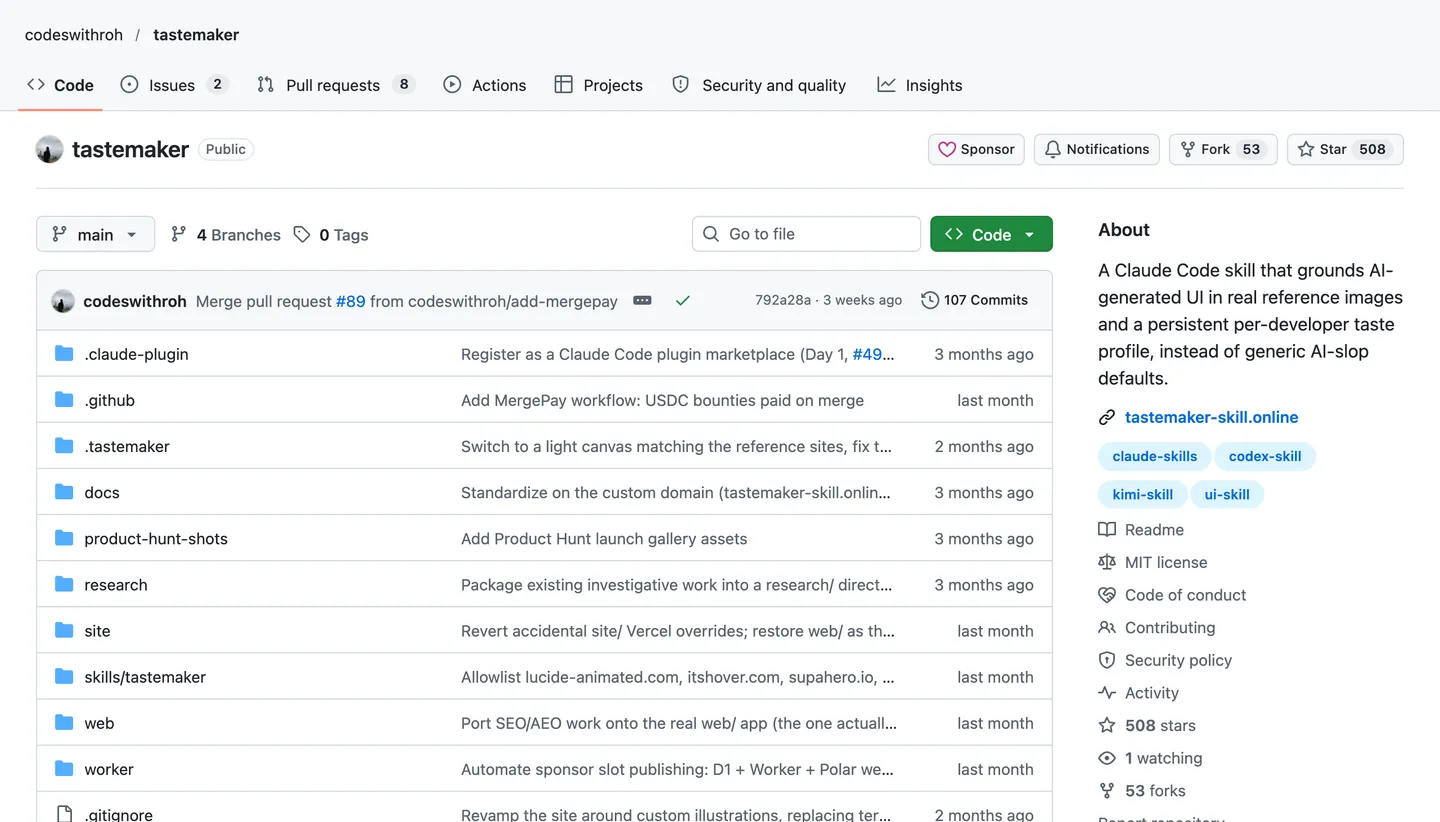
tastemaker is a small skill with 508 stars. Its big idea is simple: copy the look from real pixels, not from a text description. Then lock that style so every new page matches.
I gave it screenshots of the real Agency Gallery site. It sampled the real colors, kept the same font, and rebuilt the dark background in CSS. Then it made the page better:
- Filter buttons with a count, like "Branding 7".
- Filters saved in the web address, so you can share a filtered view.
- A four-column gallery and a filter bar that stays on screen as you scroll.
It added nothing fake. No made-up badges, no made-up data. It took 8 minutes and cost $2.26.
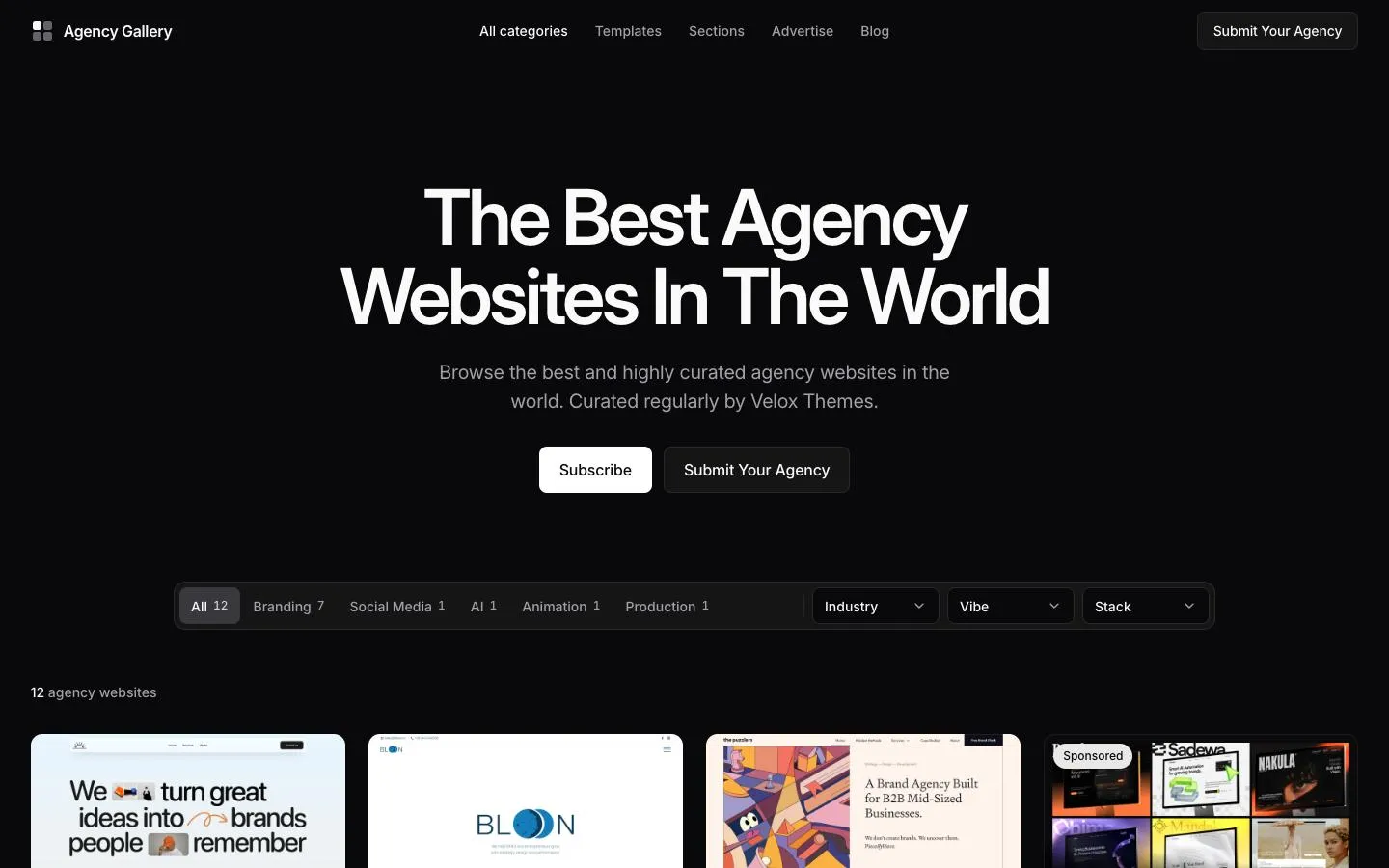
Install: /plugin marketplace add codeswithroh/tastemaker
2. Taste Skill
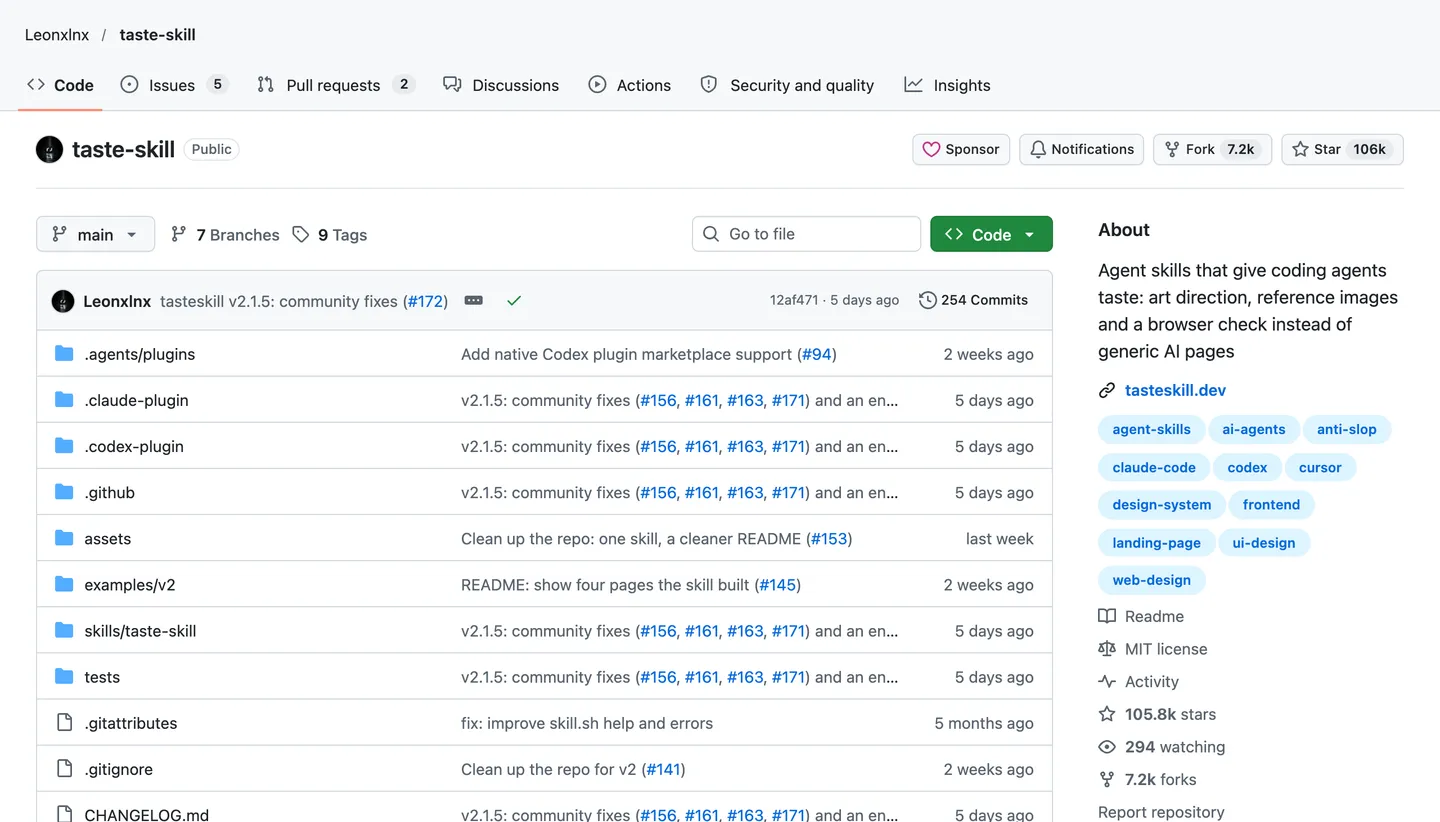
Taste Skill has 105.6K stars. It calls itself "the anti-slop frontend skill". It is also the only design skill in my test that checked its own page in a browser.
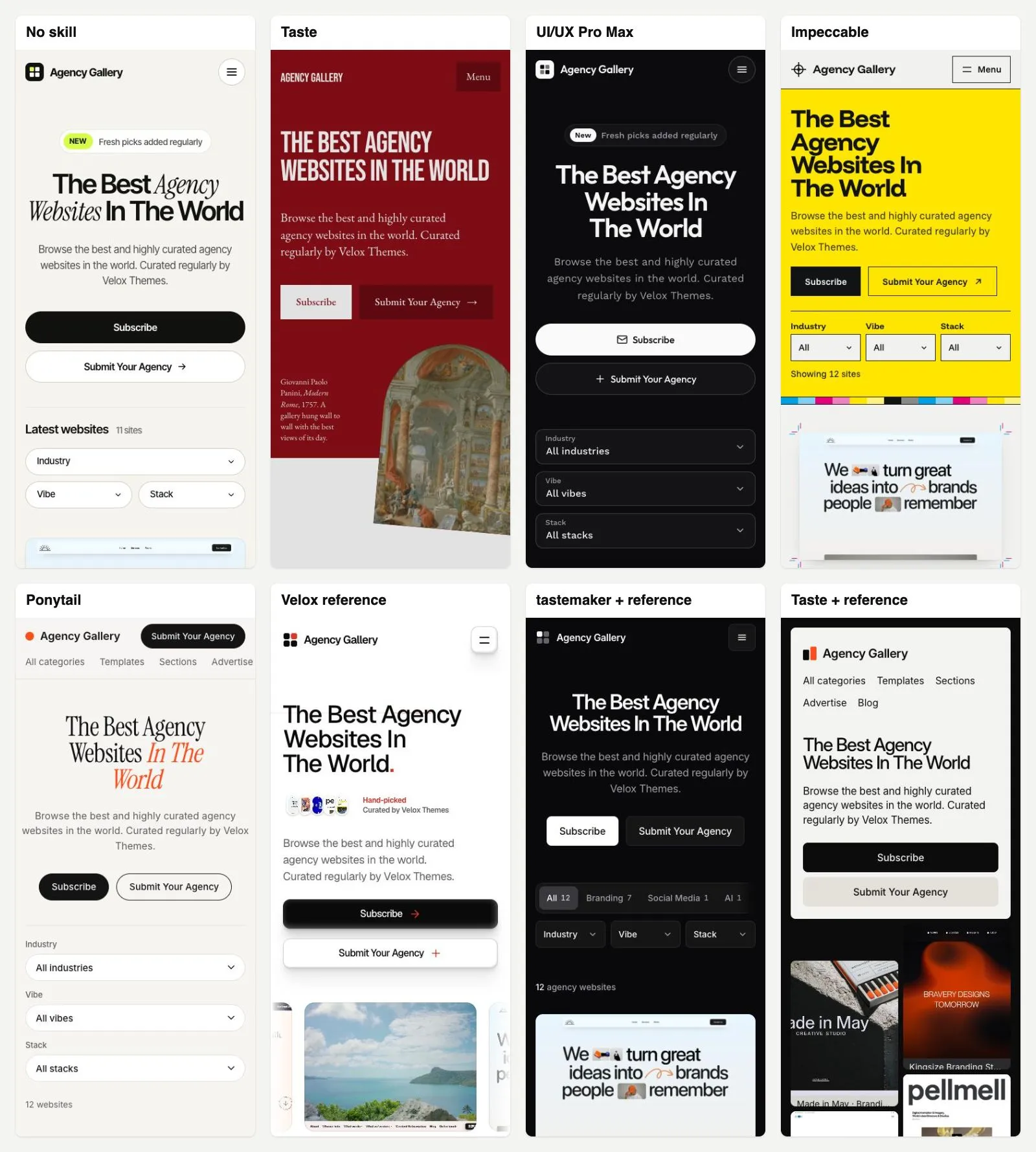
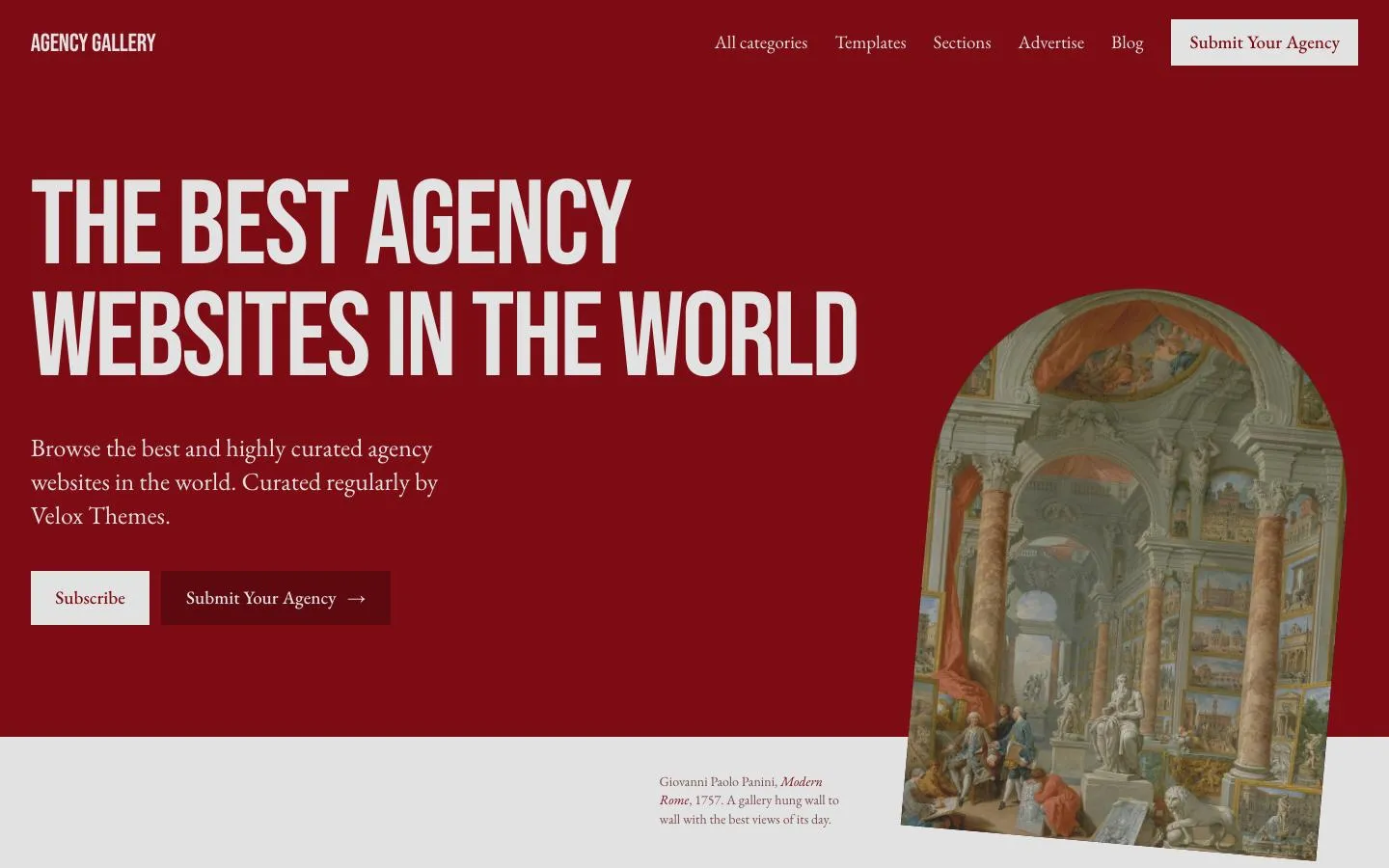
Without a reference, it took the word "Gallery" literally. It made a museum: dark red walls, a 1757 painting of an art gallery, and the heading "Now on the wall". It is not the usual AI look. But it is not Agency Gallery either. The old paintings fight with the agency screenshots, which are the whole point of the site.
It also made up data. It gave every agency a "vibe" (like Playful or Bold) and a "stack" (like Webflow or Next.js). Those were not in the brief.
With a reference (the same screenshots I gave tastemaker), it changed completely. It made a dark, clean page with a wall of the real agency screenshots around the headline. I would ship that one.
Two warnings. It was slow and costly: 16 minutes and $3.95 without a reference, 20 minutes and $5.02 with one. And both pages had the same giant block-letter footer. A skill can bring its own "tells", just like AI does.
Install: /plugin marketplace add Leonxlnx/taste-skill
3. Impeccable
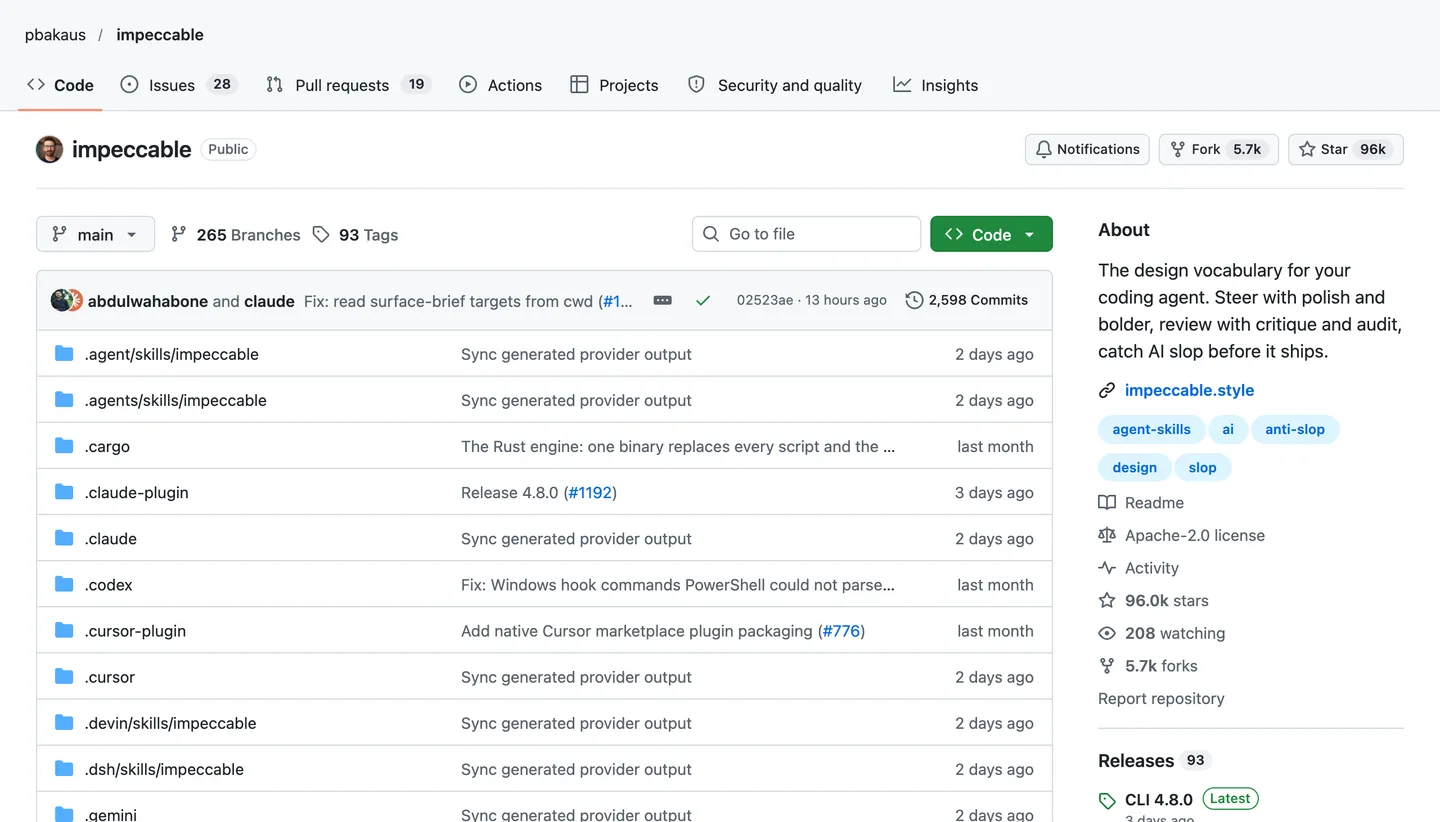
Impeccable has 95.5K stars. It started from Anthropic's own frontend-design skill and adds commands to polish and critique a design.
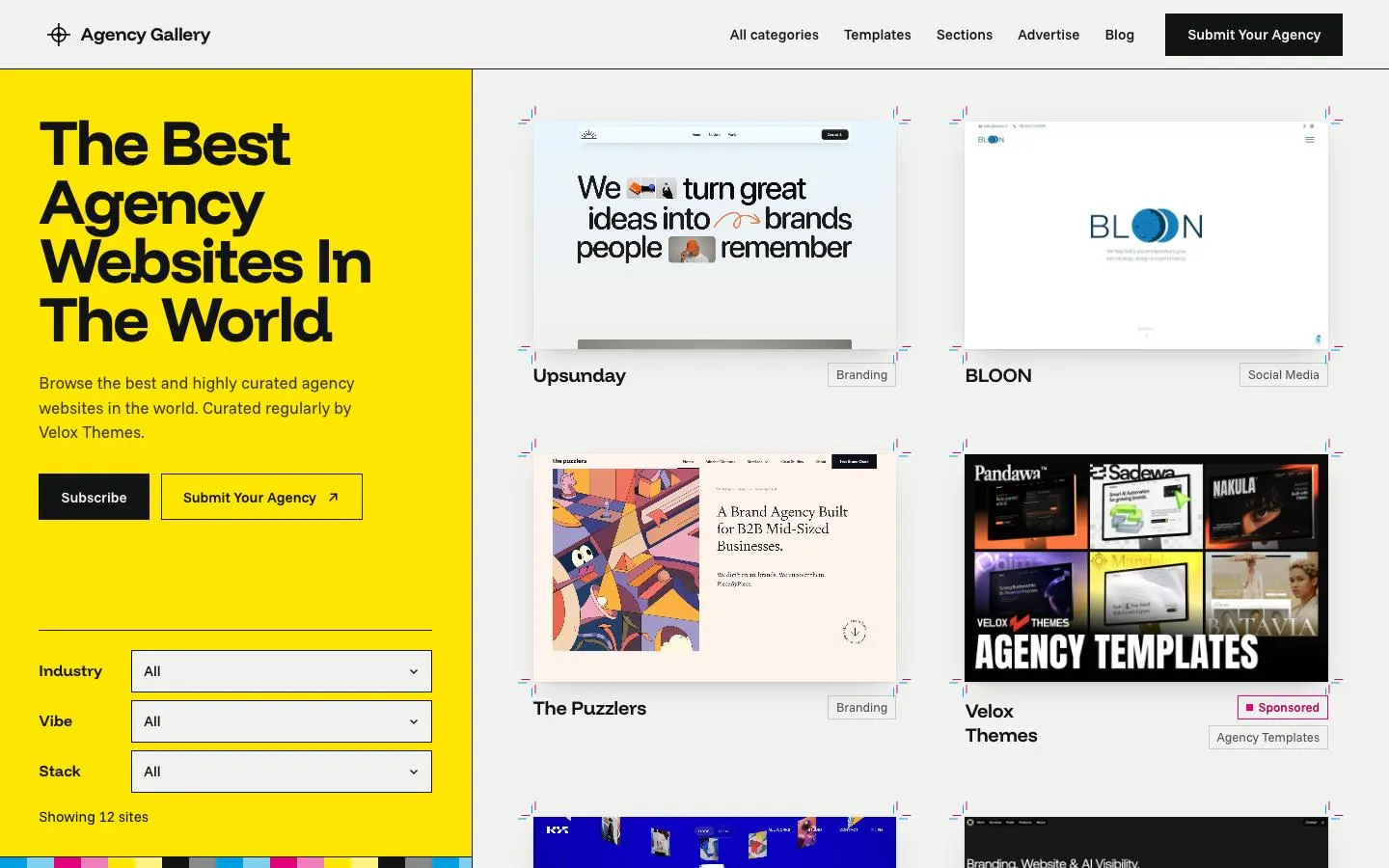
It planned well. Before any code, it wrote two short files about the product and the design. Then it built a "printer's proof sheet": a bright yellow panel, crop marks around each screenshot, and color bars like a print shop. The crop marks snap into place when you hover.
It is clever and it holds together. But like Taste, it invented a style the brand does not have. The loud yellow also pulls your eye away from the screenshots. It took 11 minutes and cost $3.26.
Install: /plugin marketplace add pbakaus/impeccable, then install it from /plugin.
4. UI/UX Pro Max
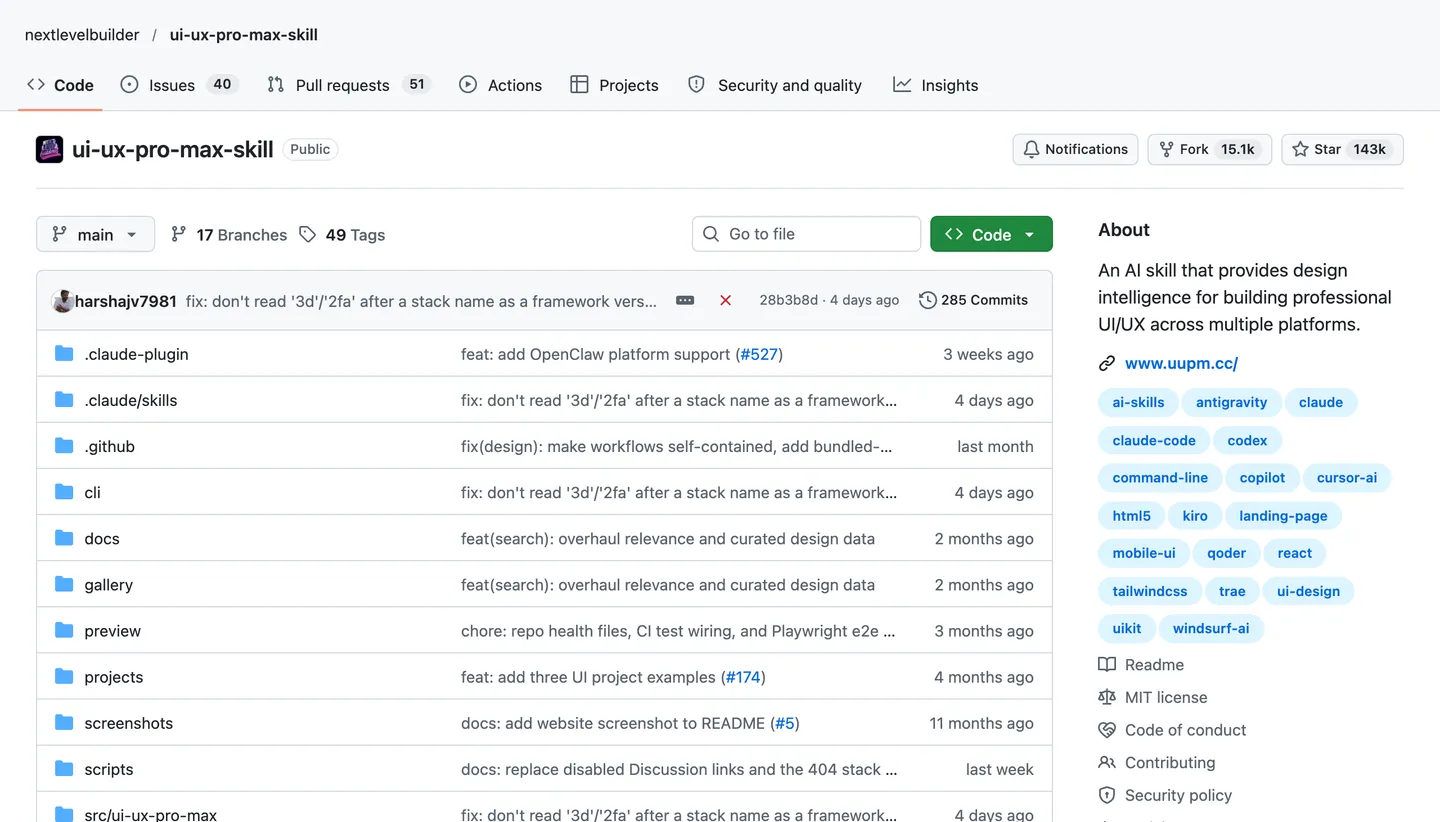
UI/UX Pro Max is the most-starred design skill I tested, with 142.6K stars. It has big lists of styles, colors, font pairs and UX rules.
It made a dark page with new fonts and icons in the buttons. The filters were well labelled, which is good. But the layout was the same as the no-skill page. It even kept the same made-up "New" badge above the title.
In short, it changed the paint, not the design. It was fast and cheap, though: 3.5 minutes and $1.00.
Install: /plugin marketplace add nextlevelbuilder/ui-ux-pro-max-skill
Skills for motion, code and testing
A good website needs more than a nice look. These three skills do other jobs. All three did their job well.
5. transitions.dev
transitions.dev (5.9K stars) is a library of small, ready-made animations for buttons, menus, counters and more. I gave it the no-skill page and asked it to add motion only where it helps.
It added:
- A menu that grows out of its button on phones.
- A result count that pops to the new number when you filter.
- Cards that slide in one after another after a filter change.
- A gentle success state for the newsletter form.
It also made a smart choice. It kept the browser's own dropdowns instead of building fancy ones, because the browser's work better on phones and with screen readers.
I tested it in Chrome. When I picked a filter, 32 animations ran at once (the no-skill page ran 4). All of them finished within 0.6 seconds. Every animation also turns off for people who ask their device for less motion. It took 4.5 minutes and cost $1.45.
Some transitions are free, and some need a paid account on transitions.dev.
Install: npx skills add Jakubantalik/transitions.dev
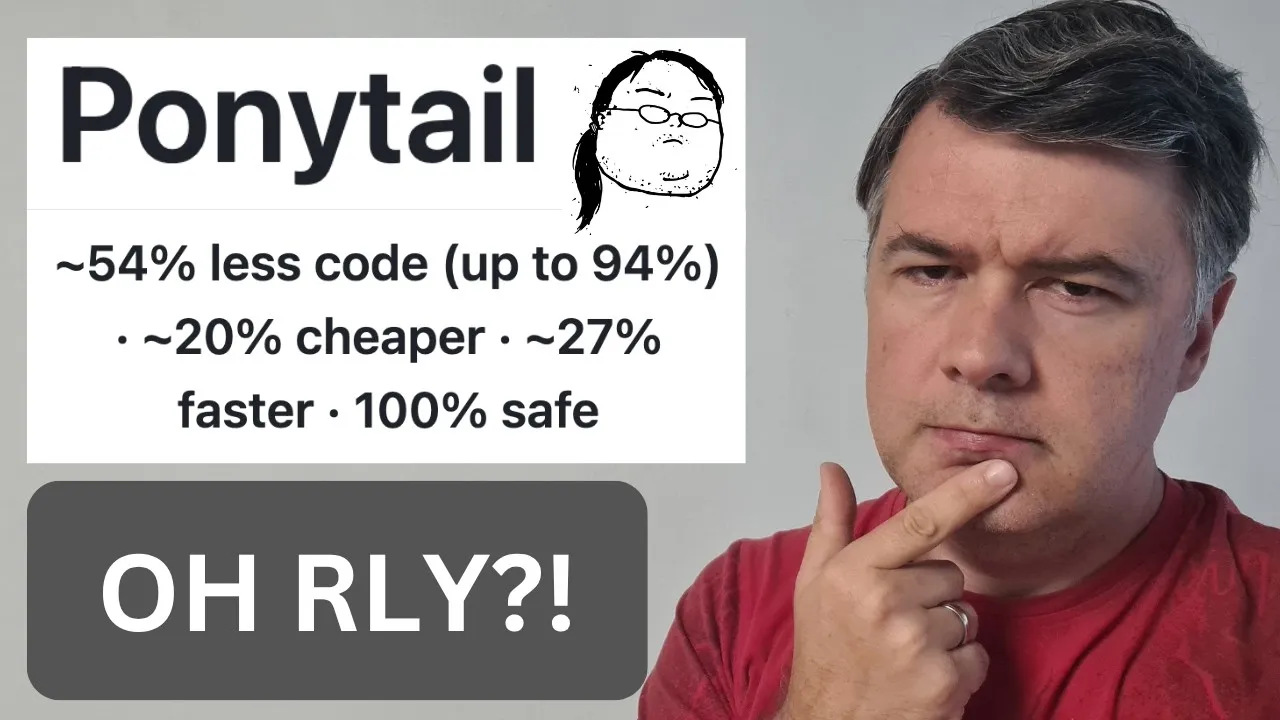
6. Ponytail
Ponytail (180.3K stars) makes Claude code like "the laziest senior developer in the room". It writes only what the task needs, but it never cuts safety or accessibility.
It built the same page with the same content. The filters worked, with a count and an "empty" message. But the code was much smaller:
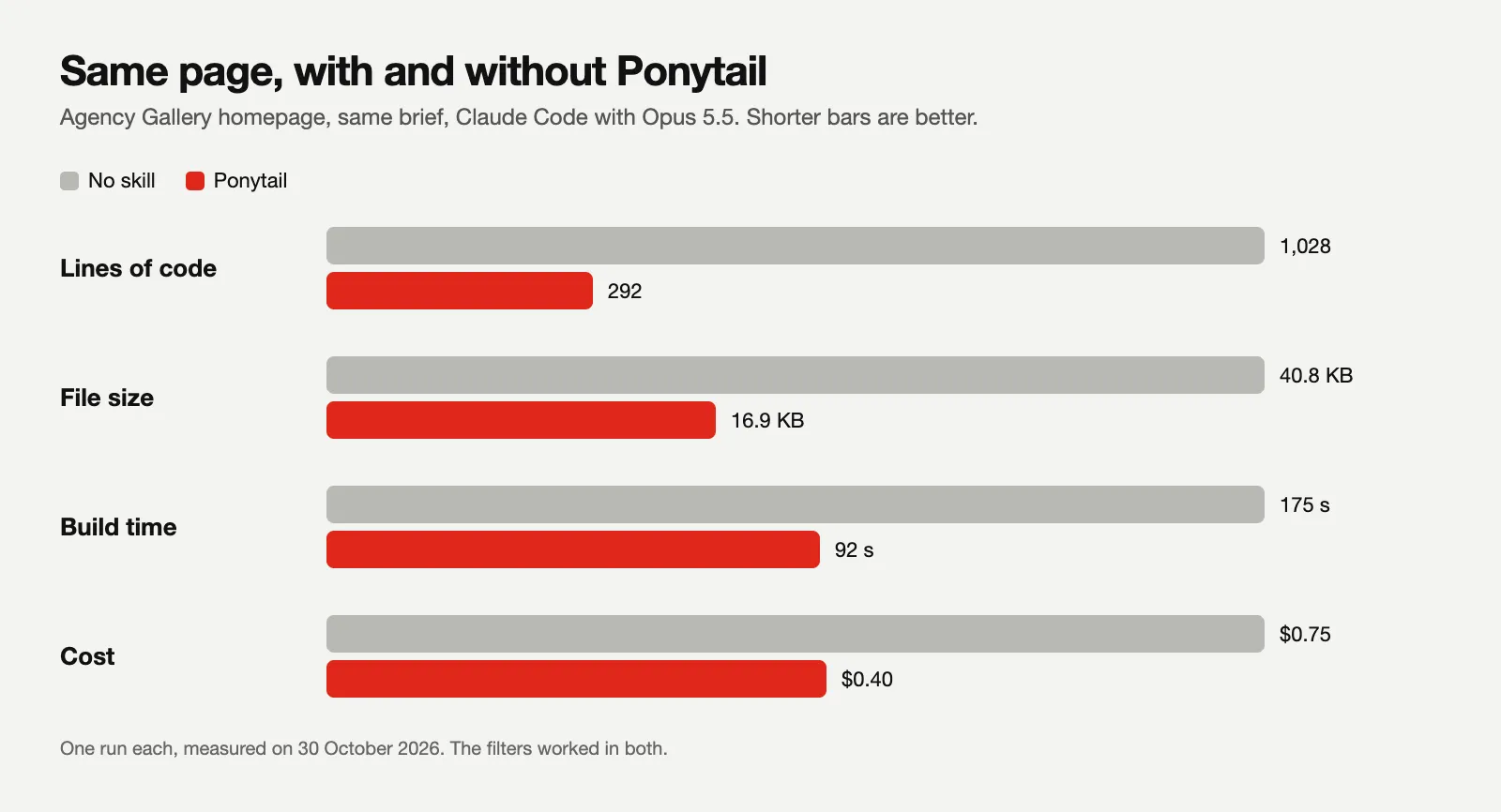
That is 72% fewer lines, a file 59% smaller, and about half the time and cost. My own numbers match Ponytail's published benchmark, which reports about 53% less code across 39 tasks.
The look was still the AI default, though, with an orange italic headline. That is fair. Ponytail is a code skill, not a design skill. One small bug: on a phone, the menu row was cut off at the edge.
Want to go deeper? This video tests Ponytail in more detail:
Install: /plugin marketplace add DietrichGebert/ponytail, then /plugin install ponytail@ponytail
7. pstack
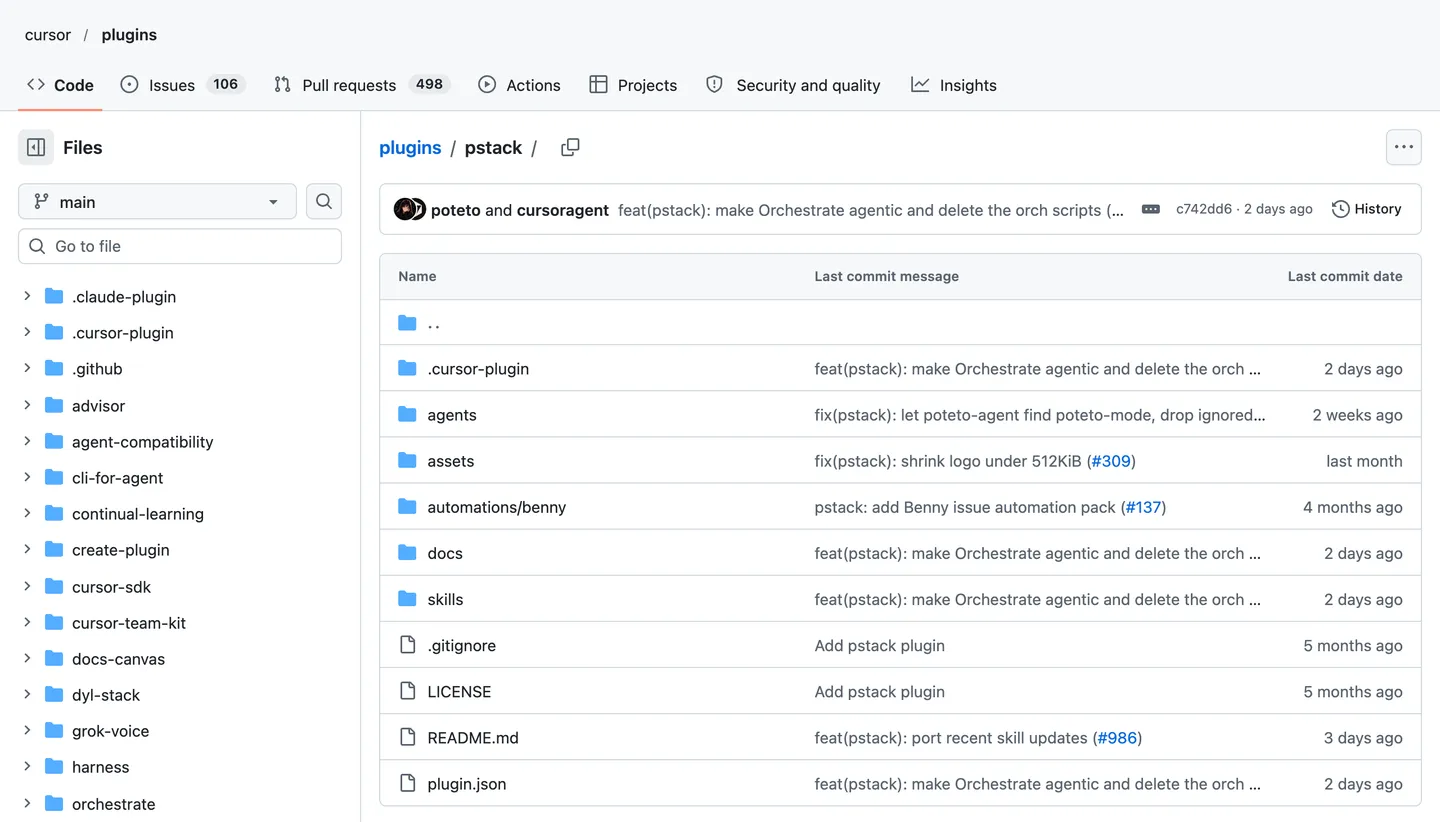
pstack is a big set of skills by Lauren Tan. It has more than 50 of them. I used two:
create-verification-skillwrites a test for your page. The test opens the page in Chrome and uses it the way a real visitor would.principle-prove-it-workstells Claude to check the real page before it says "done", instead of only reading the code.
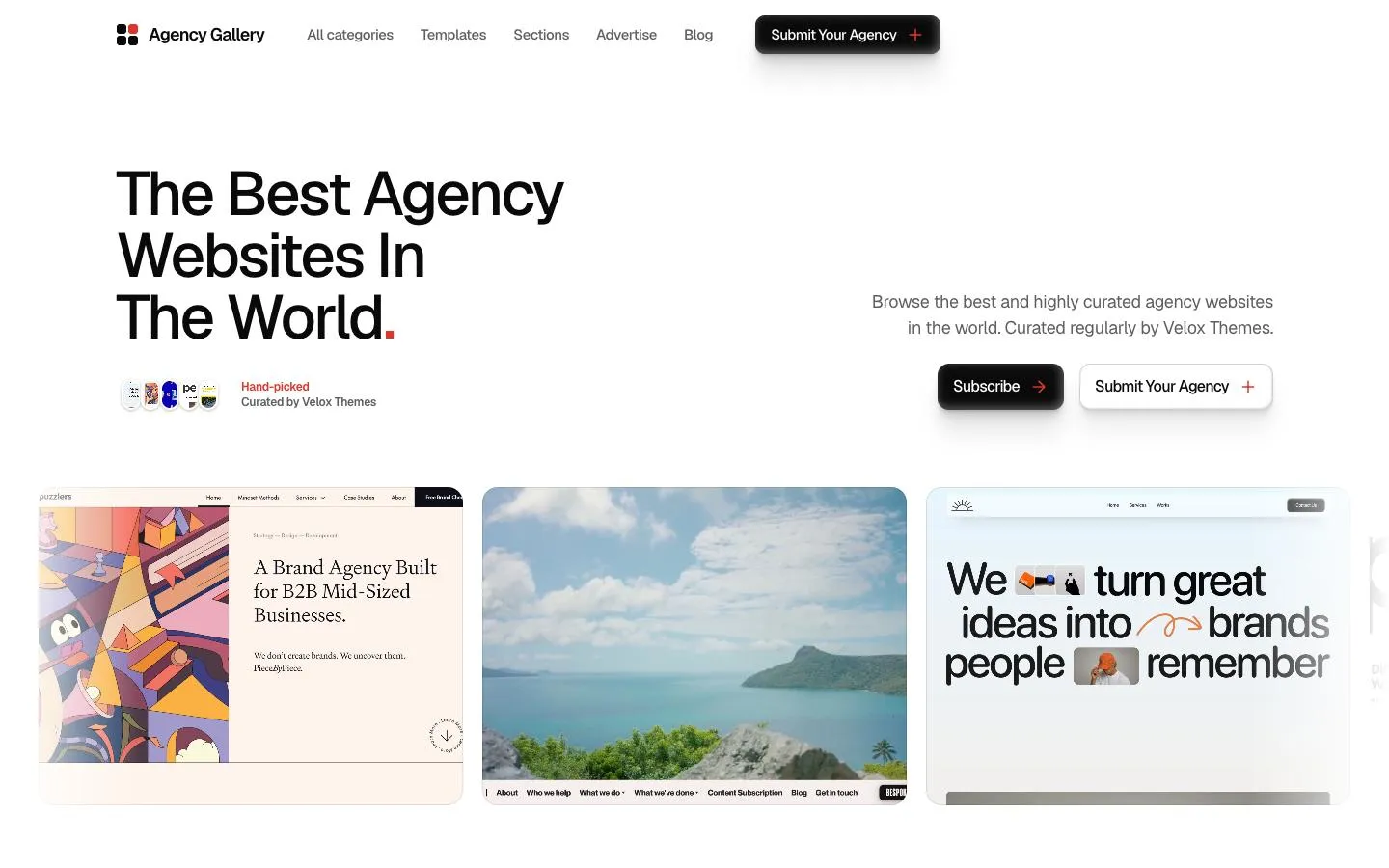
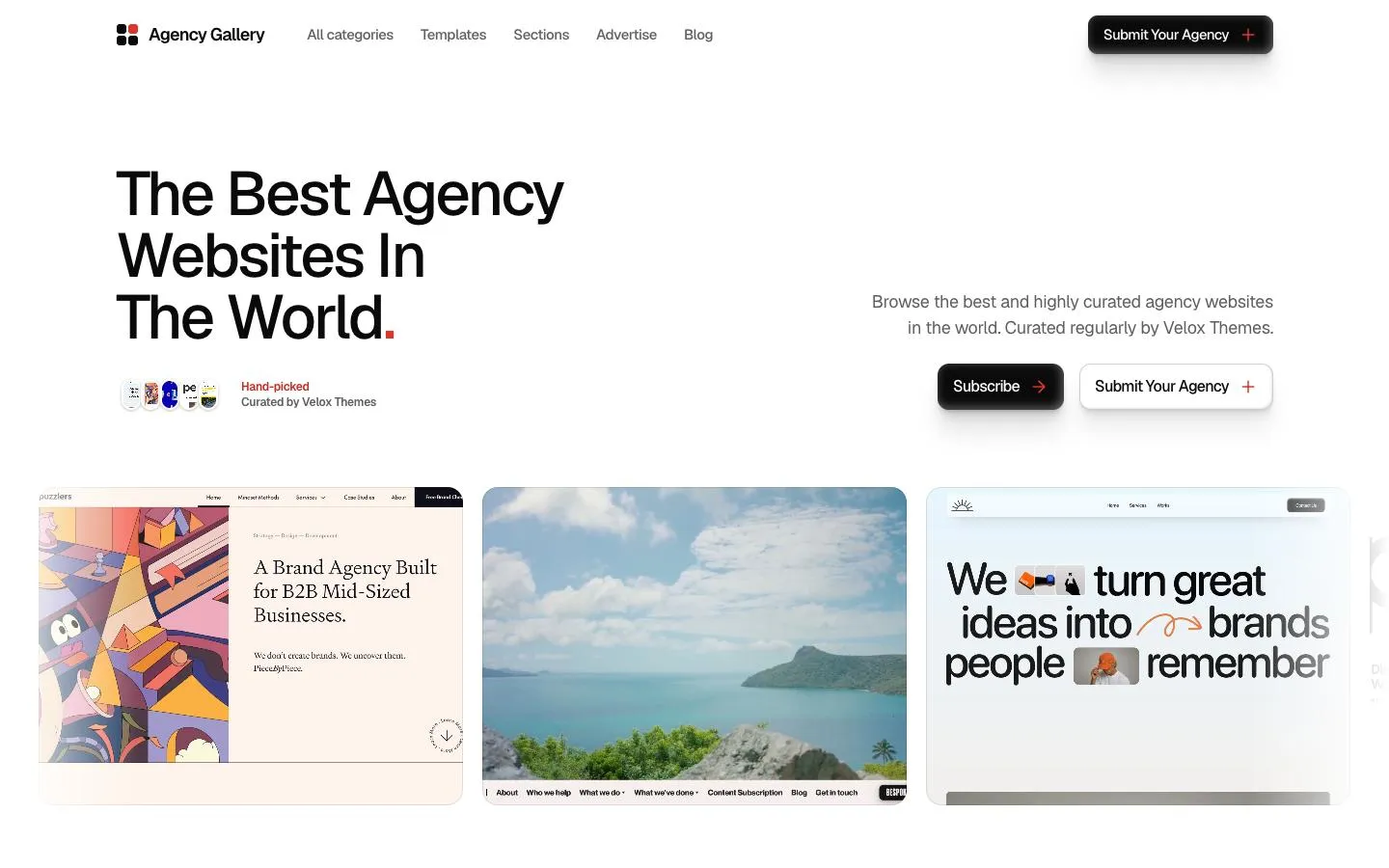
I ran both on the reference page (more on that page below). The test clicked, tapped and typed on desktop and on a phone. In the end, the page passed all 212 checks.
Along the way, pstack found and fixed 4 real bugs:
- On desktop, the button in the top-right corner sat far from the edge. I had seen this one myself.
- Some small red text was a tiny bit too faint. It was just under the contrast the WCAG accessibility rule asks for.
- On a phone, picking a filter pushed the dropdowns off the screen.
- On a phone, the "Clear filters" button broke onto two lines.
It also told me what it could not fix. The newsletter form says "You're on the list", but it does not send anything yet. Every page in this test had that problem. pstack was the only skill that told me.
It was also the slowest run: 27 minutes and $4.49. And it saved its test in a Cursor folder, so I moved it to the Claude Code folder by hand. Still, it was the only skill that showed the page works, instead of just saying it does.
Learn more about pstack here:

Install: /plugin marketplace add cursor/plugins, then /plugin install pstack@cursor-plugins
What fixed the AI look: a reference
Here is the pattern from every test. Without a reference, the design skills either repainted the AI layout or invented a theme. With a reference, the pages looked designed, even with no skill at all.
Why? Because "make it look good" means nothing to a model. It needs to see what good looks like for this brand.
Use screenshots of your current site
If the website already exists, screenshot it and give the screenshots to Claude. That is what I did for tastemaker and for the second Taste run. Both kept the brand and made it better.
Start from a designed section
For a new site, you need a design to start from. This is where Velox Themes, our library, comes in. I tested it the same way as the skills.
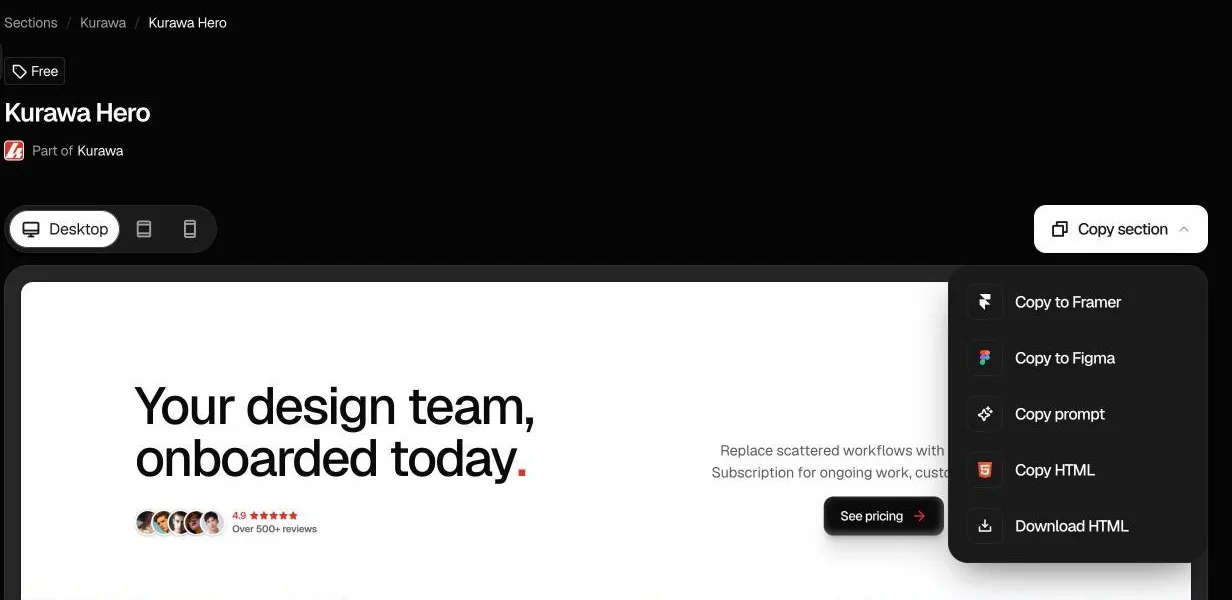
I took two free sections, the Kurawa Hero and the Kurawa Footer, and gave their Copy prompts to Claude Code. No skill. Claude used them as the reference and built the rest of the page in the same style: one font, one red accent and one button style.
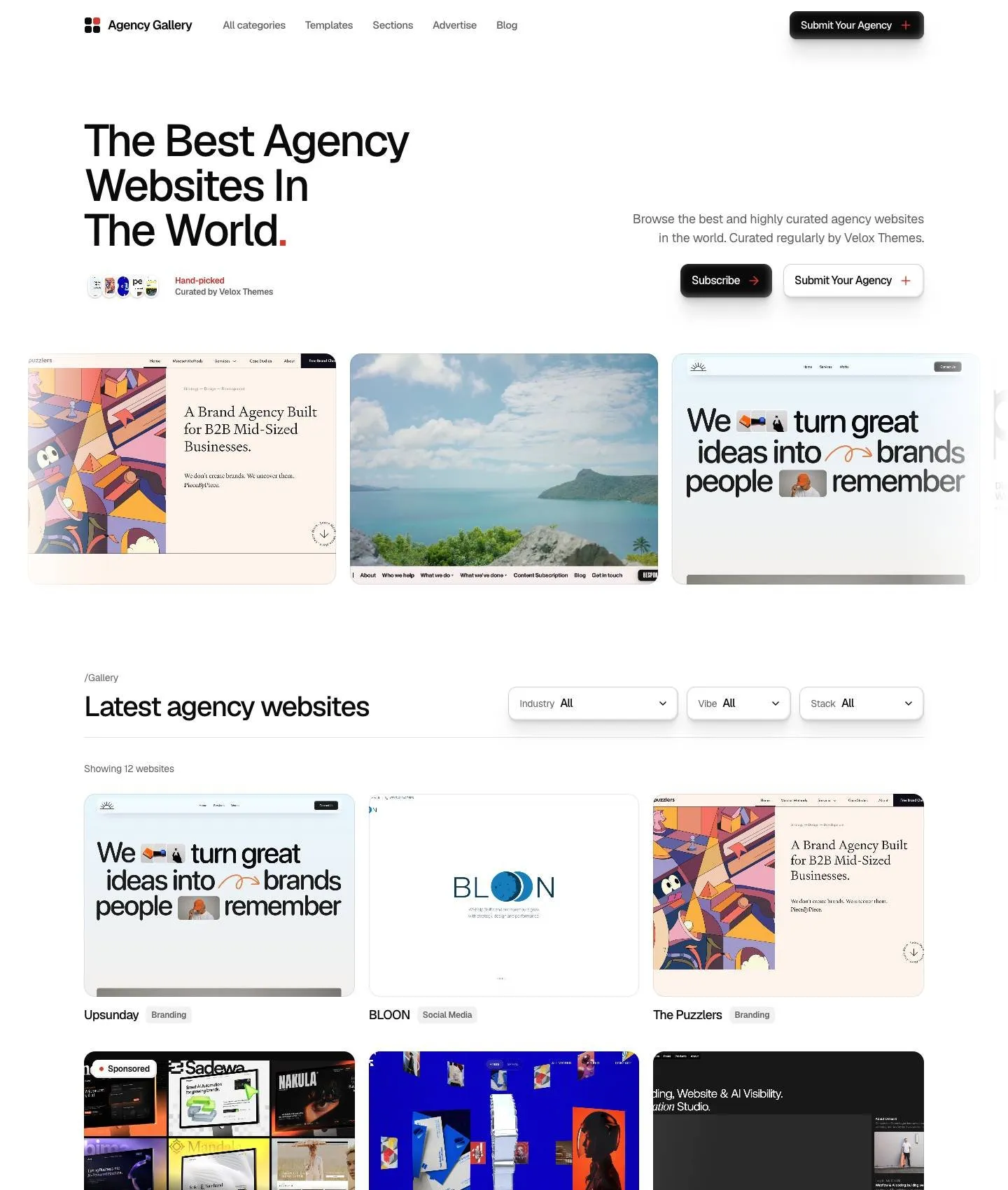
To be fair, it was not perfect at first. It had the header bug that pstack later fixed, and it took 8 minutes and cost $2.83. But it saved me the time of hunting for a good reference. And you can copy the same section to Figma first, change the look the way you like, then hand it to Claude.
Here is how it works:
1. Copy prompt
Every section and component has a Copy prompt. You paste it into Claude Code, and then you can ask Claude to change anything.
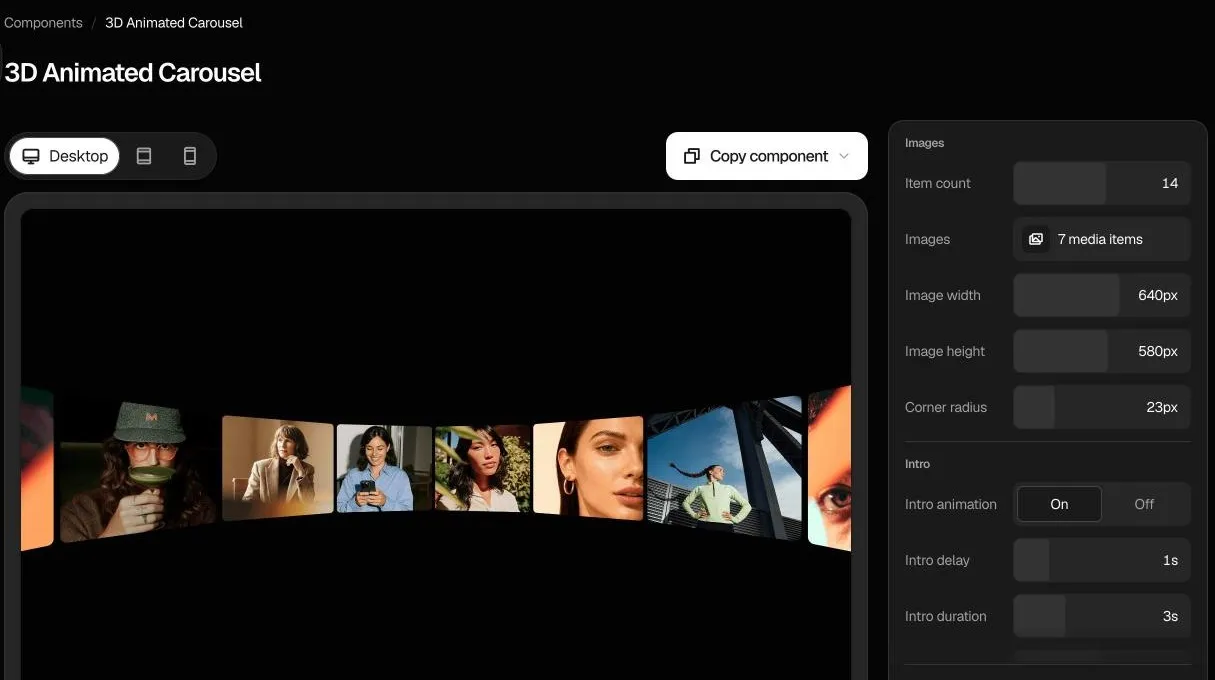
2. Control panel
Components have a control panel, so you can play with images, sizes, colors, text and motion before you hand them to your agent. The control panels come with a paid plan.
3. MCP connection
Claude Code can also pull sections and design guides straight from the library through our MCP connection on paid plans.
You can start for free with the free sections. See pricing for the rest.
2 more skills worth a look
I could not test these two, because each needs extra npm packages that my test setup did not allow. I read both closely, and they look useful.
AccessLint
AccessLint (114 stars) runs a full accessibility audit. It follows the official WCAG-EM method. It also says clearly which checks still need a human. That honesty is rare.
extract-design-system
extract-design-system (263 stars) opens a public website and pulls out its colors, fonts and spacing into a starter file. That is a quick way to get a reference from a site you are redesigning.
A popular one I did not test is Hallmark (42.2K stars), another anti-slop design skill.
My Claude Code setup for web design
After these tests, this is the order I would follow:
- Get a reference first. Screenshots of the current site, or a designed section from a library. You can use the Velox Themes library.
- Turn it into a design system. Write down the colors, fonts, spacing and button styles, so every page follows the same rules.
- Design the hero first. Nailing the hero matters most. It sets the look of the whole page, and every other section builds on it.
- Build the rest with tastemaker (or Taste Skill), using the same reference.
- Add Ponytail to keep the code small.
- Add motion with transitions.dev, only where it helps.
- Finish with pstack to prove the page works on desktop and on a phone.
Do not install every skill at once. Skills can fight each other, and each one adds instructions Claude has to read. Pick one per job.
FAQ
What are Claude Code skills?
They are folders of instructions (a SKILL.md file, plus optional scripts) that teach Claude Code one kind of job. Claude loads a skill when your task matches it, or when you ask for it by name.
What are the best Claude Code skills for web design?
In my test, tastemaker made the best page, as long as it had a reference to follow. Then add Ponytail for smaller code, transitions.dev for motion and pstack to check that the page works. No design skill fixed the AI look without a reference.
How do I install a Claude Code skill?
Inside Claude Code, run /plugin marketplace add owner/repo, then /plugin install. Or run npx skills add owner/repo in your terminal. Each skill's GitHub page shows the exact command.
Do design skills stop AI websites looking generic?
Not on their own, in my test. They either kept the AI layout or invented a theme that did not fit the brand. Giving Claude a real reference made the biggest difference, with or without a skill.
How many skills should I install at once?
Only what the job needs. One skill per job is a good rule: one for design, one for code, one for motion and one for checking.
Are Claude Code skills safe to install?
Most are just text, but some run scripts or download files. Read the SKILL.md and the scripts folder before you install, just like any other code.
Do I need a paid plan for any of this?
Every skill in this test is free on GitHub, though transitions.dev has some paid transitions. You do pay for the Claude usage: my 10 test runs cost $25.42 in total. Velox Themes has free sections you can use as a reference, and paid plans for the rest.