Inspiration14 min read
20 Best Free Portfolio Website Templates in 2026
Free portfolio website templates for designers, photographers and video editors, for Framer, Webflow and HTML, and who each one suits.
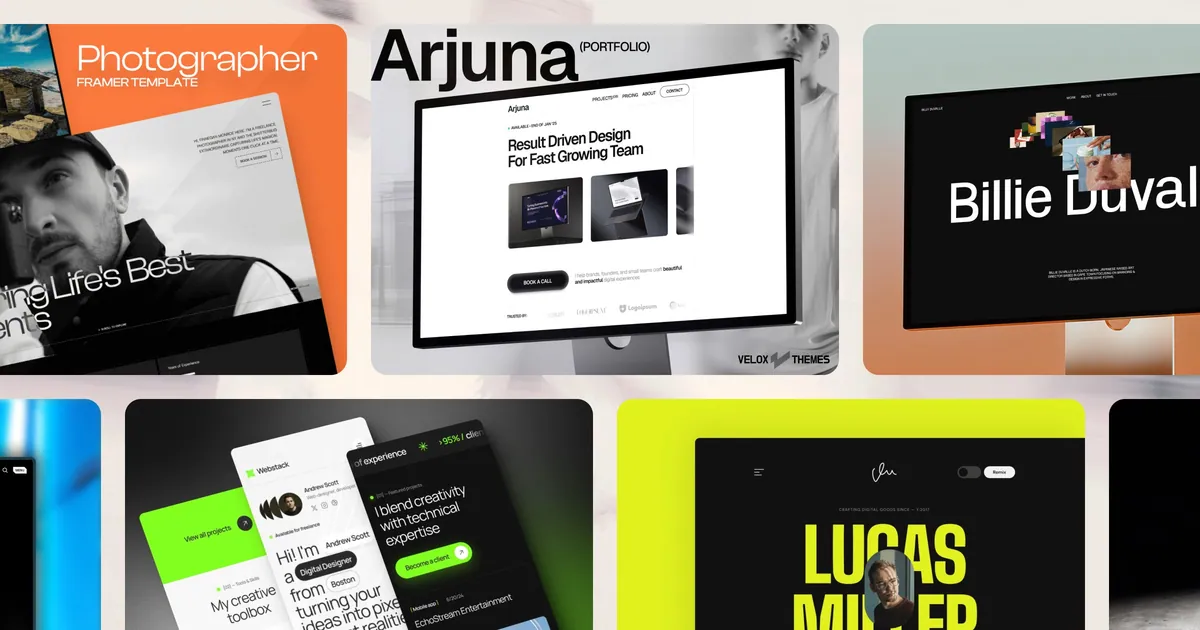
If you are a designer like me, you have probably spent hours scrolling through portfolio templates trying to find the one that actually feels right. I get it. None of us want a portfolio that looks off or feels generic. Your portfolio should reflect your style, your work, and your personality. It is more than just a link. It is your digital first impression.
Most of the picks below are Framer templates, because Framer has some of the best free ones right now. For this update I also added four free Webflow templates and two made for video editors. You do not need to touch any code to launch any of them. Just pick one, make it yours, and go live.
20 Best Free Portfolio Website Templates
After going through dozens of free templates on the Framer marketplace and on Webflow, I picked these twenty. Every one of them is free to use, and I checked each one again in November 2026.
1. Arjuna (Free)

View Template · by Velox Themes
What stands out about Arjuna is its book a call button animation. Since we built it at Velox Themes, I know exactly how much care went into every section and every page. It loads fast, has smooth animations, and just feels balanced from start to finish.
This template is for
Designers, freelancers, or creatives who want a minimalist site that still has personality.
Key highlights
Unique book a call button
Minimalist and clean
Unique hero intro
Free to use
Comes in Framer, Figma and HTML
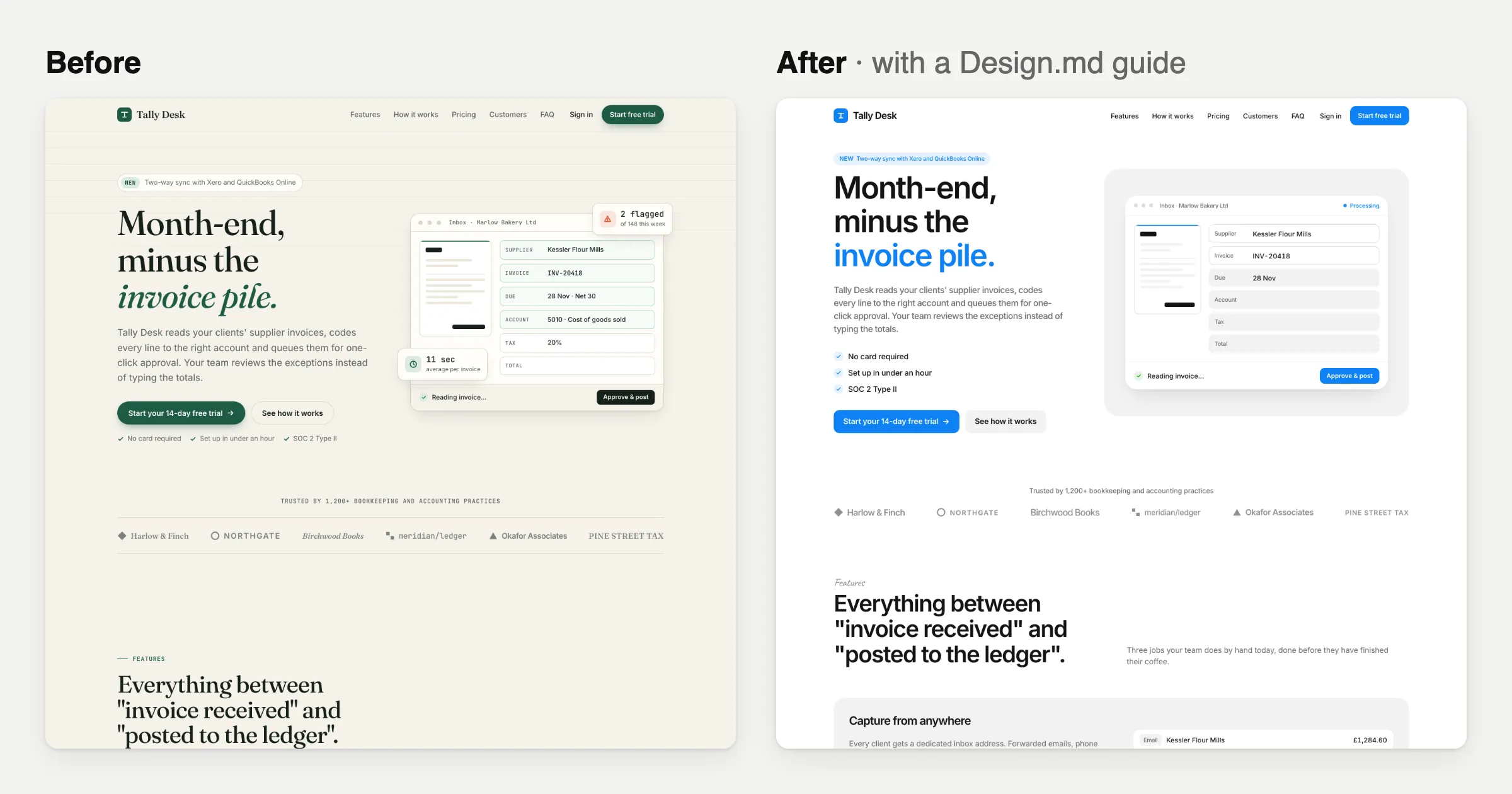
Design.md included, so AI tools like Claude Code can match its style
2. Kurawa (Free)
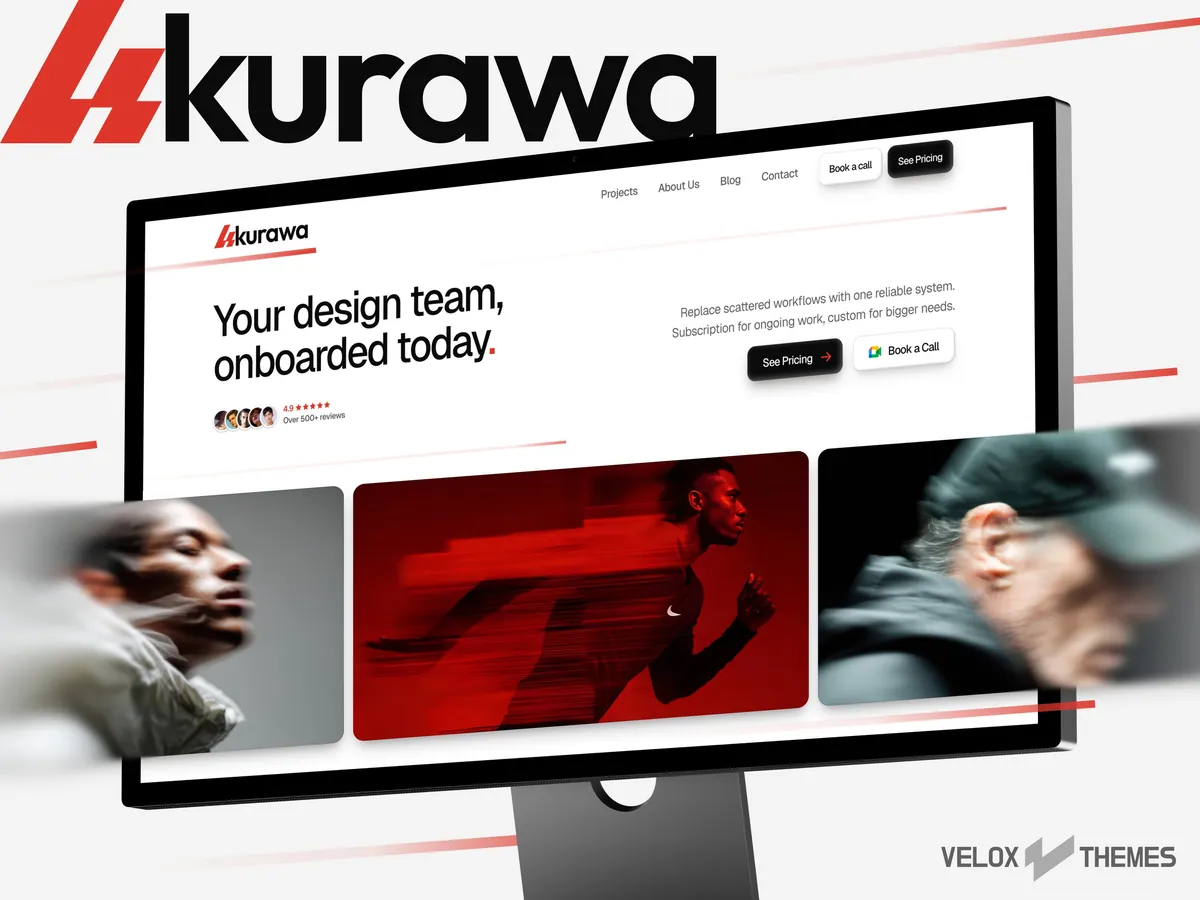
View Template · by Velox Themes
What stands out about Kurawa is the subtle bouncy effect that makes the whole site feel more alive without being too much. We kept it minimal on purpose, so your work stays the main focus while still feeling fun to explore.
This template is for
Design studios, freelancers, and creatives who want a clean portfolio with just enough personality to stand out.
Key highlights
Subtle bouncy interactions
Minimal and clean layout
Project focused structure
Smooth scrolling experience
Free to use
Comes in Framer and HTML
Design.md included, so AI tools like Claude Code can match its style
3. Fuel (Free)
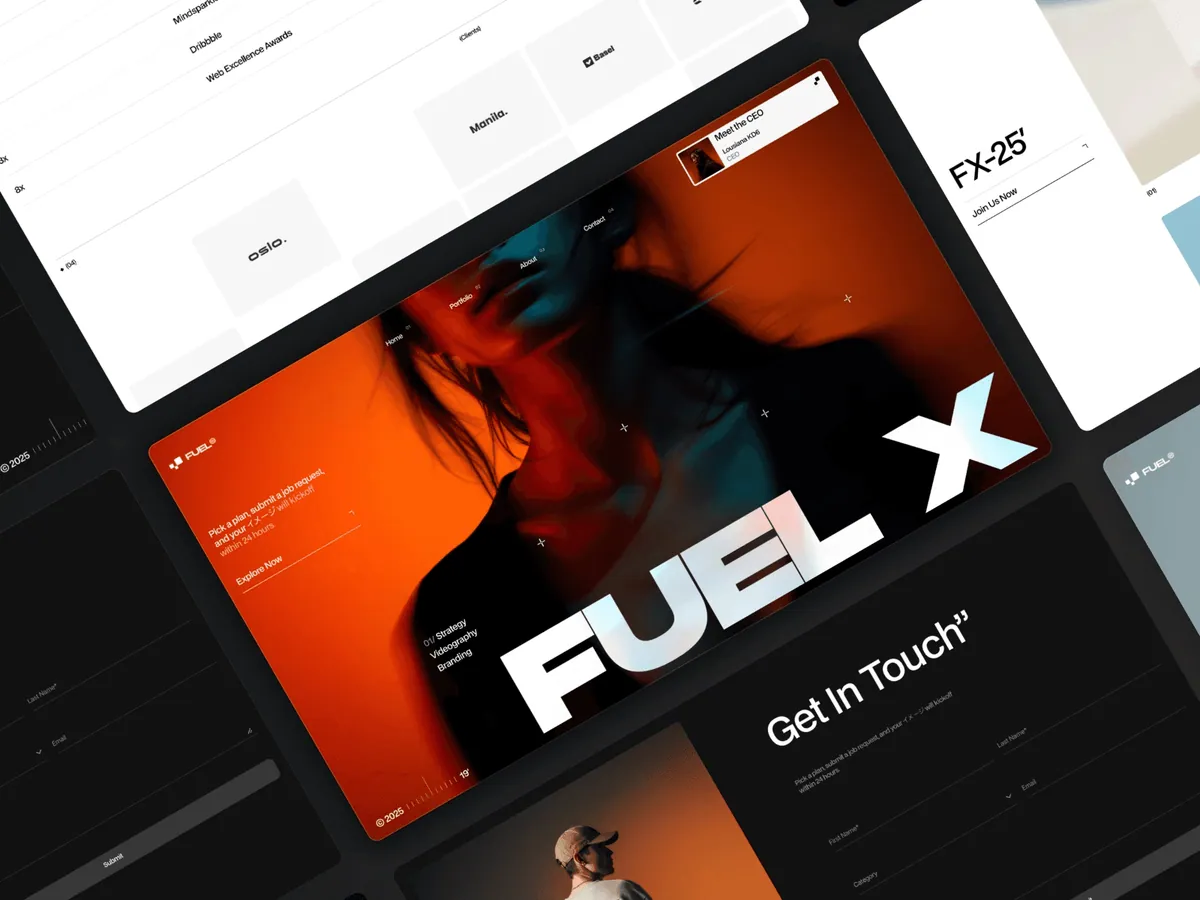
View Template · by Westhill Studio
Fuel won the Framer Awards 2025 as the best Framer template of the year, and honestly, once you see it you will understand why. It is by Westhill Studio, the same team behind Dune and Viper, so you already know the quality bar is high. The design is clean, confident, and just looks expensive without trying too hard.
The layout is built for agencies and portfolios that want to come across as serious and polished. There is a nice balance between whitespace and content, and the animations feel purposeful without going overboard. I genuinely think this is one of the best portfolio templates on the entire Framer marketplace right now, free or paid.
This template is for
Agencies and creatives who want a premium-looking portfolio that has actually been recognized for its design quality.
Key highlights
Framer Awards 2025 winner, best template of the year
Premium agency and portfolio layout
Clean minimal design with strong visual hierarchy
Free to use
4. Lioré (Free)
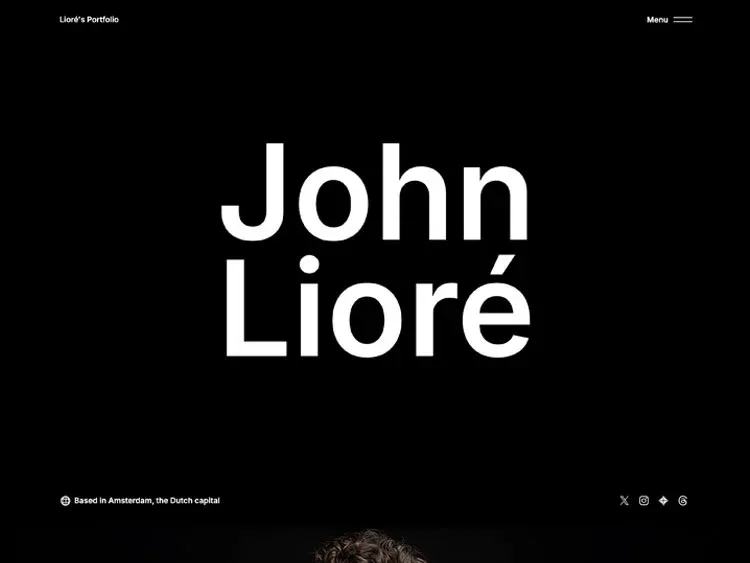
View Template · by Masterthemes
Lioré is the first Webflow template on this list, and it is a bold one. Your name fills the whole first screen in huge white letters on black. Then a big portrait and a line of giant scrolling text take over. It is simple, but it is hard to forget.
If your work is visual and you want your name to be the brand, this is a great place to start.
This template is for
Designers, motion and visual effects artists, and anyone who wants a bold personal brand site in Webflow.
Key highlights
Huge name in the hero
Big scrolling text
Dark and minimal
Free on the Webflow marketplace
5. Elian (Free)
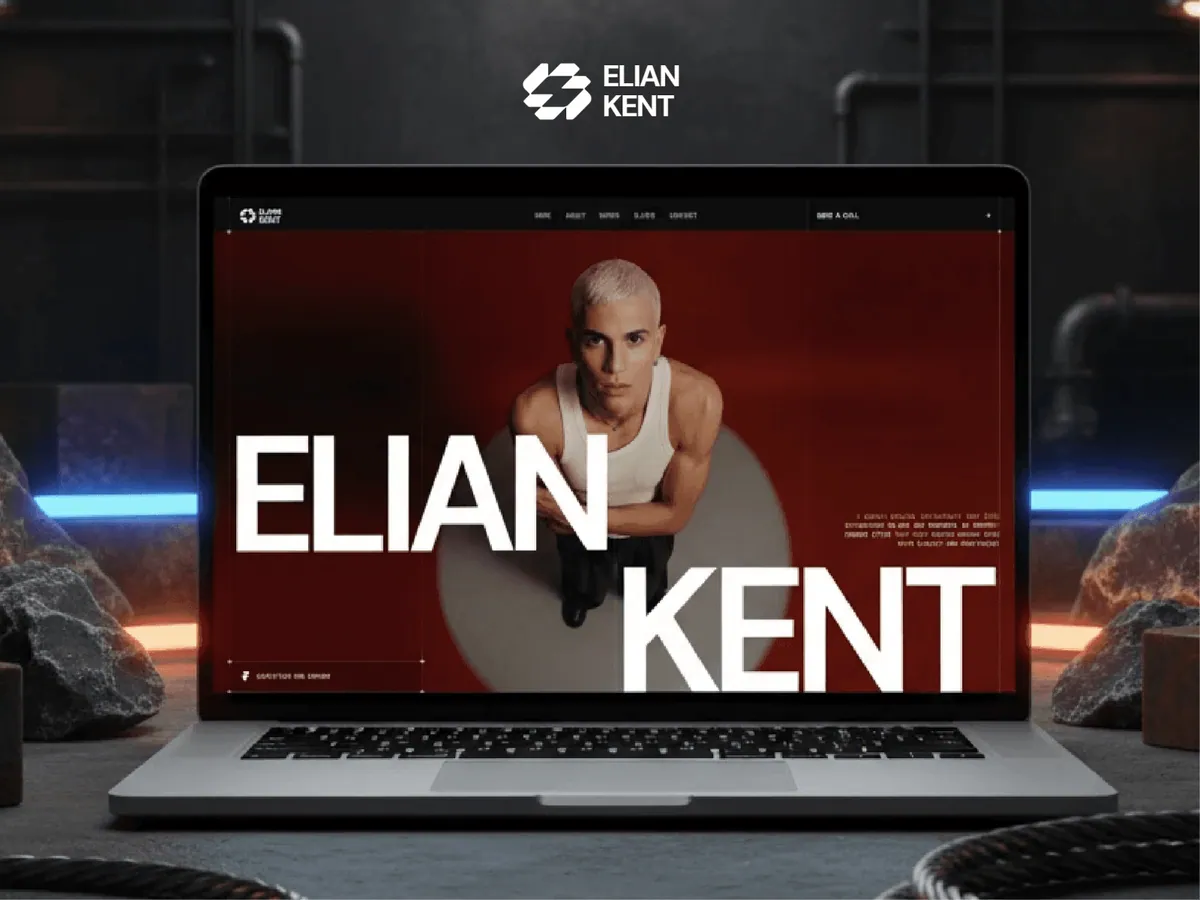
View Template · by Zaid Khan
Elian is one of those templates where you open it and immediately think, wait, this is actually free? The dark theme is sharp and elegant, the border grid layout gives it a very editorial feel, and the whole thing just looks confident. It does not scream for attention, it just earns it.
It is built for modern creatives who want their portfolio to feel premium without going overly minimal or overly flashy. The structure is clean, the typography is bold, and everything flows really naturally from section to section. I keep coming back to this one.
This template is for
Creatives and designers who want a dark, elegant portfolio with a strong editorial look.
Key highlights
Striking dark theme with clean border grid layout
Bold editorial aesthetic
Smooth storytelling structure
Feels premium but is completely free
6. Cohesion (Free)
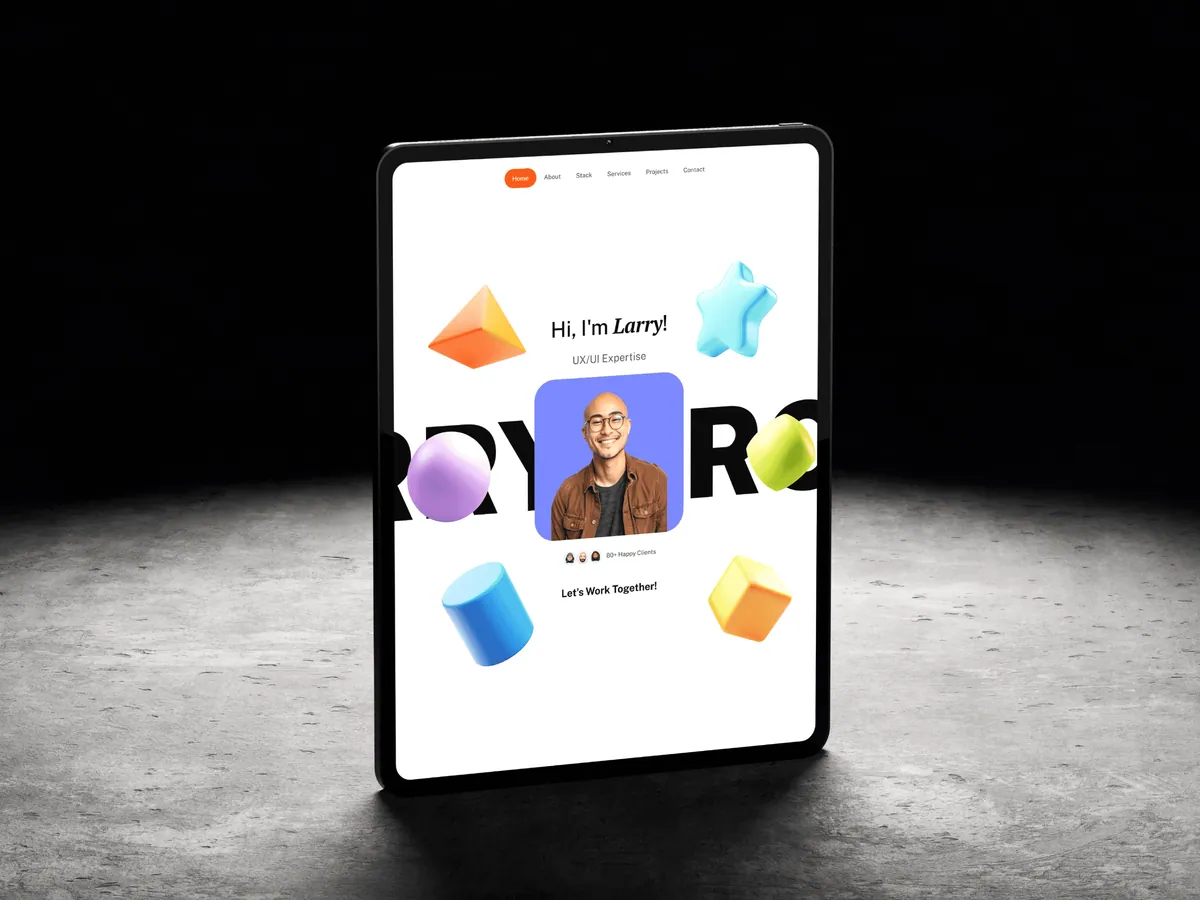
View Template · by Cristian Mielu
Cohesion is another option for you if you want a minimalist portfolio website. I am amazed with the hero parallax animation and the scroll animation on the second section. It feels smooth and really adds a modern touch without being too flashy.
This template is for
Creative professionals or developers who want parallax and smooth scroll animations.
Key highlights
Custom cursor animation
About me scroll animation
Parallax hero section
7. Picturelock (Free)
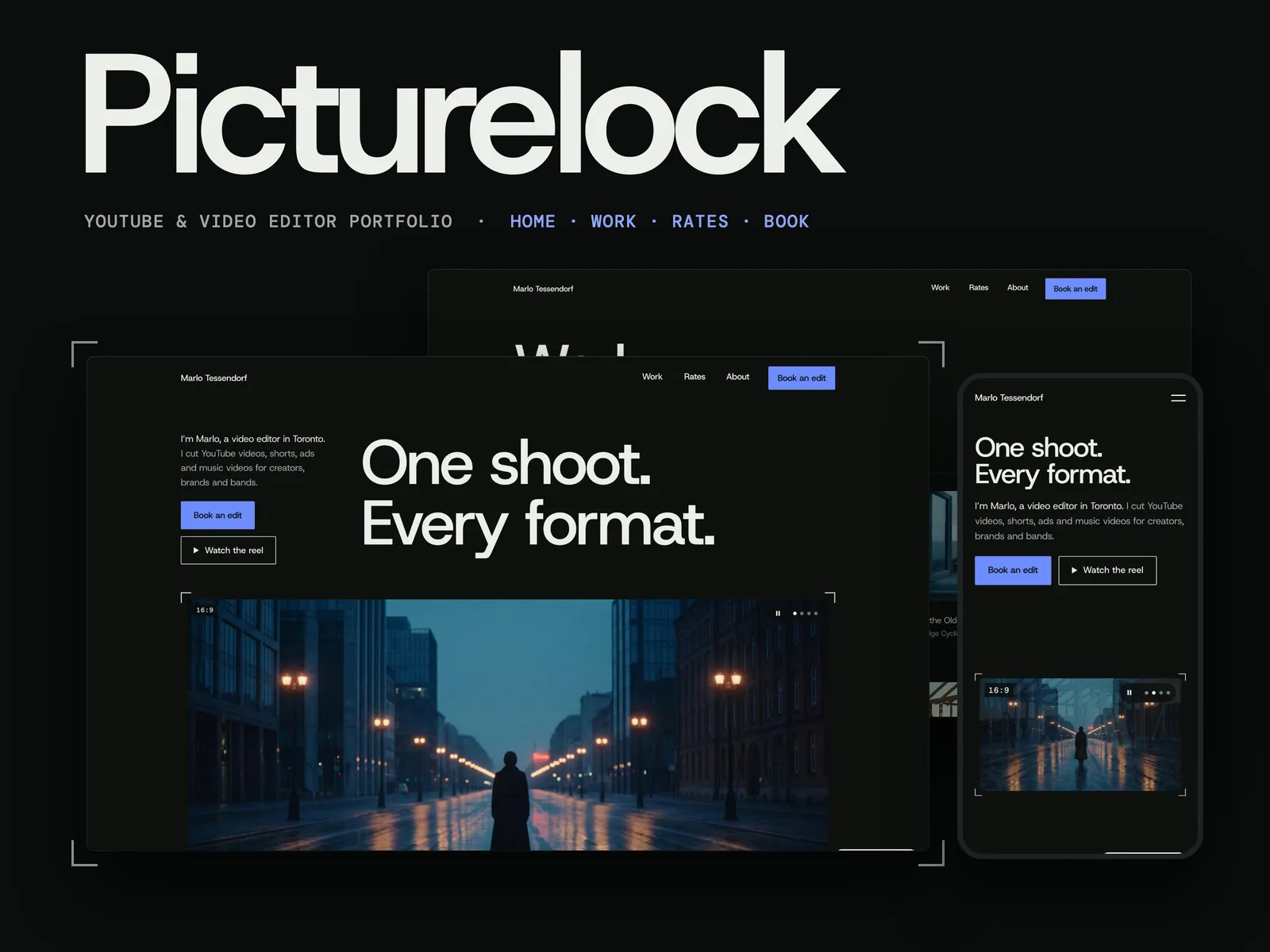
View Template · by Meridian Labs
Picturelock is made for video editors, and it shows. The hero puts your reel front and center, with a Watch the reel button right next to Book an edit. It also has its own Rates page, so clients know what to expect before they reach out.
A lot of people search for a Framer portfolio for video editors, and this is the cleanest free one I found.
This template is for
Video editors who cut YouTube videos, shorts, ads or music videos and want clients to book them.
Key highlights
Built around your showreel
Rates and booking pages
Dark, cinematic look
Free to use
8. Billie (Free)
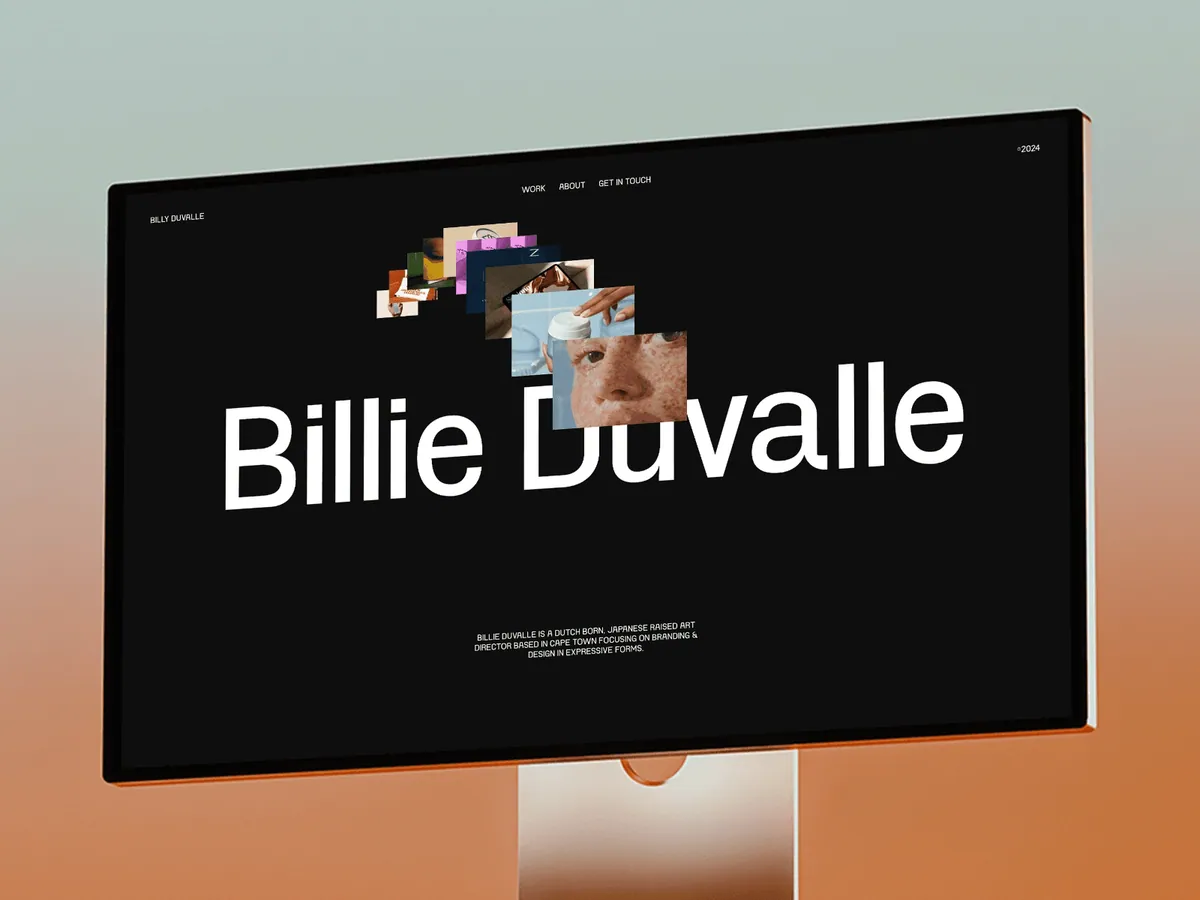
View Template · by Gustave Flowbert
Billie has an amazing intro animation with mouse trailing animation on the hero section. It has been viewed by more than 128k people, so people are definitely loving this template. The whole layout feels clean and easy to follow, which makes it a solid pick for showing your work with style.
This template is for
Agency and personal use for those who want a minimal and elegant way to present their work.
Key highlights
Mouse trailing animation
Smooth scroll
Minimalism dark mode
9. Layout (Free)
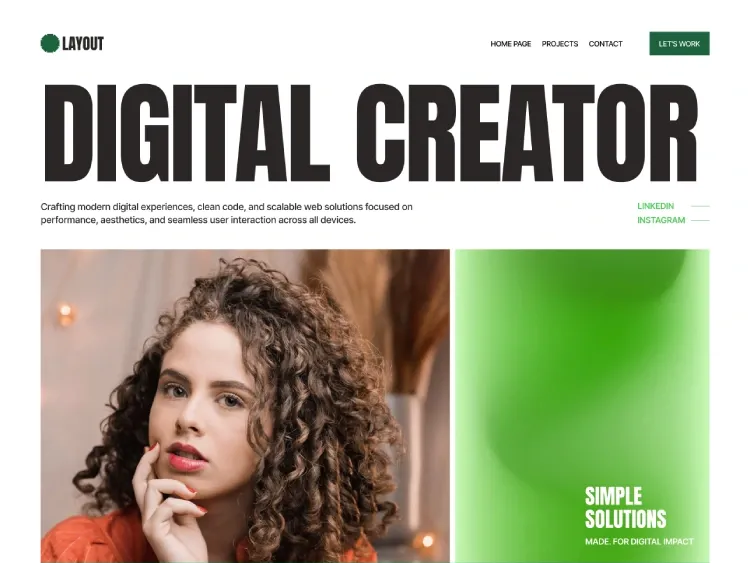
View Template · by Kedd
Layout is a light, bright Webflow template with a huge condensed headline and a fresh green accent. A moving strip under the hero tells visitors you are available for freelance work. It feels confident without being dark or moody.
It comes with a projects page and a single project page, so you have room to show real case studies.
This template is for
Freelance designers and developers who want a bright, bold portfolio in Webflow.
Key highlights
Big condensed headline
Green accent color
Projects and project detail pages
Free on the Webflow marketplace
10. Villo (Free)
View Template · by CocoBasic
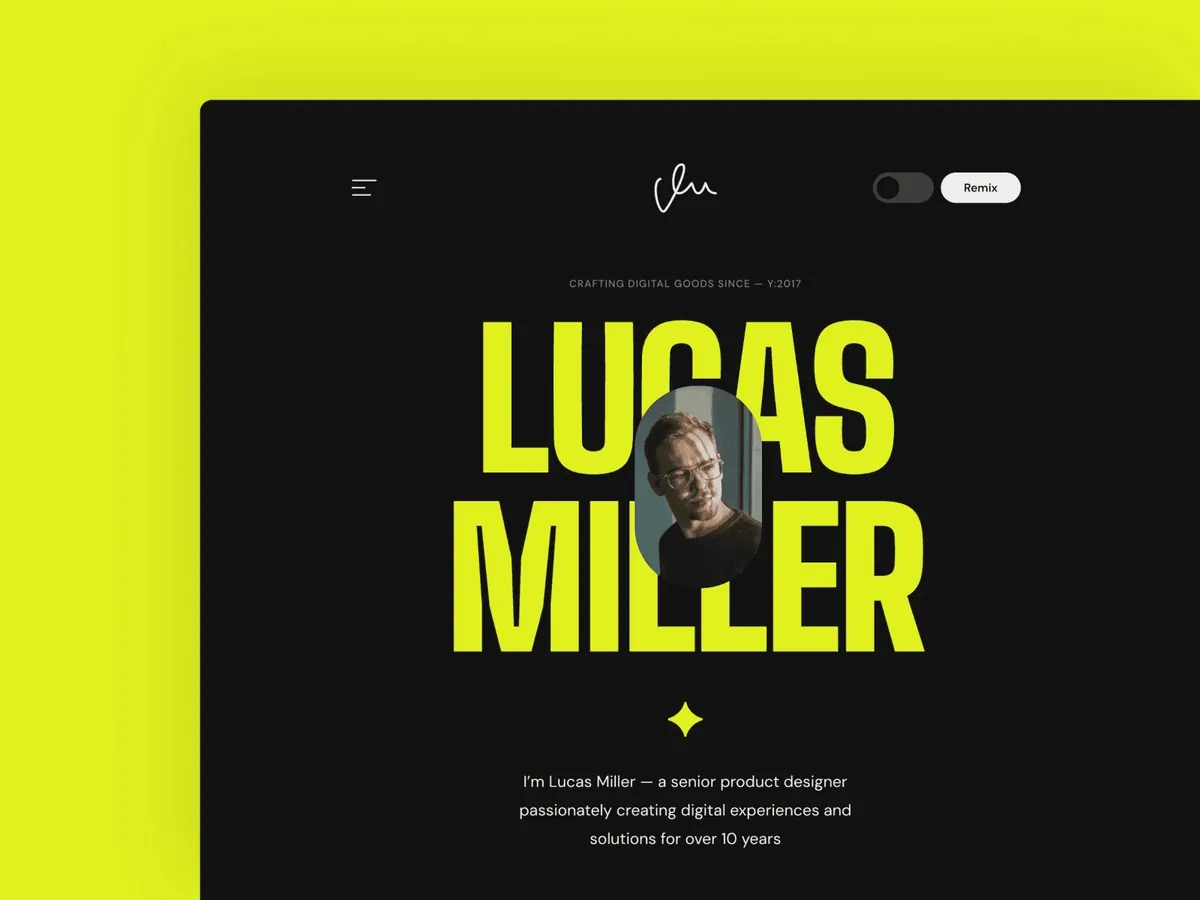
Villo has almost the same vibe as Billie, but what has been a huge unique selling point for me is the light and dark mode toggle. It also comes with a significantly larger number of pages than Billie, which provides more flexibility if you need additional sections right out of the box.
This template is for
Creatives, developers, freelancers.
Key highlights
Light and dark mode feature
Comes with a lot of pages
Clean dark mode layout
11. Jorge (Free)
View Template · by Ludovic Losco
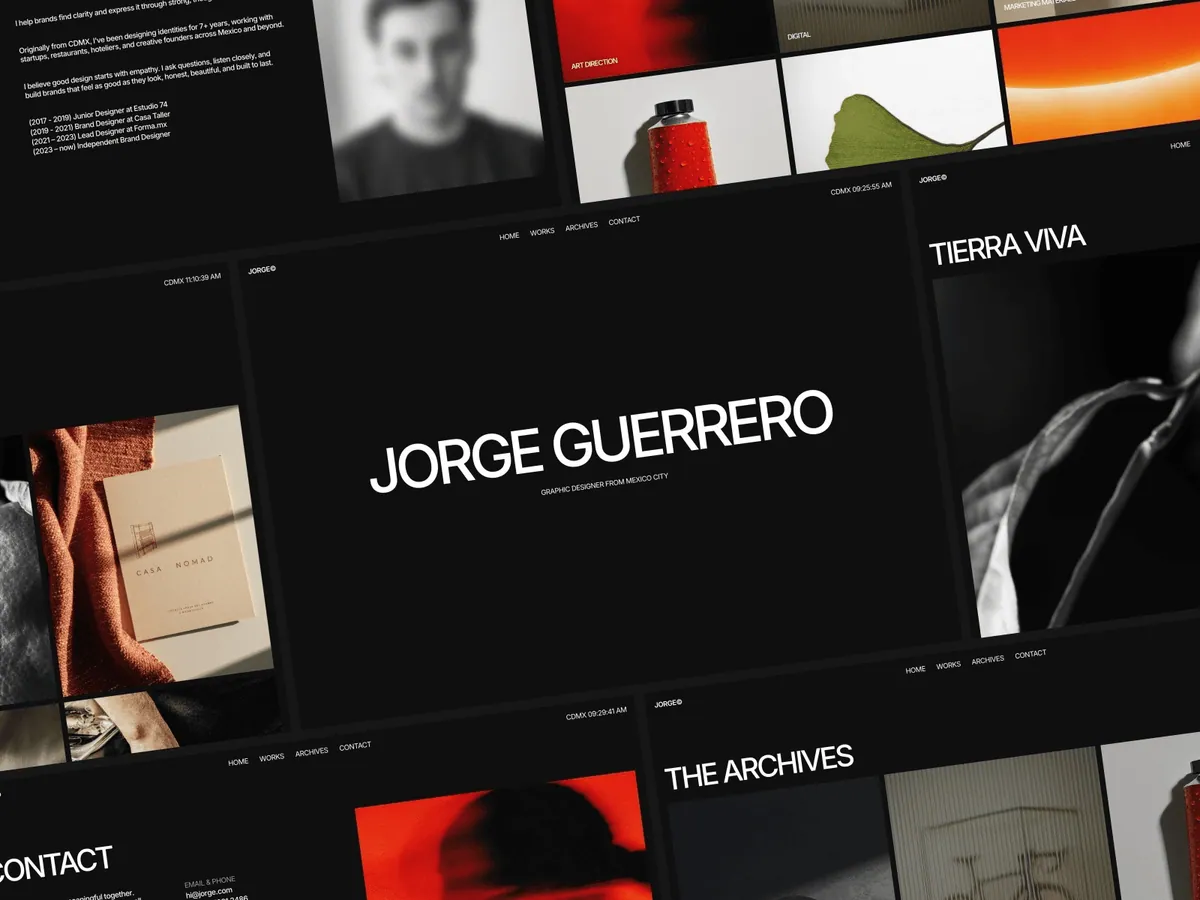
Jorge is a really clean and unpretentious template. It does not try to do too much, and that is actually what makes it work. The layout is minimal, the typography is sharp, and everything feels very intentional. I like how easy it is to jump in and make it yours without having to undo a bunch of design decisions first.
It is built for designers, freelancers, and creatives who want something fully responsive that just works. If you are the kind of person who likes things clean and to the point, Jorge is worth a look.
This template is for
Designers, freelancers, and creatives who want a simple, minimal portfolio that is easy to customize.
Key highlights
Minimal and easy to customize
Fully responsive layout
Clean typography
Free to use
12. Vidoz (Free)
View Template · by Framer Geeks
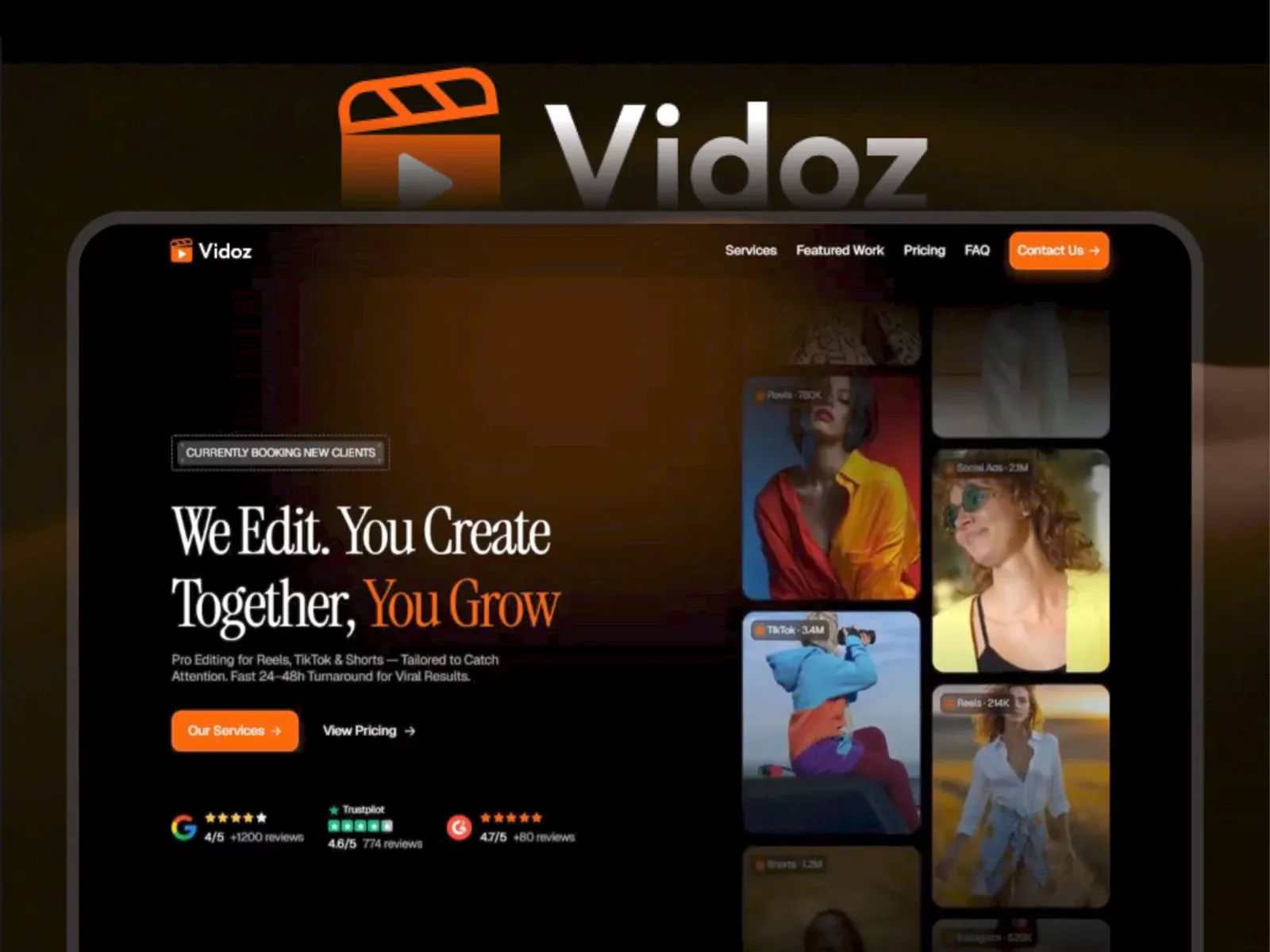
Vidoz is the second pick for video editors, but it feels more like a small studio site. The hero shows vertical videos with their view counts, plus review scores to build trust fast. It also has services, pricing and FAQ sections built in.
If you sell editing for Reels, TikTok and Shorts, this one speaks your clients’ language.
This template is for
Short-form video editors and small editing studios who sell packages to creators and brands.
Key highlights
Vertical video showcase
Services, pricing and FAQ
Reviews in the hero
Free to use
13. Hanssen (Free)
View Template · by Pawel Gola
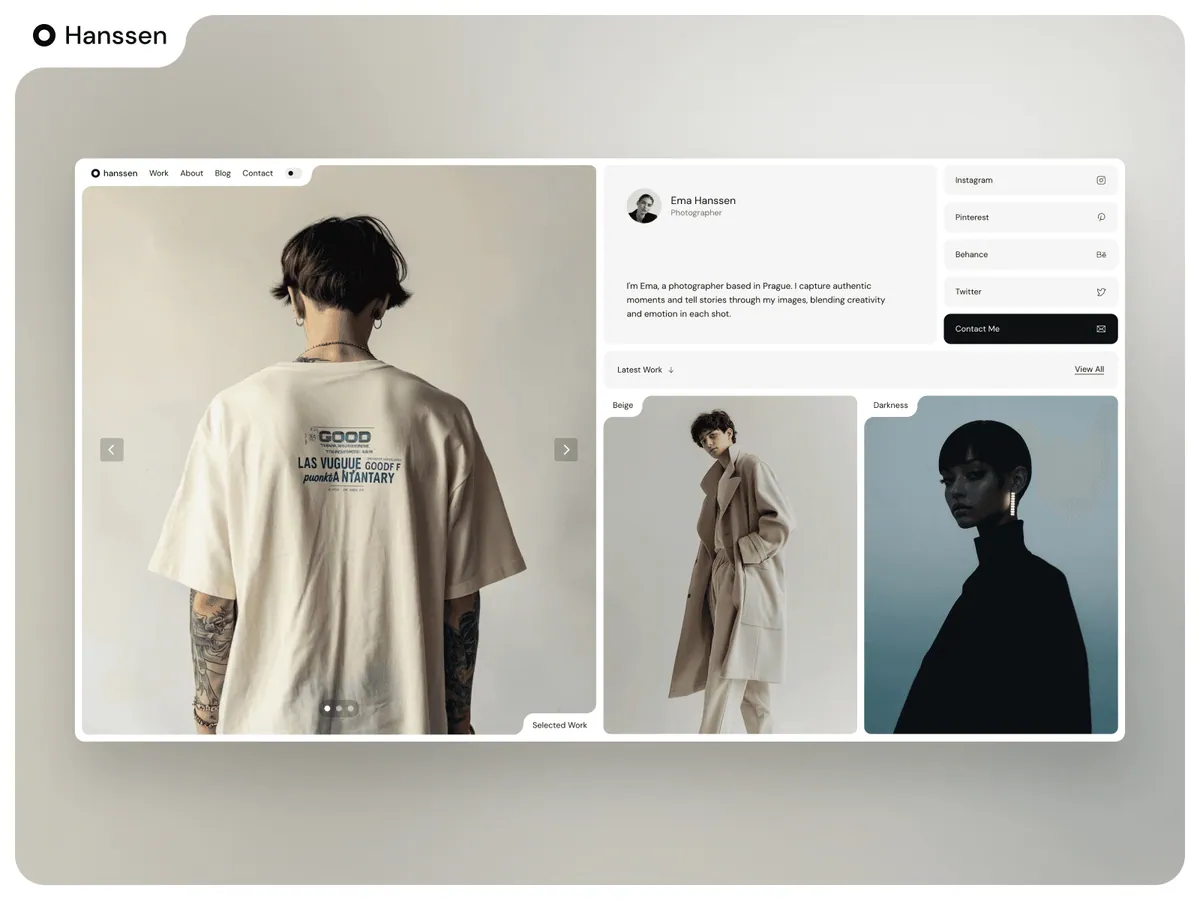
Hanssen gave me gallery vibes right away. The layout is very unique, kind of like a mix between a dashboard and bento design. It also has a light and dark mode switch, which adds a nice layer of flexibility to the whole experience.
This template is for
Personal portfolio.
Key highlights
Light and dark mode feature
Unique left and right layout
Has a decent number of pages
14. Eclipsis (Free)
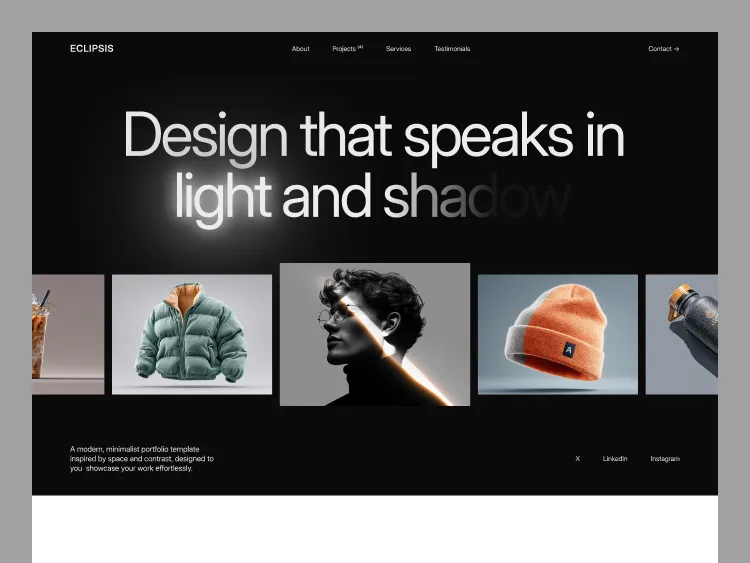
View Template · by Arkanis Studio
Eclipsis plays with light and shadow. The headline glows on a black background, and your work slides by in a row right under it. Then the page switches to clean white, with a short intro and a few big numbers about your experience.
It is a nice mix of moody and clean, and it works for both personal portfolios and small studios.
This template is for
Designers and small creative studios who want a modern Webflow portfolio with a little drama.
Key highlights
Glowing headline
Sliding work gallery
Dark and light sections
Free on the Webflow marketplace
15. Dune (Free)
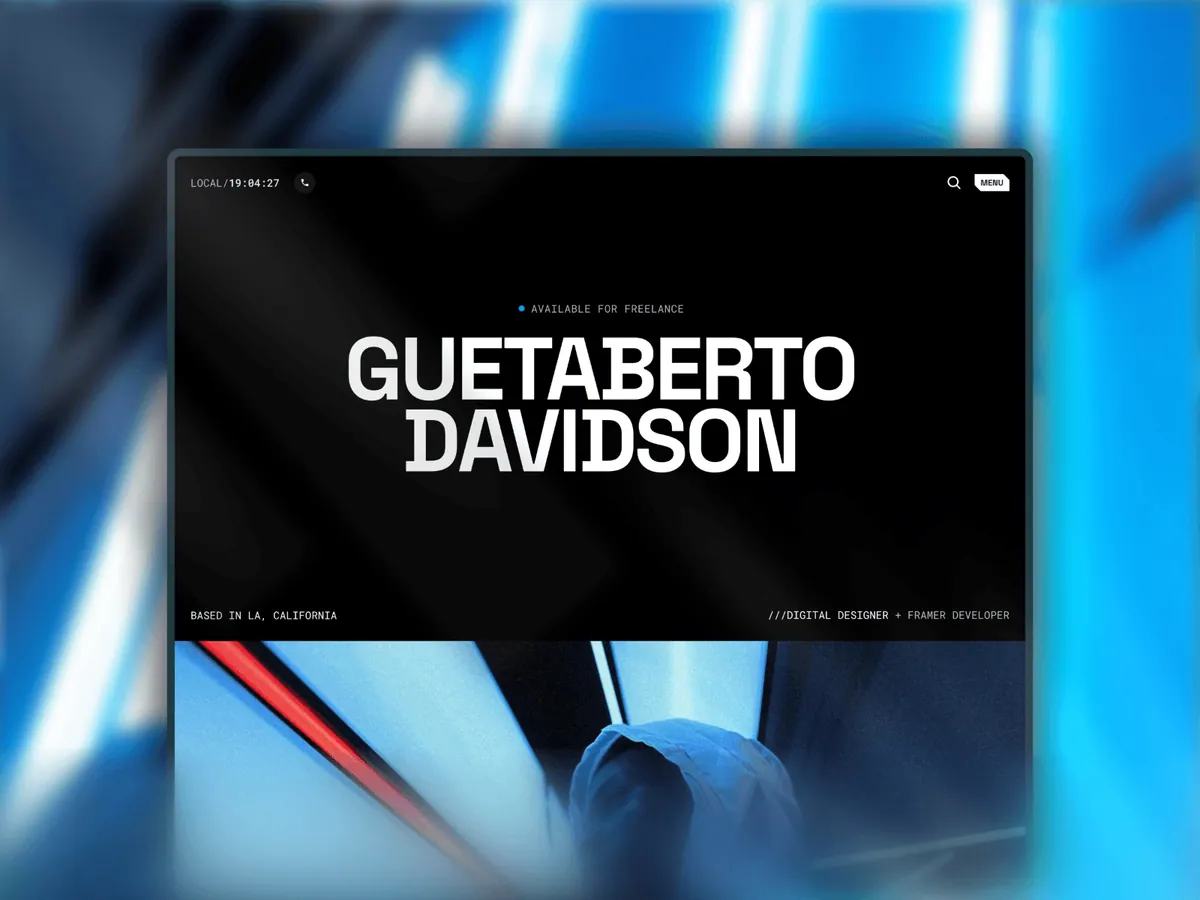
View Template · by Westhill Studio
Dune has a cyberpunk vibe. It is very futuristic in my opinion, and that really shows in the font choice, design direction, and the image noise texture. It also comes with a sidebar menu which takes the template to the next level. I am honestly surprised that this one is free!
This template is for
Agency and personal portfolio sites that want a cyberpunk style.
Key highlights
Futuristic vibe
Noise texture on every image
Corner cut edge image style
Sidebar menu
Custom cursor
16. Archizen (Free)
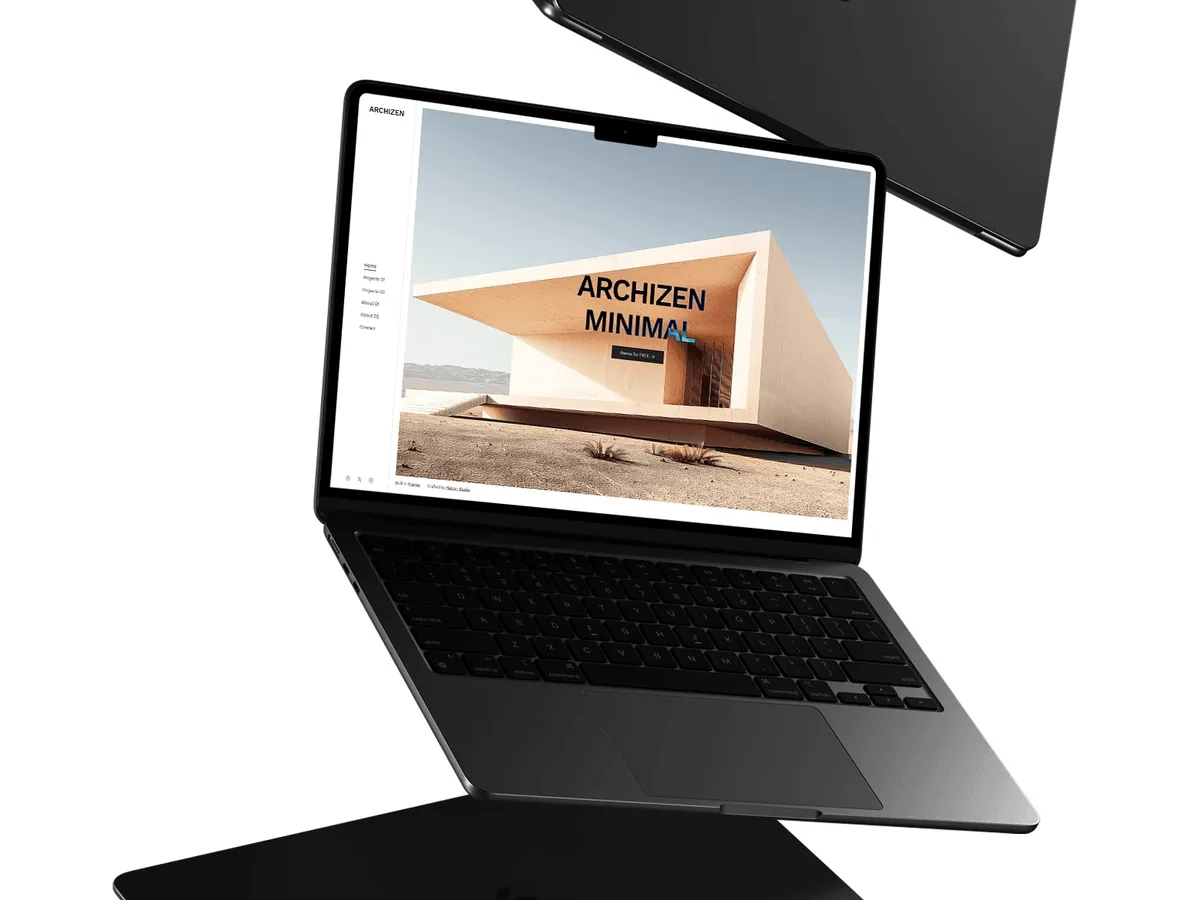
View Template · by Widya Bayu W
What is unique about Archizen is its dashboard style layout and the hover animation on the project page. It is quite a minimalist template, and I found it very easy to customize. It also has a unique intro animation when you first open the homepage, which adds a nice touch right off the bat.
This template is for
Architects and personal portfolio websites.
Key highlights
Dashboard style layout
Smooth hover animation
Unique intro animation
17. Webstack (Free)
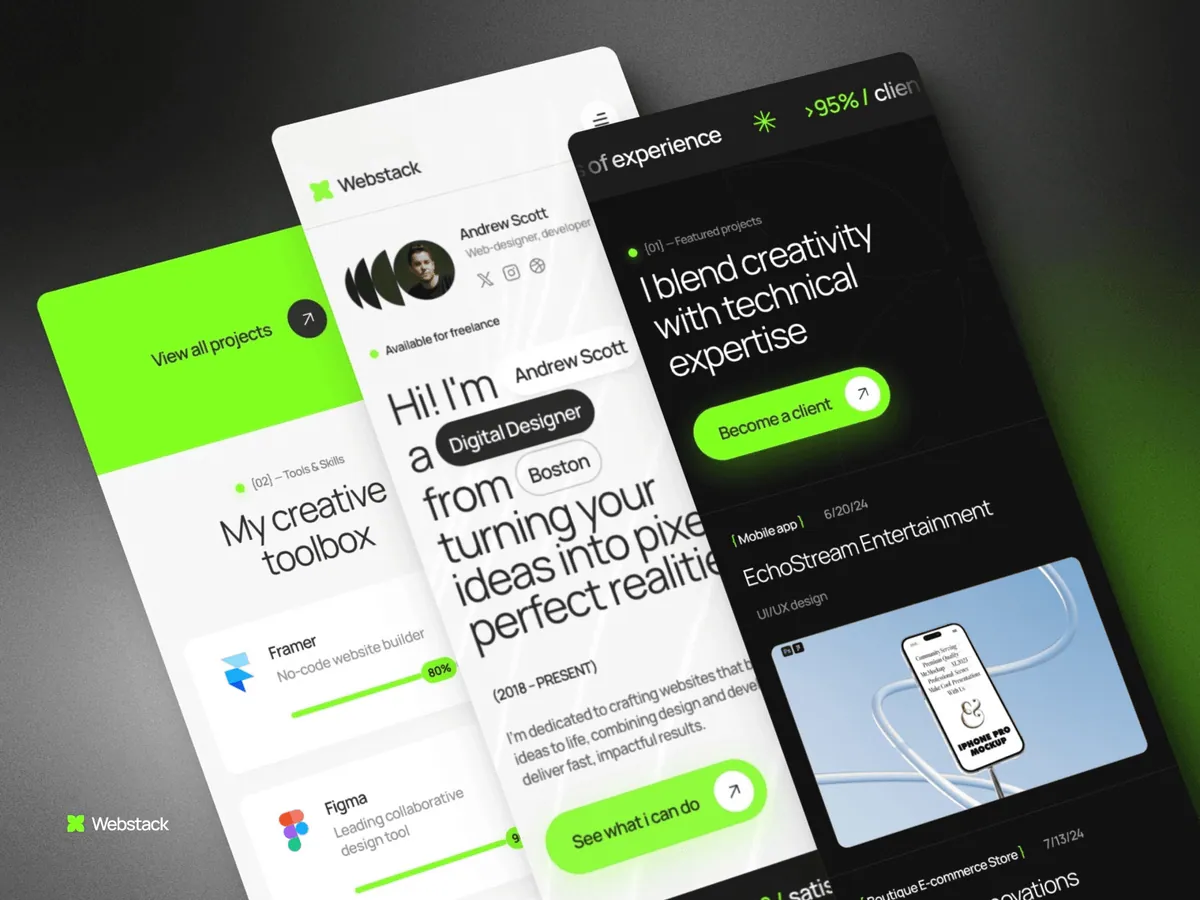
View Template · by Anatolii Dmitrienko
Webstack is a simple portfolio template, but I found the design really stands out because of its attention to detail. There are little touches throughout the layout, especially in the footer, that make it feel premium. It is clean, balanced, and surprisingly refined for a free template.
This template is for
Freelancers and business websites.
Key highlights
A lot of details in some sections
A combination of black and white sections
Beautiful typography
18. Aluro (Free)
View Template · by Eclipso Studio
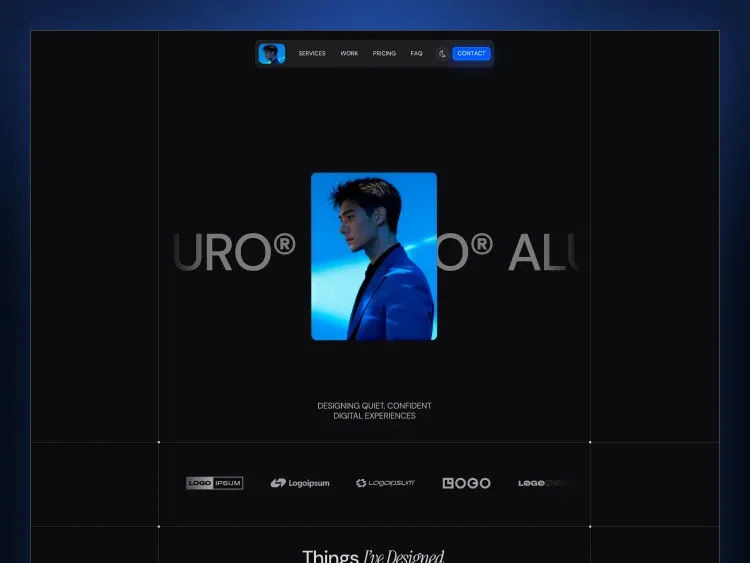
Aluro is dark, sharp and a little techy, with thin grid lines across the whole page. What makes it different is that it is built to sell. After your logos and a project slider, there is a pricing section with a monthly and yearly switch, plus an FAQ.
If you sell design as a package, this saves you from building a pricing page yourself.
This template is for
Freelance designers who sell monthly design plans or fixed packages.
Key highlights
Pricing section with a monthly and yearly switch
Project slider
Client logos and FAQ
Free on the Webflow marketplace
19. Photographer (Free)
View Template · by Real Mehedi
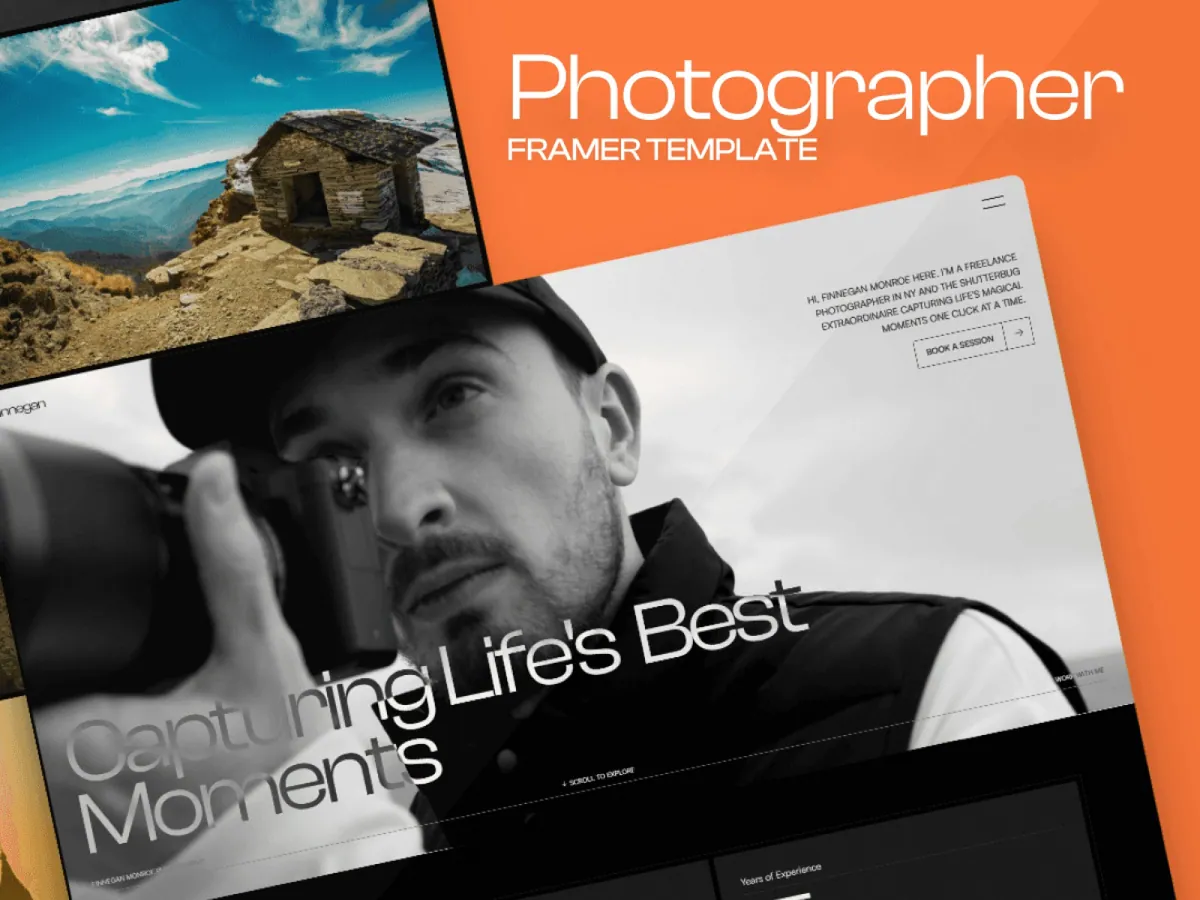
I am really impressed with the transition of the video on the hero section to the next section. It is just so smooth, and combined with the blending filter on the font, it really makes this template unique from the rest of this list. It also has a sick scroll animation. I cannot believe this template is free for how smooth and unique it is.
This template is for
Personal and photographer websites.
Key highlights
Smooth hero transitions
Smooth scroll animation
Dark mode
Unique menu navigation
20. LaunchFolio (Free)
View Template · by Joseph Alexander
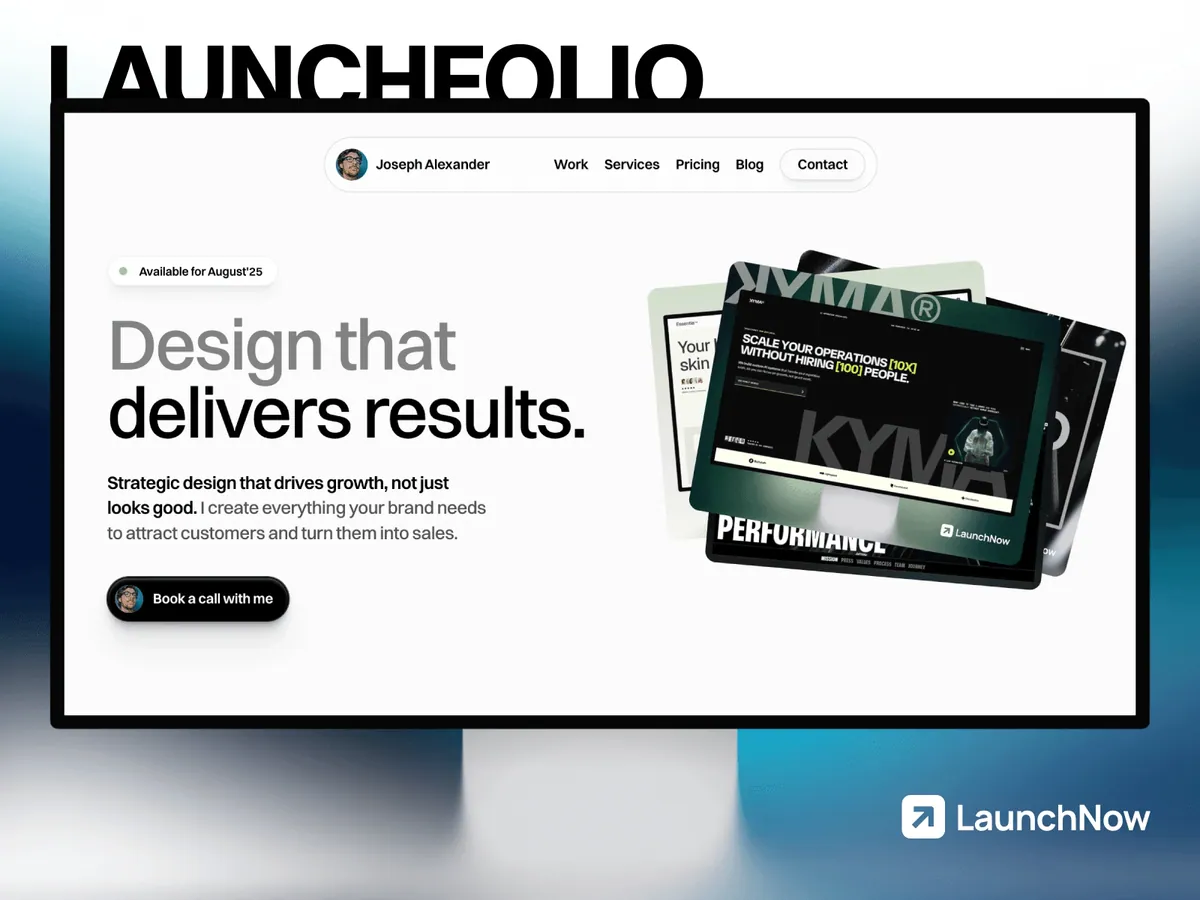
LaunchFolio is honestly one of the most complete free portfolio templates I have ever come across. It is by Joseph Alexander, who also made Mugen, so the quality level is exactly what you would expect. What makes this one different from everything else on this list is that it is not just a portfolio, it is a whole system. You get a projects section, a blog, and even a quote generation page built right in, all powered by Framer's CMS.
If you are a freelancer trying to actually land clients from your portfolio rather than just show off work, this one is built for that. The structure is conversion-focused and everything connects together really naturally. It has over 51k views on the marketplace, so it is clearly resonating with people. I would not be surprised if this becomes one of the most popular free templates on Framer by the end of the year.
This template is for
Freelancers and designers who want a full portfolio system that is built to attract and convert clients, not just showcase work.
Key highlights
Full CMS with projects, blog, and quote generation
Conversion-focused layout built to win clients
Over 51k views on the Framer marketplace
Free to use
Which One Should You Pick?
Here is how I would choose:
Want something minimal? Go with Arjuna, Jorge or Kurawa.
Want it to look premium? Fuel and Elian look the most expensive.
Love smooth motion? Try Cohesion, Billie or Photographer.
Video editor? Picturelock if you want clients to watch your reel and book you. Vidoz if you sell short-form editing packages.
Photographer or architect? Photographer for photos, Archizen for architecture.
Want the site to win clients? LaunchFolio has a quote page, and Aluro has a pricing section.
Building in Webflow? Lioré is the boldest, Layout is light and bright, Eclipsis mixes dark and light, and Aluro is dark with pricing.
Building with Claude Code, Codex or Cursor? Pick a template with an HTML version. Arjuna and Kurawa both come in HTML with a Design.md.
Still deciding between the two builders? Read our Framer vs Webflow comparison.
What Makes a Good Portfolio Template
There are a lot of portfolio templates out there, but not all of them are created equal. After spending time reviewing and customizing many portfolio templates, I have learned what separates the good ones from the great.
1. Clean and focused layout
A strong portfolio template should keep the spotlight on your work. The layout needs to be clear and simple, with enough space between sections and smooth flow from top to bottom.
2. Mobile friendly design
Most people will view your site on a phone. A good portfolio template should look just as good on mobile as it does on a big screen. It needs to be fully responsive and fast to load.
3. Easy customization
One of the biggest reasons I use Framer and Webflow templates is because they are so easy to customize. You can switch colors, change fonts, add sections, and adjust layouts all from the visual editor.
4. Built in animations
Subtle animations like scroll effects, hover states, or parallax motion can make your portfolio feel modern and professional. Templates like Cohesion and Photographer use these really well.
5. Support for different content types
Your site should tell your story in your own way. That means it should support images, video, text, case studies, or anything else you need to include. A flexible portfolio template makes this easy.
6. Unique personality
Finally, great portfolio templates have their own vibe. Some feel clean and quiet. Others feel bold and futuristic. Choose the one that matches the feeling you want visitors to remember.
Frequently Asked Questions
Are these portfolio templates really free?
Yes. All twenty are free to use. To publish on your own domain, Framer and Webflow both need a paid site plan. Arjuna and Kurawa are also free to download as HTML on Velox Themes.
Can I use a free template for a client’s website?
Usually, yes. Each marketplace has its own license, so check the template’s page before you build a site for a client.
Do I need to know code?
No. Framer and Webflow templates are edited visually. You only need code, or an AI tool, if you pick an HTML version.
Should I build my portfolio in Framer or Webflow?
Framer is quicker to learn and has more free portfolio templates. Webflow gives you more control over the CMS and the code. See our Framer vs Webflow comparison for the details.
Can AI tools like Claude Code edit these templates?
Framer and Webflow templates are edited inside those tools, and both have built-in AI. If you build with code, pick a template with an HTML version. Arjuna and Kurawa come in HTML with a Design.md, which helps your AI tool keep the same colors, fonts and spacing.
Final Thoughts
Now you already have the full list. You just need to pick one and start building. Do not overthink it. Do not procrastinate.
Start shipping your portfolio today and let your dream clients or your dream company finally see what you are capable of. Stop waiting for the perfect moment because the perfect moment is now. Not sure how much to charge for your next client? You can try our free website cost calculator to see what the industry standard charges.
Once you have picked your template, make sure everything is ready by walking through our website launch checklist. It will help you polish every detail so your site looks perfect when the whole world sees it.