Comparison
Framer vs Webflow 2026: Speed, Design, CMS & Pricing Compared
Framer or Webflow in 2026? Side-by-side comparison on design freedom, CMS, pricing, ecommerce, and client handoff, from a designer perspective.
By

Widya Bayu W
Share
Summary
Framer feels like Figma, great for designers who want to build and publish visually without touching code.
Webflow offers more control, ideal for developers or users with technical knowledge who want full flexibility.
Ease of Use: Framer is easier to learn for designers, and Webflow has a steeper learning curve but more structure.
Animations: Webflow animations are snappier (thanks to GSAP), while Framer’s are smoother but can feel softer.
CMS: Webflow is better for blog-heavy or dynamic content. Framer’s CMS works well for smaller projects.
Client Collaboration: Framer offers free client editing for Pro Experts. Webflow requires a paid Workspace.
Ecommerce: Webflow has native ecommerce. Framer needs third-party tools like LemonSqueezy or Shopify plugins.
Affiliate Earnings:
Framer offers 50% recurring commission for the first year
Webflow gives 50% for the first year, plus up to 15% more if the customer renews after 12 months (Webflow Affiliate Info)
Template Sales:
Framer lets creators keep 100% of template revenue and sell outside the marketplace
Webflow pays 95%, up from 80%, and recently started allowing external template sales
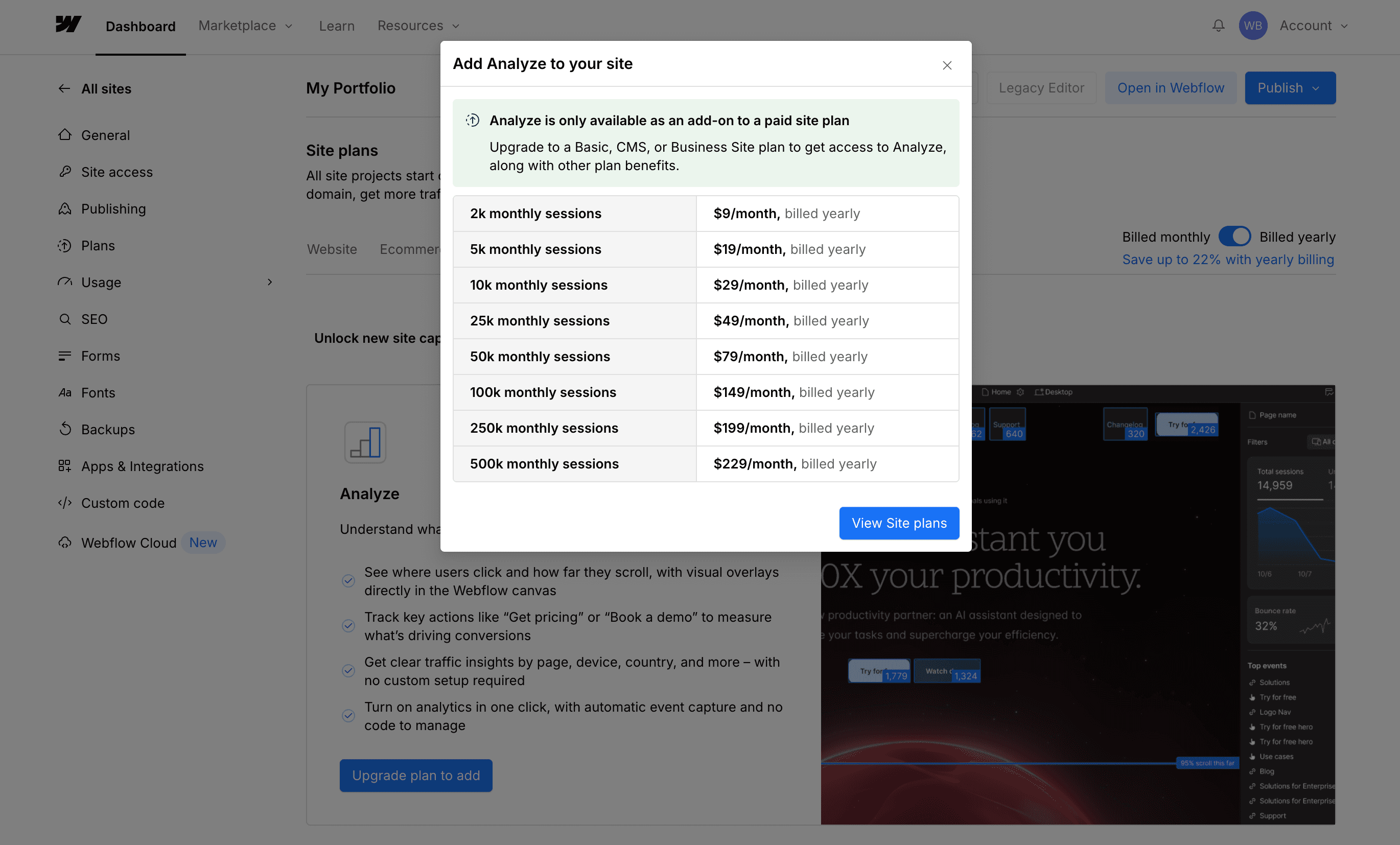
Pricing: Framer is simpler and includes hosting. Webflow has more pricing layers (Site + Workspace + Ecommerce).
SEO: Webflow has deeper SEO control but requires additional subscription. Framer keeps it simple with built-in tools and analytics.
Growth Trend: Framer is rapidly catching up in popularity, recently passing Webflow in Google search interest.
Introduction: My Journey from WordPress to Webflow to Framer
When I first started building websites, I was using WordPress with page builders like Elementor. It was flexible and I didn’t need to touch much code, which was great at the time. But as I wanted more design control, I started looking into Webflow.
The hype was real but so was the learning curve. It felt more like learning how to code visually and I didn’t have the time or brain space to fully dive in.
Then I found Framer. The interface looked and felt just like Figma, which I already used daily. I was designing and building in the same flow without switching between tools or thinking in code.
If you’re wondering which one is better for your next site, whether you’re a designer, developer, or solo founder, here’s my honest comparison from using both tools in real life.
Framer vs Webflow: A Quick Overview
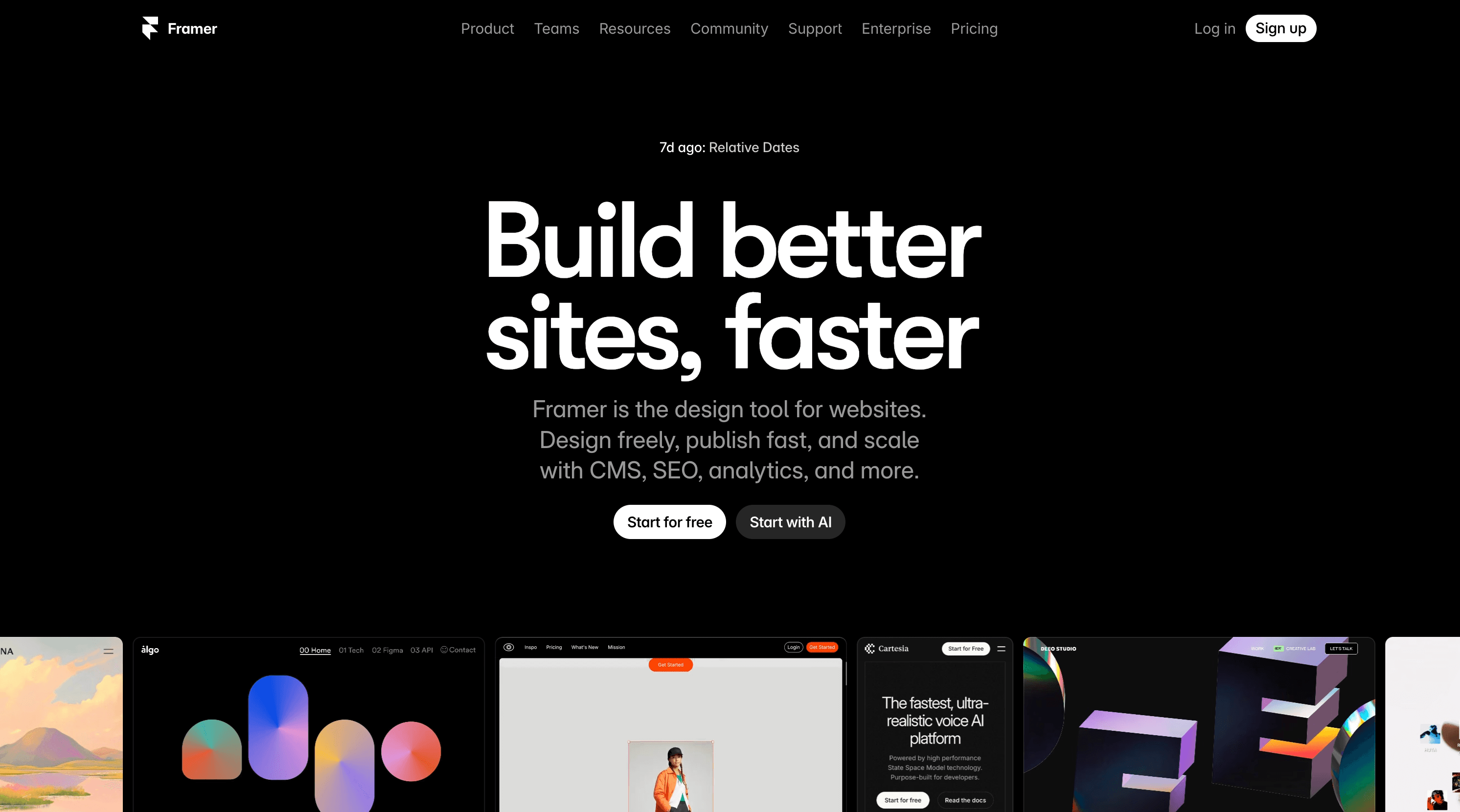
Framer is a no code visual website builder made with designers in mind. It feels like working in Figma, but your design becomes a real live site. Hosting, animation, and even basic analytics are built in.
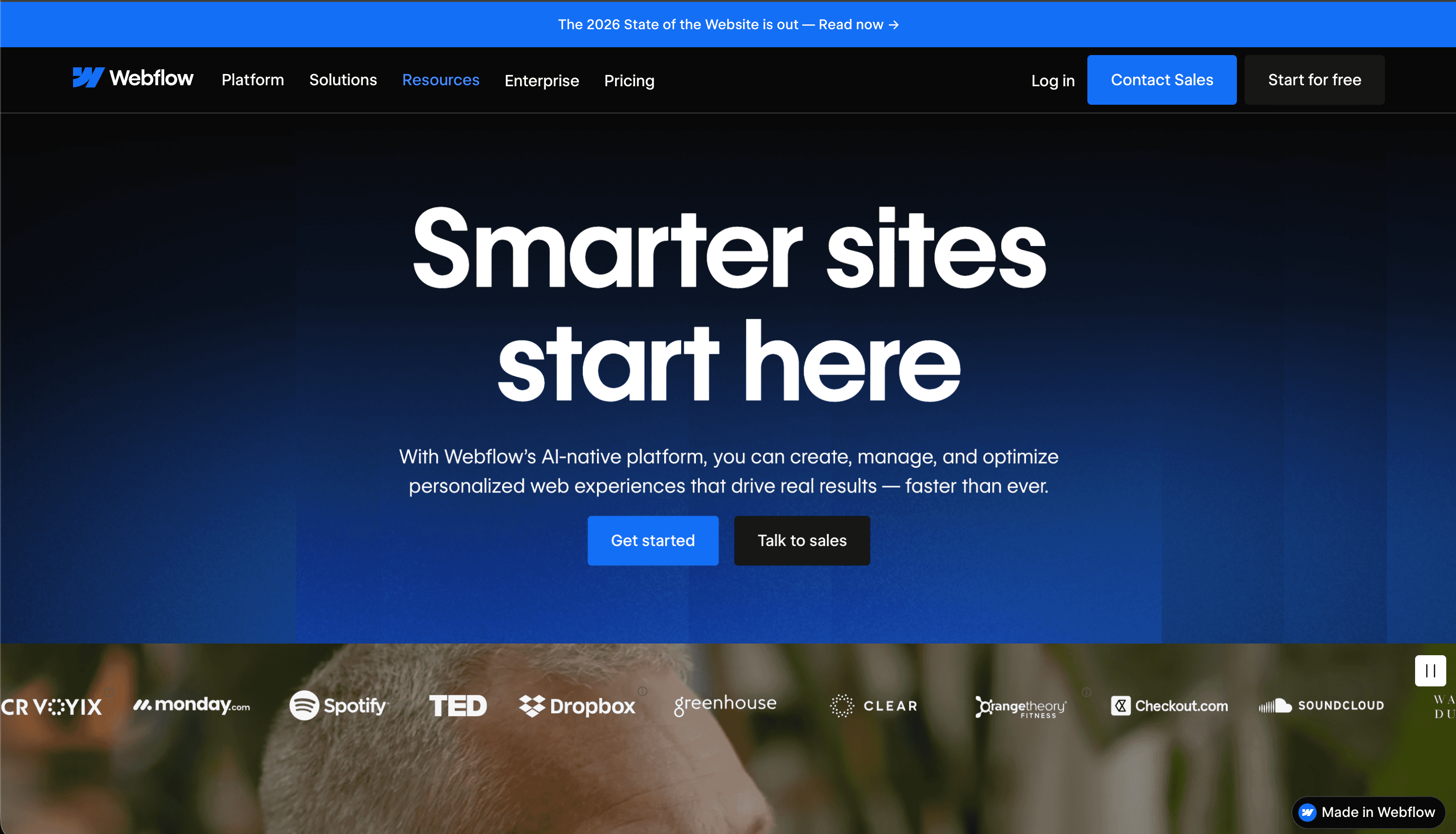
Webflow is more like a visual development platform. It gives you full control over structure, styles, and interactions, but with that control comes a steeper learning curve. It’s super powerful, especially if you’re comfortable thinking like a front end developer.
Google Trends: Framer Is Closing the Gap
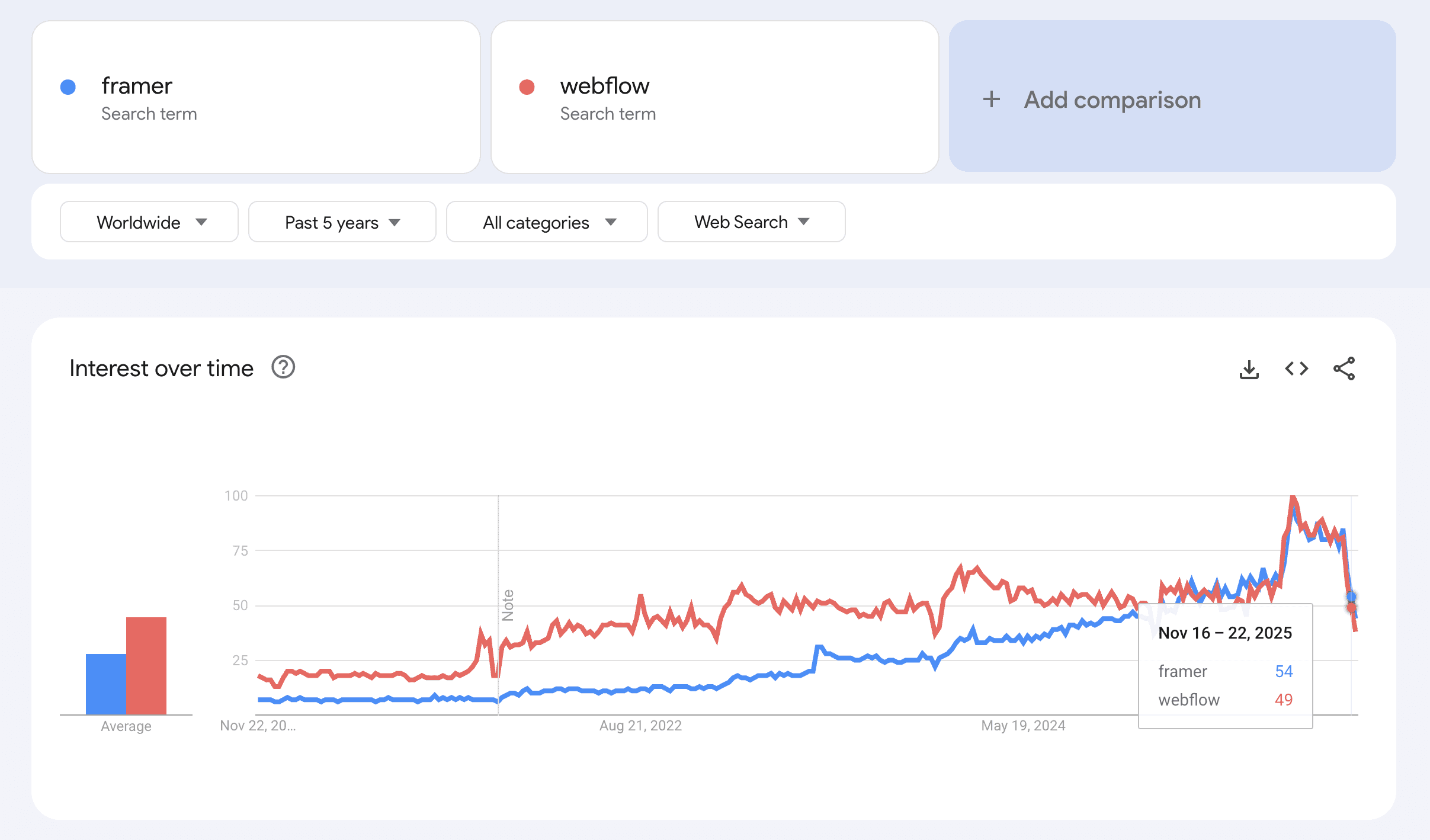
Search interest tells us a lot about where attention is going. Over the last few years, Webflow consistently led in global search volume, but that’s changing fast.
This chart from Google Trends shows how Framer’s popularity is rapidly rising, and in late 2025, it actually surpassed Webflow in worldwide interest.
Source: Google Trends
As of November 16–22, 2025, Framer hit a score of 54 while Webflow was at 49. That spike represents more designers, creators, and startups exploring or switching to Framer for its visual-first experience and fast shipping.
This shift supports what many in the design world are already seeing, Framer is no longer just “up and coming.” It’s here.
How Many Sites Use Framer vs Webflow
Framer
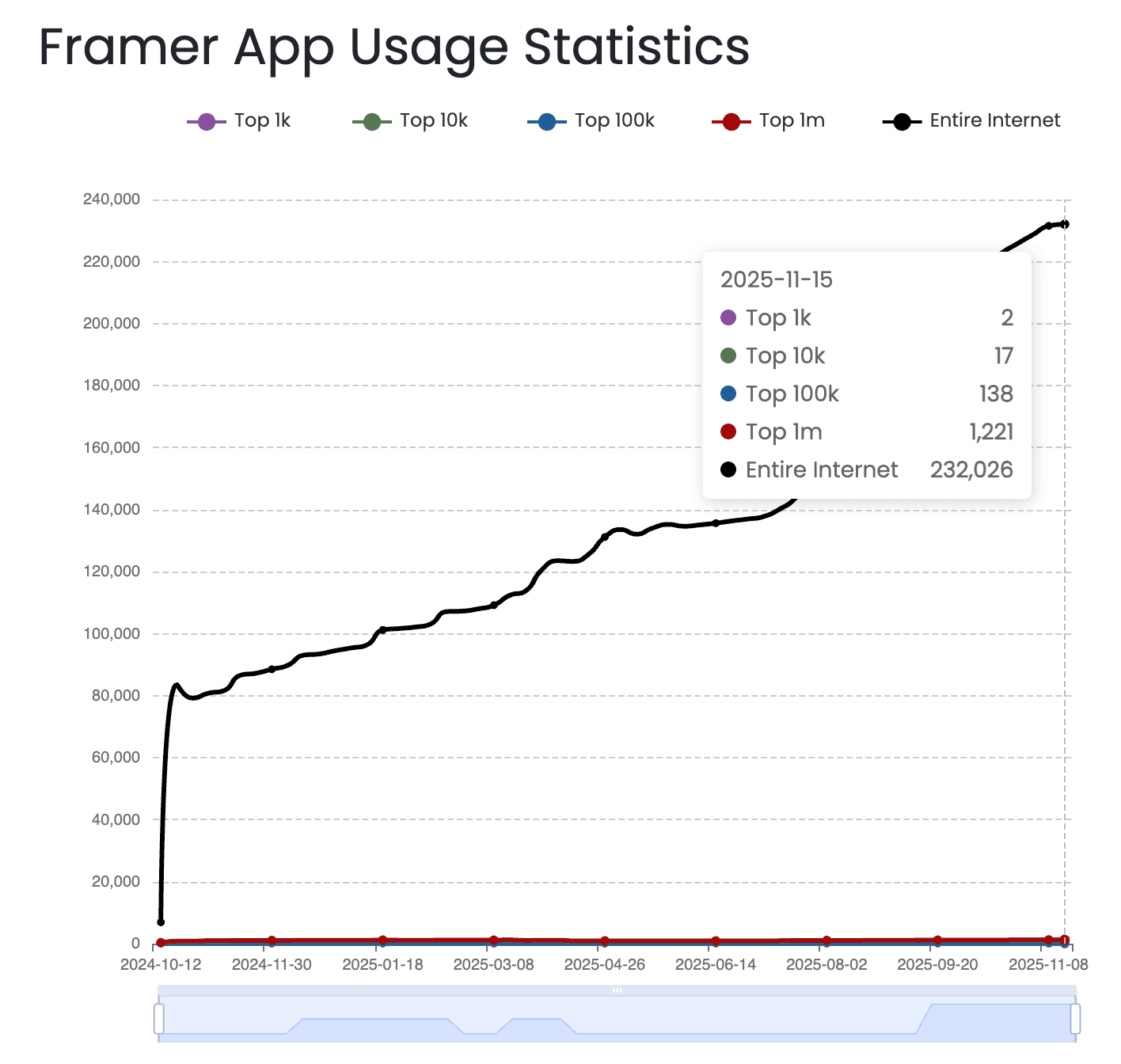
Framer is newer, but growing fast. According to BuiltWith Framer powers over 232,026 live websites. Adoption is especially high among solo creators, startups, and indie designers.
Source: BuiltWith
Webflow
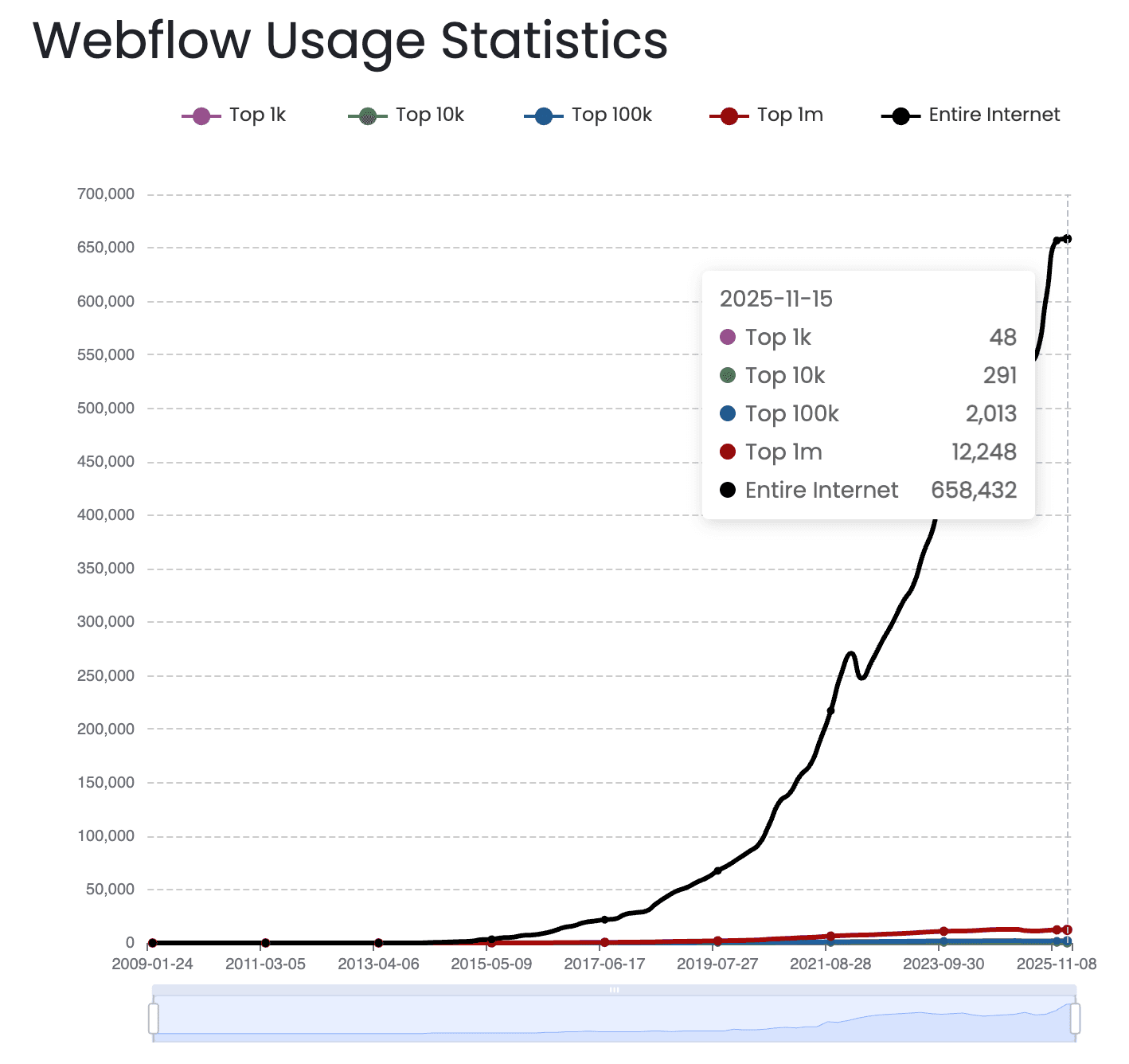
According to BuiltWith, Webflow powers over 658,432 live websites and is used by brands like Dropbox Sign, TED, and MURAL. It currently powers about 0.6% of the internet.
Source: BuiltWith
Design Experience: Visual Freedom vs Developer Control
Framer
For me, Framer just felt easier from day one. The layout, shortcuts, and entire UI felt familiar because it mirrors how Figma works. I was designing and shipping at the same time. No dev handoff. No CSS headaches.
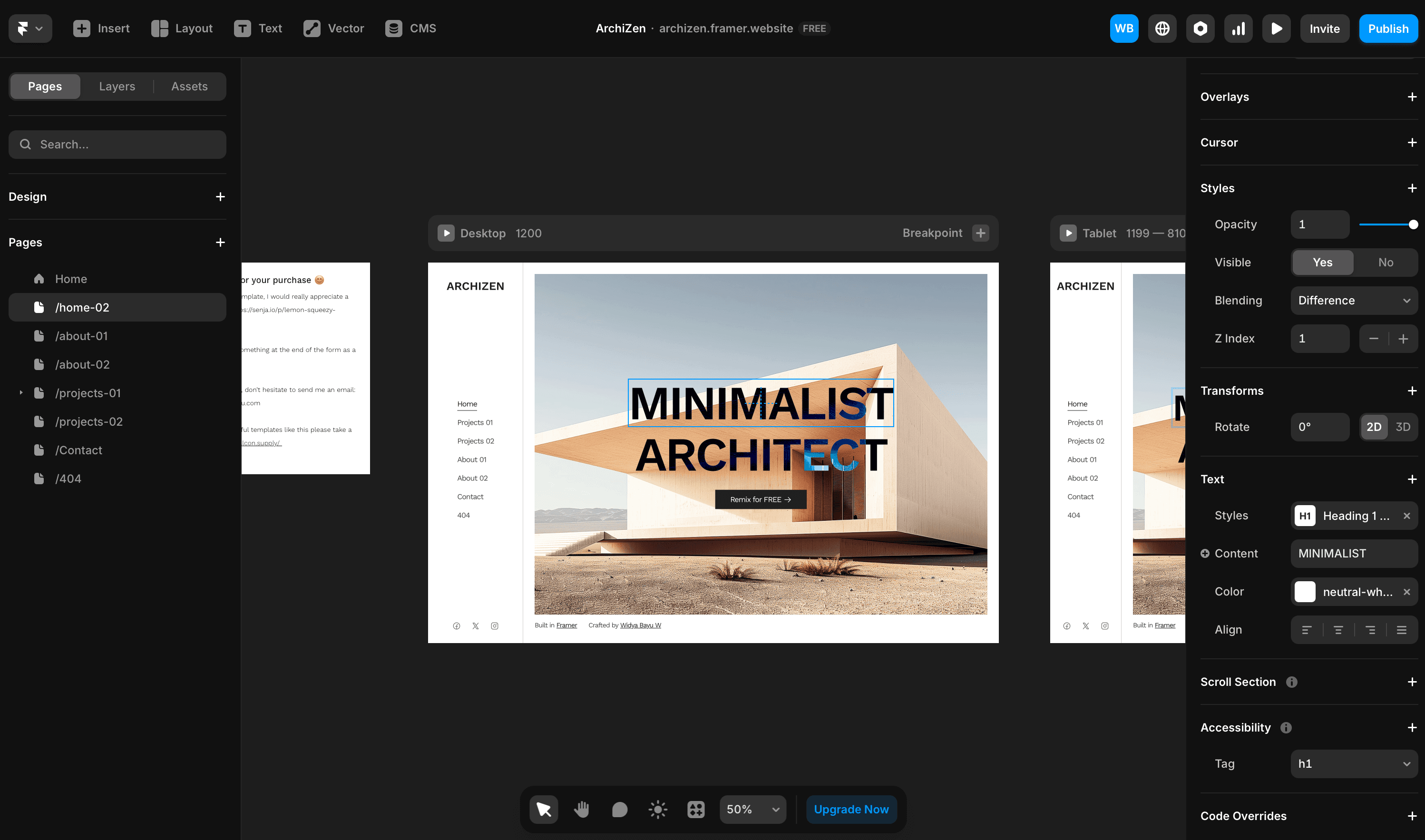
Framer animations look clean but sometimes feel a little soft or laggy, which I think comes from using Motion.
Webflow
Webflow, on the other hand, gave me more control but also more things to manage. Classes, combo classes, z-index, positioning, it was all there, and it’s powerful, but it slowed me down at first.
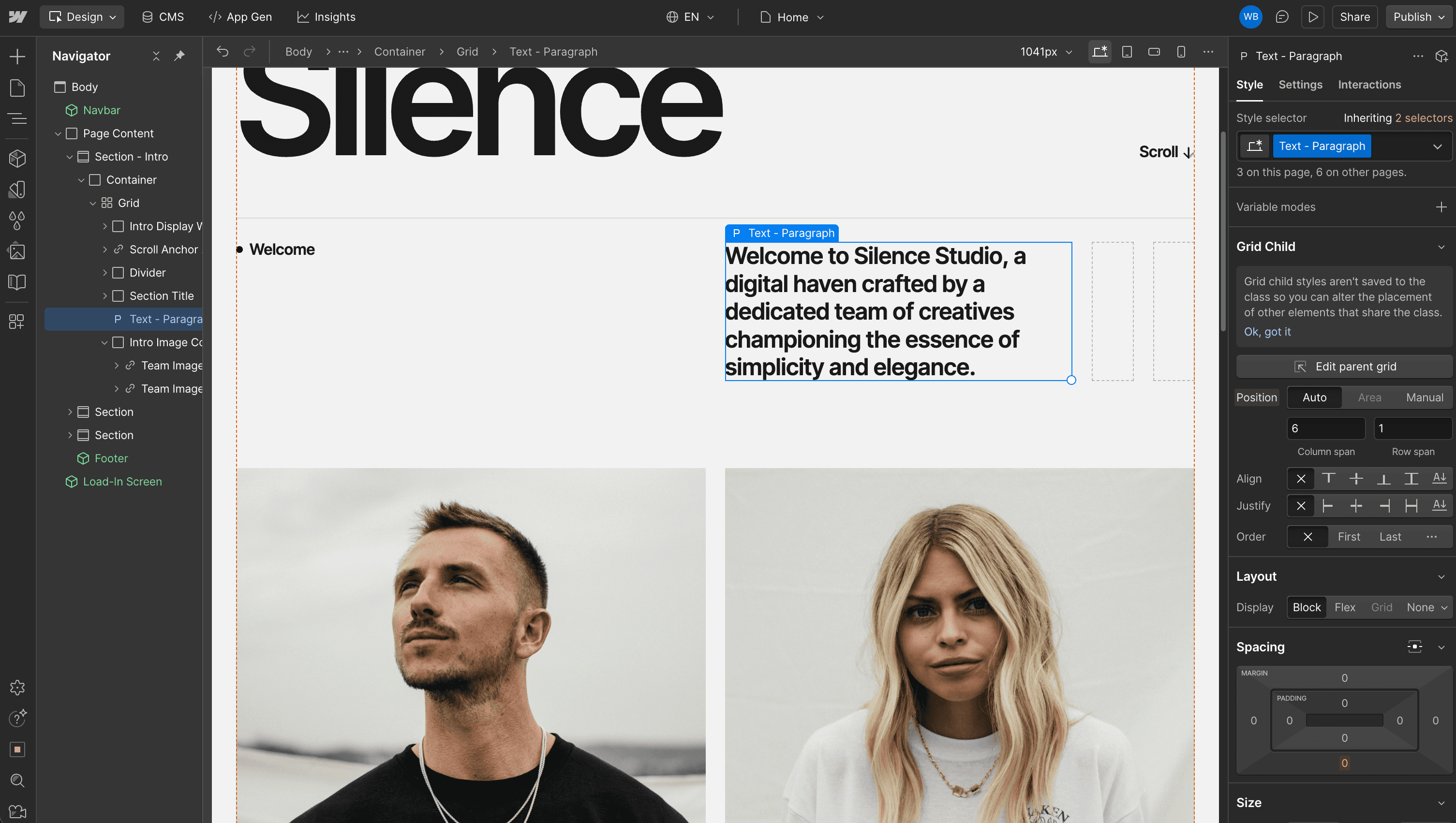
If you’re a developer or someone who understands HTML and CSS, you might feel right at home.
When it comes to animations, Webflow felt snappier. That’s probably because it uses GSAP behind the scenes, so transitions and interactions feel super responsive.
So for animations, I choose Webflow over Framer.
Framer CMS vs Webflow CMS
Framer
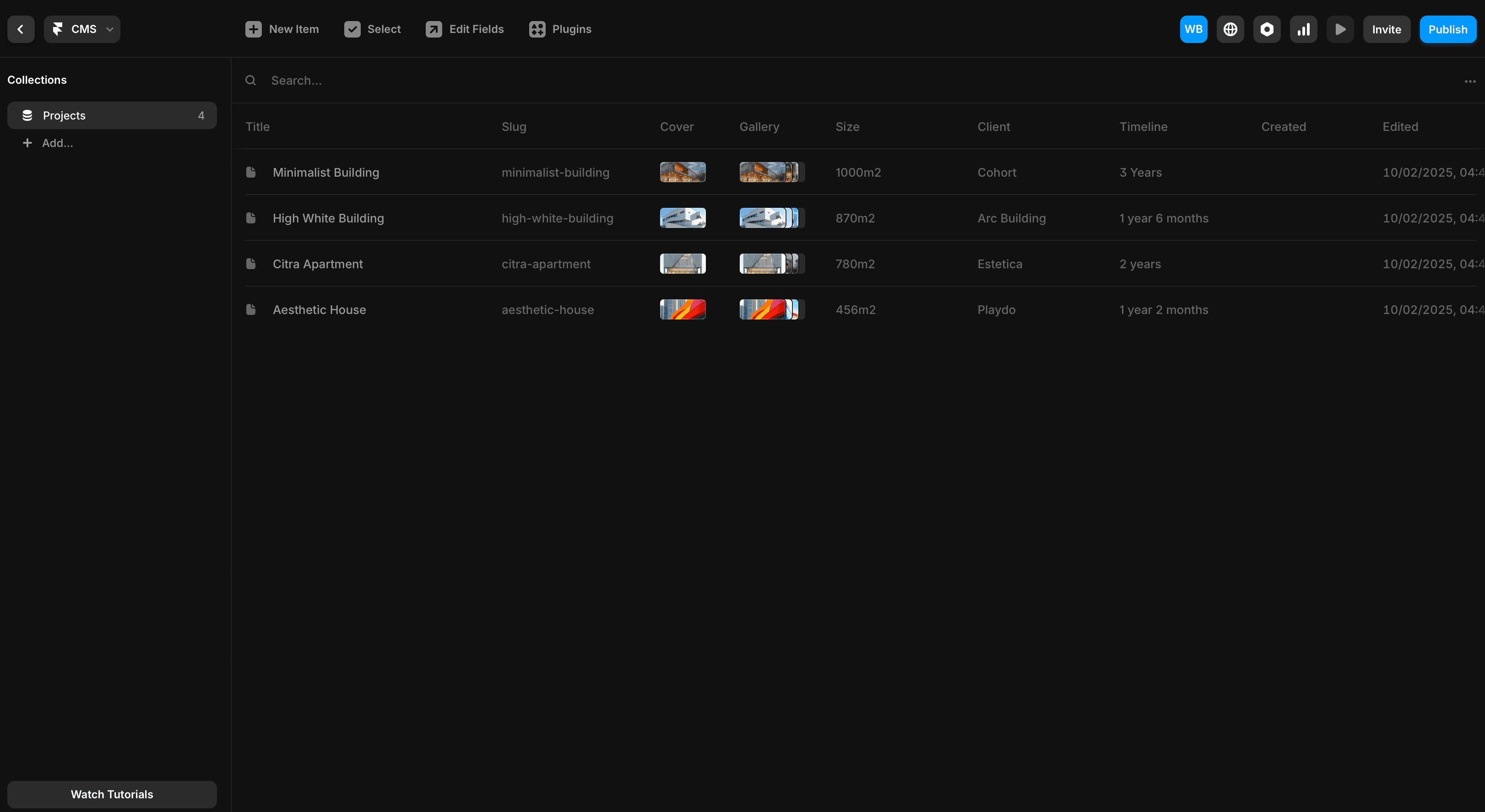
Framer’s CMS is simpler, but still works great for projects that don’t need a huge content structure. I’ve used it for simple blog sections and dynamic case study pages, and it was fast and smooth.
Webflow
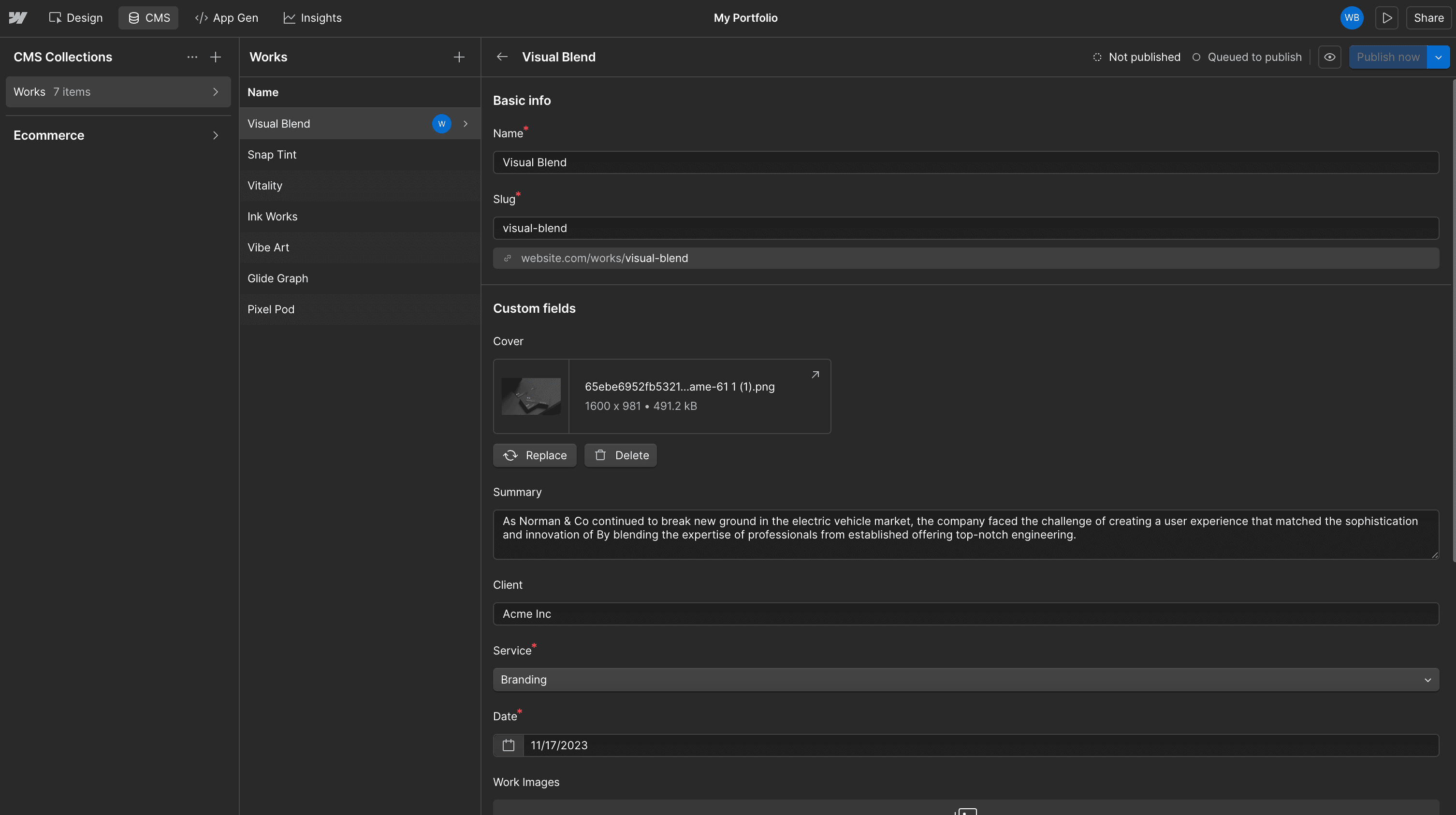
This is where Webflow still wins for now. Its CMS is more mature and better suited for blog heavy or content driven sites. You can create collections, add fields, create custom post types and it feels like a full CMS.
AI Agent & MCP Support: Framer vs Webflow
Both platforms have moved fast on AI agents this year, and unlike WordPress, neither one is starting from scratch. But there is still a real gap between them once you look at what each agent can actually do to your CMS.
Framer
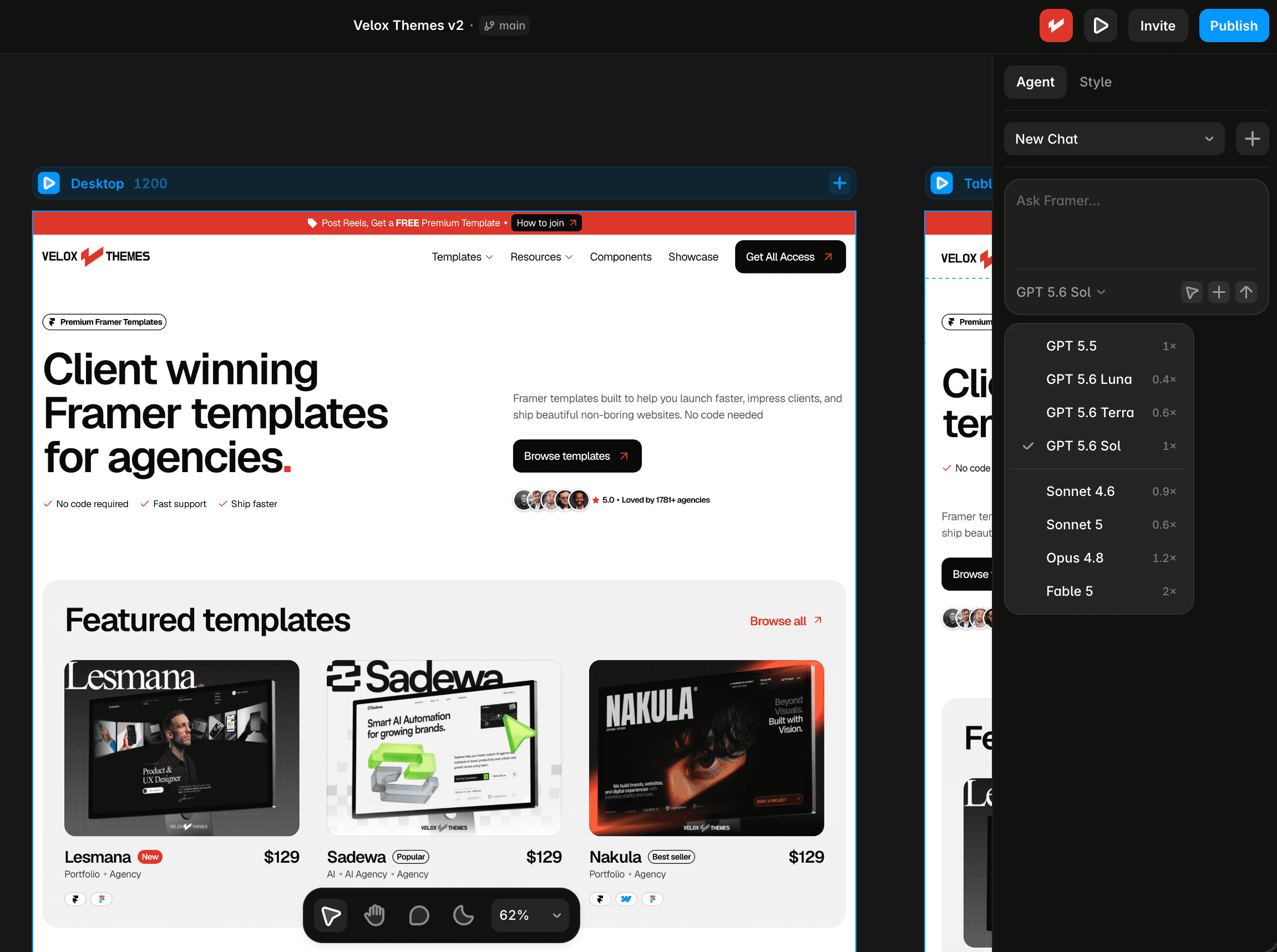
Framer’s AI agent is built right into the editor, and it also connects through MCP to external tools like Claude Code and Cursor. It can directly change your live site: restyle sections, build custom components, and manage your CMS, including creating brand new collections and fields from scratch, not just editing items inside collections you already made. Full details are on Framer’s agent page.
Webflow
Webflow also ships an official MCP server that connects AI agents to your site. It is genuinely capable: it can build responsive sections, create and manage classes and components with props and variants, define design variables, and add or bulk update items inside your CMS collections.
The limitation worth knowing before you rely on it: Webflow’s MCP server cannot create a new CMS collection. It can only add and update items inside collections that already exist in the Designer. It also cannot create or apply Webflow Interactions (IX3) yet, and it cannot create new localized CMS items. So if your plan is to have an AI agent stand up a whole new content model from a prompt, Webflow’s agent cannot do that part today, you still have to create the collection by hand first.
Framer does not have that gap. Its agent can create the collection itself as part of the same request, which matters if you want to go from a prompt to a working CMS-backed page without switching into manual setup partway through.
Client Handoff
Framer
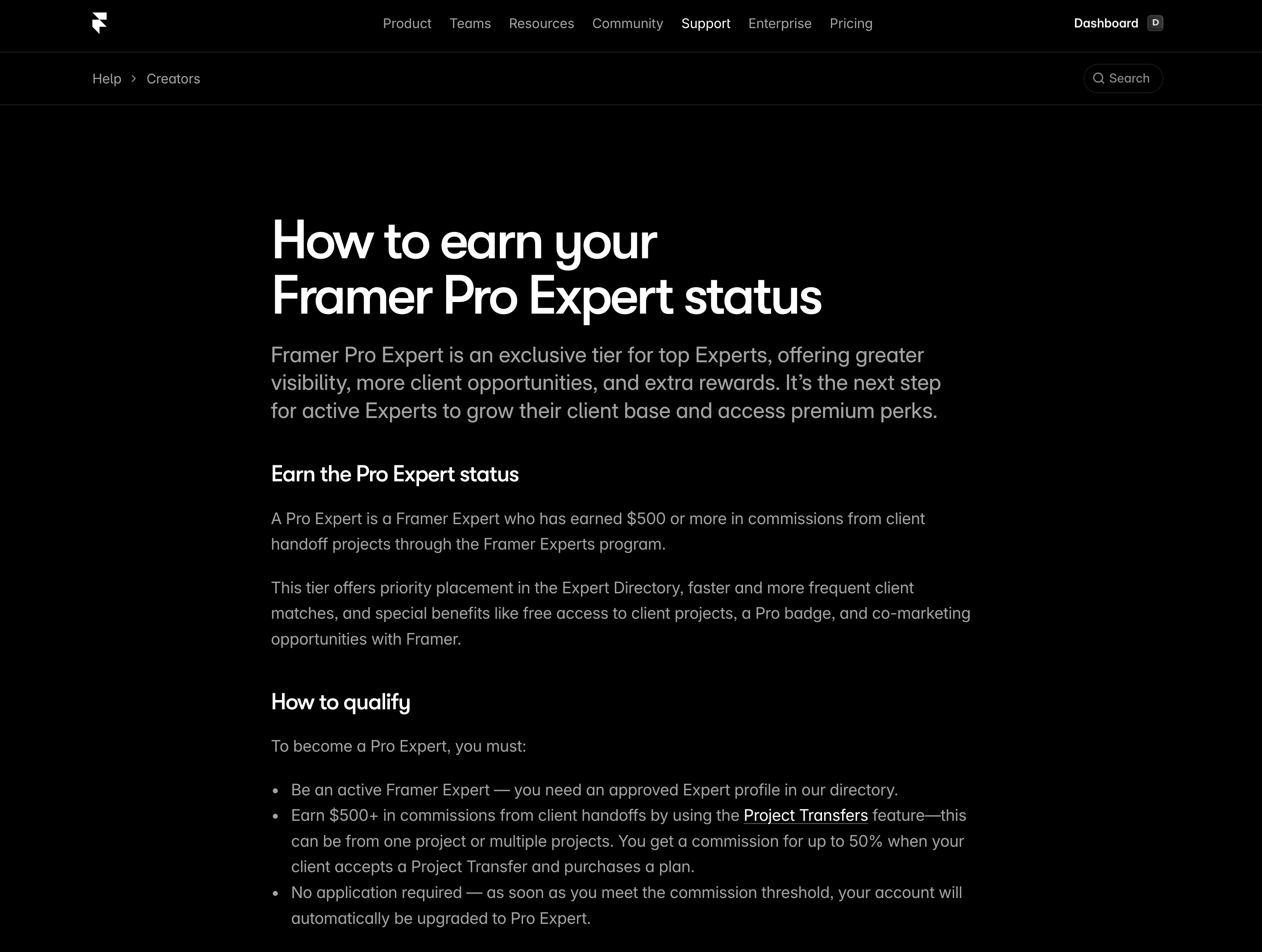
Now, here’s a big win for Framer. If you become a Framer Pro Expert, you can join client projects as a project editor, for free. That’s a huge deal when handing off client work.
Framer also has project transfer feature. When you’ve designed a site for a client or someone else and want to transfer the project to them without any downtime, you can use the Project Transfer option.
Webflow
Webflow doesn’t offer this. Clients need their own paid Workspace, or you have to transfer the site entirely, which isn’t always smooth. You can read more about how that works in How to hand off a website to your clients from webflow.
Ecommerce: Selling with Framer vs Webflow
Framer
Framer doesn’t have ecommerce built in. But you can still sell with tools like LemonSqueezy, Gumroad, or Shopify by integrating third party solutions like FramerCommerce or Frameship.
I’ve personally used LemonSqueezy, but now move to Polar to sell Framer templates and while it works well, it’s not as plug and play as Webflow.
Webflow
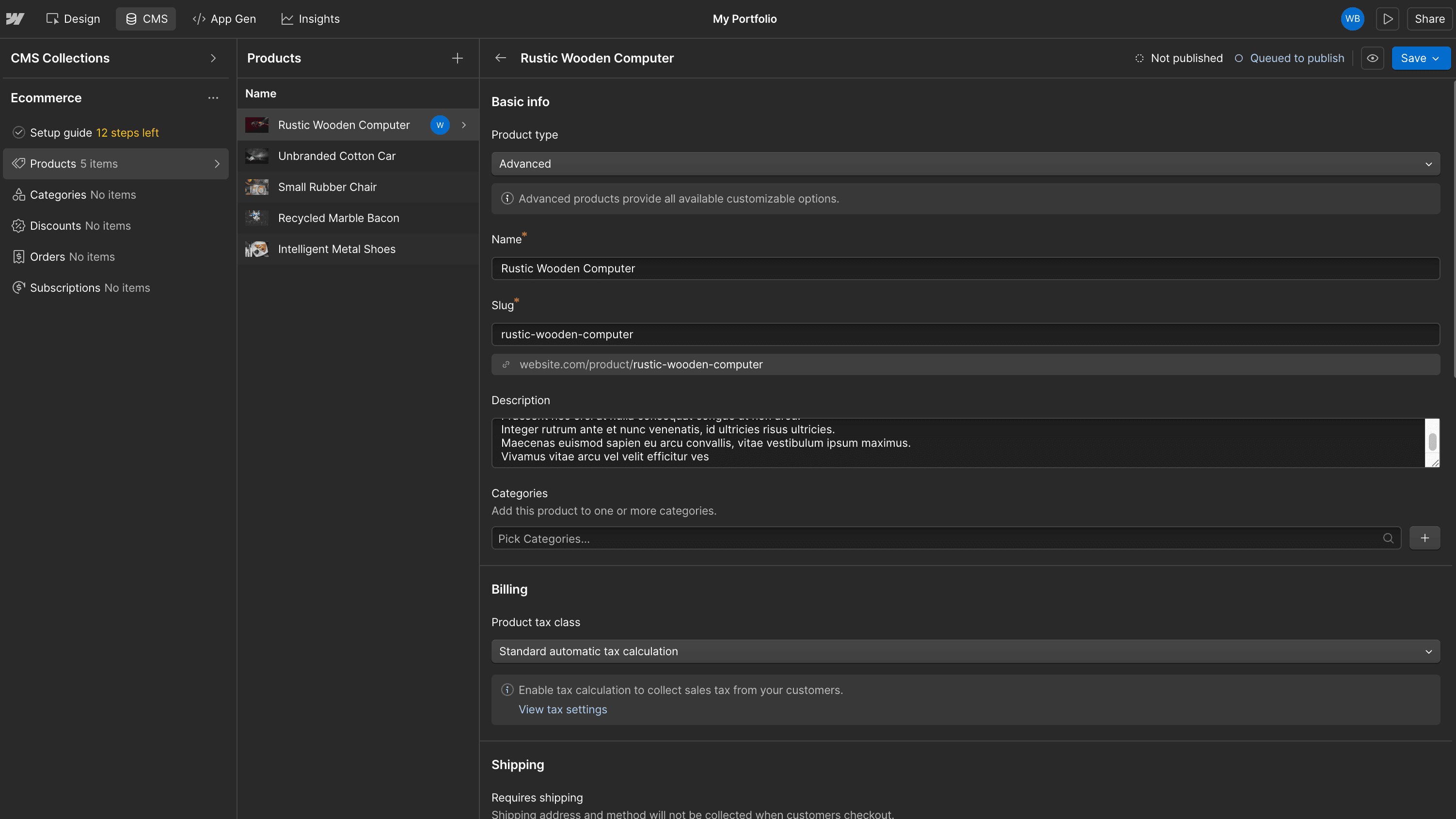
If you’re planning to build a full ecommerce store with products, inventory, taxes, and shipping, then Webflow’s ecommerce solution is definitely more complete.
It’s all built in and works seamlessly for both physical and digital products.
Affiliate Programs and Selling Templates
If you want to earn money through templates or referrals, both platforms give you pretty solid options.
Framer
With Framer’s affiliate program, you can earn 50% recurring commission for the first 12 months on every paying user you refer.
For selling templates, Framer gives creators 100% of the revenue, which is super generous.

Webflow
Webflow also offers a 50% affiliate commission, which is a great deal if you’re already helping people choose a platform. Plus they also offer up to 15% on top if you are Pro affiliate or Premium Affiliate.
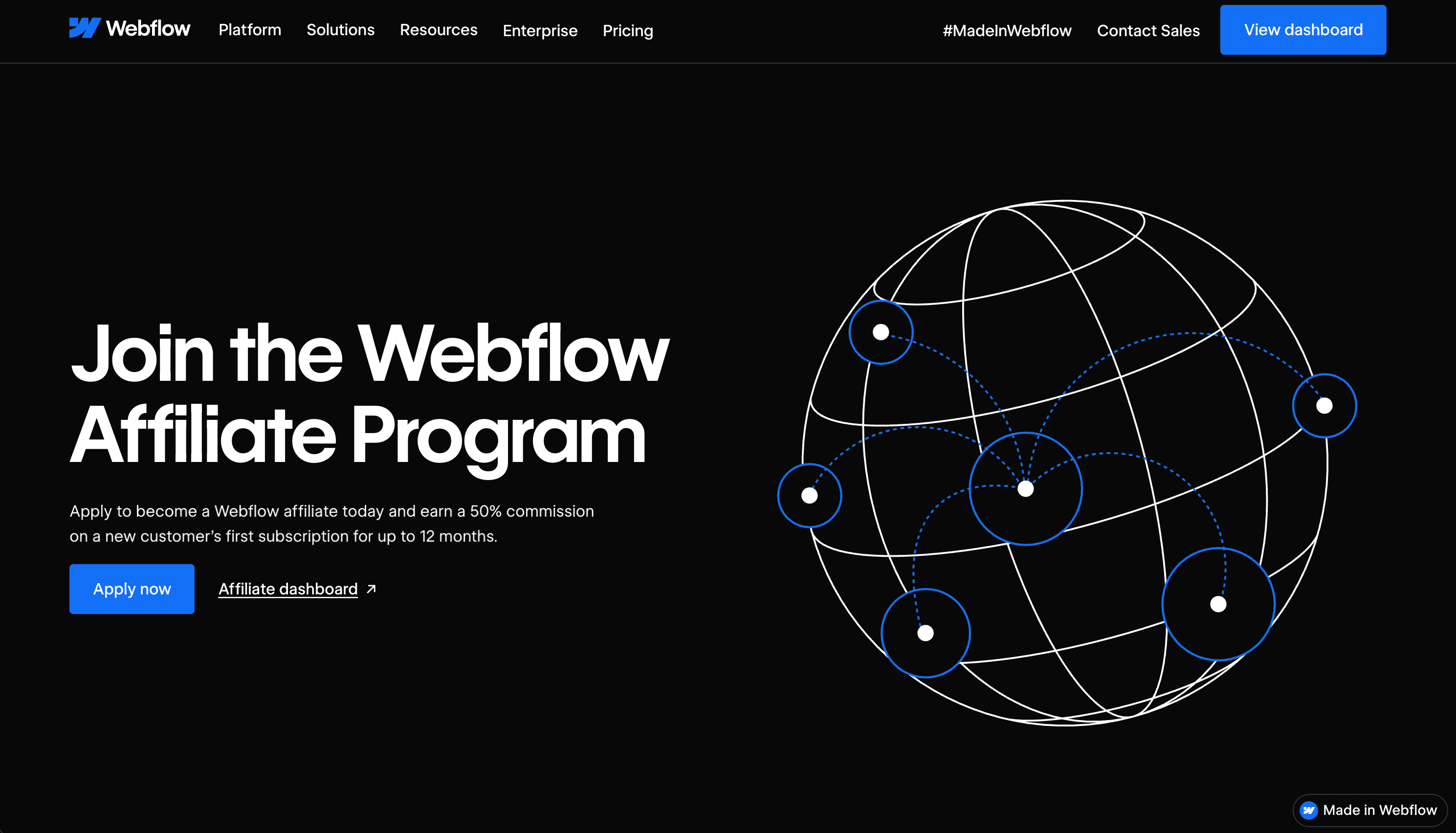
Webflow recently increased their payout from 80% to 95% and also started allowing creators to sell templates outside of their official marketplace, something Framer already allowed from the beginning.
That freedom to sell wherever I want has made a big difference for me, we sell our own Framer agency templates this way too. I like that I’m not locked into one ecosystem
SEO and Performance
SEO wise, both platforms are strong, but they approach it differently.
Framer
Framer makes it simpler. It has built in SEO settings where you can add meta titles, descriptions, and social sharing details.
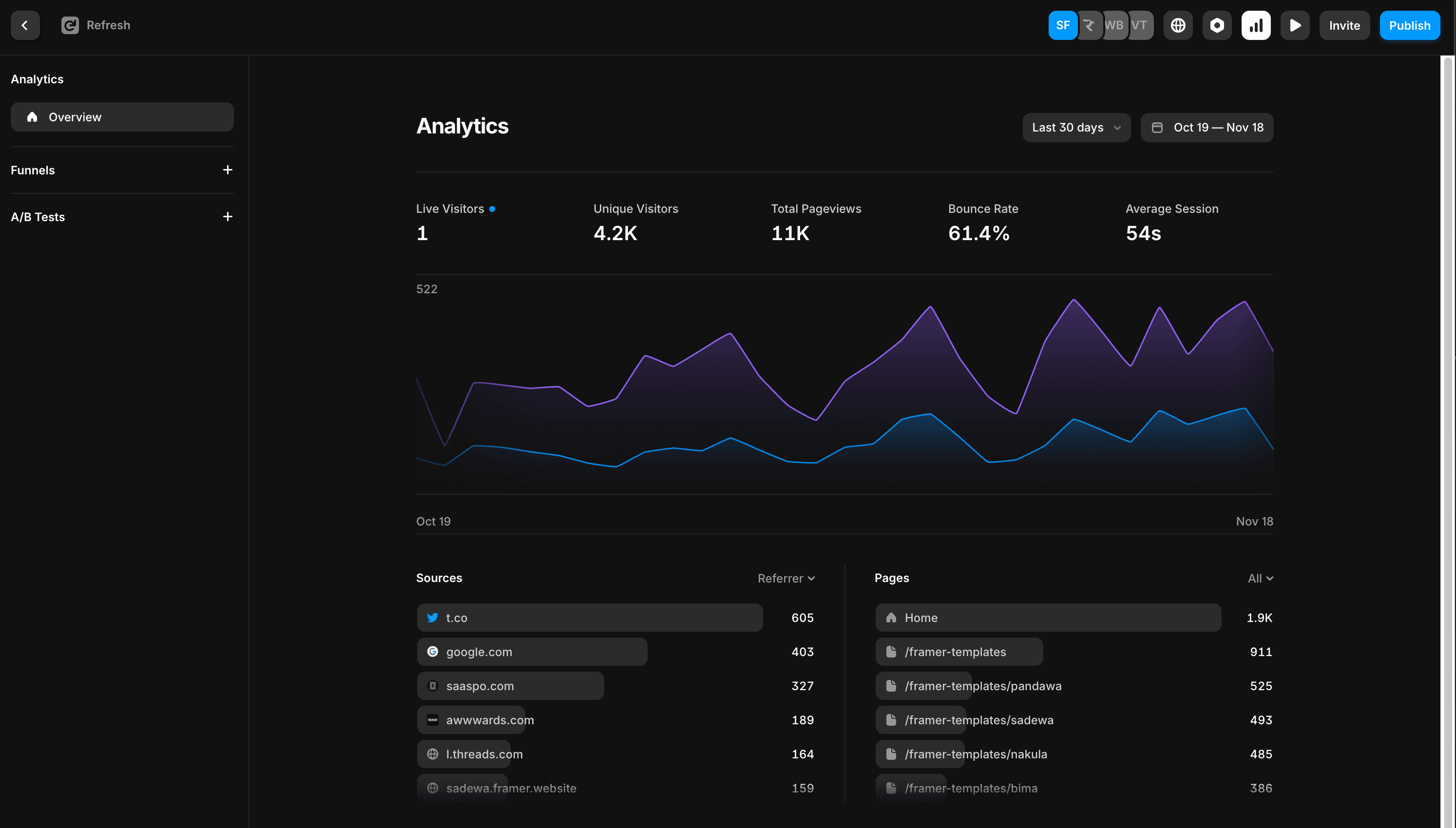
Plus, it includes 30 day built in analytics with every site, so you don’t need any extra setup to get basic traffic data.
Webflow
Webflow gives you full control over meta tags, page structure, open graph settings, and even schema markup.
But to track traffic and behavior, you’ll need to pay an add-on to your site plan.
Framer Pricing vs Webflow Pricing
Framer
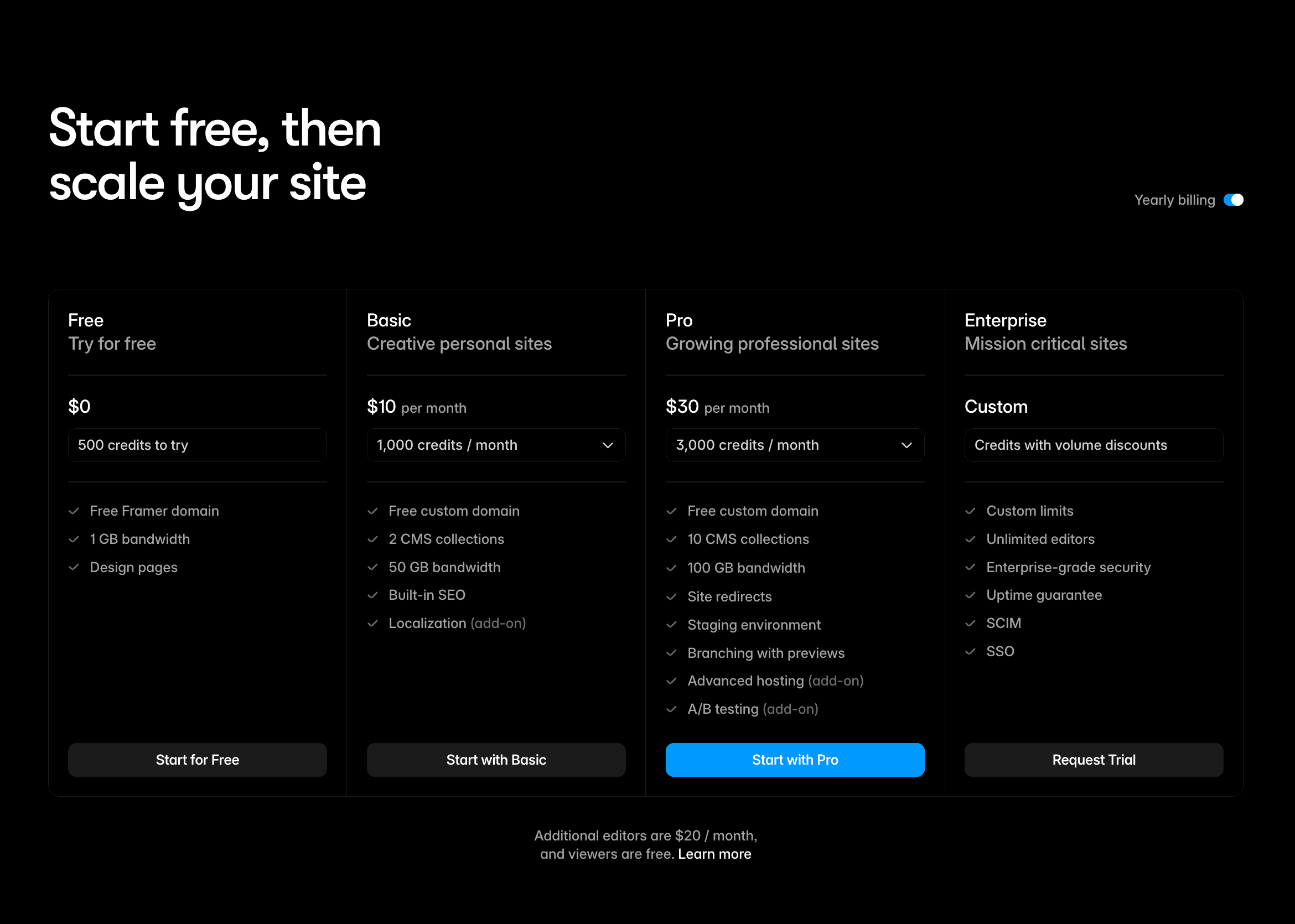
Framer pricing is simple and includes hosting, CMS, animations, and editor access, see our full Framer website cost breakdown for a detailed plan comparison.
Plan | Price | Best For |
|---|---|---|
Free | $0 | Testing or portfolio |
Basic | $10/month | 10 CMS, 150 pages, 100 GB bandwidth |
Pro | $30/month | Expandable — up to 40 CMS, 700 pages, 2 TB bandwidth |
Enterprise | Custom | Unlimited editors, custom limits, advanced hosting |
Webflow
Webflow pricing is split into Site Plans, Workspaces, and Ecommerce.
Plan | Price | Best For |
|---|---|---|
Starter | $0 | Testing or learning |
Basic | $15/month | Simple business sites |
Premium | $25/month | Blogs and content-rich sites |
Team | $2,500/month | Platform plan for teams (annual contract) |

Workspace Plans (for team collaboration)
Plan | Price per seat | Use Case |
|---|---|---|
Free | $0 | Solo use |
Core | $19/month | Freelancers |
Growth | $49/month | Small teams |
Ecommerce Plans
Plan | Price | Key Features |
|---|---|---|
Standard | $29/month | 500 items, 2 percent fee |
Plus | $74/month | 5,000 items, no Webflow transaction fee |
Advanced | $212/month | 15,000 items, full ecommerce features |
Framer vs Webflow Pricing 2026: Which Costs Less?
For a typical freelancer or small agency running client sites, here is how the costs actually compare at equivalent tiers:
Entry level with custom domain:
Framer Basic: $10/month billed annually
Webflow Basic: $15/month billed annually
Winner: Framer (saves $60/year per site) — note Webflow Basic still has no CMS
Mid tier with CMS and blog:
Framer Pro: $30/month billed annually (relational CMS, 1,000 CMS items, staging)
Webflow Premium: $25/month billed annually (full CMS, 2.5 TB bandwidth, code components)
Winner: Webflow Premium is still cheaper ($25 vs $30), but Framer Pro includes staging and A/B testing
High traffic or large content:
Framer Enterprise: Custom pricing (unlimited editors, advanced hosting, mission-critical sites)
Webflow Team: $2,500/month (annual contract) — localization, AEO agents, publishing workflows
Winner: Framer — Webflow Team jumped to $2,500/month (annual contract), making it far more expensive at this tier
The pattern: Framer wins at the entry level on price. Webflow wins at the mid and high tiers, especially if you need a large CMS.
For most freelance landing page and agency work, the projects live in the Basic–Pro range, where Framer is either cheaper or comparable, and builds faster, which matters if you bill by the project.
One hidden cost worth knowing: Framer includes a free .com domain on yearly plans. Webflow does not, you buy your domain separately from a registrar like Namecheap ($10–$20/year) and connect it manually.
Which One Is Better For Who
Use Case | Best Tool |
|---|---|
Landing pages | Framer |
Portfolios | Tie |
Ecommerce store | Webflow |
Blog heavy site | Webflow |
Client handoff | Framer (free editor access) |
Developer control | Webflow |
Design freedom | Framer |
Framer vs Webflow for Freelancers: Which Earns You More?
If you are a freelancer taking on client work, the choice between Framer and Webflow has real financial implications beyond just the platform cost.
Speed of delivery: Framer is significantly faster to build on for most designers. A landing page that takes a day in Webflow can take half a day in Framer. At a freelance rate of $50–$100/hour, that speed difference directly increases your effective hourly rate.
Client handoff cost: Framer lets you add a client to their own site as a project editor for free if you are a Framer Pro Expert. Webflow requires the client to purchase their own Workspace plan ($23+/month) just to edit their site. This is a meaningful difference when pitching to small business clients.
Template starting point: Framer’s template ecosystem is strong for freelancers who want to start from a polished base rather than building from scratch. A good Framer agency template can cut your build time by 60–70%.
Webflow wins for freelancers who: have clients with complex CMS needs, existing Webflow projects, or who specifically request Webflow by name.
Framer wins for freelancers who: want to ship faster, work with design-forward clients, and prefer a lower-friction client handoff experience.
Framer vs Webflow for Landing Pages: Which Builds Faster?
For standalone landing pages, product launches, campaigns, lead gen — Framer is the clear winner. Here is why:
Framer’s constraint-based layout and visual editor means you can go from blank canvas to a polished, animated landing page in a matter of hours. The template ecosystem is especially strong for landing pages.
Webflow can absolutely build great landing pages, but the learning curve and more structured editor means it takes longer to move fast, especially for designers without a development background.
If landing pages are a significant part of your client work or your own marketing, Framer saves you real time on every project.
Which One I Use and Why
I use both and that’s the honest answer.
I use Framer when I want to move fast, get creative, and ship something beautiful and a good Framer template makes that even faster. Browse our full template store if you want a head start.
I use Webflow when I need structure, complex CMS features, or full ecommerce. It’s more powerful but also more technical.
For me, it’s not about which one is better overall. It’s about choosing the right one for the right project.
Meet the author
Widya Bayu W
Widya Bayu W is a Framer expert and Co-founder of Velox Themes, he has 7+ years experience in design industry and now helping designers and agencies build website faster.
Ship Fast With Quality Framer Templates
No code required
Fast support
Ship faster